5 Best AirPlay Speaker of 2026: No More Dropped Wi-Fi Streams

Which AirPlay speakers hold a steady connection and fit Apple-heavy households, and which to skip when AirPlay matters most.

AirPlay 2 has become a box-checking feature on wireless speakers, but a checkmark on a spec sheet doesn't tell you what happens when your iPhone meets a crowded Wi-Fi network. The speakers that look identical on paper can be very different in daily use: one streams for hours, another drops the connection when you move across the room.

Different speakers use different Wi-Fi radios, apps, and grouping schemes, and those determine satisfaction more than the number of drivers or the wattage. A compact tabletop speaker suits most Apple households, but outdoor listening shifts the priority to battery life and weather protection.

The guide separates speakers by what they are genuinely good at, so you can weigh a deeper-bass retro model against a smaller, more predictable tabletop unit without confusing the two.

About the Sound Score: This comparative score is calculated from a product's published customer rating and review volume. It is not a laboratory measurement or a hands-on test result.

1

Best Overall AirPlay Tabletop Speaker
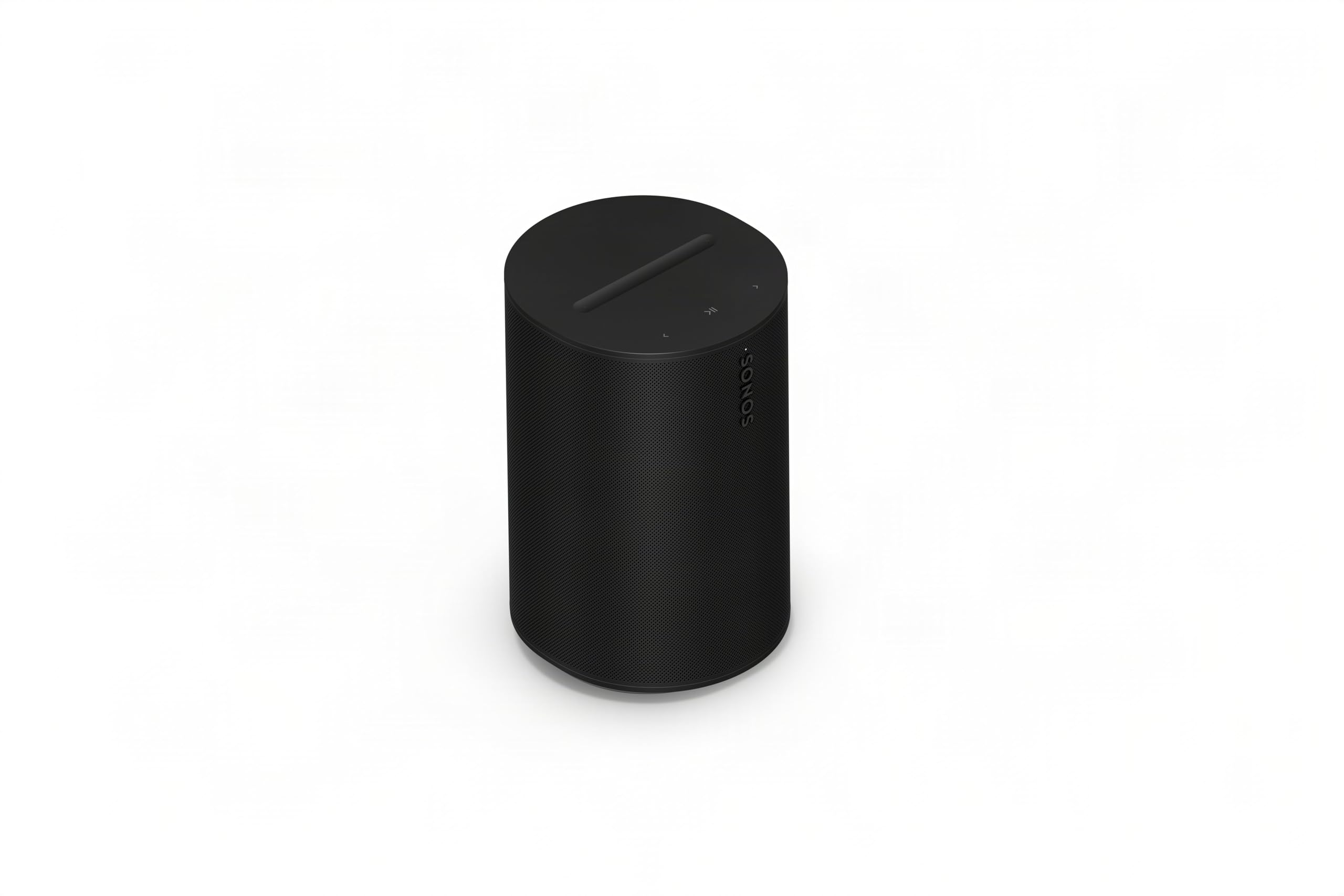
Sonos Era 100 SL

85 /100
Sound Score Excellent

Key details

Portability
Corded electric
Connectivity
Wi-Fi, Bluetooth, line-in adapter
Native AirPlay 2
AirPlay 2 via Wi-Fi
Sound Architecture
Dual angled tweeters, midwoofer
View on Amazon

Dual angled tweeters and a midwoofer give the Era 100 SL a wide, balanced stereo image that stays composed as volume rises; bass has real weight for a cabinet this size. The left/right separation is easy to hear on acoustic tracks, and the top end avoids the harshness that small tabletop speakers can apply to make detail seem present. Over AirPlay 2, an iPhone or Apple TV hands off audio quickly, and the speaker can join a Sonos multiroom group with the same sync behavior as larger Sonos models. None of that depends on battery state or a Bluetooth handshake, which keeps it a stable fixed-location speaker.

Setup is quick over Wi-Fi, and Bluetooth offers a fallback when a guest wants to play something without joining the network. The line-in option with an adapter covers older audio sources, while Trueplay automatic room tuning adjusts the balance to the room's layout, so a bookshelf position or countertop placement produces similar tonality. The microphone-free enclosure also removes assistant mute concerns; this is just a speaker, not a listening device.

The right buyer is an Apple household that wants a fixed-location tabletop speaker with AirPlay 2 and Sonos multiroom, without paying for portability or built-in voice assistants. The Sonos app can be unintuitive, and occasional Wi-Fi or Bluetooth disconnects may occur, so a little setup friction comes with the package. Trueplay plus the compact cabinet make it a fit for a bedroom, office, or kitchen counter, where a larger tower or a battery pack would be unnecessary. If you need a battery, IP weather rating, or hands-free voice control, another model in the Sonos line covers that.

The mid-range price sits below the larger portable Sonos and the premium Atmos-focused alternative, while retaining the core AirPlay and multiroom behavior that make the ecosystem useful. For a household already invested in Sonos, it is a cost-effective way to add another zone; for a first-time buyer, it delivers enough sound and integration to serve as a permanent living-room speaker rather than a starter step. The lack of a microphone means no accidental assistant wake-ups and no privacy toggle to manage.

Compared with the portable Sonos, the Era 100 SL trades the battery and weatherproofing for a smaller footprint and a lower price, and it keeps the same AirPlay 2 behavior when plugged in. The more expensive Atmos-oriented speaker adds height channels for spatial music, but for standard stereo listening the Era 100 SL covers the common case with less complexity. That makes it the rational default for buyers who want AirPlay 2 in a fixed spot without chasing extras.

💡 Keep the Sonos app updated before rearranging rooms or groups.

Pros

  • Rich, balanced stereo sound with dual angled tweeters and bass that stays composed at moderate volume.
  • Setup is quick over Wi-Fi, with Bluetooth on hand for guest playback without network setup.
  • AirPlay 2 playback from iPhone, iPad, or Apple TV connects cleanly and stays in sync with multiroom groups.
  • Cost-effective entry point into the Sonos ecosystem, with full multiroom behavior at a lower price than larger models.

Cons

  • The Sonos app can be unintuitive, especially for grouping and settings in a multiroom setup.
  • In dense Wi-Fi environments, AirPlay or Bluetooth may disconnect and require a manual reconnect.
Our verdict

For a fixed-location AirPlay 2 speaker, the Era 100 SL balances stereo sound, Apple integration, and Sonos multiroom at a more agreeable price than the bulkier portable or Atmos-heavy alternatives.
Check Latest Price
2

Best Bose Alternative

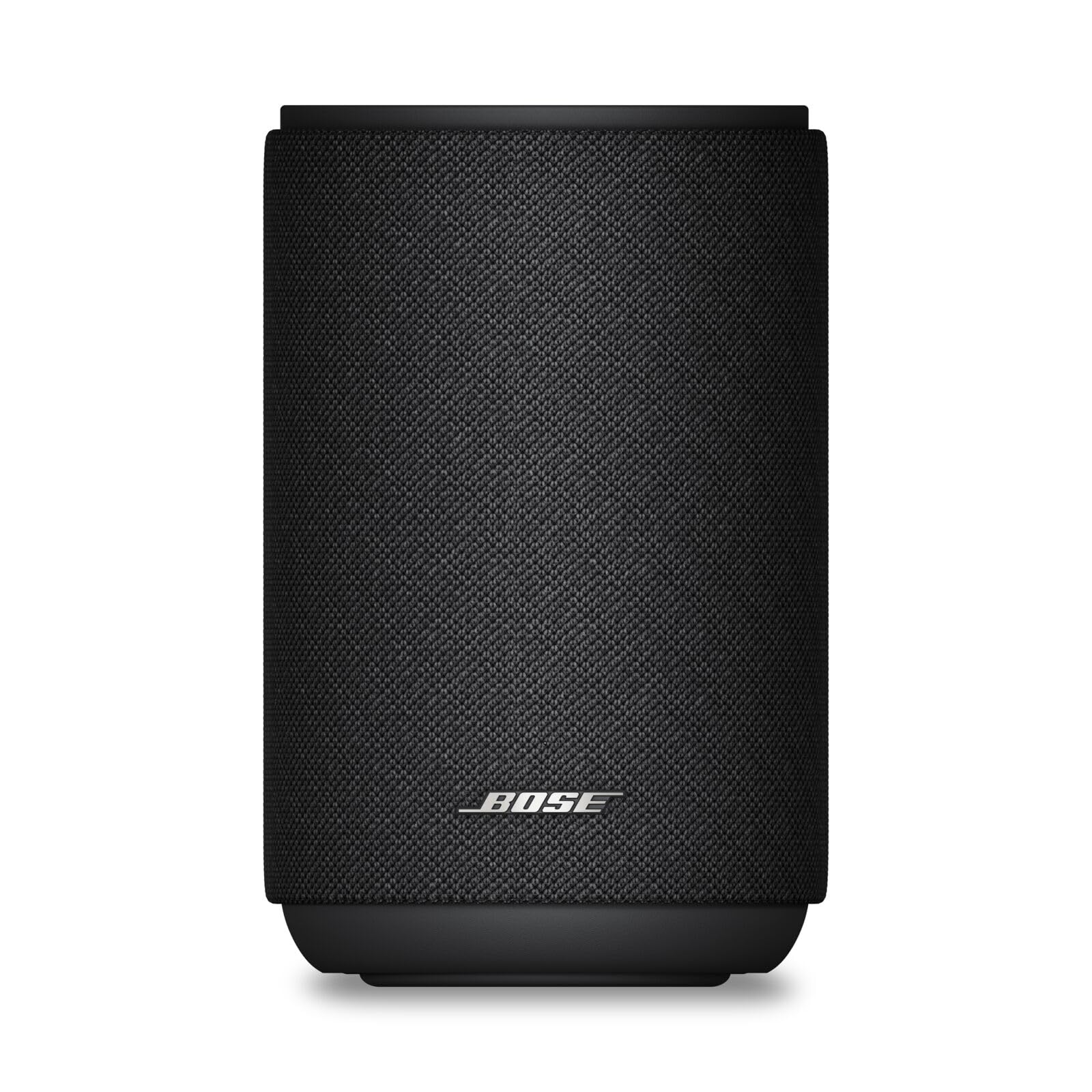
Bose Lifestyle Ultra

78 /100
Sound Score Very Good

Key details

Portability
Corded electric
Connectivity
Wi-Fi, Bluetooth, Google Cast
Native AirPlay 2
AirPlay, Google Cast
Sound Architecture
TrueSpatial Audio, CleanBass, EQ
View on Amazon

TrueSpatial Audio and CleanBass give the Bose Lifestyle Ultra a wide, clear presentation with controlled low end, and the adjustable EQ lets you tune the sound to the room instead of accepting a fixed voicing. AirPlay and Google Cast are both built in, so Apple and Android households can stream over Wi-Fi without adapters. The compact cabinet fits on a shelf, sideboard, or wall mount without dominating the space, and the soundstage is broader than the enclosure size suggests.

Setup through the Bose app takes a few minutes, and the app keeps EQ adjustments, source selection, and volume in one screen. The minimalist shell and 3.7-pound weight make it easy to reposition around a room, though it is a corded speaker and not meant for portable use. The speaker is best treated as a fixed-location music device, not a voice-assistant hub.

This speaker suits Apple users who want native AirPlay plus Google Cast flexibility without committing to a single ecosystem. The Bluetooth radio can be inconsistent in busy wireless environments, so AirPlay or Google Cast is the steadier route for daily listening; long-term performance can also vary between units. If you use it primarily over Wi-Fi, the Bose delivers the room-filling sound and adjustable EQ that make it a strong alternative to the slimmer tabletop speaker in this set. It also works as a multiroom speaker when paired with other Bose units.

💡 AirPlay and Google Cast give the best streaming stability; leave Bluetooth for quick pairing when Wi-Fi is not an option.

Pros

  • Wide, clear sound with deep bass and adjustable EQ for room-specific tuning.
  • Simple setup and easy app-based control for volume, sources, and EQ.
  • Compact footprint that fits shelves, sideboards, and wall mounts.
  • Sleek, minimalist design with a premium finish.

Cons

  • Bluetooth connection can be inconsistent in busy wireless environments.
  • Long-term performance can vary between units.
Our verdict

For Apple households that want AirPlay plus Google Cast in a compact, good-looking cabinet, the Bose Lifestyle Ultra delivers. Wi-Fi streaming is the path of least resistance.

Check Latest Price
3

Best Retro-Style Powerhouse

JBL Authentics 200

87 /100
Sound Score Excellent

Key details

Portability
Corded electric
Connectivity
Wi-Fi, Bluetooth, Chromecast
Native AirPlay 2
AirPlay, Alexa MRM, Chromecast
Sound Architecture
200W, 25mm tweeters, 5in woofer
View on Amazon

The JBL Authentics 200 is the boldest-sounding speaker in this AirPlay lineup, delivering 200W through dual 25mm tweeters, a 5-inch woofer, and a 6-inch passive radiator. Automatic self-tuning adjusts the response to the room, and the retro cabinet and premium build give it the weight of a piece of furniture next to the neutral, compact top pick.

Bass is the headline. The woofer and passive radiator produce a deep, punchy low end, while the tweeters keep higher frequencies clear at high volume without turning harsh. Initial setup is fast through the JBL One app, and the speaker supports Alexa, Chromecast, and AirPlay without locking you into one assistant. For multi-service households, that streaming flexibility is the main draw over a single-ecosystem speaker.

This speaker is for design-led buyers who want a retro statement piece and deep bass, and who stream across several services. It is not for anyone who expects a set-and-forget wireless box; Bluetooth and AirPlay can drop, Alexa may not respond until the speaker wakes, and there is no physical power switch. Buyers comfortable with app-driven control will get the best from it.

💡 Power state and standby are handled through the JBL One app.

Pros

  • Big, detailed sound with deep bass and strong output
  • Retro design and premium build make it a statement piece
  • Fast initial setup through the JBL One app

Cons

  • Without a physical power switch, the speaker can wake or pair unexpectedly.
  • In a multi-assistant setup, Alexa and Spotify playback may not respond until you wake the speaker.
  • Bluetooth and AirPlay connections can drop during streaming.
Our verdict

For design-led buyers who want a powerful, retro statement speaker, this JBL delivers bass depth and output the compact top pick can't match.

Check Latest Price
4

Best Premium Portable

Sonos Move 2

89 /100
Sound Score Excellent

Key details

Portability
24hr battery, IP56
Connectivity
Wi-Fi, Bluetooth, USB-C
Native AirPlay 2
AirPlay 2 via Wi-Fi
Sound Architecture
Dual tweeters, tuned woofer
View on Amazon

The Move 2 unplugs from the wall and carries the Sonos multiroom experience with it. It produces high-output stereo from dual tweeters and a precision-tuned woofer, holds a charge for up to 24 hours, and keeps IP56 weather resistance, so the same AirPlay 2 speaker can anchor a living room shelf and then cover a yard gathering without losing bass or clarity.

The handle and IP56 splash/dust resistance make moving it practical, and the cabinet feels solid enough for regular trips between rooms, patio, or car. It does not fit the lightweight-backpack role; this is a carry-around speaker, and it costs more than the compact portables in this set. In return, battery life can stretch across multiple days of intermittent listening, and the USB-C socket adds a wired source option when Wi-Fi and Bluetooth are not the right path.

This is the AirPlay 2 portable for Sonos households that want one premium speaker for both indoor and outdoor use. It is heavier and pricier than smaller portables, and Bluetooth pairing can be inconsistent, so buyers who depend on Bluetooth for daily use should treat that as a boundary. Existing Sonos owners get the easiest multiroom extension in this lineup.

Pros

  • High-fidelity stereo with deep, dynamic bass that keeps its composure outdoors.
  • The comfortable handle and sealed cabinet make moving from living room to patio or yard practical.
  • Battery life can stretch across multiple days of normal listening between charges.

Cons

  • Initial setup on an older Wi-Fi network can be slow before AirPlay settles.
  • Unit-to-unit variation can leave a speaker unable to power on or charge.
Our verdict

For a Sonos household that wants one premium speaker for living room and patio, the Move 2 is the loud, long-lasting AirPlay 2 portable to carry — leave the backpack at home.

Check Latest Price
5

Best WiiM Multiroom Value

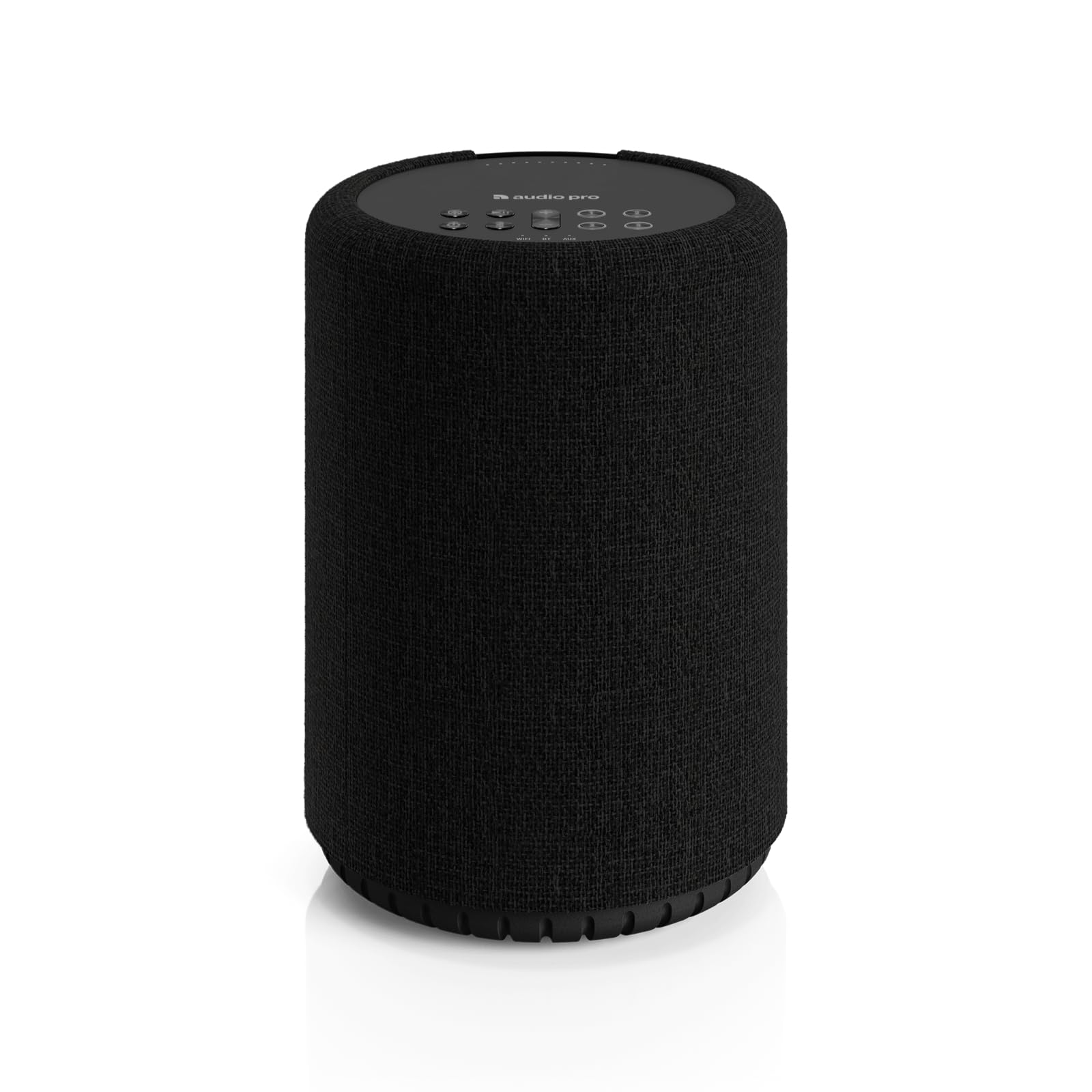
Audio Pro A10 MKII

79 /100
Sound Score Very Good

Key details

Portability
Corded electric
Connectivity
Wi-Fi, Bluetooth, Cast, Spotify
Native AirPlay 2
AirPlay 2, Google Cast
Sound Architecture
50W, 3in woofer, BMR tweeter
View on Amazon

The Audio Pro A10 MKII WiiM Edition pairs hi-res 192kHz/32-bit decoding, built-in room correction, AirPlay 2, Google Cast, and WiiM multiroom in a compact cabinet that undercuts the top pick's price. That protocol set makes it a natural fit for Apple households that want to avoid Sonos pricing without giving up native AirPlay 2. The 50W output, 3-inch woofer, BMR tweeter, and dual passive radiators deliver strong clarity and a surprisingly full low end for the size.

This speaker suits streamers who value protocol flexibility over brand lock-in. The app and multiroom experience can feel less polished, and a few units lose Wi-Fi after power cycles, so buyers who want a completely finished software experience should budget for the top pick instead.

Setup takes only a few minutes, and a WiiM household can add it to an existing system without juggling another account. The built-in room correction makes a real difference in a bookshelf placement, and the EQ controls cover more adjustment range than most compact AirPlay speakers at this price. The speaker also supports Spotify Connect for direct streaming from the app, so you can leave the software open only when you need it.

Pros

  • Clear, detailed sound with flexible EQ for a compact cabinet.
  • AirPlay 2, Google Cast, and Spotify Connect cover more streaming paths than most at this size.
  • Quick setup and simple integration into an existing WiiM system.
  • Built-in room correction tailors the output to the room's acoustics.

Cons

  • The compact cabinet can't deliver the deep, room-filling bass of larger AirPlay speakers.
  • The WiiM app's multiroom interface can feel less polished than the top pick's app.
Our verdict

Audio Pro's A10 MKII WiiM Edition is the value-oriented AirPlay 2 pick for streamers who want more control over where their music goes than the top pick's ecosystem allows.

Check Latest Price

How to Choose

Native AirPlay 2 Support

AirPlay 2 sends audio over your home network rather than a direct Bluetooth pairing. That gives you better range and multiroom grouping, but it also means the speaker is only as stable as its Wi-Fi radio and your router. A speaker can support AirPlay 2 and still drop the stream if its antenna is weak or the network is crowded. If your router sits far from the listening room, choose a model known for holding a connection on both 2.4GHz and 5GHz bands.

Multiroom Ecosystem

Multiroom grouping is not one universal standard. Sonos uses its own grouping on top of Wi-Fi, Google Cast and Alexa MRM use separate discovery protocols, and WiiM and HEOS are their own ecosystems. You can group different brands through AirPlay 2, but only if every speaker stays on the same network and supports the same version. For a permanent multiroom setup, buying within one ecosystem is the more predictable path.

Drivers and Amplifier

Sound quality comes from driver size, cabinet volume, and amplifier headroom, not just the advertised wattage. A larger woofer moves more air and produces deeper bass, but it requires a larger cabinet and more power. A 3-inch woofer can fill a bedroom or office, while a 5-inch woofer is better for an open living area. Look for a dedicated tweeter, because a single full-range driver tends to lose high-frequency detail as volume climbs.

Battery and Protection

Portable AirPlay speakers face a hidden power problem: AirPlay works over Wi-Fi, and Wi-Fi draws much more current than Bluetooth. So the same speaker can hit its advertised battery number during Bluetooth listening and fall short when streaming over AirPlay at higher volumes. Check both the battery capacity and the IP rating. IP67 means dust-tight and safe from submersion, while IP56 handles splashes but not full immersion.

Connectivity Flexibility

AirPlay is the headline feature, but the rest of the inputs decide how long the speaker stays useful. A line-in or USB-C port lets you connect a turntable, laptop, or game console that has no AirPlay. Bluetooth covers guests and non-Apple devices, though it compresses audio and drops you out of multiroom grouping. Treat Bluetooth as a fallback, not a replacement for AirPlay.

Frequently Asked Questions