9 Best Android Auto Stereo of 2026: Picks That Stay Connected

Which Android Auto stereos hold a stable phone connection, fit your dash, and deliver clean sound without surprise QC issues.

Most Android Auto stereos share the same headline spec sheet: wireless projection, a touchscreen, subwoofer outputs, and a backup camera. The difference shows up in daily use, where one unit keeps a steady connection to your phone and another asks you to re-pair it mid-route.

The trade-off for buyers comes down to features versus confidence. Low-priced wireless receivers offer a lot for the money, but their connection stability and long-term behavior vary. Established brands charge more for tuning and reliability, yet they often leave out wireless projection at that price. The advertised wattage is not the spec that matters; connection consistency is.

This guide matches the stereo to your dash opening, your audio setup, and your tolerance for troubleshooting. A unit that sounds good on paper is only right if the phone connection holds up and the install fits your car. The right pick for you is the one that keeps Android Auto projecting cleanly on every drive.

About the Sound Score: This comparative score is calculated from a product's published customer rating and review volume. It is not a laboratory measurement or a hands-on test result.

1

Best Overall

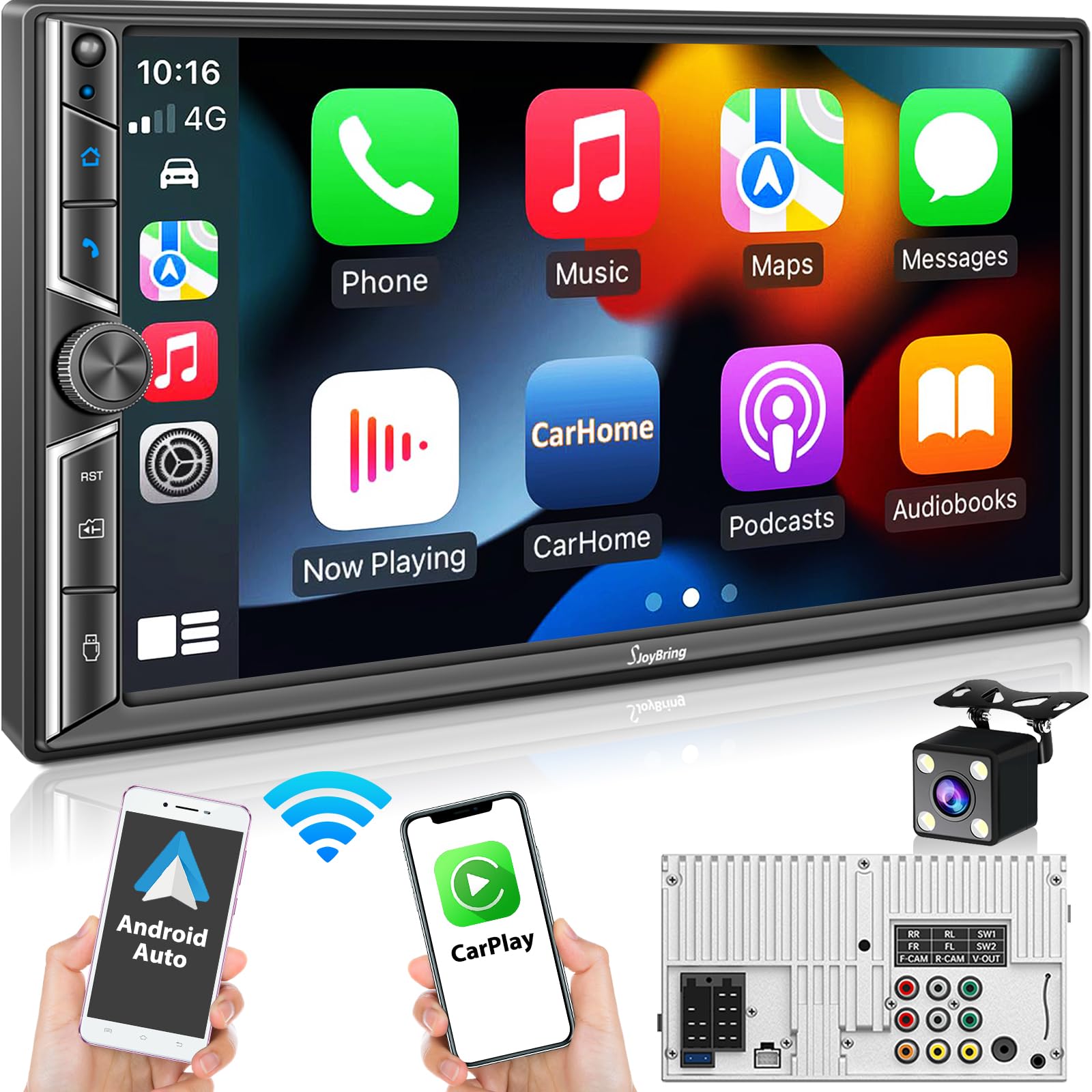
SJOYBRING JOY-W022 7-inch QLED

85 /100
Sound Score Excellent

Key details

Screen
7-inch QLED, 1280x720
Cameras
Backup camera included
Fitment
Double-DIN chassis
Connection
Wireless/wired Android Auto/CarPlay
View on Amazon

The JOY-W022 bundles the in-dash features Android Auto buyers actually use: a bright 7-inch QLED touchscreen, wireless CarPlay and Android Auto, a physical volume knob, and preamp outputs that let the head unit work as the center of a real sound system. The QLED panel is the standout spec, but the practical combination — wireless projection, direct sub outputs, and a tactile dial — is what makes it a complete package. It delivers those core functions at a price well below wireless receivers from premium brands.

Audio flexibility is the quiet advantage. The internal 240-watt amp drives stock speakers cleanly at ordinary listening levels, while front, rear, and dual subwoofer preouts make adding an aftermarket amp or powered sub a matter of running RCA cables rather than messing with line-output converters. For anyone with an existing amplifier or subwoofer, that output set is what separates this unit from entry-level competitors. The sub outputs in particular are a rare convenience at this price, because they remove the guesswork from integrating a powered sub.

Installation is a DIY-friendly double-DIN job. The printed guide covers wiring and mounting, the harness layout is logical, and a backup camera is included in the box, which means no separate order and no hunting for a compatible camera. After the swap, the touchscreen responds to swipes and taps without the hesitation found on budget receivers, and the QLED panel stays readable in direct sunlight — an area where cheaper panels tend to wash out. The 1280x720 resolution keeps text and map details sharp, so navigating feels closer to a modern phone display than to the pixelated screens on older budget units.

The physical volume knob puts a tactile dial back in the dash, which matters when you want to make a quick adjustment without looking at the screen. Double-DIN fit is generally good in standard dash openings, with the usual universal-bracket adjustments for vehicles that sit outside typical dimensions. Cars with non-standard dash openings may need extra bracket work, but that is true of any universal double-DIN receiver and not specific to this unit.

This receiver makes sense for value-conscious buyers who want one wireless Android Auto unit that handles the essentials without a premium-brand price. The 7-inch screen keeps dash fit manageable, and the dual sub outputs cover system builders. Some phones in Wi-Fi-dense areas can drop the wireless link and need a quick re-pair or restart; a USB cable offers a simple wired fallback. It is not aimed at buyers who want a 10-inch floating display or expect the tuning depth and service network of a premium brand.

💡 Steering-wheel control wiring is supported for drivers who prefer to keep volume adjustment on the wheel.

Pros

  • QLED screen delivers bright, sharp graphics that stay readable in direct sun.
  • Wireless CarPlay and Android Auto connect quickly and hold through a normal drive.
  • Preamp plus dual subwoofer outputs simplify adding amps or a powered sub.
  • Included backup camera and a clear wiring guide make installation approachable for DIY buyers.
  • Touchscreen responds smoothly without the lag that can slow down budget head units.

Cons

  • The volume knob is compact, so drivers with larger hands may prefer steering-wheel controls.
  • Some phones in Wi-Fi-congested locations can drop wireless projection; reconnecting is quick.
Our verdict

The JOY-W022 is the wireless Android Auto receiver for buyers who want QLED clarity, subwoofer outputs, and a tactile volume dial without a premium-brand markup.
Check Latest Price
2

Premium Wireless Choice

Kenwood DMX500S 6.8-inch

80 /100
Sound Score Excellent

Key details

Screen
6.8-inch capacitive, 1024x600
Cameras
Backup camera input
Fitment
Double-DIN chassis
Connection
Wireless Android Auto/CarPlay
View on Amazon

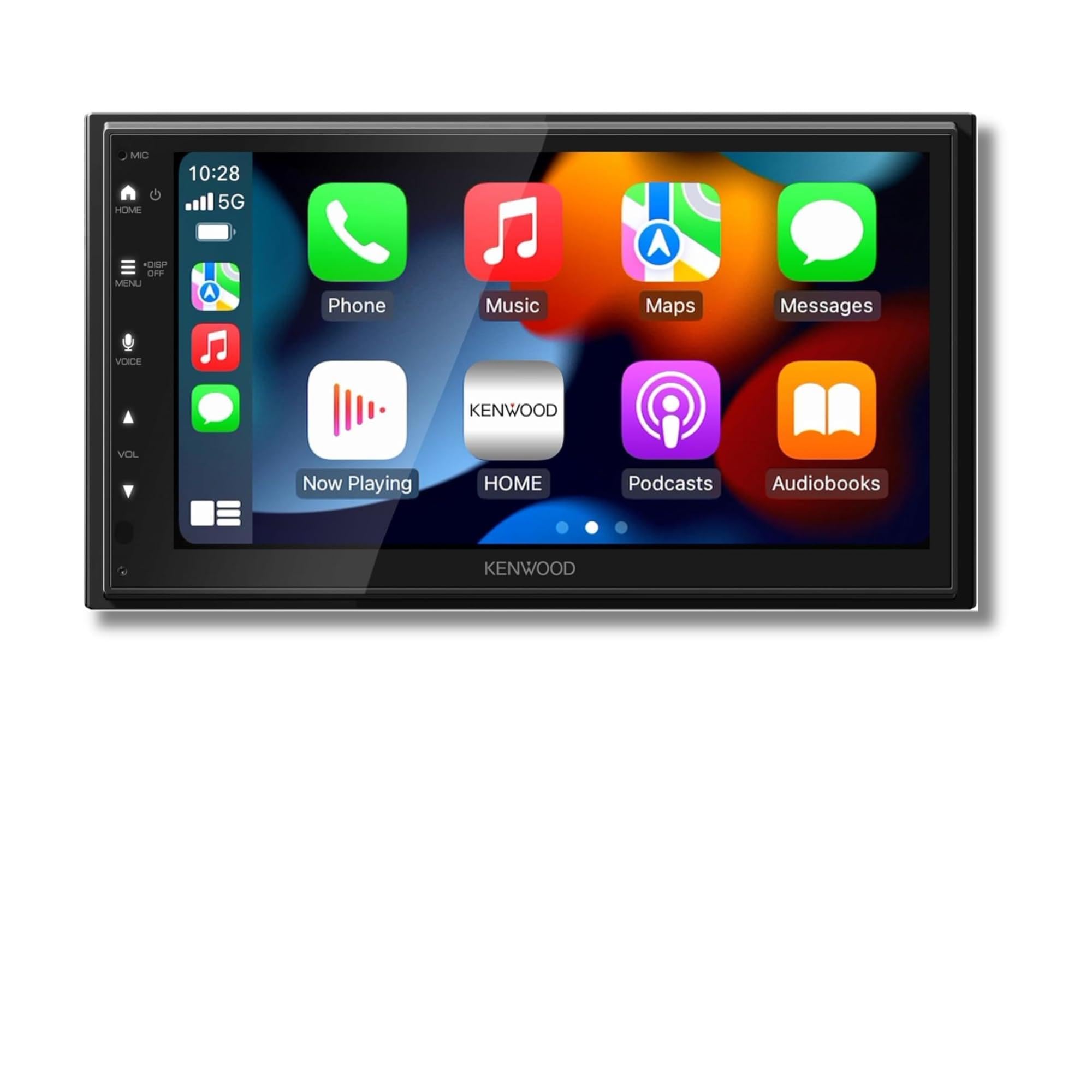
The DMX500S separates itself from the budget wireless crowd by pairing Android Auto and CarPlay with a full audio toolset: a 13-band graphic EQ, digital time alignment, and six-channel preouts. Dual-phone Bluetooth lets a passenger's phone stay connected for media or calls while your phone runs navigation, and the 6.8-inch capacitive display keeps the dashboard looking stock rather than aftermarket.

The touchscreen is responsive and sharp at 1024x600, and the preout setup gives installers clean paths to aftermarket amps and subwoofers. Dual-phone Bluetooth keeps two phones connected at once, so a passenger can queue music while the driver keeps navigation.

This is for the Android Auto buyer who values Kenwood's tuning depth and a factory-like 6.8-inch screen. The premium price is a real hurdle for budget-focused buyers, so this works best when the 13-band EQ, six-channel preouts, and dual-phone Bluetooth are the reasons for the purchase.

Pros

  • Tuning controls are deep enough to shape staging, time alignment, and EQ curves to a specific cabin.
  • Wireless CarPlay and Android Auto work without a cable and pair two phones at once.
  • The 6.8-inch display keeps a stock-like look and responds quickly to touch.
  • EQ presets and time alignment make it simple to switch between music sources without redoing the setup.

Cons

  • Volume control is touchscreen-only, making quick adjustments less immediate than a physical knob while driving.
  • Wireless CarPlay and Android Auto may drop and need a Bluetooth toggle or re-pair in some cases.
Our verdict

The DMX500S is the premium wireless pick for Android Auto buyers who want Kenwood's tuning depth and a factory-finished 6.8-inch screen.

Check Latest Price
3

Best Wired-Connection Brand Pick

Pioneer DMH-1600NEX 6.8-inch

81 /100
Sound Score Excellent

Key details

Screen
6.8-inch WVGA capacitive touchscreen
Cameras
Backup camera input
Fitment
Double-DIN chassis
Connection
Wired Android Auto/CarPlay
View on Amazon

The Pioneer DMH-1600NEX brings wired Android Auto and CarPlay into an in-dash receiver with a responsive 6.8-inch touchscreen and a 13-band EQ that stands out at this price tier. The USB connection is active as soon as the phone plugs in; there is no pairing menu or wireless handshake to wait through. Screen legibility and tap response are strong enough for daily driving, and the tuning depth gives the Pioneer a genuine edge over typical budget wireless units.

The tradeoff is a cable that stays part of the routine. There is no wireless CarPlay or Android Auto, so a phone left in a pocket will not connect; keeping a USB cable within reach is a requirement, not an option. In return, the direct link avoids the re-pairing and connection delays that can appear on wireless setups, while the phone charges and the audio processing stays on the head unit. Drivers who already plug in for Android Auto will find the cable requirement disappears into the habit.

This receiver fits Pioneer loyalists who want the company's 13-band EQ and camera inputs without moving up to a premium wireless model. It is also a sensible upgrade for older vehicles that need backup camera support and a legible touchscreen. There is no physical volume knob, and the touchscreen can occasionally ignore input until a reset clears it; those boundaries matter less when stable wired connection and sound tuning are the reasons for the purchase.

💡 Keep a USB cable in the center console; Android Auto connects as soon as the phone is plugged in.

Pros

  • 13-band EQ with multiple presets gives real control over sound shaping without jumping to a costlier wireless model.
  • Wired Android Auto and CarPlay connect the moment the phone is plugged in, bypassing Bluetooth pairing delays.
  • 6.8-inch touchscreen is responsive and legible, with menus that are easy to read while driving.

Cons

  • No wireless CarPlay or Android Auto; the phone stays on a USB cable for projection.
  • Touchscreen can become unresponsive in some cases, with a reset restoring normal function.
Our verdict

For the wired-first Android Auto buyer, the Pioneer delivers a responsive screen and deep tuning without paying for wireless convenience you won't use.

Check Latest Price
4

Best Big-Screen Value

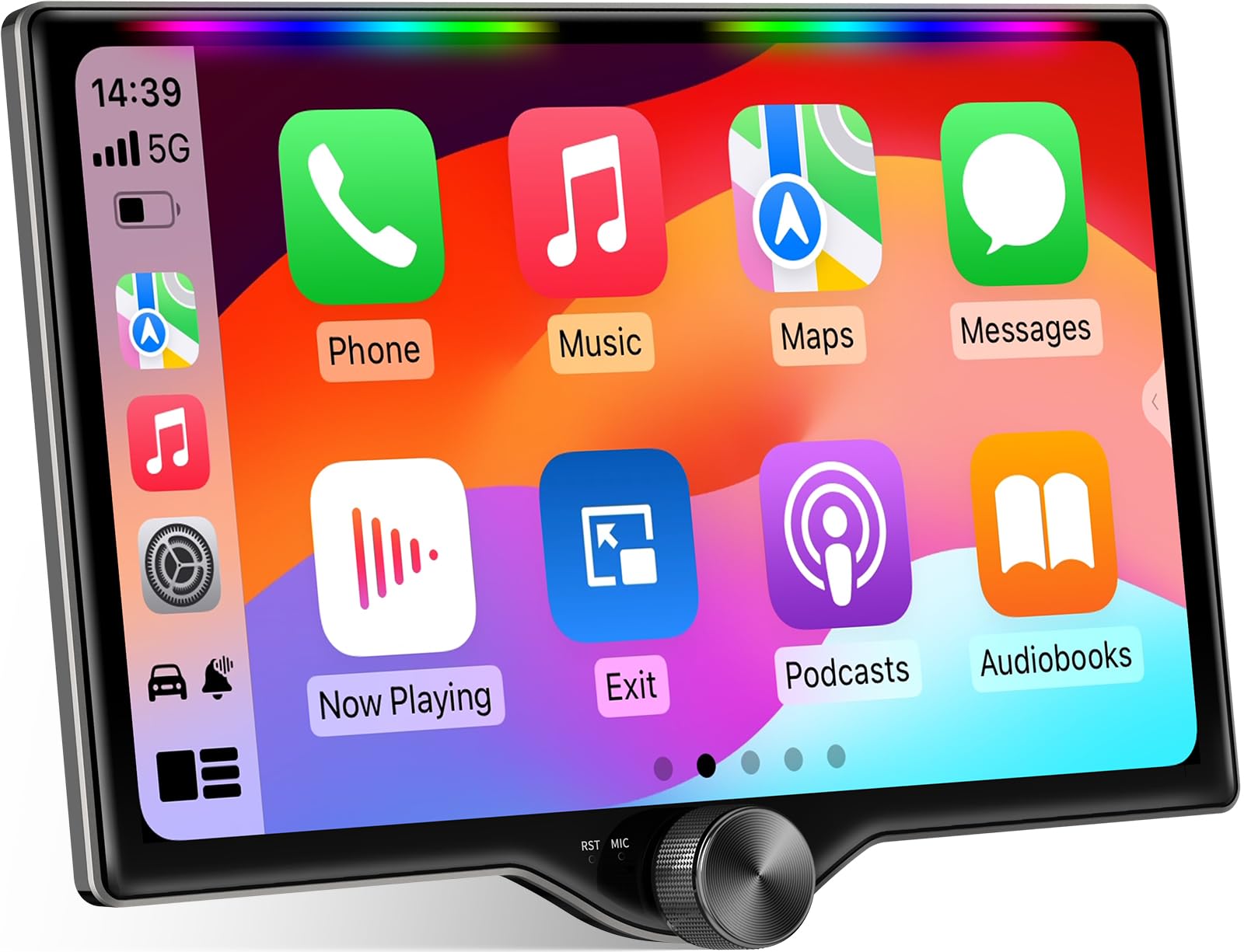
Kissound KS1001 10.1-inch QLED

83 /100
Sound Score Excellent

Key details

Screen
10.1-inch QLED touchscreen
Cameras
Backup camera included
Fitment
Double-DIN chassis
Connection
Wireless/wired Android Auto/CarPlay
View on Amazon

The Kissound KS1001 pairs a 10.1-inch QLED touchscreen with wireless CarPlay and Android Auto, DSP, a 10-band EQ, and dual subwoofer outputs in a double-DIN chassis. The included backup camera and steering wheel control support add convenience without extra purchases. That combination gives it a feature set uncommon at this price.

The screen is the main reason to choose this over 7-inch double-DIN units. Map view keeps more route detail visible, and the QLED panel holds up well in bright daylight. Wireless CarPlay and Android Auto connect quickly, so phone projection feels close to wired.

Audio output matches the visual upgrade. Bluetooth playback stays clean, the 10-band EQ and DSP offer real tuning flexibility, and dual subwoofer outputs make it easy to add bass without extra signal converters. This is a strong fit for anyone building a subwoofer-friendly system on a budget.

Best fit is a big-screen upgrader who wants wireless projection without moving to a premium brand. The large display may not suit compact dash openings or buyers who want a low-profile install. It works best when the dash opening has room to spare.

Pros

  • Bright QLED display keeps maps and menus readable in daylight
  • Clean Bluetooth audio with useful EQ controls
  • Wireless CarPlay and Android Auto connect quickly
  • DSP and dual subwoofer outputs support serious audio setups at a value price

Cons

  • Buyers who need dealer-backed service should expect a direct-to-consumer support experience
Our verdict

The KS1001 is the large-screen value pick in this lineup, pairing wireless projection, DSP, and subwoofer outputs with a bright QLED touchscreen at a mid-range price.

Check Latest Price
5

Best Compact Single-DIN

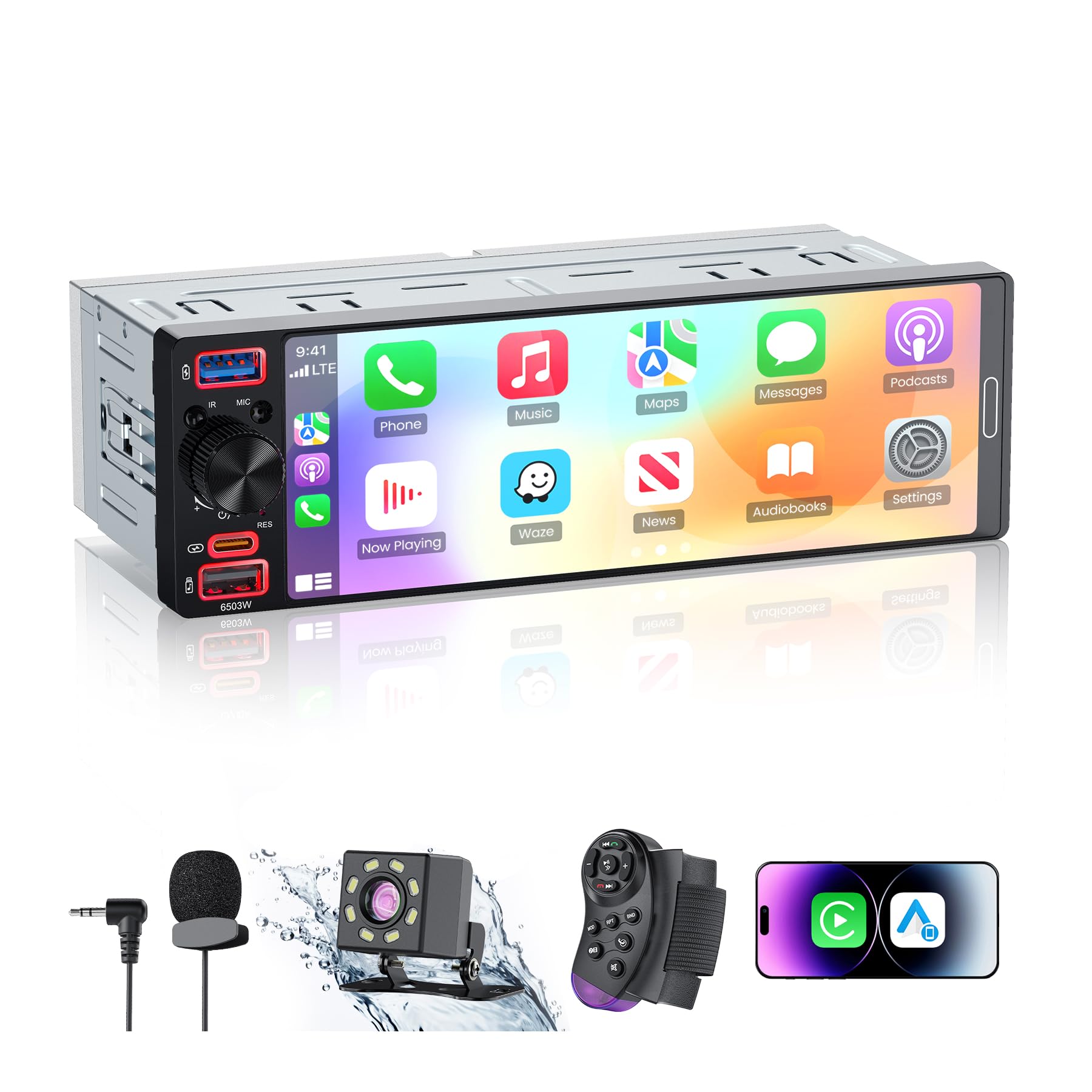
GBEER 6.5-inch Single-DIN

81 /100
Sound Score Excellent

Key details

Screen
6.5-inch InCell, 1280x452
Cameras
1080P backup camera included
Fitment
Single-DIN chassis
Connection
Wireless/wired Android Auto/CarPlay
View on Amazon

The GBEER puts wireless Android Auto and CarPlay behind a 6.5-inch InCell touchscreen in a true single-DIN chassis, which makes it the practical pick when a double-DIN faceplate will not fit. The 1280x452 panel keeps Android Auto text and map labels legible in the smaller layout. It also includes a 1080P backup camera and a USB-C port with 38W fast charging, so classic cars and older daily drivers gain modern phone integration without a dash conversion.

This suits buyers with narrow single-DIN openings or stock interiors where a floating 7-inch screen would look out of place. Budget buyers get wireless projection and a bundled backup camera at entry-level pricing. If you run sensitive speakers, the low-level background noise caveat matters in quiet cabins; noisier daily driving hides it.

Wireless CarPlay and Android Auto connect quickly, and the five-band EQ gives enough adjustment for basic tuning. Installation into a standard single-DIN slot is manageable, and the included camera removes the separate-camera expense. For the money, the feature set is dense, with fast charging and a touchscreen that fits the compact format.

Pros

  • Wireless Android Auto and CarPlay connect quickly, so phone projection is ready without cable management.
  • Five-band EQ and compact chassis deliver strong sound for a single-DIN install.
  • Installation into standard single-DIN slots is simple for a DIY owner.
  • Budget-friendly price includes wireless projection, a 1080P backup camera, and fast USB-C charging.

Cons

  • Dedicated subwoofer RCA outputs are absent, so a subwoofer build needs an external line-output converter.
  • The 6.5-inch screen is compact next to double-DIN units; buyers used to larger displays will notice the smaller area.
  • In a quiet cabin with sensitive speakers, low-level background static can surface; noisier daily driving hides it.
Our verdict

For single-DIN dash openings, this is the compact route to wireless Android Auto, CarPlay, and a bundled backup camera without a double-DIN conversion.

Check Latest Price
6

Budget Wireless Double-DIN

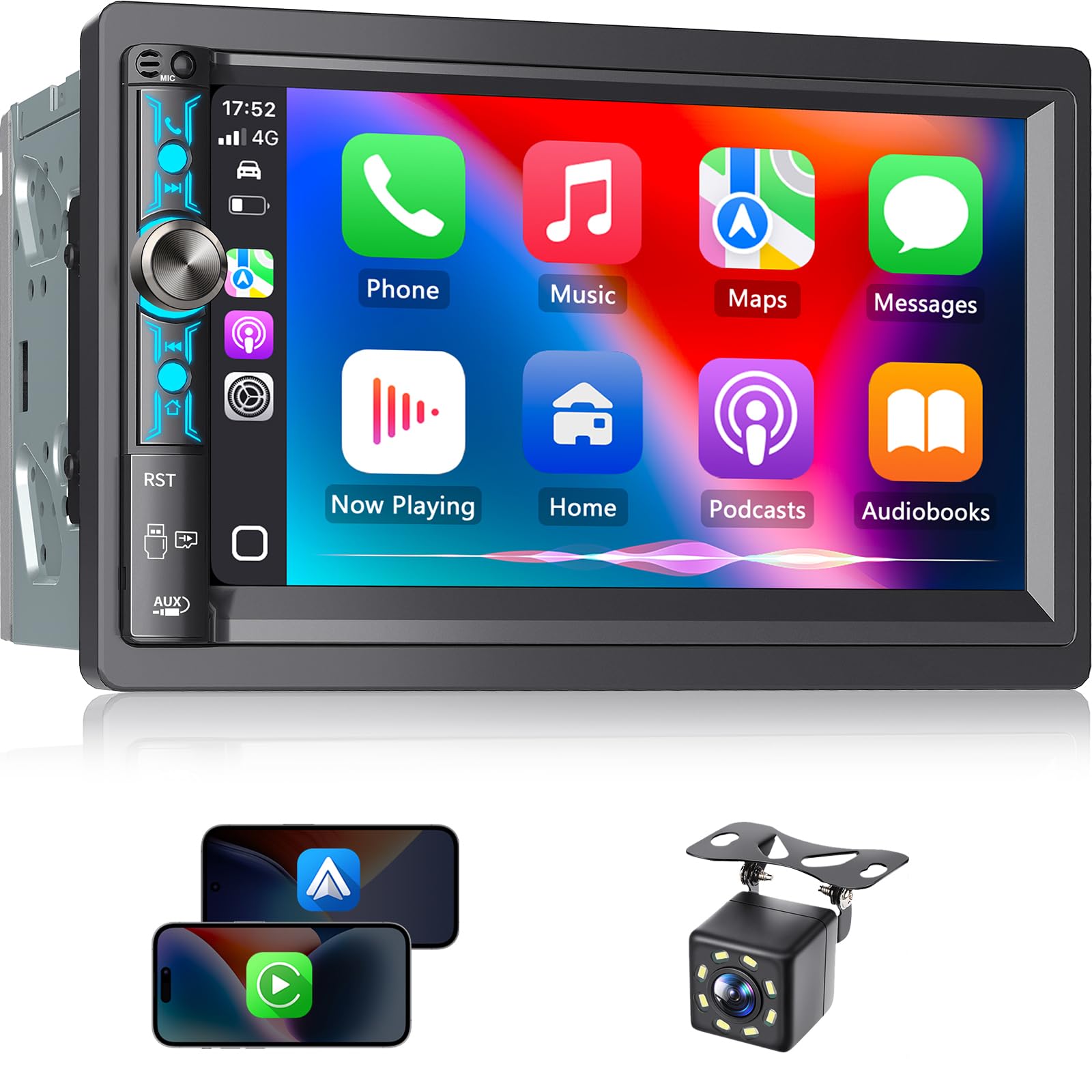
SJOYBRING JOY-W005 7-inch

84 /100
Sound Score Excellent

Key details

Screen
7-inch HD touchscreen, 1024x600
Cameras
Backup camera included
Fitment
Double-DIN chassis
Connection
Wireless/wired Android Auto/CarPlay
View on Amazon

The JOY-W005 is the sharpest entry price for a wireless double-DIN with real feature volume: wireless Android Auto/CarPlay, a physical volume knob, a backup camera, and dual subwoofer outputs in one package. That combination is rare at this price tier and makes the unit an obvious candidate for a first wireless upgrade.

The 7-inch touchscreen is responsive for map checks and audio selection, and the physical volume knob is a practical addition on a budget unit. The included backup camera feeds a clear image to the display, which simplifies parking in older vehicles without a factory camera. Installers with basic double-DIN experience should be able to handle the wiring and mounting without unusual steps, and the conventional bezel fits a standard dash opening well.

Wireless Android Auto and CarPlay handle typical maps and music duties without a cable, and audio output stays clean for factory speakers. The dual subwoofer outputs add flexibility for buyers who want bass control later without moving to a more expensive receiver.

This is for budget-first buyers who want wireless projection today and can accept the long-term screen reliability tradeoff: some units can develop black-screen or power-on trouble after months. Buyers who need a multi-year head unit without repair or replacement are better served by the higher-priced W022 model in this lineup.

💡 Toggling Bluetooth off and on is the fastest way to restore a dropped wireless session.

Pros

  • Wireless Android Auto/CarPlay, a physical volume knob, backup camera, and dual subwoofer outputs at an entry-level price.
  • Installation is manageable for a double-DIN DIY job, with wiring and mounting that follow the usual pattern.
  • Core daily-driving functions such as phone projection and audio output hold up well for the price.
  • Sound quality is good enough for factory speakers, with enough output for clear music and calls.

Cons

  • Wireless projection can be intermittent, and a Bluetooth toggle is the usual recovery.
  • The 7-inch HD screen lacks the QLED contrast and brightness of the top pick in this lineup.
Our verdict

The JOY-W005 is the least expensive route to wireless Android Auto/CarPlay with a physical volume knob, backup camera, and dual subwoofer outputs. For a budget-first buyer it is a reasonable entry point; for anyone expecting a long-term fixture, the higher-priced W022 model is the better place to spend.

Check Latest Price
7

Budget Wireless Buyers

PLZ MP-902W 7-inch

81 /100
Sound Score Excellent

Key details

Screen
7-inch IPS HD, 1024x600
Cameras
Backup camera included
Fitment
Double-DIN chassis
Connection
Wireless/wired Android Auto/CarPlay
View on Amazon

The PLZ MP-902W pairs a 7-inch IPS touchscreen with Bluetooth 5.3, DSP, dual subwoofer outputs, and an included backup camera, while clear instructions keep DIY installation approachable. For first-time wireless CarPlay and Android Auto buyers, the bundled adapter frames and EQ controls deliver strong value at a budget price. Wireless projection connects without cables, but wireless stability concerns and a unit that will not power on after extended use have been noted, keeping it behind the value-focused QLED pick for buyers who need maximum confidence.

Pros

  • Solid build quality at a budget price
  • Strong value for the included feature set
  • DIY installation goes smoothly with clear instructions and included brackets

Cons

  • Bluetooth and wireless projection can drop and may need a phone restart in some environments.
  • Screen freezes can occur, and durability varies between units.
Our verdict

The MP-902W fits budget-first buyers entering wireless CarPlay and Android Auto for the first time who value included features and easy installation.

Check Latest Price
8

Older Vehicles

Kissound KS9701 7-inch

78 /100
Sound Score Very Good

Key details

Screen
7-inch IPS HD, 1024x600
Cameras
8-LED backup camera included
Fitment
Double-DIN chassis
Connection
Wireless/wired Android Auto/CarPlay
View on Amazon

This 7-inch Kissound double-DIN brings wireless Android Auto and CarPlay, DSP, 10-band EQ, and an 8-LED backup camera to older vehicles at entry pricing. Android Auto can connect almost immediately after pairing, and the sound side holds up with deep bass options and adjustable output. Universal dash kits may require light trimming or shimming for alignment, and wireless CarPlay can drop for some phone pairings; a USB cable is the more stable fallback. That tradeoff suits buyers comfortable with basic fitment work, while those expecting guaranteed drop-in fit should use a vehicle-specific dash kit or consider the larger 10.1-inch Kissound model for more display presence.

Pros

  • Android Auto connects quickly after pairing, keeping navigation and media close at hand.
  • Budget price includes wireless CarPlay/Android Auto, DSP, 10-band EQ, and a backup camera.
  • Installation and phone pairing are simple enough for a first-time installer.

Cons

  • Fitment with a universal dash kit may leave small alignment gaps; a vehicle-specific kit is the safer route.
  • Wireless CarPlay can drop for some phone pairings, so a USB cable is a practical backup.
Our verdict

Older vehicles with standard double-DIN openings are where this budget unit makes sense.

Check Latest Price
9

Disc-Media Buyers

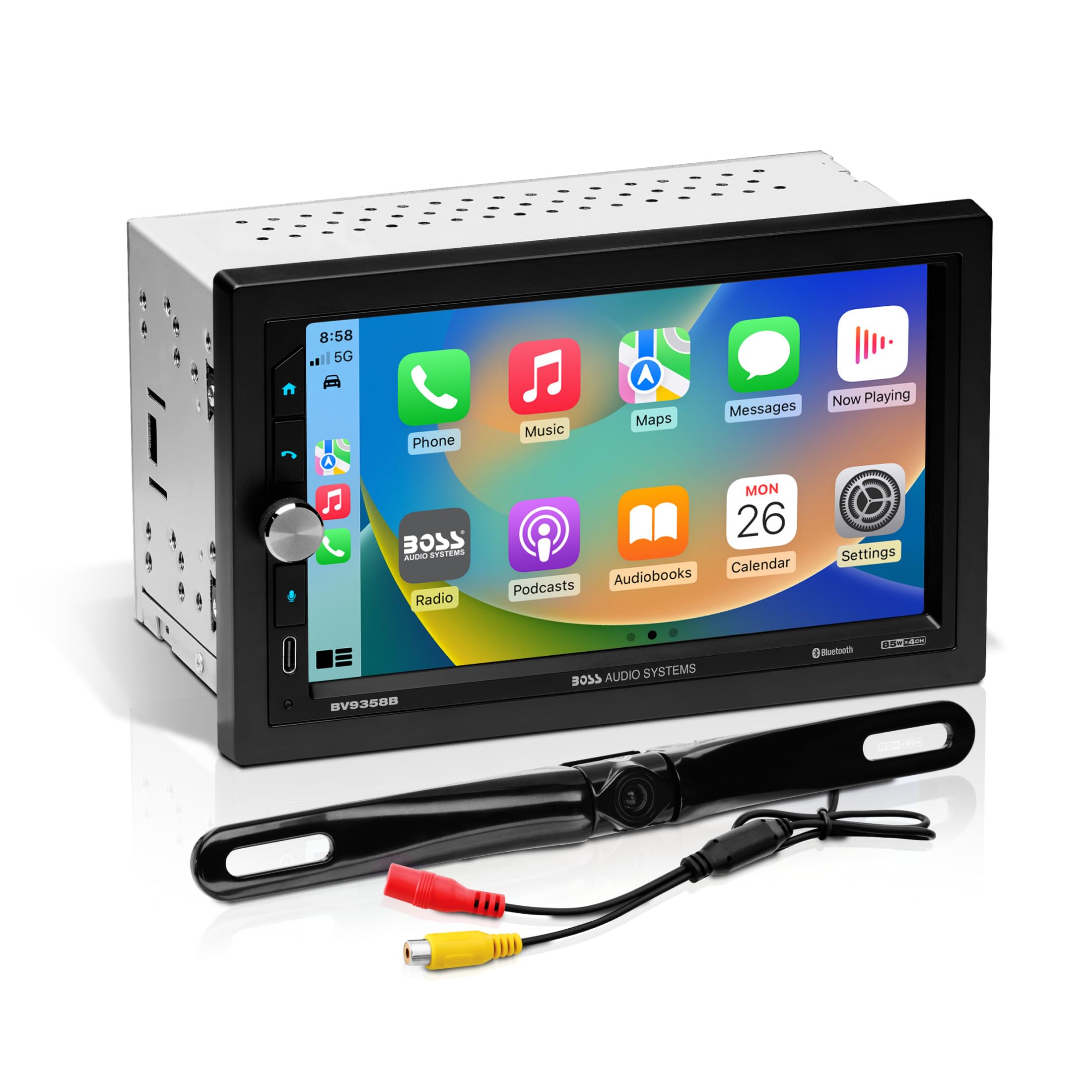
BOSS BVB9358RC

82 /100
Sound Score Excellent

Key details

Screen
6.2-inch touchscreen
Cameras
Backup camera included
Fitment
Double-DIN chassis
Connection
Wired CarPlay/Android Auto
View on Amazon

This budget-friendly double-DIN pairs CarPlay and Android Auto with a built-in CD/DVD player and an included backup camera — a rare combination at this price. For shoppers replacing an old in-dash unit, it adds smartphone projection and rear visibility in one package. The disc player is the main draw for anyone with a physical media collection. Phone projection is wired, so wireless-only buyers should look elsewhere. Touchscreen and volume controls can be inconsistent, however, so owners who rely on quick, accurate taps or volume changes while driving may need patience. The listing also describes a 7-inch display while product details say 6.2 inches, so confirm the screen size before buying.

Pros

  • CarPlay and Android Auto share the dash with a built-in CD/DVD player.
  • Included backup camera makes this a cost-effective single install for smartphone projection.
  • Front, rear, and sub preamp outputs leave room to add amplifiers later.

Cons

  • Volume changes may be slow to register and can require repeated presses.
  • The touchscreen can be unresponsive or show a blank display during navigation tasks.
Our verdict

Best for shoppers who want a disc player, phone projection, and backup camera on a budget — as long as control quirks and the screen-size discrepancy are acceptable.

Check Latest Price

How to Choose

Wire or Wireless

Wireless Android Auto adds a radio hop between the phone and the head unit. That hop is why wireless units can drop or need a Bluetooth re-pair, while wired USB connections stay steady.

Phone, USB cable, and head-unit firmware all affect wireless behavior. If you drive short daily routes, wireless is easy to live with; if you need navigation to start every time without a second thought, a wired unit may be the more dependable choice.

Screen Size and Type

Screen size is a fitment decision. A 10.1-inch floating display gives a commanding view, but it needs a dash opening and depth that accept the chassis plus the screen overhang.

Panel type changes daytime visibility. QLED and IPS screens hold up better in sunlight than basic TN panels, and a capacitive touchscreen responds to a light swipe rather than a firm press.

Audio Outputs

Subwoofer RCA outputs are the difference between adding an amp later or redoing the wiring. If you plan a subwoofer, choose a unit with dedicated sub preouts and enough channel count.

DSP and EQ shape the sound after installation. A 10-band EQ lets you correct for door-speaker placement and harsh factory speakers; basic tone controls do not.

Cameras

A backup camera input is standard on most of these units, but the included camera varies. Some bundles include an HD camera with LED lights; others just give you an RCA input.

Camera resolution and trigger wiring determine night visibility and whether the screen switches automatically when you reverse. Check for front-camera input if you tow or need to see the front bumper.

Fitment

Double-DIN and single-DIN refer to chassis height, but the actual opening can have sloped edges, clips, or factory trim that changes what fits. A standard chassis may still need a vehicle-specific dash kit, wiring harness, and antenna adapter.

Measure the opening and check mounting depth before buying. A large screen with a deep chassis can hit the dashboard structure behind the radio slot.

Frequently Asked Questions