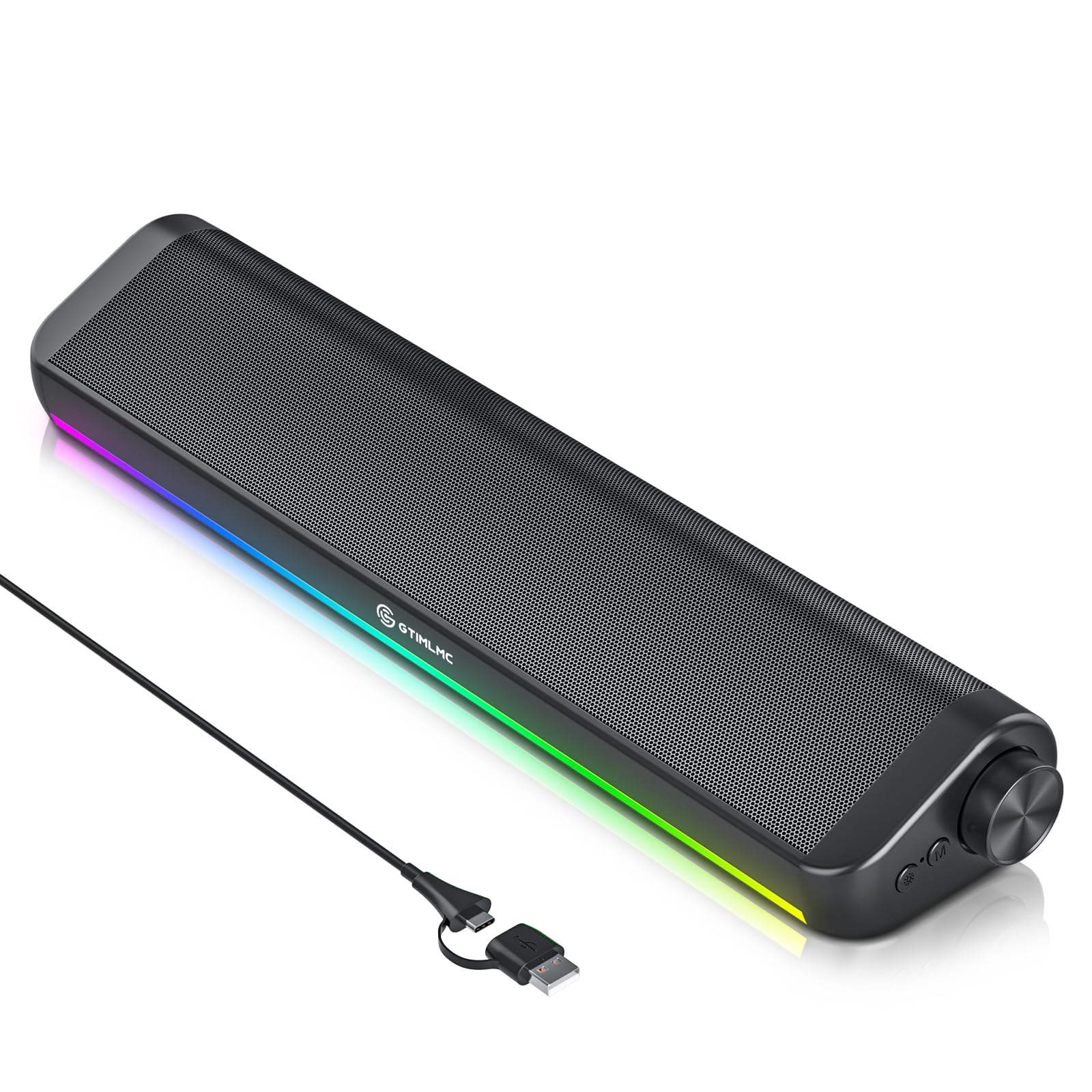
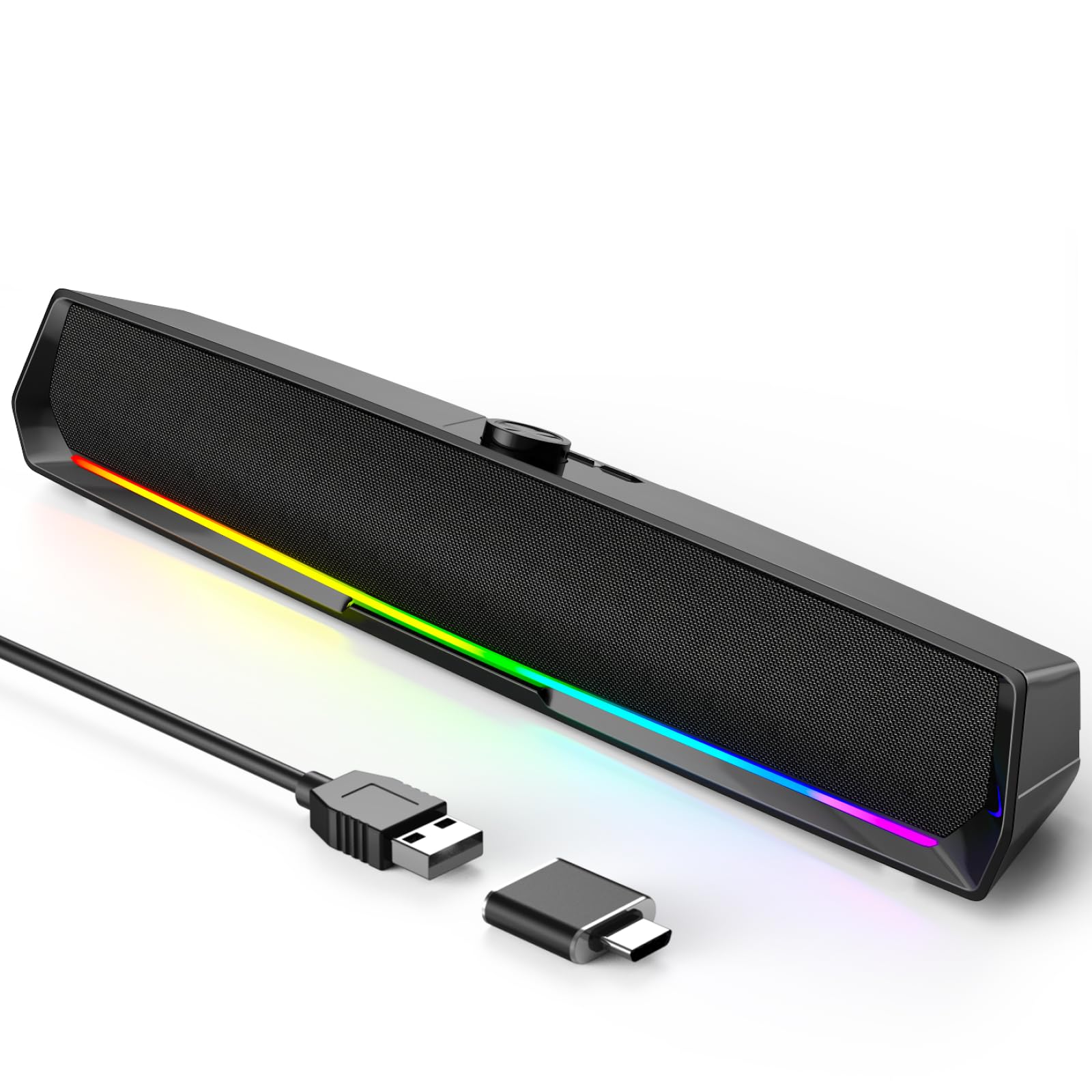
9 Best Gaming Soundbar of 2026: Stable Audio for Real Gaming

Find a gaming soundbar that keeps its connection, delivers usable bass, and fits your desk without relying on RGB hype.

A gaming soundbar should make footsteps easier to place, not add another thing to troubleshoot. Many desktop bars lean heavily on RGB and marketing language, but the real frustrations show up after a few weeks: Bluetooth drops, thin bass, and USB-powered volume ceilings. It's not about avoiding every trade-off; it's about knowing which ones match your desk.

The practical choice comes down to a compact 2.0 bar that sits neatly under a monitor and a larger design with a subwoofer that adds bass but eats desk space and adds more connection points. For most players, the sweet spot is a compact bar with a wired USB-C or 3.5mm link and enough driver quality to separate footsteps from gunfire.

The bars worth recommending pair stable wired audio with sensible power and drivers that actually work for gaming, because lighting effects do nothing once a connection cuts out mid-round.

About the Sound Score: This comparative score is calculated from a product's published customer rating and review volume. It is not a laboratory measurement or a hands-on test result.

1

Best Overall Gaming Soundbar

Creative GS3

84 /100
Sound Score Excellent

Key details

Footprint
16.14-inch wide
Soundstage
SuperWide virtual stereo
Connectivity
USB-C, AUX, Bluetooth 5.4
Power Output
24W peak
View on Amazon

The Creative GS3 is a compact gaming bar that tailors its feature set to desktop play: SuperWide staging, adjustable RGB presets, USB-C, and a headphone-out all fit under a 16-inch monitor. The SuperWide effect spreads game audio well beyond the speaker's physical width, which matters more on a small desktop than raw wattage. The racetrack drivers keep dialogue and game cues clear, so footsteps and objective callouts stay intelligible without cranking the volume. That combination gives the GS3 a clear identity as a gaming peripheral rather than another generic speaker with LED strips.

Connectivity is practical: USB-C carries audio and power over one cable, Bluetooth 5.4 handles phones, and AUX covers older hardware. The front headphone-out is placed for quick access, so switching from speakers to a headset takes one plug without reaching behind the desk. The 24W peak output is enough for a small room; it won't fill a living space, but that's not the GS3's job. Compatibility with PC, Mac, and phones over USB, Bluetooth, or AUX covers common desktop setups without a separate DAC or adapter.

The GS3 is for the small-desk PC gamer who wants one cable for power and audio, lighting that can be dimmed or shifted to a calm preset, and a headphone jack for late sessions. If subwoofer-level impact is the priority, a headset or separate sub is the workaround; the SuperWide image carries spatial cues well enough for desktop gameplay. This is not a TV soundbar, so buyers needing optical or ARC for a living-room setup should look at a larger hybrid bar.

At a mid-range price, the enclosure feels more substantial than the usual budget bar, and the RGB presets include chasers, aurora, peak meter, glowing, wave, and cycle modes. That range lets you pick a calm glow or a more active effect without the lighting taking over the desk. The controls are easy to reach, and the bar's weight keeps it stable when you adjust volume. The GS3 is the practical compact bar in this set, combining gaming-specific features with a footprint that leaves room for a large mouse pad. It stays in its lane as a desktop gaming accessory, which is exactly what a gaming-focused search should lead to.

💡 Keep a headset in the front jack for low-end-heavy game audio; the bar's strength is spatial cues.

Pros

  • SuperWide staging spreads game audio past the bar's edges, creating a broader desktop soundstage.
  • At a mid-range price, the GS3 feels well-built and more substantial than typical budget bars.
  • USB-C carries power and audio, while Bluetooth and AUX handle phones and older sources.
  • RGB presets include quieter modes, so lighting can be adjusted instead of dominating the desk.

Cons

  • Bass is modest for a compact 2.0 bar, so subwoofer-level low end is out of reach.
  • No optical or ARC input, which keeps it on desktop duty rather than TV home-theater setups.
Our verdict

Desktop gamers with limited desk space get SuperWide audio, USB-C convenience, and adjustable RGB in a bar that stays out of the way.

Check Latest Price
2

Best All-Purpose Desktop Soundbar

Bluedee BD-SK010

88 /100
Sound Score Excellent

Key details

Footprint
16.4-inch wide
Soundstage
2.0 stereo
Connectivity
Bluetooth 5.0, AUX, USB
Power Output
15W output
View on Amazon

The Bluedee BD-SK010 is the all-purpose desktop soundbar in this gaming-oriented roundup, offering clear audio and a slim 16.4-inch profile. It connects over Bluetooth, AUX, or USB, so a PC, laptop, phone, or tablet can take turns on the same bar without re-cabling. The wide layout anchors a desktop setup without dominating the monitor or desk. It draws power over USB, which keeps the desk tidy.

For WFH and general desktop use, this is a natural fit under a monitor. Bluetooth handles music and calls from a phone without needing to switch cables, while casual gaming works through the AUX input, which also covers consoles. Bluetooth can be inconsistent, so wired connection is safest for gaming; competitive gamers who want zero Bluetooth risk should keep a cable attached.

Build quality feels solid for the price, with no creaky seams or flimsy controls in normal handling. The dual-driver layout spreads sound wider than a single-driver bar, which helps with positional cues in casual games. The 15W amp can fill a small office at mid-volume, and the sound stays clean rather than harsh when pushed. The slim profile and subtle light strip keep the bar unobtrusive on a work desk.

Pros

  • Clear, loud desktop sound for music and game audio.
  • Well-finished housing for a mid-range bar.
  • Strong price-to-performance value for a general-purpose desktop setup.
  • Plug-and-play setup with USB power and AUX input; no driver installation.

Cons

  • No RGB-synced lighting for themed gaming setups; the ambient strip stays subtle.
  • Maximum output runs out of headroom in larger rooms; desk-range volume is fine.
Our verdict

A general-purpose desk bar for casual players who want clear desktop audio without a flashy gaming setup.

Check Latest Price
3

Best Budget RGB

Redragon GS560

88 /100
Sound Score Excellent

Key details

Footprint
15.8-inch wide
Soundstage
2.0-channel stereo
Connectivity
USB power, 3.5mm audio
Power Output
USB-powered
View on Amazon

The GS560 is a low-cost RGB soundbar with four backlit modes, a volume knob, and simple 3.5mm setup. Where the wireless budget bar in this lineup adds Bluetooth, this Redragon stays wired and costs less, putting tactile controls ahead of convenience features.

The volume knob doubles as the power switch, and touch controls handle lighting presets without software. The bar is compact enough to sit under a monitor, and the USB + 3.5mm connections keep cable management simple.

This is for a budget PC gaming setup that wants RGB presence without a complex install. Bass and maximum volume are modest, and occasional QC variation is possible, so buyers who need room-filling sound or wireless flexibility should consider another bar.

💡 Use the 3.5mm cable for gaming so audio stays locked to the action; keep the bar within arm's reach.

Pros

  • Low-cost build feels like more than the price suggests
  • No software or driver install needed; USB and 3.5mm handle setup
  • Appearance and RGB lighting fit a gaming setup well

Cons

  • Maximum volume is adequate for a desk but not for larger rooms
  • Bass is minimal and high-range clarity can sound muffled
Our verdict

Keep expectations modest and the GS560 delivers the RGB look and wired simplicity a budget gaming desk needs.

Check Latest Price
4

Best for Razer Ecosystems

Razer Leviathan V2 X

84 /100
Sound Score Excellent

Key details

Footprint
15.8-inch wide, 2 lb
Soundstage
2.0 with passive radiators
Connectivity
USB-C, Bluetooth 5.0
Power Output
90 dB output
View on Amazon

The Leviathan V2 X stands apart from other compact soundbars by making Razer Chroma sync the centerpiece. Its 14 lighting zones match the rest of your Razer setup, and the 15.8-inch body slides under a monitor without reclaiming the whole desk. A single USB-C cable delivers power and audio, so setup is as minimal as plugging in a keyboard. No separate power adapter means one less cable on an already crowded desk.

For desktop play, the two full-range drivers keep dialogue and game cues clear at normal monitor distances, and 90 dB output is enough for a bedroom or office. It is a focused desktop tool rather than a room-filling system, which fits its compact position in this lineup.

The intended buyer is a Razer peripheral owner running a compact PC or Switch setup with USB-C nearby. Chroma sync is the payoff, and the small footprint is the practical benefit. Bluetooth is best treated as a fallback; lag or dropouts can show up during gaming, and the USB-C-only input means older desktops without a USB-C port will need an adapter. Some units may also shut off on their own, so a return-friendly retailer is worth considering.

Pros

  • Compact 15.8-inch body fits neatly under a monitor without cluttering the desk.
  • Sleek design with Chroma RGB lighting that syncs with existing Razer gear.
  • Single USB-C cable handles power and audio, so setup is minimal.

Cons

  • For low-end-heavy game soundtracks, bass stays modest; the passive radiators don't replace a subwoofer.
  • Outside an existing Razer setup, Chroma sync is mostly a light show with little practical payoff.
Our verdict

For Razer-centric desktop gamers who want lighting sync and a tidy USB-C bar, the Leviathan V2 X is the compact pick; outside that setup, it is less persuasive.

Check Latest Price
5

Best TV/PC Hybrid

Creative GS5

82 /100
Sound Score Excellent

Key details

Footprint
24.17-inch wide
Soundstage
2.1-channel SuperWide
Connectivity
USB-C, AUX, Optical, Bluetooth 5.3
Power Output
60W peak
View on Amazon

The Creative GS5 is the larger TV/PC hybrid of this pairing, bringing optical input and an IR remote to a gaming soundbar that can pull double duty on PC and console. The wider enclosure gives game audio more room to expand than the compact Creative bar in this lineup, and RGB presets like Peak Meter, Aurora, and Wave keep the lighting in step with the rest of a gaming setup.

At 60W peak with SuperWide engaged, the bar fills a small to medium room with game audio and voice chat without sounding strained. The chassis feels substantial for a mid-range bar, and the bundled remote handles volume, audio modes, and input selection from across the room. USB-C, AUX, optical, and Bluetooth 5.3 cover the connections a mixed PC-and-console setup needs.

This works best on a wider desk or a small TV stand, especially when one soundbar has to serve both a PC and a console. Bass and EQ flexibility are limited, and the standby LED stays lit unless you unplug the bar; both are easier to accept in a bright room or when the bar sits below eye level.

Pros

  • Solid build quality with a chassis that feels substantial for the price.
  • Optical input and IR remote make mixed PC and console setups easier to manage.
  • Good value for a mid-range soundbar with this connection set.

Cons

  • No HDMI ARC, so TV volume control falls to the included remote rather than the TV remote.
  • Audio may cut out during calls or longer sessions; a wired connection is the safer route.
Our verdict

For a wider desk or small TV corner, this is the PC-and-console soundbar to pick when optical input and a real remote matter more than compact size.

Check Latest Price
6

Budget Wireless Setups

Redragon GS515

82 /100
Sound Score Excellent

Key details

Footprint
15.7-inch wide
Soundstage
2.0, 50mm drivers
Connectivity
Bluetooth 5.3, wired USB
Power Output
10W output
View on Amazon

Bluetooth 5.3 and six RGB modes make the GS515 an easy wireless RGB bar for budget desktop gaming. The control dial handles volume, lighting, and input switching without software, and USB connectivity offers a stable wired path when you need it. At roughly 16 inches wide, it sits under most monitors without crowding a desk. The wired Redragon alternative in this lineup remains the stronger value for buyers who do not need wireless; the GS515 makes more sense when Bluetooth convenience and visual flair are the priorities.

Pros

  • Six RGB preset modes deliver vibrant, easy-to-change lighting.
  • Simple setup over Bluetooth or USB, with an intuitive control dial for volume and lighting.

Cons

  • Entry-level sound with shallow bass, so bass-heavy game audio lacks body.
  • Bluetooth can show slight lag or mode-switching quirks during wireless play.
Our verdict

For the casual PC gamer who wants Bluetooth and RGB for little money, the GS515 fits; when audio depth comes first, the wired option in this lineup is the better direction.

Check Latest Price
7

Office Desk Use

LENRUE E-1103

87 /100
Sound Score Excellent

Key details

Footprint
15-inch wide
Soundstage
2.0 stereo, 5W
Connectivity
USB only
Power Output
5W output
View on Amazon

At a budget price, the LENRUE E-1103 does what a simple desk soundbar should: plug it in, slide it under the monitor, and hear calls and videos clearly. The touch-controlled RGB adds a little visual flair without demanding software. This is not a gaming upgrade: USB-only 5W audio is fine for speech, thin for music-critical listening, and best treated as a desk-level utility. In a roundup aimed at gaming setups, it fits only as the low-cost fallback for someone who wants better-than-laptop audio without chasing extra connections. That is a narrow but real role.

Pros

  • Plug-and-play USB setup gets audio working with no drivers or extra cables.
  • Compact 15-inch footprint fits under typical monitors without wasting desk space.
  • Everyday audio is clear enough for calls, meetings, and casual videos.

Cons

  • In a large room, max output may not be loud enough to fill the space.
  • No Bluetooth or headset jacks, so gaming headset hookups and wireless audio are off the table.
Our verdict

Best for a minimal-budget desk setup where call clarity matters more than gaming immersion — a utility bar for that specific need.

Check Latest Price
8

USB-C Budget Setups

Tylubio ST800

84 /100
Sound Score Excellent

Key details

Footprint
15.9-inch wide
Soundstage
2.0 with passive radiators
Connectivity
USB-C only
Power Output
10W output
View on Amazon

The Tylubio ST800 is a compact USB-C desktop bar with RGB that can be dimmed or switched off, an integrated volume/power knob, and clear audio for its size. At 15.9 inches wide, it fits under a standard monitor without cluttering a desk, and the plug-and-play setup needs no drivers or external power. It works well for office tasks and light gaming, where the dual drivers and passive radiators keep voices and effects intelligible. The original price anchor looks inflated, which holds it back from a higher slot. Some listeners may find the tuning thin; this remains a budget USB-C bar rather than a room-filler.

Pros

  • Sound is clear and full for the size
  • Setup is true plug-and-play with no drivers or external power.
  • Strong value for a budget USB-C bar with RGB that can be dimmed or switched off.

Cons

  • No 3.5mm or optical input
  • Treble-forward tuning with limited bass
Our verdict

Fits a USB-C-only desk setup that wants a compact RGB bar for office work and light gaming.

Check Latest Price
9

Budget Headset Jacks

LENRUE MF01

79 /100
Sound Score Very Good

Key details

Footprint
Soundstage
2.0, dual diaphragms
Connectivity
Bluetooth 5.0, USB
Power Output
10W output
View on Amazon

The LENRUE MF01 tucks Bluetooth 5.0, a headphone jack, and a microphone jack into a compact fabric-covered bar that plugs into a single USB cable. Setup is quick on a PC or laptop, and a phone or tablet can switch over via Bluetooth or the included Type-C adapter. For a budget desktop bar, the sound is acceptable for video calls, casual YouTube, and light gaming, though lower frequencies stay modest. The basic audio becomes more obvious on music-heavy titles, and the bar is not compatible with Xbox consoles or projectors. That makes it a desktop-and-mobile convenience bar rather than a wide-ranging sound system.

Pros

  • Decent highs and lows with a bit of bass for a bar at this price.
  • Plug-and-play USB setup gets sound running without extra software.
  • Entry-level price with Bluetooth and headset jacks keeps the cost reasonable.

Cons

  • Music-heavy games sound thin, while video calls come through clearly.
  • On an Xbox or projector setup, the bar will not connect; desktops and phones are unaffected.
Our verdict

Keep it on a desktop where Bluetooth and headset jacks are the main asks; the MF01 handles that scenario without stretching the budget.

Check Latest Price

How to Choose

Connectivity and Latency

USB-C and 3.5mm links deliver audio without Bluetooth's reconnection logic, which is why wired feels more reliable in games. If a bar has both, use wired for gaming and save Bluetooth for music or calls.

Multi-device switching adds another issue: bars that remember several pairings can drop the active link when another device pings it. Look for a physical mode button or a single-connection design.

RGB Lighting

RGB is a visual preference, not an audio feature. Seek lighting that can be dimmed or disabled, because a cycling rainbow under a monitor becomes a distraction in a dark room.

Ecosystem sync only matters when your other peripherals share the same software. It can lock you into one app, so weigh it against core audio behavior.

Soundstage and Subwoofer

Compact bars use virtual processing and passive radiators to simulate width and low end, but they can't move air like a dedicated subwoofer. Virtual surround helps with directional cues; a physical sub handles explosions.

A separate subwoofer adds bass along with a second power cable and a larger footprint. If you share walls or play at moderate volume, a 2.0 bar with good midrange is more practical.

Power and Volume

USB-powered bars draw from the host's 5V rail, which caps the amplifier's ceiling. A bar with its own power supply can sustain higher output without depending on the PC's USB port.

Peak wattage claims are often inflated, so use them as a rough ceiling. In a large room, choose a bar with a separate AC adapter rather than relying on USB alone.

Desk Footprint

Under-monitor width is the first measurement. A 24-inch bar can span a dual-monitor setup but may collide with stands, while a 15-inch bar fits tighter spaces with less driver separation.

Measure the gap between desk and monitor base before choosing. A longer soundbar improves stereo imaging only if it fits without blocking cables.

Frequently Asked Questions