11 Best Microphone Boom Arms in 2026: Match Your Desk Setup

Find the right mic boom arm for your desk, mic weight, and reach needs without overpaying for features you won't use.

A microphone boom arm can make your voice sound more consistent and clean up your desk at the same time. The problem is that the arm which works fine with a lightweight USB mic can sag under a heavier XLR dynamic like an SM7B, and a budget clamp that grips a flat desk edge may not hold on a curved or beveled one.

The real difference between arms is how much weight the springs and joints can actually counterbalance, how the clamp transfers that load to your desk, and whether the reach geometry fits your monitor and seating position. Those three factors decide whether the arm holds its position for years or needs constant re-tightening.

This guide sorts out the standard scissor arms, low-profile under-monitor arms, and high-rise over-monitor arms by the mechanical trade-offs that matter once the mic is mounted.

About the Sound Score: This comparative score is calculated from a product's published customer rating and review volume. It is not a laboratory measurement or a hands-on test result.

1

Best Overall

Rode PSA1+

94 /100
Sound Score Outstanding

Key details

Max Load
2.6 lb
Form Factor
Broadcast scissor arm
Cable Management
Integrated routing
View on Amazon

The PSA1+ uses a damped scissor mechanism that glides into position and holds there, even with a heavy dynamic mic at full extension. The integrated channel keeps XLR and USB cables out of the way without adding tension to the connector. Fine adjustments mid-session stay small and controlled, which is what a live stream or podcast needs.

Setup takes a few minutes with the included hex key, and the clamp stays planted on standard desk edges. The 0.9 m vertical reach covers close podcast positions, and the 1.2 kg capacity keeps heavier dynamics steady. Threaded inserts accept both 3/8-inch and 5/8-inch mounts, so swapping shock mounts is easy.

The PSA1+ suits podcasters, streamers, and voiceover creators running SM7B-class mics at a conventional desk height. It is premium-priced, so strict budget buyers should start with the entry-level arms in this set; the higher price buys a more stable hold over time. For desks where the mic sits at mouth level rather than below a monitor, the PSA1+ is the better fit than the low-profile arm in this set.

Pros

  • Smooth, damped movement holds position without sagging under SM7B-class mics.
  • Build quality is high and setup is fast, with enough capacity for heavy dynamics.
  • Integrated cable routing keeps XLR and USB lines contained and the desk clean.

Cons

  • For overhead placement above a tall monitor, the conventional scissor geometry lacks the reach of a high-rise arm.
  • Neoprene cable sleeves can squeak while repositioning, which may show up in quiet recording sessions.
Our verdict

For a podcast or streaming desk with an SM7B-class mic, the PSA1+ delivers stable positioning that makes every session easier to run.

Check Latest Price
2

Best Low-Profile

Elgato Wave LP

93 /100
Sound Score Outstanding

Key details

Max Load
2 kg
Form Factor
Low-profile arm
Cable Management
Magnetic cable covers
View on Amazon

Magnetic cable covers and a low-profile form factor clear the bottom of an eye-level monitor, so the mic stays out of the camera frame. The all-metal build feels substantial, and the pivots move through a wide horizontal arc that covers typical streaming positions without crowding the desk.

This arm suits streamers with eye-level monitors who want a tidy desk and are comfortable with tension that can loosen after months of use. It is not for vertical or over-monitor reach; the high-rise arm in this set handles that placement. Zero-maintenance expectations don't apply.

Pros

  • All-metal frame feels substantial and holds a clean presence on a desktop.
  • Low-profile under-monitor shape keeps the mic out of the camera frame.
  • Magnetic cable channels are simple to open and keep routing tidy.

Cons

  • Joint stiffness makes fine adjustments slower until you learn the arm.
  • Tension can loosen after months, so the arm may sag until re-tightened.
Our verdict

Streamers with eye-level monitors who value magnetic routing get the cleanest under-monitor setup in this group.

Check Latest Price
3

Best High-Rise / Over-Monitor

Elgato Wave HR

94 /100
Sound Score Outstanding

Key details

Max Load
1 kg + counterweight
Form Factor
High-rise arm
Cable Management
Internal cable tracks
View on Amazon

Elgato's Wave HR gives the tall-monitor setup what a standard scissor arm cannot: 750 mm of vertical reach, a 150 mm riser, and internal springs plus a counterweight sized for heavy XLR mics above the display. Integrated cable channels run through the arm, so the overhead run stays clean. The thread adapter accepts 1/4-inch, 3/8-inch, and 5/8-inch mounts.

This is a dedicated high-rise arm, not a low-profile desk arm. It suits creators with tall monitors who need the mic above the display; the low-profile Elgato in this lineup is the better fit for seated close-range work.

Pros

  • Holds heavy XLR mics with shock mounts steady at full overhead extension.
  • Joint movement is smooth and stays put after fine adjustments.
  • Integrated cable channels keep a tall-monitor setup looking tidy.

Cons

  • Base rotation can produce a creak under load.
  • High-rise reach can feel awkward when you're seated close to the desk.
Our verdict

On a tall-monitor desk, the Wave HR delivers overhead placement that keeps the mic in front of you, not blocking the display.

Check Latest Price
4

Best Value Low-Profile

FIFINE BM88

93 /100
Sound Score Outstanding

Key details

Max Load
3.3 lb
Form Factor
Low-profile arm
Cable Management
Hidden cable channels
View on Amazon

Unlike the broadcast arm that leads this roundup, the FIFINE BM88 keeps the mic below the monitor with an all-metal body and hidden cable channels. The 29-inch reach and 1/4-inch, 3/8-inch, and 5/8-inch threading fit common USB and XLR mics.

This is for streamers who want the mic capsule below the monitor line with a mid-weight USB or XLR microphone. The 3.3 lb capacity covers that class, but heavier broadcast mics need a counterbalance. The Allen-key adjustment points can strip or become stiff with repeated repositioning, so this arm favors a set-and-forget desk layout.

💡 Route cables through the hidden channels before final tension so nothing needs re-routing after the arm is set.

Pros

  • All-metal body feels sturdier than budget spring-arm alternatives.
  • Low-profile shape keeps the monitor view clear and the desk setup looking tidy.
  • Built-in cable channels keep cords hidden without extra clips.

Cons

  • For quick repositioning, joint tuning needs an Allen wrench, so changes are a two-step process.
  • After extended use in one position, the friction-based hold can settle and may need occasional re-tightening.
Our verdict

The low-profile design and all-metal body make this the cost-effective choice for an under-monitor podcast rig.

Check Latest Price
5

Best Budget Cable-Management Arm

InnoGear MU-PSA28

89 /100
Sound Score Excellent

Key details

Max Load
3.5 lb
Form Factor
Scissor arm with riser
Cable Management
Built-in cable raceways
View on Amazon

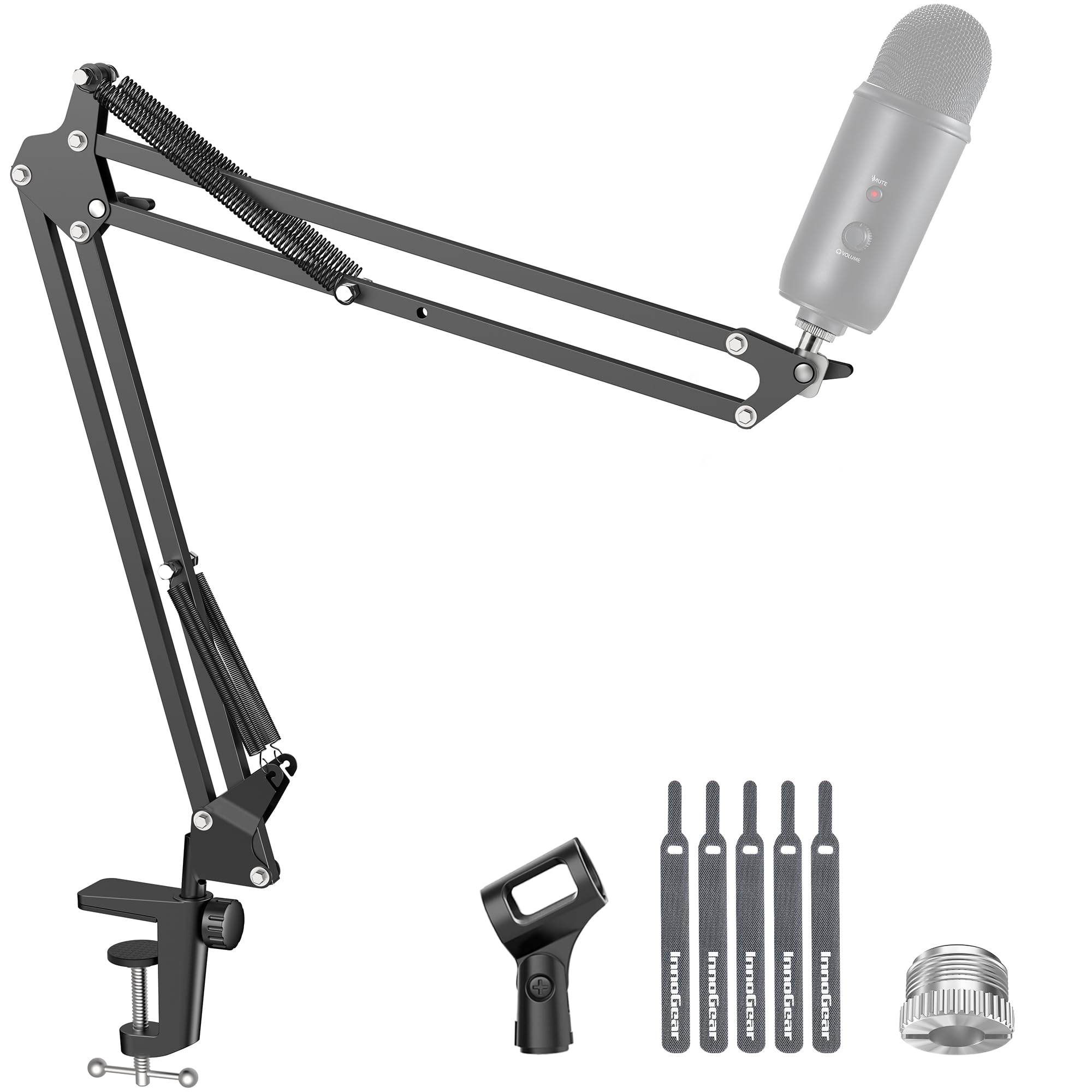
Built-in cable management at a mid-range price sets this arm apart from entry-level scissor arms while keeping the cost below premium broadcast arms. The 3.5 lb capacity and included riser handle Blue Yeti-class USB mics and heavier XLR mics, and the internal raceways keep the cable out of the way without zip ties.

This fits streamers who want clean routing for a heavy mic on a dedicated desk setup. The articulation can be stiff when fine-tuning angles, and the clamp's long-term hold is less established than on premium arms — so it suits owners who set a position and leave it, not those who need tool-free micro-adjustment.

💡 Position the arm near its final spot before tightening the tension knobs.

Pros

  • Built-in cable raceways keep mic cables hidden without zip ties or aftermarket clips.
  • Sturdy construction and clean appearance hold up beside more expensive arms.
  • 3.5 lb capacity handles Blue Yeti and SM7B-class mics without drooping.

Cons

  • Not a low-profile arm; the tall geometry doesn't fit under-monitor setups.
Our verdict

The cable-routing package and 3.5 lb capacity make this the mid-range pick for streamers who want a clean desk without paying premium prices.

Check Latest Price
6

Best Budget Standard Arm

InnoGear MU01

91 /100
Sound Score Outstanding

Key details

Max Load
3.3 lb
Form Factor
Standard scissor arm
Cable Management
Cable ties
View on Amazon

The MU01 is an affordable scissor arm for typical USB mics, with a tool-free setup that takes minutes. At moderate reach it holds position well, which covers the needs of a first-time streamer or podcaster on a tight budget.

Flat desks and moderate-weight mics are the sweet spot. Clamp and spring durability are the main vulnerabilities here: thick or curved edges may not clamp securely, and heavier mics can cause sagging at full extension. First-timers with a Blue Yeti-class mic and a standard flat desk are well within its range.

Pros

  • Entry-level price with broad compatibility for common USB mics.
  • Quick setup and easy mic repositioning.
  • Strong value for the cost in entry-level boom arms.

Cons

  • Joint movement can develop squeaks over time.
Our verdict

A budget pick that makes sense when the mic is moderate and the desk edge is flat. The feature-loaded InnoGear sibling adds cable routing and a riser if you need more from the same brand.

Check Latest Price
7

Sleek Low-Profile Alternative

Aokeo AK-55

91 /100
Sound Score Outstanding

Key details

Max Load
4.4 lb
Form Factor
Low-profile arm
Cable Management
Cable clips
View on Amazon

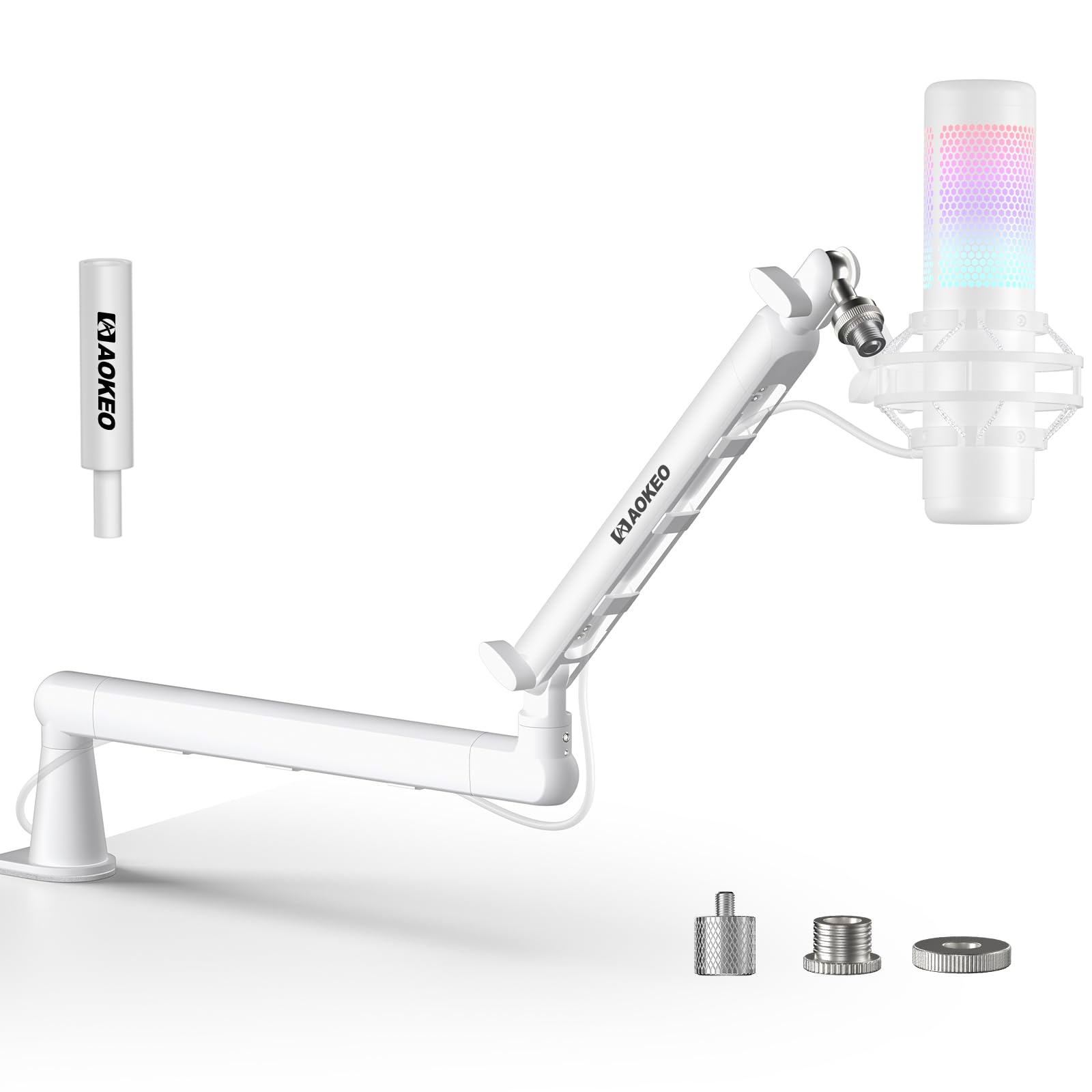
The AK-55 is a metal low-profile arm that gets a light or medium mic below the monitor line for less than the premium low-profile arm. Metal build keeps the desk looking tidy. It moves smoothly when repositioned, holds its place during normal use, and the included riser adds an upright angle when the standard flat position sits too low.

The right buyer is a streamer or podcaster with a light or medium dynamic or condenser mic and an under-monitor desk layout. Heavier broadcast mics exceed the practical load range, so those belong on a higher-capacity arm.

Pros

  • Metal build with a clean low-profile look keeps the mic under the monitor without a bulky rig.
  • Adjustment holds position and moves smoothly once set, which matters for small placement tweaks while streaming.
  • Good value for the feature set.

Cons

  • The low-profile design limits vertical reach, so above-monitor placement is not part of its use case.
Our verdict

For light-to-medium mics and under-monitor placement, the AK-55 is a cost-effective alternative to the premium low-profile arm.

Check Latest Price
8

Entry-Level Budget Use

FIFINE CS1

90 /100
Sound Score Outstanding

Key details

Max Load
Form Factor
Standard scissor arm
Cable Management
View on Amazon

The FIFINE CS1 folds down and keeps a lightweight USB mic within reach for first-time podcast and streaming setups. Tension and clamp can loosen over time, and durability is less assured than the InnoGear budget runner, which adds more features for a modest price step. It is a low-cost way to get a mic off the desk for occasional use.

Pros

  • Entry-level price keeps the first boom-arm purchase low-cost.
  • Folds down compactly and has enough reach for a lightweight USB mic.

Cons

  • Adjustments are not tool-free, so repositioning the arm takes more time.
Our verdict

Best for a first-time buyer who wants a lightweight USB mic off the desk for less, without commitment to a permanent setup.

Check Latest Price
9

Field Recording

NEEWER NW-7000

93 /100
Sound Score Outstanding

Key details

Max Load
0.69 kg
Form Factor
Handheld boom pole
Cable Management
Velcro cable ties
View on Amazon

The NW-7000 extends from 3.1 to 8.1 ft and keeps carry weight low, with EVA grips and velcro cable ties for quick field setups. Build quality holds up at a mid-range price, which suits documentary and field recordists. It lacks a desk clamp and weighted base, so it can't serve podcast or streaming desk setups where a scissor arm is required.

Pros

  • Lightweight handling reduces fatigue during long handheld shoots.
  • Solid build at a mid-range price.

Cons

  • No desk clamp or weighted base, so desktop podcast and streaming use is out of scope.
Our verdict

Best for run-and-gun video and documentary audio; desk-bound podcasters should look at a dedicated scissor arm.

Check Latest Price
10

Specs-Focused Budget Buy

UBeesize Boom Arm

90 /100
Sound Score Outstanding

Key details

Max Load
3.3 lb
Form Factor
Standard scissor arm
Cable Management
View on Amazon

Specs look competitive for a scissor arm: 26-inch max height, 3.3 lb capacity, 3/8-inch and 5/8-inch threads, and a clamp fitting 2.5-inch desk edges. Mid-range pricing puts it above the no-frills budget tier. The catch: feedback on this listing may belong to another variant, so this exact arm's behavior remains unverified.

Pros

  • Accepts 3/8-inch and 5/8-inch mic threads, covering common mounts without a separate adapter.
  • Clamp fits desk edges up to 2.5 inches, broader than some entry-level scissor arms.

Cons

  • Clamp maxes out at 2.5-inch desk edges, ruling out thicker desktops.
Our verdict

Treat this as a spec-first option for a mid-range scissor arm — verify the delivered model before buying.

Check Latest Price
11

Light Casual Use

Aokeo AK-35

88 /100
Sound Score Excellent

Key details

Max Load
1.8 kg
Form Factor
Standard scissor arm
Cable Management
View on Amazon

An ultra-cheap classic scissor arm, the AK-35 sets up without tools and holds popular lightweight mics in place for casual desk work. The tradeoff is durability: clamp grip and threaded fittings can become unreliable within weeks or months of use, and the thin build is noticeable on uneven desk edges. It fits temporary or occasional setups only.

Pros

  • Works for basic desk use with popular lightweight mics.
  • Sets up without tools; the scissor joints move easily into position.

Cons

  • Clamp grip can loosen on rounded or non-flat desk edges, so the arm may shift during use.
Our verdict

If you need a cheap boom for occasional calls or temporary desk sessions and can accept occasional re-tightening, the AK-35 is adequate.

Check Latest Price

How to Choose

Max Microphone Weight

The listed load capacity on budget arms often assumes the mic sits close to the pivot point. Extend the arm fully and the springs have to counter more leverage, which is why a Blue Yeti that weighs about 1.3 kg can make a 1.5 kg-rated arm droop at full reach.

If you use a heavy USB mic or an XLR dynamic like an SM7B with a shock mount, look for a rated capacity of at least 2 kg and check whether the arm uses a gas spring, internal counterweight, or a larger-diameter tension spring.

Desk Clamp Thickness

The clamp is the first thing to fail on budget arms. It needs to grip a desk edge that is flat, within the stated thickness range, and free of curved or beveled profiles that reduce contact surface.

A clamp with a larger contact pad and a threaded hand-tightening knob distributes pressure more evenly than a narrow C-clamp, which is especially important on hollow-core desks or glass surfaces that can crack under point pressure.

Reach and Height

A standard scissor arm reaches forward about 25 to 32 inches, while a low-profile arm extends horizontally from a pivot close to the desk surface. High-rise arms add a vertical riser or a tall first section to clear a monitor that sits more than a foot off the desk.

Measure the distance from the clamp position to where the mic needs to be in front of your mouth, accounting for the height of the monitor. A long reach is useless if the arm cannot clear the top edge of a tall display without the base rotating.

Cable Management

Cheap arms include velcro ties, which work until a cable slips out and dangles across your keyboard. Built-in channels, raceways, or magnetic covers route the USB or XLR cable inside the arm structure, so the cable does not catch on shirts or pull when you move.

Magnetic covers are the most convenient to open when you swap mics, but they add cost. Hidden channels that require disassembly are more of a pain when re-cabling, though they look cleaner once the cable is seated.

Thread Adapters

Most mics and shock mounts use a 5/8-inch thread with 3/8-inch adapters for European stands. Budget arms without a metal adapter may strip when you tighten a heavy mic onto the joint.

Confirm the adapter is metal and that the receiving end is a solid threaded piece rather than a plastic insert.

Frequently Asked Questions