7 Best Smart Speaker of 2026: Voice Assistants That Actually Work

Find the best smart speaker for your room and ecosystem by prioritizing native voice control and stable WiFi over driver-count marketing.

Most smart-speaker listings lead with driver counts and room-filling bass, but the differences that shape daily use are quieter: whether the voice assistant is native or an add-on, how well the speaker holds a WiFi connection, and whether it stops responding when you need it most.

That's why this guide focuses on matching a speaker to your actual setup. A compact model with a proven assistant can be the right buy for a bedroom, while a living room might need deeper bass and a built-in smart-home hub. Portability changes the calculus again.

The common thread: buy based on ecosystem and connection behavior, not just audio specs. Speakers with the same driver layout can feel completely different once Alexa, Google, or a multi-room app enters the picture.

About the Sound Score: This comparative score is calculated from a product's published customer rating and review volume. It is not a laboratory measurement or a hands-on test result.

1

Best Overall

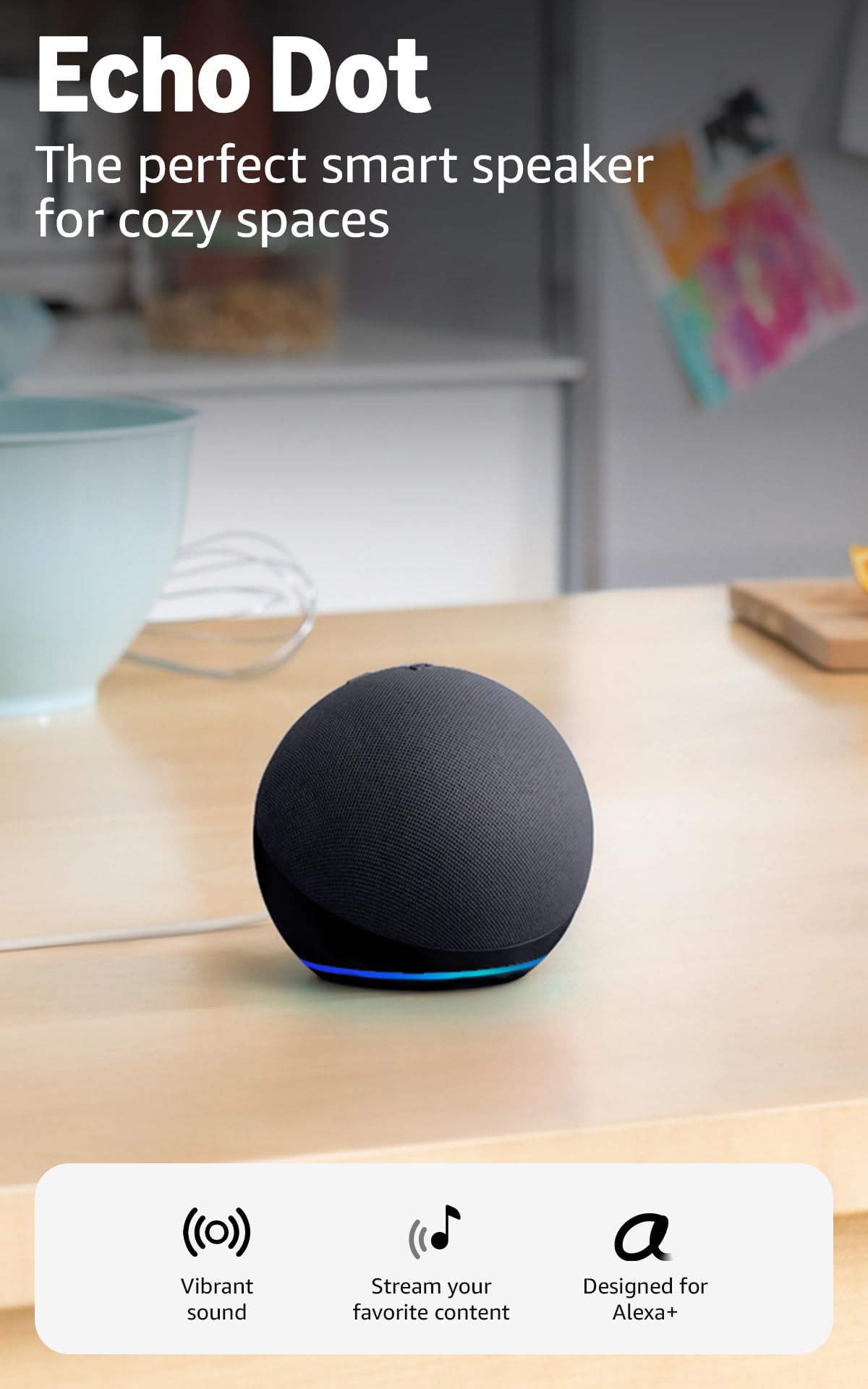
Amazon Echo Dot

95 /100
Sound Score Outstanding

Key details

Room Fit
Bedrooms, offices
Connectivity
WiFi, Bluetooth
Multi-Room App
Alexa ecosystem
Voice Assistant
Alexa+ built-in
View on Amazon

The Echo Dot is the compact Alexa default: native Alexa+ integration puts the assistant on the same device as the speaker, and the first-run setup through the Alexa app is short enough that a first-time owner can be asking questions within minutes. Audio is clear and crisp for a speaker this size, with vocals that stay present during podcasts and mid-volume music. The tuning favors voice clarity, so dialogue remains easy to follow while background music plays.

Once it is running, the Dot stays out of the way. Timers, weather, news, and smart-home commands respond without repeated app check-ins, and the built-in eero mesh extender can stretch existing WiFi to a nearby room. Motion and temperature sensors add the kind of automation that normally requires separate hardware: a lamp can turn on when someone enters, or a fan can switch on when the room warms up. For an entry-level speaker, those extras make the Dot a genuine control point rather than just a music player.

The right buyer is a first-time smart-speaker owner or an existing Alexa household adding voice control to a fixed spot: a bedroom, dining room, or office. The compact body fits on a nightstand or shelf without dominating the surface. Network conditions can matter here. A unit may pause, stop playing, or become unresponsive when the WiFi signal is congested, and while a stable connection lowers the chance, it does not eliminate it.

Music playback is not limited to Alexa: the Dot streams over WiFi and accepts Bluetooth from a phone, so apps without Alexa support can still play through it. It also pairs with other Alexa speakers for multiroom groups, which makes it easy to add a second unit later. This is the key advantage over a simple Bluetooth-only speaker: the voice assistant and multiroom features are what push it ahead in this category.

💡 Keep the Dot close to a strong WiFi signal for the steadiest response from voice and music routines.

Pros

  • Clear, crisp audio with strong vocal presence for a compact speaker.
  • Solid build quality and clean overall finish at an entry-level price.
  • Setup and daily voice use are easy for first-time Alexa owners.
  • Strong everyday value in the budget smart-speaker tier.

Cons

  • Bass output is modest, so a larger Alexa speaker is better for big living rooms.
  • No battery means it needs to stay plugged in near an outlet.
Our verdict

For a first voice speaker or a bedroom/office assistant, this is the pick.
Check Latest Price
2

Best for Room-Filling Alexa Sound

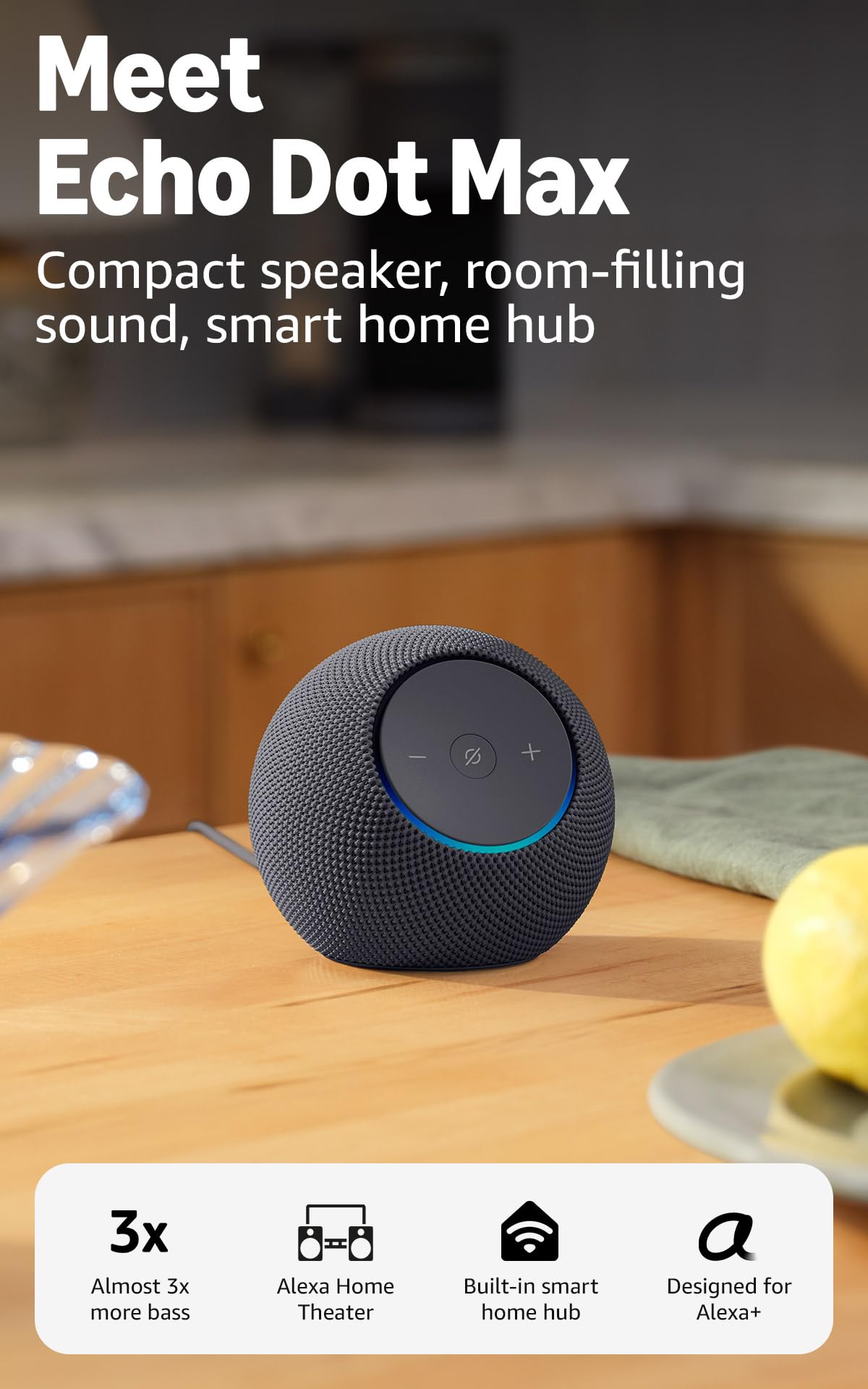
Echo Dot Max

89 /100
Sound Score Excellent

Key details

Room Fit
Medium/living rooms
Connectivity
WiFi, Bluetooth
Multi-Room App
Alexa, eero extender
Voice Assistant
Alexa+ built-in
View on Amazon

The Echo Dot Max is the step-up Alexa speaker for medium rooms: nearly three times the bass of the compact Echo Dot, a built-in smart home hub, and an eero mesh extender in the same rounded shell. Bass-heavy tracks get real weight without a separate subwoofer, and the speaker holds its presence at normal living-room listening levels.

This is for Alexa households that already use voice as the control layer and want one speaker to handle music, smart-home commands, and network coverage. Buyers who plan to build a multi-room system around another assistant, or who are shopping strictly on price, should stay with the entry-level Echo Dot. Connectivity and reliability can vary between homes, and maximum volume may be lower than expected for large rooms, so this is best treated as a medium-room device rather than a whole-house sound source.

The mid-range price makes sense when the hub and eero extender are part of the daily routine. The built-in hub keeps compatible smart-home gear connected without an extra bridge, and the eero extender adds useful coverage for nearby devices. Buyers who only want a budget-friendly voice speaker are better served by the compact Echo Dot.

💡 Place the Dot Max on an open shelf and keep it near the router or an eero node if the network handshake gets finicky.

Pros

  • Nearly three times the bass of the compact Echo Dot gives medium rooms real low-end presence.
  • Setup includes pre-configured WiFi assistance, so the speaker joins the network with minimal app juggling.
  • Rounded fabric-wrapped shell blends into shelves and side tables without looking like a gadget.

Cons

  • At maximum volume, a large living room may want more headroom than the Dot Max delivers.
  • WiFi and device linking can be inconsistent, and Alexa may need a repeated command in noisier rooms.
  • Playback can stop without warning in some homes, and the speaker may not respond until it is restarted.
Our verdict

For an Alexa-first household in a medium room, the Dot Max is the upgrade that adds bass and a hub without taking up component-system space.

Check Latest Price
3

Best for Sonos Multi-Room

Sonos Era 100

88 /100
Sound Score Excellent

Key details

Room Fit
Connectivity
WiFi, Bluetooth, AirPlay 2, line-in
Multi-Room App
Sonos ecosystem
Voice Assistant
Alexa built-in
View on Amazon

The Era 100 is the accessible Sonos entry point for a voice-enabled smart speaker: dual-tweeter stereo separation in a compact cabinet, with Bluetooth, line-in, AirPlay 2, and Trueplay tuning. Sound comes first here. The twin tweeters place instruments across a wider stage than single-driver smart speakers, and the larger midwoofer adds body without muddying vocals. This is the speaker to pick if you want Sonos multi-room without the size or price of the Dolby Atmos-focused model.

Setup follows the Sonos app route, and existing Sonos owners will have a new room configured in minutes. On-device controls are simple: volume, play/pause, and next/back live on the top panel, so you don't need the app for everyday adjustments. The line-in adapter extends the speaker to turntables or other auxiliary sources, and AirPlay 2 covers Apple device streaming. If you stay inside WiFi and AirPlay, the experience is close to set-and-forget.

Buyers who already own Sonos or plan to build a multi-room setup will find plenty of use for the Era 100. Alexa is built in, but it's a bolt-on assistant rather than a native one, and app or Bluetooth stability can vary. If your priority is flawless voice-first control from a smart speaker, the top pick in this comparison is the better match. The premium price pays for construction and sound, not assistant polish.

💡 Place the Era 100 within good WiFi range before adding it to the Sonos app.

Pros

  • Clean, detailed sound with genuine stereo separation from a compact single speaker.
  • Existing Sonos users will find setup quick through the Sonos app.
  • On-device controls handle volume and playback without opening the app.

Cons

  • Line-in requires the separate Sonos adapter, so auxiliary sources add cost.
  • The Sonos app can be intrusive, with prompts that interrupt quick playback.
  • Bluetooth and Android connections can be inconsistent; AirPlay 2 is the steadier fallback.
Our verdict

The Era 100 is the right voice-enabled speaker when you care more about stereo sound and Sonos multi-room than about native assistant behavior. It plays best in a Sonos household, not as a standalone Alexa appliance.

Check Latest Price
4

Best for Dolby Atmos Immersion

Sonos Era 300

91 /100
Sound Score Outstanding

Key details

Room Fit
Home theater
Connectivity
WiFi, Bluetooth, AirPlay 2
Multi-Room App
Sonos surround
Voice Assistant
Alexa + Sonos Voice
View on Amazon

Six drivers and custom waveguides make the Era 300 the one speaker in this set that delivers genuinely dimensional Dolby Atmos music from a single cabinet. Add a pair as surrounds to a Sonos Arc or Beam, and the home theater upgrade is immediate rather than incremental.

This is not the compact Sonos option for a nightstand; it needs room for the soundstage to expand. Give it that room, and the six-driver array fills a medium-to-large space without strain. In a small room, the effect compresses and the price is harder to justify. Trueplay tuning tailors the output to the room, so setup relies less on precise placement.

As a smart speaker, it carries Alexa and Sonos Voice, plus AirPlay 2 for Apple devices. Those functions are present and functional, but they are not the reason to buy the Era 300; buyers whose main interest is voice queries should look at a lighter assistant speaker.

This is for home theater enthusiasts building Sonos surround and Dolby Atmos music listeners who already stream spatial-audio tracks. Budget-conscious buyers should pass it by; wireless stability can be imperfect on busy networks, and the luxury price is hard to justify for casual listening.

Pros

  • Immersive, detailed, room-filling sound from six drivers and waveguides; Dolby Atmos music has clear height and direction.
  • Build quality and home theater integration make it a natural surround addition to a Sonos Arc or Beam system.
  • Setup follows the Sonos app flow, so a premium multi-room speaker goes online with minimal fuss.

Cons

  • On a busy WiFi network, the Sonos app may lose contact with the speaker mid-playback.
  • Multi-room groups can drop a paired Era 300, requiring the Sonos app to reconnect it.
Our verdict

For Sonos home theater builders and Dolby Atmos music fans, the Era 300 is the speaker that adds height, width, and depth to both movies and music. A simpler wireless speaker suits casual listening better.

Check Latest Price
5

Best Portable Voice Speaker

Bose Portable Smart Speaker

87 /100
Sound Score Excellent

Key details

Room Fit
Indoor/outdoor, portable
Connectivity
WiFi, Bluetooth, AirPlay 2
Multi-Room App
Voice Assistant
Alexa + Google built-in
View on Amazon

Bose's portable smart speaker is the only true all-in-one in this voice-first set: 360-degree sound with deep bass, built-in Alexa and Google, AirPlay 2, 12-hour battery, water resistance, and a handle that moves with you from kitchen counter to patio table. The bigger-bass Alexa speaker in this lineup stays anchored to one room; the Bose keeps home-grade sound when the destination changes.

The 360-degree projection is the practical advantage: set it in the middle of a table and the music sounds the same on all sides, which matters more outdoors than in a bookcase. Alexa and Google both respond from across the room, and AirPlay 2 gives iPhone households a direct streaming path without re-pairing Bluetooth every time.

This is the speaker for households that want one voice-enabled unit for home and travel, with assistants that work inside and outside. Charge-holding can fade after months of daily charging, and long-term durability can vary, so it's not the right fit for a stationary, always-on smart hub or for buyers who want the battery to stay at full capacity indefinitely. If you'll actually use the handle, the premium makes sense.

💡 Keep the speaker plugged in while it's parked indoors so the battery is full when you carry it outside.

Pros

  • 360-degree sound with deep bass gives a home-speaker presence that follows you outdoors.
  • Carry handle and water-resistant body make room-to-room and patio moves effortless.
  • Built-in Alexa and Google cover voice control; WiFi, Bluetooth, and AirPlay 2 handle streaming from any phone.

Cons

  • On busy WiFi networks, app setup and voice commands can stall or drop mid-session.
  • At high volume, runtime can fall well short of the 12-hour spec.
  • An occasional unit can become unresponsive to the power button after months, so warranty coverage matters for daily use.
Our verdict

One voice-first speaker that sounds at home in a kitchen or a campsite: that's the Bose's specialty. The premium makes sense for households that will actually use that handle.

Check Latest Price
6

Multi-Room Audio

WiiM Sound Lite

86 /100
Sound Score Excellent

Key details

Room Fit
Multi-room, app-driven
Connectivity
WiFi, Bluetooth, Ethernet, Aux
Multi-Room App
WiiM, Google Cast, Alexa
Voice Assistant
External Alexa/Google
View on Amazon

WiiM Sound Lite pairs genuinely balanced sound with a solid cabinet, and the 24-bit/192kHz Hi-Res ceiling plus 100W peak gives it headroom for a compact music hub. Google Cast and Alexa group support make multi-room playback easy for WiiM or Home Assistant owners, and setup is painless. The missing assistant layer keeps it outside the voice-first boundary that defines this roundup, so the app is the primary control surface. Audio-first buyers managing a WiiM or Google Cast household will find the fit natural; first-time voice-assistant shoppers should start elsewhere.

Pros

  • Natural, clear, and well-balanced sound for a speaker this size.
  • Solid build with a reassuring feel.
  • Strong WiiM and Home Assistant integration with easy setup.

Cons

  • AirPlay is not supported, so Apple-only households will need Bluetooth or Wi-Fi casting.
  • No built-in microphone; voice control requires a separate compatible Alexa or Google device.
Our verdict

This fits app-first multi-room listeners already using WiiM or Home Assistant; anyone shopping for a conversation-ready smart speaker should choose one of the voice-first models.

Check Latest Price
7

Touchscreen Control

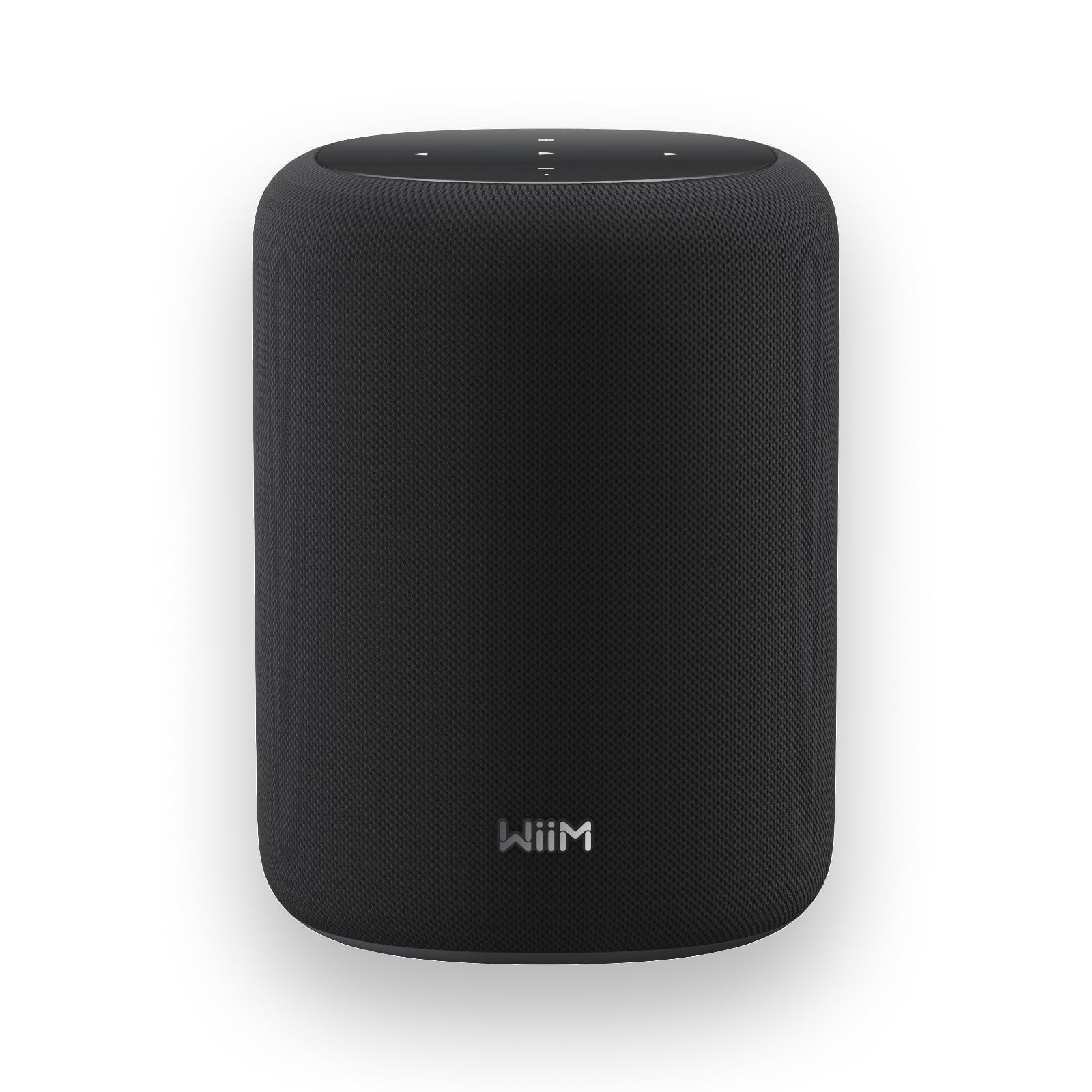
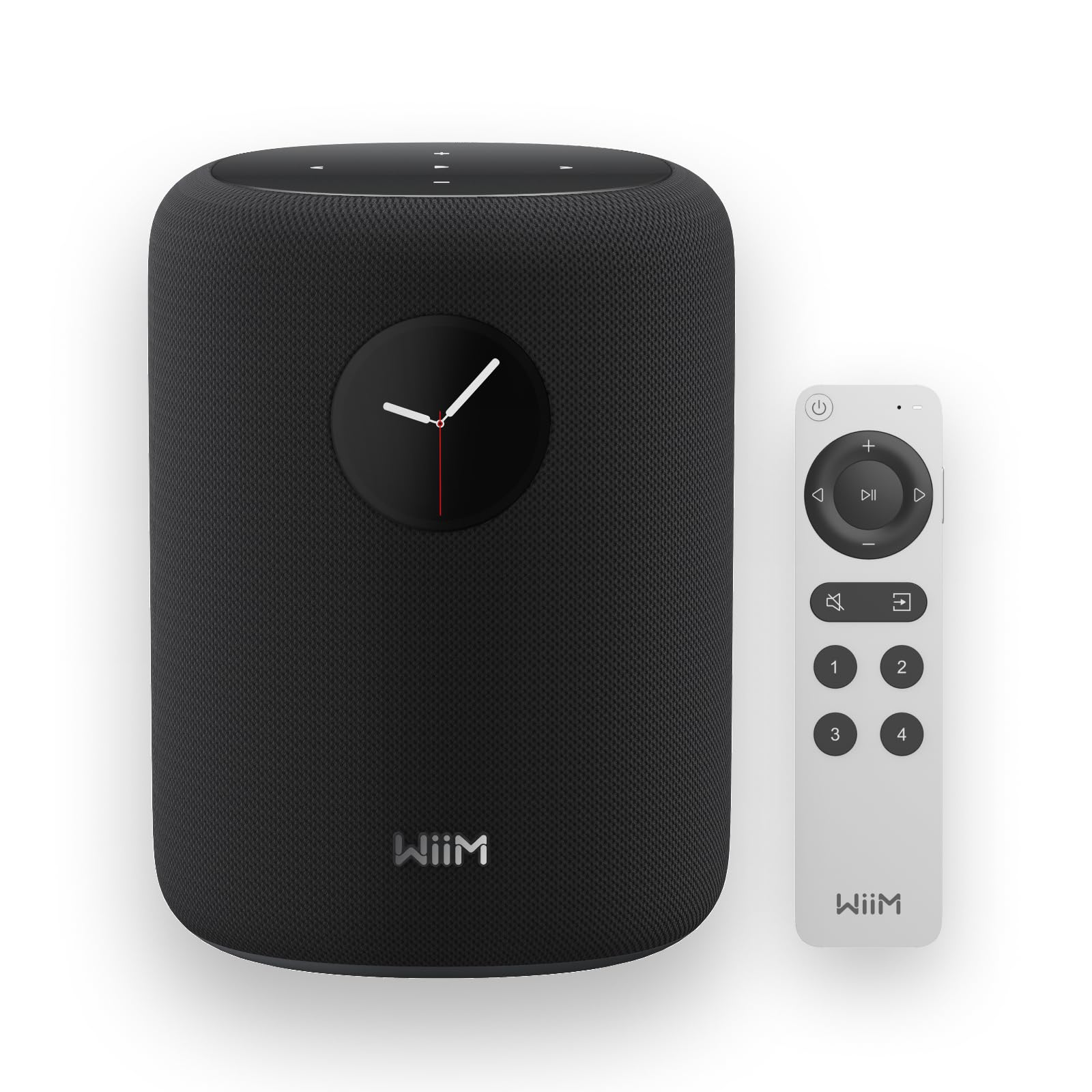
WiiM Sound

85 /100
Sound Score Excellent

Key details

Room Fit
Multi-room, touchscreen
Connectivity
WiFi, Bluetooth, Ethernet, Aux
Multi-Room App
WiiM ecosystem
Voice Assistant
External Alexa/Google
View on Amazon

The WiiM Sound is a control-first smart speaker: the 1.8-inch touchscreen, physical remote, and preset buttons handle playback without the phone or a voice assistant, and the 100W peak 2.1 stereo plays louder and fuller than the cabinet size suggests. That display and remote set it apart from the no-display WiiM sibling in this lineup.

It does not clear this search's voice-first boundary, though. The WiiM Sound is an app/remote/touchscreen-controlled multi-room speaker; the top pick in this lineup better serves the purpose of this search.

Pros

  • Touchscreen, physical remote, and presets control music without picking up the phone.
  • Hi-Res 24-bit/192kHz audio and 100W peak 2.1 stereo deliver loud, clear sound from a compact cabinet.
  • Multi-room playback stays in sync across WiiM app zones.

Cons

  • Bluetooth range can be inconsistent, and AirPlay is missing for Apple households.
  • No built-in microphone, so standalone Alexa/Google voice control requires a separate compatible device.
Our verdict

If your primary control is the touchscreen, remote, or WiiM app, this is a capable premium speaker for multi-room setups. For the voice-first use case this search targets, the top pick is the better route.

Check Latest Price

How to Choose

Voice Assistant Ecosystem

Native voice assistants run on the speaker itself, which usually means faster responses and fewer dropped commands. Third-party speakers often bolt Alexa or Google onto their own software, adding a layer that can delay or drop requests.

If you live in an Alexa household, choose a speaker with native Alexa instead of a bolt-on. Routines, timers, and smart-home commands respond more consistently when the assistant is built in.

Audio Architecture

Single tweeters cannot produce true left-right separation from one cabinet; dual tweeters can, and Dolby Atmos adds a height channel through angled drivers and digital processing.

These choices matter for wide-staging music and movie soundtracks. For news and background audio, a single full-range driver can be hard to distinguish from a premium multi-driver unit, so only pay for drivers you will actually hear.

Connectivity Options

WiFi handles high-res and multi-room streams; Bluetooth is the fallback for weak networks or outdoor use. Bluetooth compresses the audio and can drop when you move too far from the source.

Line-in and Ethernet bypass wireless interference but limit placement. AirPlay is the most convenient option for Apple users, though it still depends on a stable WiFi connection.

Room Fit

Compact speakers are tuned for near-field listening, so they sound good on a desk but lose presence across a living room. A larger woofer moves more air and keeps bass audible at distance.

Portable models trade that output for battery and weight. A 12-hour battery is convenient, but charge-holding capacity degrades with age, so a portable smart speaker may sound excellent when new and lose stamina later.

Multi-Room and App Ecosystem

Multi-room audio depends on the app and router, not just the speaker hardware. Every speaker must stay in sync, and that sync is only as stable as the network around it.

Closed ecosystems like Sonos offer tight integration but require their app. Open systems such as WiiM or Google Cast work with more services but may need extra troubleshooting when devices drop off the network.

Frequently Asked Questions