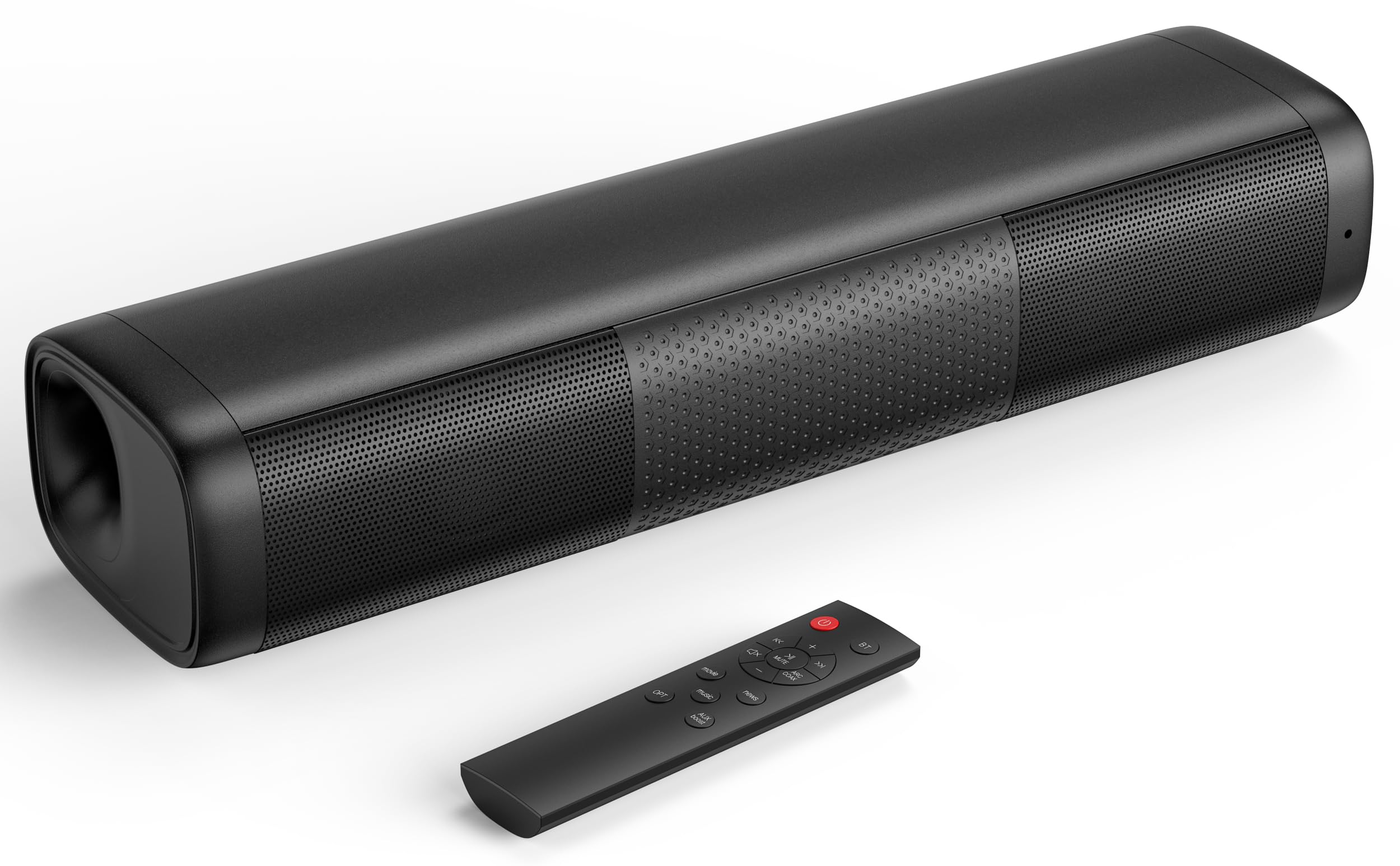
9 Best Soundbar for Projector in 2026: Real Bass That Fits a Budget

Find the best soundbar for projector setups by matching inputs, channel configuration, and real subwoofer output to your room and viewing habits.

Advertised wattage tells you little about how a soundbar will sound with a projector. In the budget tier, the bigger difference is whether the bar has a real subwoofer or just a 'built-in sub' label on a small 2.0 cabinet. A dedicated woofer moves low frequencies out of the main bar, which makes dialogue clearer and action scenes feel heavier.

Connection type matters just as much. Many projectors and streaming sticks output Dolby or DTS bitstream, and budget bars go silent or crackle unless that source is switched to PCM/Stereo. Bluetooth is convenient, but projector video processing can add enough latency to push audio behind the picture.

The result: a modest 2.1 package with a real subwoofer and a wired input outperforms a flashier 2.0 bar at double the wattage. Matching the bar to the projector's actual outputs and your room size is the difference between a system that disappears into the movie and one you keep adjusting.

About the Sound Score: This comparative score is calculated from a product's published customer rating and review volume. It is not a laboratory measurement or a hands-on test result.

1

Best Overall for Projector Home Theater

Ultimea Poseidon M60 5.1

90 /100
Sound Score Outstanding

Key details

Inputs
HDMI eARC, optical, Bluetooth
Power / Bass
300W peak, real sub
Dialogue / EQ
VoiceMX, app EQ
Channels / Sub
5.1, wired sub
View on Amazon

The Poseidon M60 produces a genuine 5.1 sound field rather than a virtualized stereo illusion. Dolby Atmos processing and a wired 5.25-inch wooden subwoofer give projector rooms the directional movement and low-end weight that budget 2.1 bars cannot fake. At 300W peak it is not an AV-receiver replacement, but it fills a dedicated media room with more presence than anything else in this price range. That surround placement shows up in game audio as much as movies: footsteps and ambient cues stay anchored instead of collapsing into one speaker. The sub is the key difference; a small wireless module simply cannot pressurize a room the way a 5.25-inch wooden cabinet can.

Dialogue remains intelligible when the soundtrack is busy, and the app EQ lets you pull vocals forward or trim bass to fit the room. Setup is fast: connect the sub, pick HDMI eARC or optical from the projector, and adjust tone in the app. For a fixed installation, eARC or optical is the dependable path, with Bluetooth left for casual phone use. The app sliders give more control than the remote-only bars in this category, which helps in projector rooms with irregular acoustics. VoiceMX and BassMX are meaningful tuning tools, not just preset labels.

This is the top pick for projector owners who have a fixed home-theater corner and want the closest thing to a dedicated surround system without adding an AV receiver. It suits movie and game fans who want app-based tuning and voice clarity, not just louder volume. The wired sub is part of the deal, so you need a route from the bar to the sub location before final placement. Power or auto-shutoff behavior can vary between units, and Bluetooth can be finicky at range; early testing in your own room is the sensible way to confirm your unit is stable. If you plan to move the bar between rooms or refuse to run a sub cable, this is not the right shape.

Buyers on ultra-tight budgets or those who refuse to place a wired subwoofer should look at a 2.1 bar instead. The M60's higher price makes sense when surround placement and low-end weight matter more than keeping the setup small. For that spend, you get a dedicated subwoofer, app EQ, and a flexible input set, which is the combination that makes projector home-theater immersion achievable without component audio. It is a mid-range price for a mid-sized installation, and the payoff is a room that behaves like a theater rather than a TV with louder speakers.

💡 Set the app EQ after the sub is in its final position; moving the sub changes the right bass setting.

Pros

  • Genuine 5.1 processing with Dolby Atmos and a wooden sub fills a projector room with directional sound and low-end weight.
  • Dialogue stays clear in dense action scenes, so you are not reaching for the remote to rewind.
  • Setup is fast and the app EQ gives real control over bass and voice response.
  • HDMI eARC and optical inputs handle most projectors, with Bluetooth for casual phone playback.

Cons

  • Bluetooth playback can cut out when the source device is far from the bar.
  • Power or auto-shutoff behavior can vary between units, so testing yours early makes sense.
Our verdict

The Poseidon M60 is the pick when projector home-theater immersion matters more than cable-free convenience.

Check Latest Price
2

Best Budget 2.1 with Subwoofer

Saiyin 2.1 Soundbar + Sub

89 /100
Sound Score Excellent

Key details

Inputs
Bluetooth, optical, AUX
Power / Bass
100W, dedicated sub
Dialogue / EQ
3 EQ modes
Channels / Sub
2.1, wired sub
View on Amazon

A true 2.1 budget bar, the Saiyin puts a wired 5-inch subwoofer at the center of the package and delivers bass presence that 2.0 bars in this class skip entirely. The 100W output gives small-to-medium rooms enough volume for movie night without cranking the projector's built-in speaker. Action films get sub-driven impact, while dialogue stays intelligible because the sub handles the heavy low-frequency work.

Sound leans toward spectacle, which suits action scenes and music with a low end. Three EQ modes let you tune the balance toward dialogue, music, or movies, and the LED mode indicators show which profile is active. The sub stays wired to the bar, so placement is limited by the cable run; plan the cable route before mounting the bar.

This is the right fit for first-time soundbar buyers upgrading a budget projector in a room where bass matters more than surround processing. Low-volume hum has been noted on some units, and the bar lacks HDMI ARC, so critical listeners and users who need ARC should look at a different tier. If your projector has optical or AUX out, this bar simplifies the hookup and delivers the low end that projector speakers miss. Budget projector rooms without ARC are exactly where this bar fits best.

Pros

  • Deep, punchy bass from the bundled 5-inch wired subwoofer gives budget projector audio real impact.
  • Overall sound quality delivers clear dialogue and solid low end well above the price point.
  • Setup is fast: plug in the sub cable, connect optical or AUX, and adjust EQ with the mode controls.

Cons

  • Bluetooth can drop in certain setups, so optical or AUX is the steadier connection for a permanent install.
  • Long-term durability varies between units; individual bars can develop issues after extended use.
Our verdict

For a budget projector room with optical or AUX, this 2.1 delivers the subwoofer impact that separates home theater from TV speakers.

Check Latest Price
3

Best for Dialogue and Voice Clarity

Bose TV Speaker

88 /100
Sound Score Excellent

Key details

Inputs
HDMI ARC, optical, AUX, Bluetooth
Power / Bass
35W, no dedicated sub
Dialogue / EQ
Dialogue mode, bass boost
Channels / Sub
2.0, no sub
View on Amazon

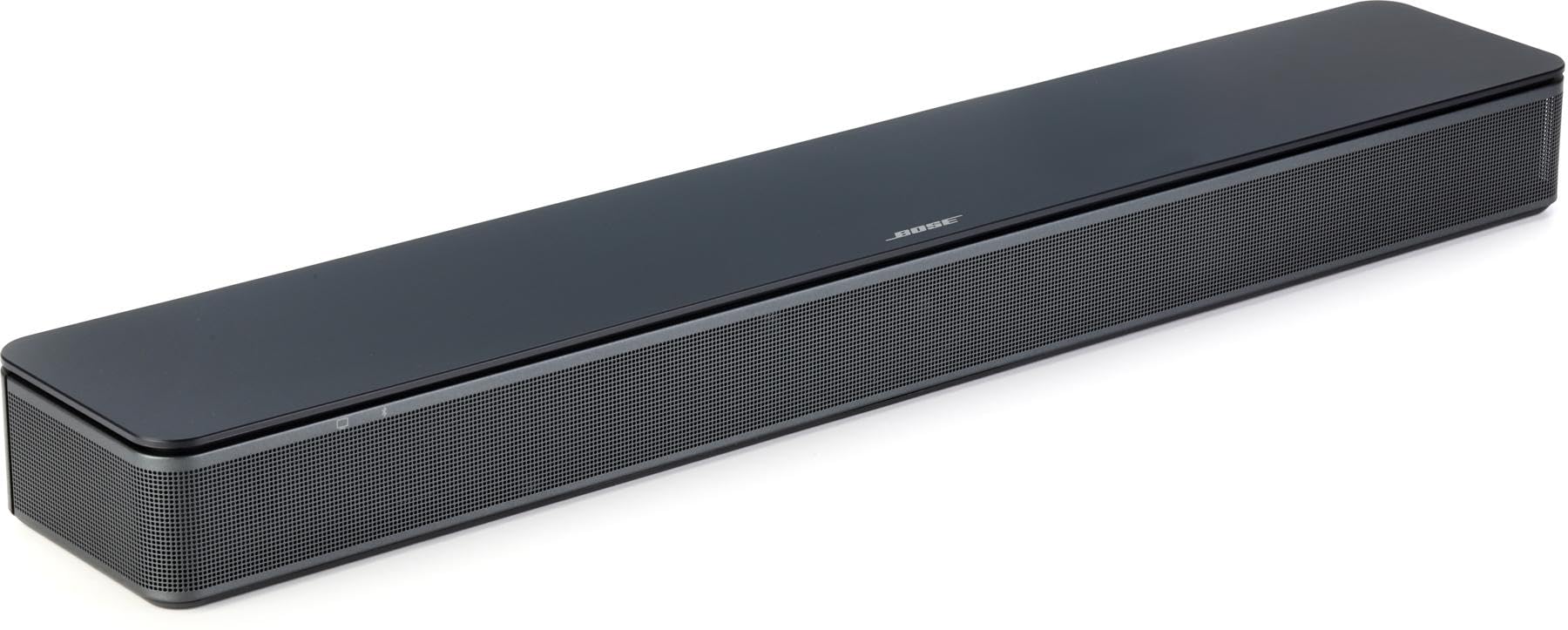
The Bose TV Speaker fits a 23.4-inch low-profile cabinet around Dialogue Mode, a vocal-focus setting that pulls speech out of busy mixes. Projector viewers get noticeably clearer dialogue without adding a receiver or surround speakers, and the bar accepts HDMI-ARC, optical, AUX, or Bluetooth connections. At 2.2 inches tall, it can sit in front of a projector screen without blocking the picture.

Sound leans on vocal clarity rather than impact. The included remote toggles Dialogue Mode and Bass Boost, so you can adjust the tone from the couch without walking to the bar. The result is a clean, centered soundstage that suits TV and movie dialogue in a small-to-medium room.

In a larger projector room, bass and max volume run short; auto-wake or Bluetooth pairing can be glitchy in some setups. For dialogue-first viewers who sit closer to the screen, this remains a compact, low-friction bar.

This is for small-to-medium rooms with dialogue-heavy viewing. Projector owners who want speech clarity and simple hookup over booming action will get the most from this Bose bar. It also suits viewers who prefer a single compact speaker over a separate subwoofer or receiver.

💡 Keep Dialogue Mode on for late-night projector sessions where you need to understand speech at low volume.

Pros

  • Dialogue Mode lifts voices out of background effects, making TV speech easy to follow.
  • Compact 23.4-inch low-profile cabinet fits on narrow stands or under projector screens.
  • Setup takes minutes through HDMI-ARC, optical, AUX, or Bluetooth.

Cons

  • Premium price puts it above budget 2.1 bars that include a dedicated subwoofer.
  • 2.0-channel output means no surround processing; sound stays anchored to the front.
Our verdict

For a compact, dialogue-first projector setup, this Bose bar delivers the clarity upgrade buyers are after.

Check Latest Price
4

Best for Fire TV / Streaming Projectors

Fire TV Soundbar

88 /100
Sound Score Excellent

Key details

Inputs
eARC/ARC, Bluetooth
Power / Bass
Dialogue / EQ
DTS Virtual:X, Dolby Audio
Channels / Sub
2.0, no sub
View on Amazon

The Fire TV Soundbar turns a streaming-projector rig into one-remote system: over HDMI eARC, the Fire TV remote controls power and volume, and DTS Virtual:X with Dolby Audio adds enough width to make streaming dialog feel anchored to the screen. The 24-inch, 2.5-inch footprint tucks under a short-throw projector or a wall-mounted display, and the absence of a separate controller keeps setup compact. This is the connection the slimmer dialogue-focused bar in this set doesn't offer.

Dialogue clarity is the headline: voices stay crisp on talk-heavy shows, and the virtual surround processing opens up the soundstage without pretending to be a 5.1 setup. Setup is genuinely plug-and-play — eARC carries audio back from the projector or TV, or Bluetooth covers projectors with no HDMI. Bass stays polite, so action-heavy material will feel thin compared with 2.1 bars with a wired sub.

The right buyer has a Fire TV stick or built-in Fire TV and a projector with HDMI ARC/eARC — this bar is not the option for projectors with only AUX or optical out, since those inputs don't exist on the chassis. It rewards households that prefer one remote and simple setup over broad compatibility. The top pick's true 5.1 immersion is a different, larger step; this is the bar for staying inside the Fire TV ecosystem.

💡 Bluetooth streams audio but doesn't carry Fire TV remote control; eARC is the way to get the one-remote behavior.

Pros

  • Full sound with clear dialogue that carries dialogue-heavy shows and everyday streaming.
  • Plug-and-play setup: connect over eARC or Bluetooth and the Fire TV remote handles control.
  • Strong value for a 2.0 bar with HDMI ARC and virtual surround processing.

Cons

  • At low volumes, volume steps and mute behavior can feel coarser than expected.
  • When a projector or TV switches HDMI inputs, the bar can drop audio until the input is re-selected.
  • In a permanent install, a unit can lose audio output entirely.
Our verdict

This is the HDMI-ARC bar to pick for Fire TV streamers who want the projector audio and remote control to feel like one system.

Check Latest Price
5

Best Detachable / Split-Speaker Bar

Puriom 2-in-1 Bar

81 /100
Sound Score Excellent

Key details

Inputs
Bluetooth, ARC, USB, AUX, optical
Power / Bass
100W peak, no sub
Dialogue / EQ
3 EQ modes
Channels / Sub
2.0, no sub
View on Amazon

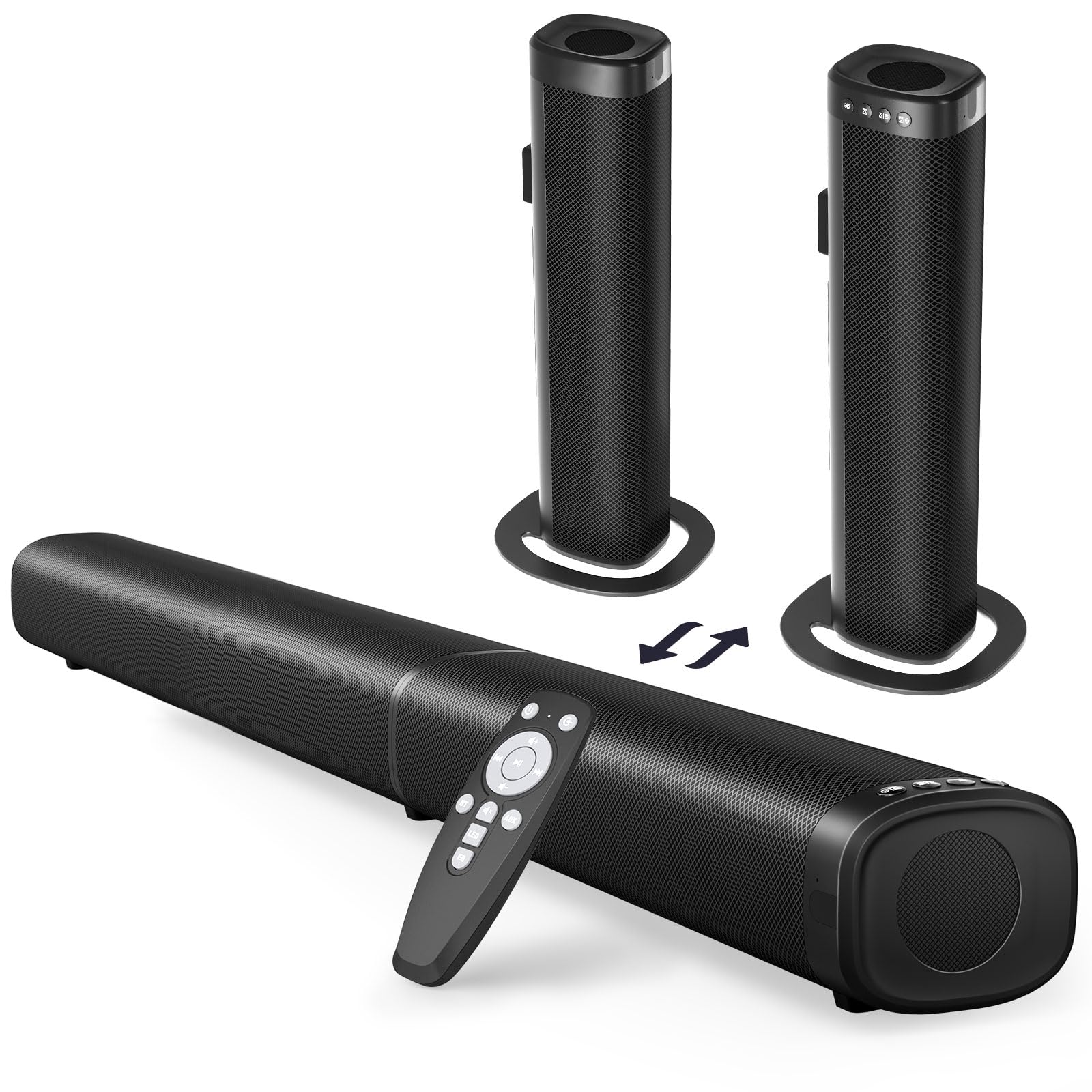
The Puriom SD03 splits into two separate tower speakers, so you can place the left and right channels on either side of a projector screen rather than anchoring everything to one bar. With 100W peak power and Bluetooth 5.3, ARC, USB, optical, and AUX inputs, it covers the hookup options that projectors usually offer. The sound is clear and loud for a budget 2.0 bar, with voices standing out over music and effects.

This layout works well in small-to-medium living rooms, especially for budget gamers who want a step up from built-in TV audio without adding a receiver. At the same time, it is not a bass-heavy home-theater substitute: bass stays modest, and the remote can be hit-or-miss on some units. Those limitations are easier to accept when you value clear dialogue and the freedom to separate the towers around a projector screen.

The split design also helps with placement: you can set both halves on a shelf or mount them behind a projector screen, and the Bluetooth 5.3 connection keeps the setup wireless from a phone or tablet. For a room where a single soundbar feels too confined, this is a low-friction way to get stereo separation.

Pros

  • Clear, loud sound for the price with vocals standing out cleanly.
  • Fast setup from unboxing to listening without extra receiver gear.
  • Split halves work as separate left/right speakers around a projector screen.

Cons

  • Bass stays modest, favoring dialogue clarity over subwoofer thump.
  • Remote control can be unreliable in some cases.
Our verdict

For small-to-medium projector rooms, the Puriom SD03 is a budget-friendly way to get clearer dialogue and flexible speaker placement around the screen.

Check Latest Price
6

Best Wireless Subwoofer Value

Ultimea Poseidon M30 2.1

86 /100
Sound Score Excellent

Key details

Inputs
HDMI ARC, optical, Bluetooth
Power / Bass
240W peak, wireless woofer
Dialogue / EQ
App 10-band EQ
Channels / Sub
2.1, wireless sub
View on Amazon

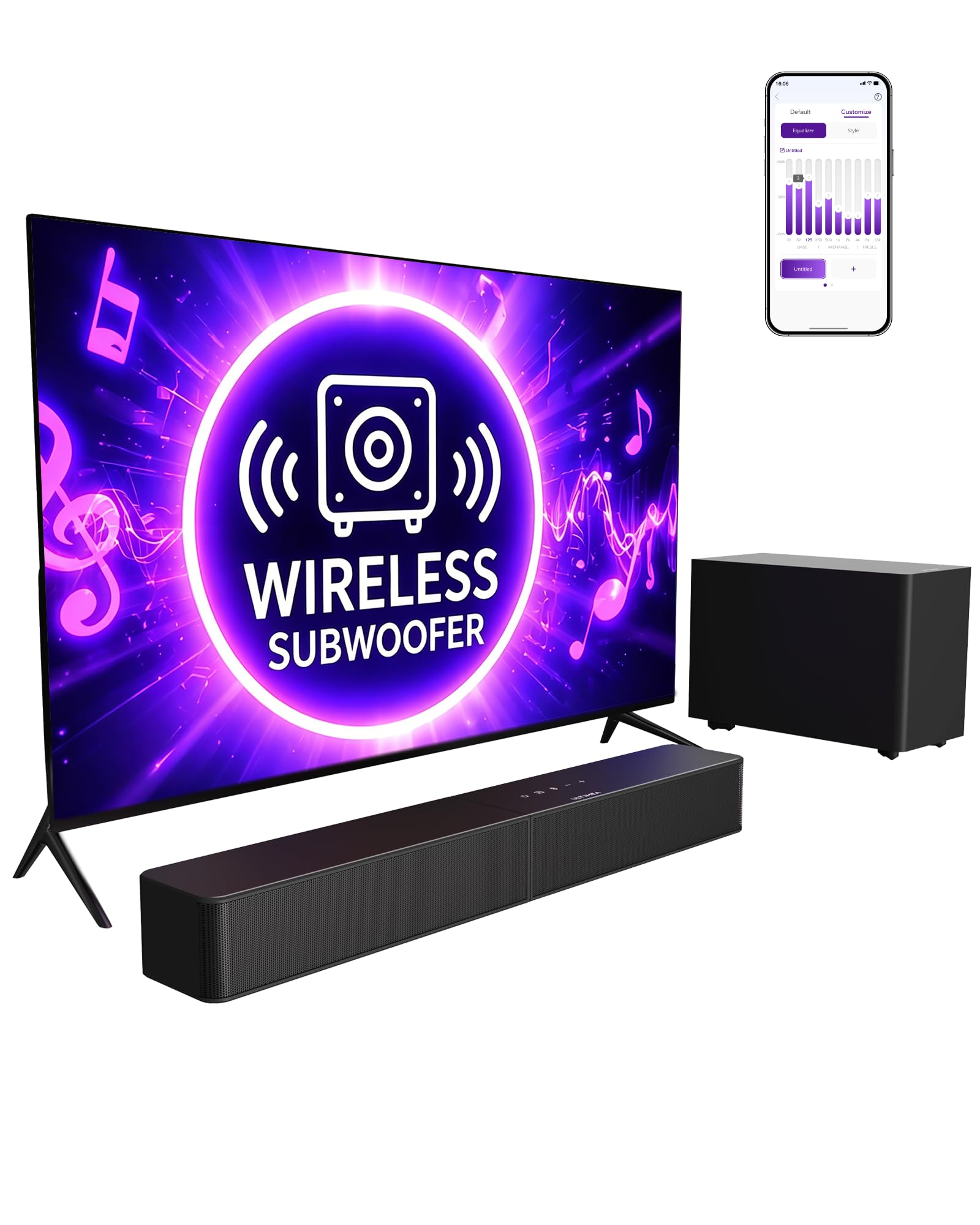
The Poseidon M30 brings a rare feature set to the budget 2.1 class: a wireless subwoofer that frees placement from cable paths, HDMI ARC for projector/TV control, and a 10-band EQ in the companion app. It is the cable-free alternative to the top pick's wired-subwoofer home-theater bar, with enough output for a small room.

The bass is the main event: the wireless 5.25-inch sub delivers room-filling low end without running an audio cable, and the app EQ lets you shape the low frequencies for apartment walls or a projector screen. Setup stays simple through HDMI ARC or optical, and the included remote or your TV remote handles volume without extra steps. The 240W peak rating leaves enough headroom for moderate volumes in a living room or bedroom.

This suits projector owners who want true 2.1 theater sound without subwoofer cable routing, plus movie nights in smaller rooms where bass depth matters, and app-savvy users who want to tune the low end without extra gear. The connectivity tradeoff: Bluetooth and the wireless sub can drop out in some setups, and unit-to-unit consistency varies, so check the sub pairing early. If you need AUX input, this bar has none — ARC, optical, and Bluetooth cover the rest.

💡 If the sub drops out, re-pair it through the app before moving the bar or changing sources.

Pros

  • Room-filling 2.1 sound with strong bass from the wireless subwoofer.
  • Strong feature-per-dollar value with app EQ, HDMI ARC, and wireless sub in one package.
  • Simple setup with TV remote control integration.

Cons

  • Bluetooth and the wireless sub can drop out in some setups.
  • Unit-to-unit consistency varies, with occasional examples developing audio issues after brief use.
Our verdict

For smaller-room projector setups, the M30's wireless sub placement and app control make it the most practical cable-free 2.1 option.

Check Latest Price
7

Small Apartment Setups

vibeadio 2.1 + Sub

86 /100
Sound Score Excellent

Key details

Inputs
Bluetooth, ARC, optical, AUX
Power / Bass
110W peak, subwoofer
Dialogue / EQ
3 EQ modes
Channels / Sub
2.1, 5.9-inch sub
View on Amazon

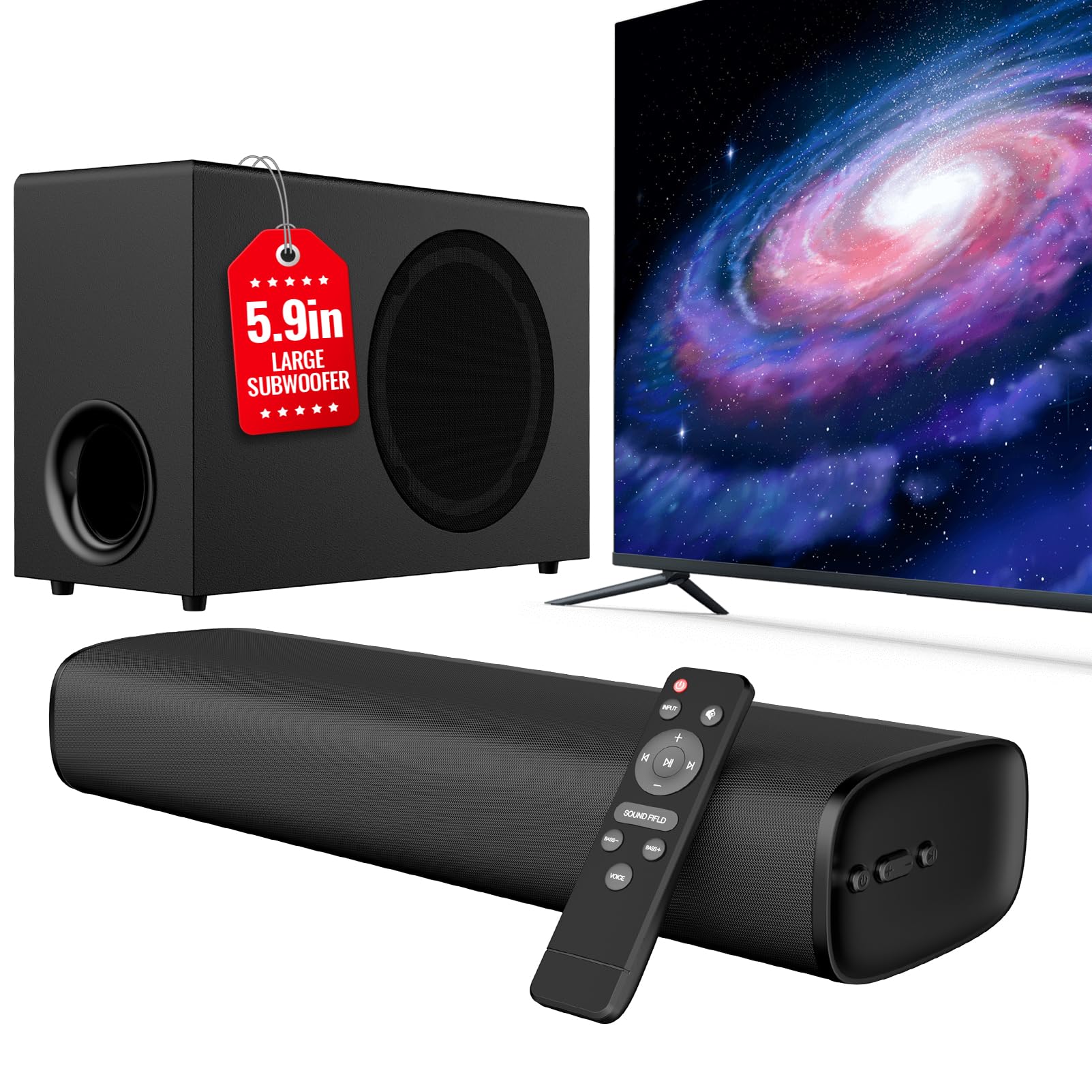
The vibeadio 2.1 packs a dedicated 5.9-inch subwoofer and 110W peak output into a compact bar that brings proper bass to a small-apartment projector setup. It connects via Bluetooth 5.4, ARC, optical, or AUX, so pairing to a projector is quick, and the sub adds enough low end for dialogue-heavy movies without a large footprint. The tradeoff is in the controls: input selection can be confusing, and the three EQ modes stay basic, making this a set-and-forget bar rather than something for heavy tuning. That limited control scheme, plus fewer EQ options than the runner-up 2.1 picks, keeps it a secondary contender for buyers who want plug-and-play subwoofer depth first.

Pros

  • Sturdy build and strong value for a budget 2.1 system with a dedicated subwoofer.
  • Quick setup over Bluetooth 5.4, ARC, optical, and AUX gets a projector hooked up in minutes.
  • Compact footprint with a 5.9-inch subwoofer delivers solid low end for small rooms.

Cons

  • EQ options are limited to three presets, so bass and tone tuning stay basic.
  • Input selection and controls can be confusing during source switching.
Our verdict

For a small apartment projector room that needs real bass without a big price tag, this 2.1 bar works — as long as you accept basic EQ and occasional input-switching confusion.

Check Latest Price
8

Detachable Flexible Setups

MZEIBO 90W Detachable

85 /100
Sound Score Excellent

Key details

Inputs
Bluetooth, ARC, optical, AUX
Power / Bass
90W, no sub
Dialogue / EQ
3 EQ modes
Channels / Sub
2.0, no sub
View on Amazon

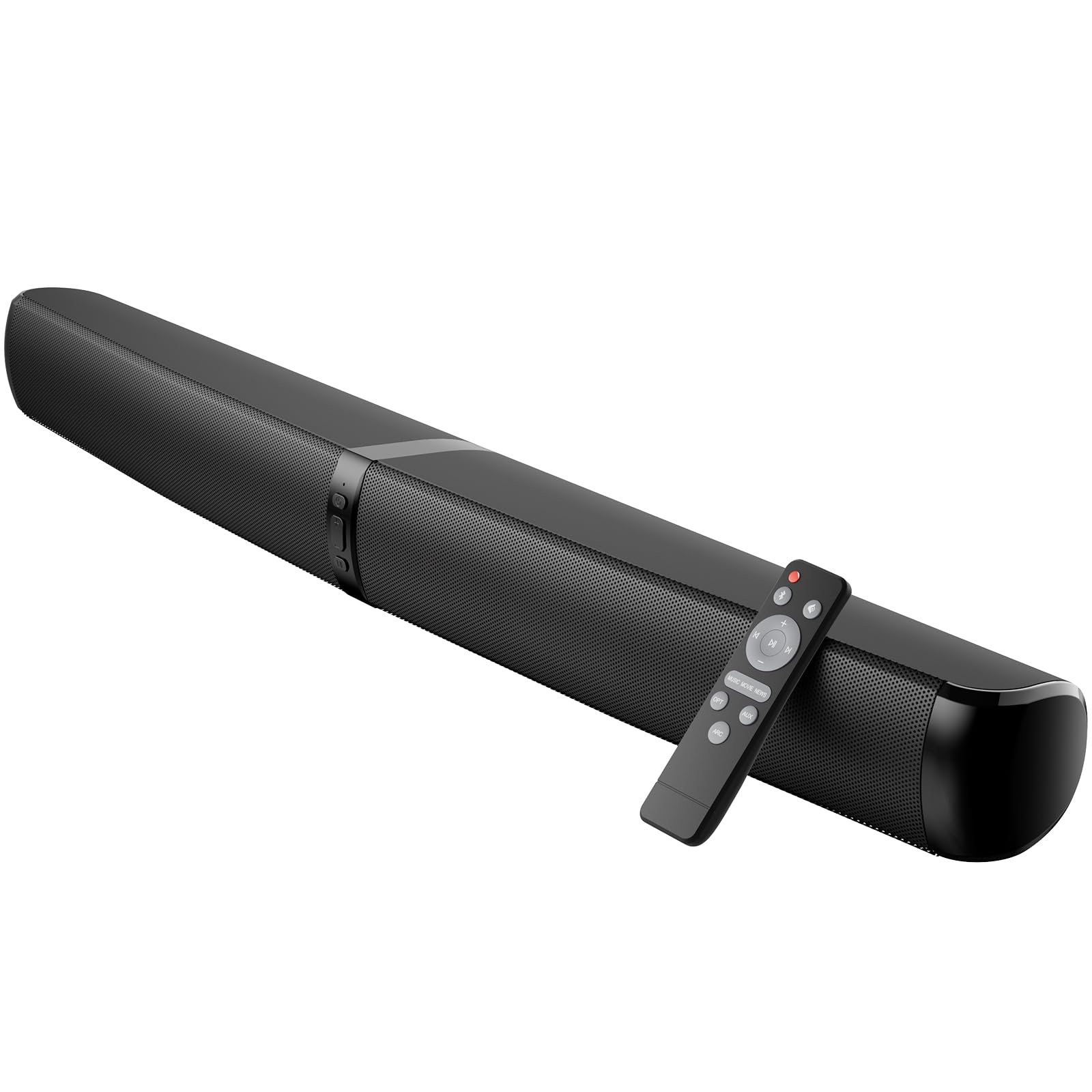
The MZEIBO 90W is a detachable 2-in-1 bar that slots under a projector screen or splits into two modules beside it, and it delivers the kind of natural midrange that keeps dialogue intelligible without a subwoofer. Connectivity includes ARC, optical, AUX, and Bluetooth 5.3, so the usual projector inputs are available. The tradeoff is in those inputs: optical audio can drop until the bar is reconnected, and after power-off the unit may return to its default input. Bass output stays modest, which is fine for a small projector room but not for anyone expecting theater-style low end. Those input quirks are why it lands below seamless rivals.

Pros

  • Dialogue and instruments come through with natural detail, so voices stay clear in a projector setup.
  • The 2-in-1 bar can sit under a screen or split into two modules for flexible placement.
  • Setup takes little time, and the bar keeps ARC, optical, AUX, and Bluetooth at a budget price.

Cons

  • Optical audio can drop until the bar is reconnected, an extra step after switching projector sources.
  • After power-off, the input can return to default, so a projector owner may need to re-select the source next session.
Our verdict

If your projector setup needs a detachable bar with clear dialogue and flexible placement, the MZEIBO fits — as long as you can accept occasional optical reconnects and a possible input reset after power-off.

Check Latest Price
9

Tiny Spaces

Saiyin 11.7-inch Mini Bar

84 /100
Sound Score Excellent

Key details

Inputs
Bluetooth, optical, AUX
Power / Bass
48W peak, no sub
Dialogue / EQ
3 EQ modes
Channels / Sub
2.0, no sub
View on Amazon

The Saiyin is the smallest credible bar in this set, and its 11.7-inch width fits beside a compact projector or laptop without owning the room. Optical, AUX, Bluetooth, and a sub-out cover most projector hookups, so setup is quick. The honest boundary is near-field, 48W performance: Bluetooth can drop, the remote may need a second press, and real bass requires adding a powered sub to the sub-out. That keeps this below fuller 2.1 systems and makes it a fit for small bedrooms, RVs, or tiny projector corners rather than a main room.

Pros

  • Clear audio for near-field use in a genuinely small enclosure.
  • Entry-level price makes it a low-risk add-on for a small projector room.
  • Setup is quick on desks, RV shelves, and projector stands.

Cons

  • No HDMI ARC, so one-cable TV or projector hookup is not available; optical and AUX remain the wired paths.
  • Low-volume static or hum can surface in very quiet rooms.
Our verdict

If your projector sits on a desk or nightstand and you want a low-footprint audio upgrade, the Saiyin fits that space better than any full-size bar in this roundup.

Check Latest Price

How to Choose

Connection Inputs

HDMI ARC/eARC is the most convenient connection because it lets the projector or TV remote control the soundbar's volume from one remote. Optical is the dependable fallback when ARC handshakes get flaky, but it can't carry Atmos and requires the source to output PCM/Stereo.

Bluetooth is the least reliable option for projectors because video processing can cause lip-sync delay.

Channels and Subwoofers

Channel count tells you where sound comes from, not just how loud it can get. A 2.1 system with a dedicated subwoofer moves low frequencies out of the main bar, so dialogue stays clearer and action scenes have physical weight. A 2.0 bar with a 'built-in sub' is often just a passive radiator and can sound thin by comparison.

True 5.1 systems add rear channels, but only make sense if your projector source outputs surround sound and you can place speakers behind the listening area.

Dialogue and EQ Modes

Dialogue modes boost the vocal frequency range, usually around 2–4 kHz, which makes speech cut through music and effects without cranking overall volume. EQ modes adjust tonal balance: more bass, brighter treble, or a voice-forward curve.

App-based EQ gives the most control, but a simple dialogue button is often enough for everyday viewing.

Footprint and Placement

Soundbar width should match the screen or TV size in the room, not the projector's physical size. A short bar under a 100-inch screen can sound small even if the electronics are capable.

Detachable 2-in-1 bars split into left and right towers on either side of the screen, improving stereo separation but requiring two mounting spots and sometimes a cable link between halves.

Power and Bass

Peak wattage numbers on budget soundbars are marketing figures, not continuous output ratings. A well-tuned 40W bar can sound cleaner than a poorly tuned 240W peak system because sensitivity, driver size, and cabinet tuning matter more than raw wattage.

Bass is produced by moving air: a real subwoofer with a 5-inch or larger driver will always outperform a 'built-in sub' that relies on the bar's small enclosure.

Frequently Asked Questions