9 Best Wired Gaming Headset of 2026: The Ones That Keep Working

For PC and console gamers: wired gaming headsets that survive daily play, with clear chat, lasting mics, and all-day comfort.

A wired gaming headset should be the simplest piece of your setup: plug in, pick up your teammates, and play. In practice, the first thing to go is often the microphone, followed by a crackling ear cup or a headband that gives out after a few months.

The gap between what the box promises and what you actually hear matters more here than in most audio gear. Virtual surround and noise-cancelling labels sound impressive, but the headsets worth keeping are the ones with a comfortable frame, a mic that stays alive, and a cable that doesn't make you wonder.

This guide sorts the field by those real-world boundaries: connection style, driver size, mic design, and how long a headset can realistically hold up under regular use. Know where you play and how much you expect from chat, and the right choice becomes a manageable trade-off, not a lottery.

About the Sound Score: This comparative score is calculated from a product's published customer rating and review volume. It is not a laboratory measurement or a hands-on test result.

1

Best Overall Wired Gaming Headset

HyperX Cloud II

91 /100
Sound Score Outstanding

Key details

Comfort
Memory foam, aluminum frame
Driver Size
53mm
Spatial Audio
7.1 via USB
Connection Type
USB, 3.5mm
View on Amazon

HyperX Cloud II pairs 53mm drivers with a 60Ω impedance, memory foam ear pads, a detachable noise-cancelling mic, and both USB 7.1 and 3.5mm connections. The core sound is clear and crisp, with strong in-game detail for footsteps, gunfire, and environmental cues. The virtual surround is a convenience rather than a necessity; the stereo image already carries enough separation for competitive shooters. That dual-connection layout lets you move from a PC USB sound card to a console controller without switching headsets, and the detachable mic means the headset doubles as a plain music pair when you want a break from team chat.

Included with the headset is a USB sound card that adds 7.1 virtual surround and inline volume controls on PC. Over 3.5mm, the Cloud II behaves as a straightforward stereo headset, which is exactly what you want when a console controller jack is the only input. The 60Ω load stays comfortable for typical controller output, so clarity holds up when you unplug from USB. The detachable boom mic picks up voice clearly in multiplayer chat and removes cleanly for single-player sessions or music.

Closed-back earcups block a meaningful amount of ambient noise, which helps in a shared room or next to a loud fan. Memory foam pads and a padded headband spread pressure evenly, and the aluminum frame gives the yoke and hinge area a noticeably more solid feel than all-plastic competitors. The leatherette finish keeps the look restrained enough for a non-RGB setup, and the earcups rotate slightly for a flatter fit when set around your neck.

This is the wired headset to choose when you want one pair for PC and console, especially FPS or tactical games that reward clear positional audio. Mic connection and long-term durability can vary between units, so the right expectation is a capable daily headset rather than an indestructible one. The buyer who benefits is someone who wants a wired headset for daily sessions without chasing software or cable adapters.

On connection standards, the Cloud II remains on USB-A and 3.5mm with the USB sound card included. That makes it a poor fit for buyers who want a pure 3.5mm-only headset with no additional hardware; it also means USB-C fans should check the newer Cloud III instead.

💡 Keep the detachable mic connector fully seated before gaming sessions.

Pros

  • Clear, crisp in-game sound with strong positional detail for FPS and tactical play.
  • Memory foam ear pads and padded headband keep comfort high for long sessions.
  • Aluminum frame and leatherette build deliver a sturdy feel for daily gaming use.
  • Closed earcups reduce background noise and help with focus during matches.

Cons

  • Mic connection can be intermittent, with occasional static or cutouts during chat.
  • Durability can vary; audio or frame issues can surface after several months in heavier-use cases.
Our verdict

Clear positional audio, all-day padding, and USB/3.5mm flexibility make the Cloud II the wired headset players keep reaching for.

Check Latest Price
2

Best Modern HyperX Upgrade

HyperX Cloud III

88 /100
Sound Score Excellent

Key details

Comfort
Memory foam, aluminum
Driver Size
53mm angled
Spatial Audio
Spatial audio
Connection Type
USB-C, USB-A, 3.5mm
View on Amazon

The Cloud III's connection flexibility is its sharpest difference from the top pick: USB-C, USB-A, and 3.5mm inputs all work with the included detachable cables, so the headset can move from a PC to a PlayStation, Switch, Steam Deck, or phone with minimal fuss. Angled 53mm drivers keep directional cues readable, and the 10mm detachable mic keeps the package tidy when you play solo.

Comfort and construction carry the familiar HyperX strengths. Memory foam earpads stay plush through long sessions, the aluminum frame feels solid without being heavy, and the adjustable headband holds position well across varied head shapes. The clamp force is moderate, so extended play is easier on the jaw than on tighter headsets. Swapping between cables is quick, which makes the Cloud III an easy daily go-to.

This is for gamers who want current-gen HyperX comfort and connector coverage in one wired headset. Sound tuning can read as flat or bass-light, and mic or durability variance has been noted in some units, so it is not the right pick for listeners chasing a powerful low end or for buyers who want the most predictable long-term behavior. Players who stay on one platform may not need the extra inputs, but the universal fit makes sense for multi-device households.

Pros

  • Memory foam earpads and a stable headband keep long sessions comfortable.
  • Aluminum frame and adjustable fit feel solid for everyday play.
  • USB-C, USB-A, and 3.5mm inputs cover PC, console, and handheld without add-ons.
  • Cost-effective for a multi-platform wired headset with current-gen connectors.

Cons

  • Sound tuning leans neutral, so bass-heavy game audio can lack punch.
  • Mic output can be quiet in some setups, so checking levels matters.
Our verdict

Pick the Cloud III when USB-C support and HyperX comfort are the deciding factors.

Check Latest Price
3

Best Budget Esports Pick

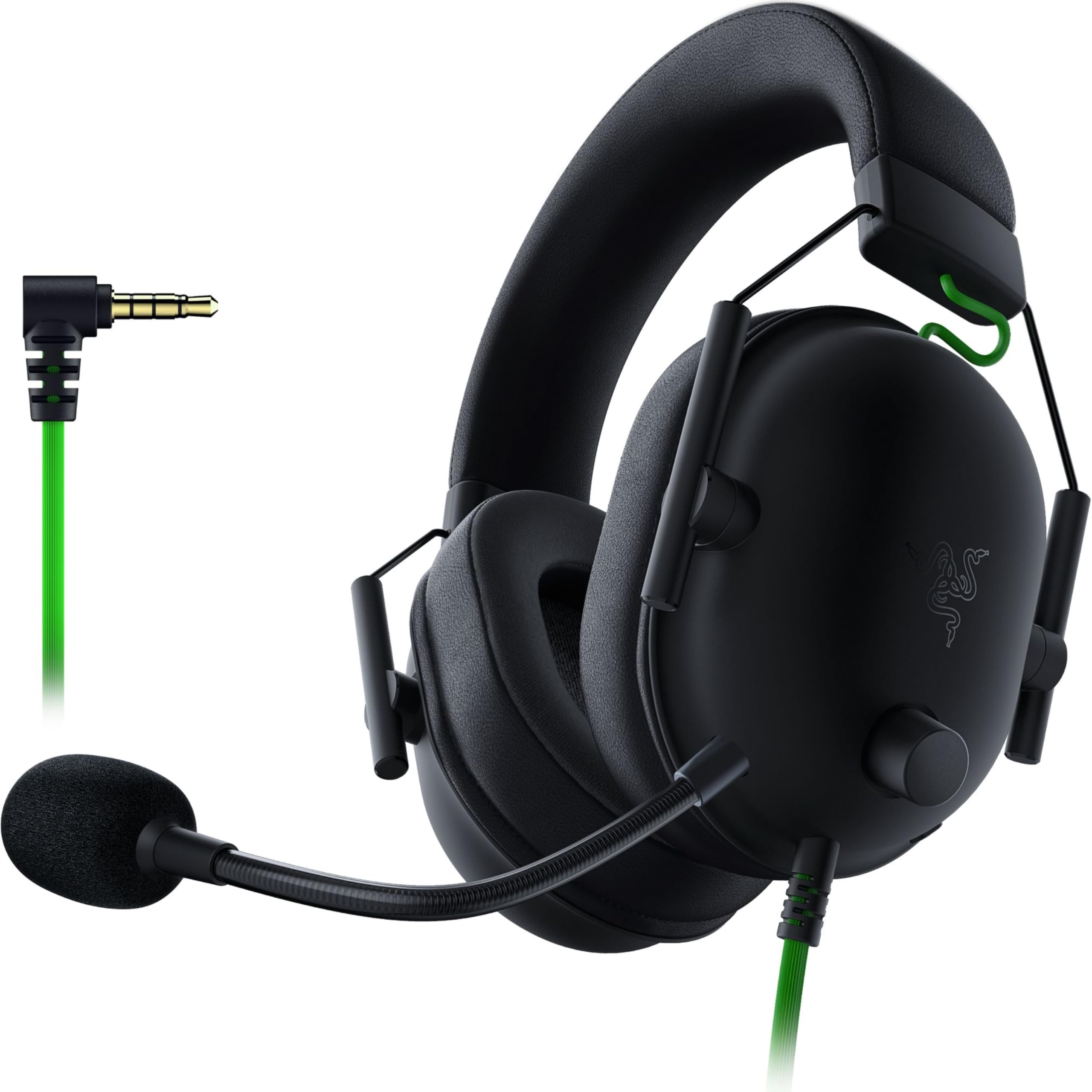
Razer BlackShark V2 X

89 /100
Sound Score Excellent

Key details

Comfort
240g, memory foam
Driver Size
50mm TriForce
Spatial Audio
7.1 via Windows
Connection Type
3.5mm
View on Amazon

The BlackShark V2 X delivers Razer's TriForce Titanium 50mm drivers, a 240g frame, and a HyperClear cardioid mic without requiring USB software. The 3.5mm plug works on PC, PlayStation, Xbox, Switch, and mobile, so it slips into a multi-platform setup with less friction than the PC-only USB Razer in this roundup. That simple connection also keeps the asking price below comparable wired headsets with similar driver specs.

This is the right budget pick for FPS players who want to hear footstep direction clearly while wearing something light enough to forget. The 240g build and memory foam pads make long sessions easier than heavier USB headsets, and the 32Ω drivers run cleanly from a controller or laptop jack. The cardioid mic keeps voice chat focused even in a slightly noisy room. If your routine is one 3.5mm cable between console and PC, this fills that role with fewer cables and less software than typical USB alternatives.

The plastic headband can show stress after a few months in some units, which is the tradeoff for keeping the price and weight this low. For a budget esports headset, that risk is acceptable if you treat the 240g build as a lightweight tool rather than an armored shell. It is not a long-term investment piece, but it delivers the core competitive essentials without straining an entry-level budget.

💡 Keep the 3.5mm plug fully seated and position the boom near your mouth; the cardioid mic favors close talking.

Pros

  • Precise positional audio helps with footsteps and spatial cues.
  • Sturdy build for a lightweight budget headset.
  • Strong value with cross-platform 3.5mm support.

Cons

  • 7.1 virtual surround requires a separate USB adapter; the headset itself is 3.5mm analog.
  • Microphone output can be intermittent on some units.
Our verdict

For a 3.5mm-first gaming setup, this is the budget way to get Razer's TriForce tuning and a cardioid mic in a 240g frame.

Check Latest Price
4

Best for Esports Mic Workflow

Logitech G PRO X

88 /100
Sound Score Excellent

Key details

Comfort
Dual ear pads, steel frame
Driver Size
50mm PRO-G
Spatial Audio
DTS 7.1
Connection Type
USB, 3.5mm
View on Amazon

The G PRO X is the wired PC/streaming headset that treats microphone quality and saved EQ profiles as first-class features. Its detachable Blue VO!ce mic feeds a USB DAC with DTS 7.1 surround, and the headset can store custom EQ profiles for tournament systems that don't have G HUB installed. The aluminum fork and steel headband give it a rigid, purposeful frame, and both leatherette and velour ear pads are included for long sessions. That places it apart from the featherweight 3.5mm casual options in this set.

This is for serious PC gamers and streamers who want software-defined mic processing and are comfortable running Logitech G HUB on Windows. Console players can use the 3.5mm connection, but the USB 7.1 mode on PlayStation will not act like it does on PC. The full Blue VO!ce suite is tied to Windows, and a subset of units may show mic or build inconsistencies at this price, so buyers expecting a maintenance-free, zero-risk headset should pass.

The 50mm PRO-G drivers are tuned for positional cues in FPS play, which is the headset's primary job. Music playback takes a secondary role, so buyers wanting one headset for both competitive gaming and critical listening should treat the sound signature as game-focused. In quieter sessions, the frame's rigid build stays comfortable across ear pad options.

💡 On Windows, configure EQ profiles in G HUB before a tournament; the USB DAC retains them for machines without the software.

Pros

  • Detachable Blue VO!ce mic gives PC streamers EQ and compression controls without extra hardware.
  • Aluminum fork and steel headband provide a sturdy frame at a premium price.
  • Leatherette and velour pads are both included, so comfort can be adjusted for long sessions.
  • EQ profiles store on the USB DAC for tournament PCs without G HUB installed.

Cons

  • Sound tuning is game-focused, so music playback can feel underplayed for critical listening.
  • Mic quality can develop static or degrade over time in some units.
  • Build consistency can vary between units for a premium-priced headset.
Our verdict

The G PRO X is a focused PC esports toolkit for players who value Blue VO!ce processing and onboard EQ storage. If you want a universal, maintenance-free headset, the broad-coverage top pick fits better.

Check Latest Price
5

Best Budget Multi-Platform Starter

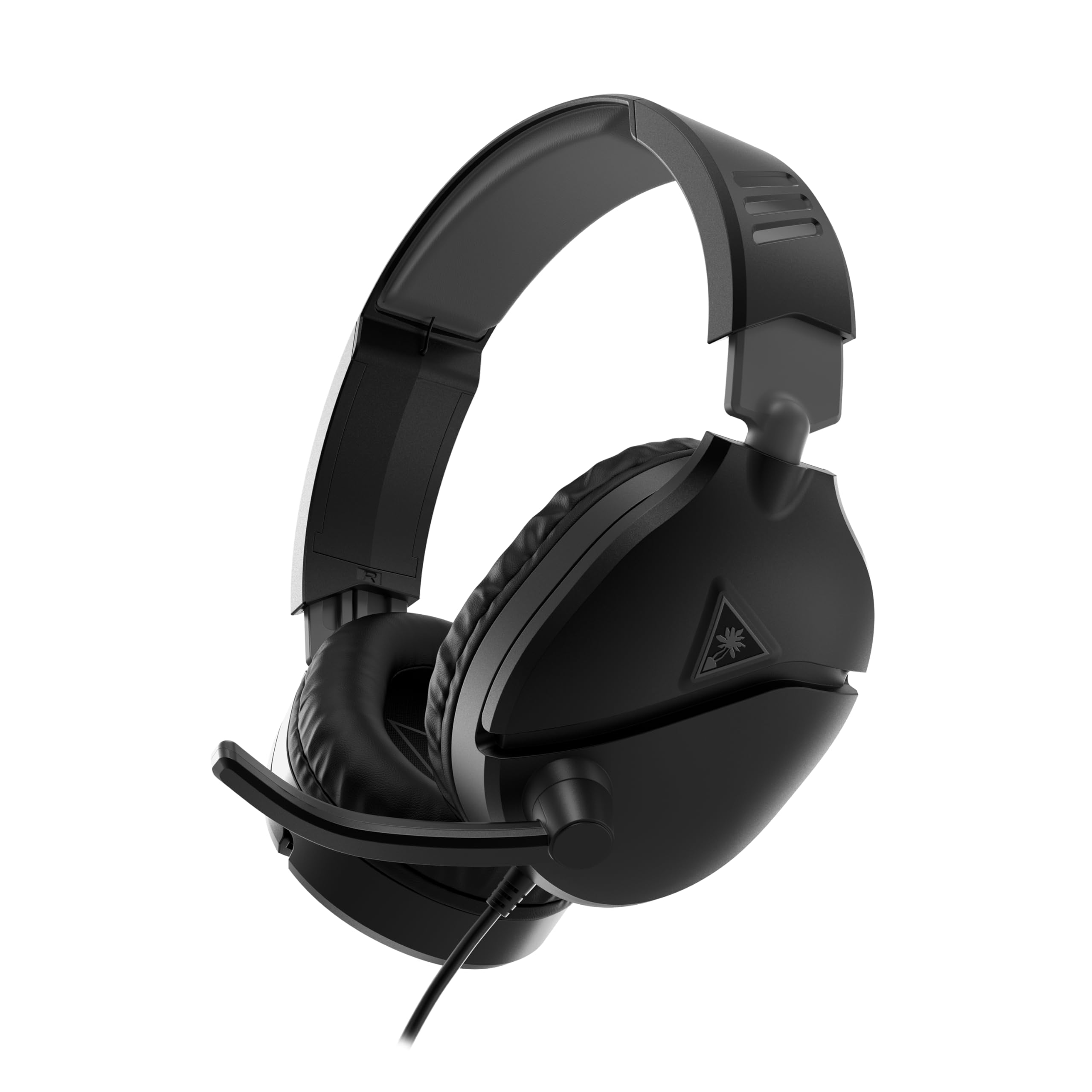
Turtle Beach Recon 70

89 /100
Sound Score Excellent

Key details

Comfort
Lightweight frame
Driver Size
40mm
Spatial Audio
Connection Type
3.5mm
View on Amazon

The Recon 70 is a simple 3.5mm headset with 40mm speakers and a flip-to-mute mic that covers PlayStation, Xbox, Switch, and PC without any software setup. Its lightweight over-ear frame is the most noticeable feature during long sessions, and the entry-level price makes it a natural starting point for anyone buying their first wired gaming headset.

This is the right fit for a first-time console/PC gamer on a strict budget, a parent buying a simple headset for a child, or anyone who wants a basic 3.5mm spare. At this price, cable, hinge, and mic reliability are the main compromises, so treat it as a low-commitment entry point rather than a daily workhorse for heavy competitive use. It is light enough to pack in a bag, which makes it a sensible travel spare too.

Audio quality is acceptable for game soundtracks and team chat, and the flip-to-mute mic is easy to reach mid-game. For ordinary game chat, the mic is fully usable. Voice pickup can sound thin in noisier rooms, though; casual chat with friends is fine, while streamers and competitive players will want a more articulate mic or a higher-tier headset.

💡 Flip the mic up to mute quickly when background noise kicks in — the switch is easy to find mid-game.

Pros

  • Entry-level price covers every major console and PC through a single 3.5mm connection.
  • Lightweight over-ear frame stays comfortable over long play sessions.
  • Sound is acceptable for game audio and casual chat at this price.

Cons

  • Mic voice pickup can sound distant in rooms with background noise.
  • One ear can drop audio after limited use.
Our verdict

A budget-friendly gateway to console and PC gaming, with just enough comfort for longer sessions.

Check Latest Price
6

Dolby Atmos Users

Corsair HS65 Surround

86 /100
Sound Score Excellent

Key details

Comfort
282g, memory foam
Driver Size
50mm
Spatial Audio
Dolby Atmos
Connection Type
3.5mm, USB
View on Amazon

The HS65 Surround brings 50mm drivers, Dolby Atmos, and SoundID to a 282g frame, making it one of the lighter multi-platform wired headsets at this price. It connects over USB or 3.5mm, so a PC player can keep one headset for desktop play and console sessions. Reliability and sound consistency are not as strong as the top picks, which keeps it below the top tier. It still earns a spot for gamers who want Dolby Atmos without a heavy, pricey headset.

Pros

  • Lightweight 282g frame with memory foam keeps long sessions comfortable.
  • Dolby Atmos and SoundID support deliver a strong value package at a mid-range price.
  • Build quality is generally solid for everyday use across platforms.

Cons

  • Voice chat can pick up room noise, making echo more noticeable in cluttered or loud environments.
  • The 3.5mm connection bypasses SoundID, so console play lacks the EQ shaping available on PC.
Our verdict

The HS65 is a reasonable mid-range buy for PC gamers who want Dolby Atmos and light weight in one wired headset.

Check Latest Price
7

PC RGB Gaming

Razer Kraken V3 X

84 /100
Sound Score Excellent

Key details

Comfort
285g, soft cushions
Driver Size
40mm TriForce
Spatial Audio
7.1 via USB
Connection Type
USB-A
View on Amazon

The Kraken V3 X delivers clear directional audio through TriForce 40mm drivers, plus 7.1 surround and Chroma RGB in a light 285g frame. The HyperClear cardioid mic keeps chat intelligible without heavy software work. This is a comfortable way to get RGB dressing and virtual surround on a PC-only budget setup. Long-term durability is the bigger caveat; some units develop headband cracking or mic connection issues after months of use. Console players should pick a 3.5mm model instead, since the USB-A connection offers no PS5, Xbox, Switch, or controller hookup. For a casual desktop headset within a modest budget, it fills that slot well.

Pros

  • Clear directional audio from the TriForce 40mm drivers makes footsteps and gunfire easy to locate in PC shooters.
  • The lightweight 285g build and soft cushions support long gaming sessions without making your ears feel worn out.
  • A budget-friendly way to get Razer Chroma RGB and 7.1 virtual surround without paying flagship money.

Cons

  • Fit can feel loose or insecure on smaller or narrower head shapes.
  • Long-term durability can be a concern; some units show headband cracking or mic connection issues over months of use.
Our verdict

Choose this for a light, budget PC setup where RGB and virtual surround matter more than long-term ownership.

Check Latest Price
8

Casual Lightweight

Logitech G335

88 /100
Sound Score Excellent

Key details

Comfort
240g, memory foam
Driver Size
40mm
Spatial Audio
Connection Type
3.5mm
View on Amazon

The G335 is the lightest wired headset in this line-up, with a 240g frame and memory foam earpads that make long sessions genuinely comfortable. It connects through any 3.5mm jack — PC, consoles, controllers — with no software or charging to manage.

Sound turns thin in immersive games and the flip-to-mute mic is weak for demanding chat, which keeps it below the competitive tier. For casual players who value all-day wear over audio fidelity, that trade-off is easy to accept.

Pros

  • Featherweight 240g frame with memory foam earpads disappears during long sessions.
  • Simple 3.5mm connection works across PC, consoles, and controllers with no setup.
  • Entry-level pricing and a no-frills design make it a fair budget value.

Cons

  • In shared rooms, ambient noise comes through more than the padded ear cups suggest.
  • Cable or connection issues can surface after months of regular use.
Our verdict

For long, low-stakes sessions on a controller, PC, or laptop, the 240g fit and software-free setup make this an easy budget pick — as long as comfort outranks audio fidelity.

Check Latest Price
9

Budget Starter

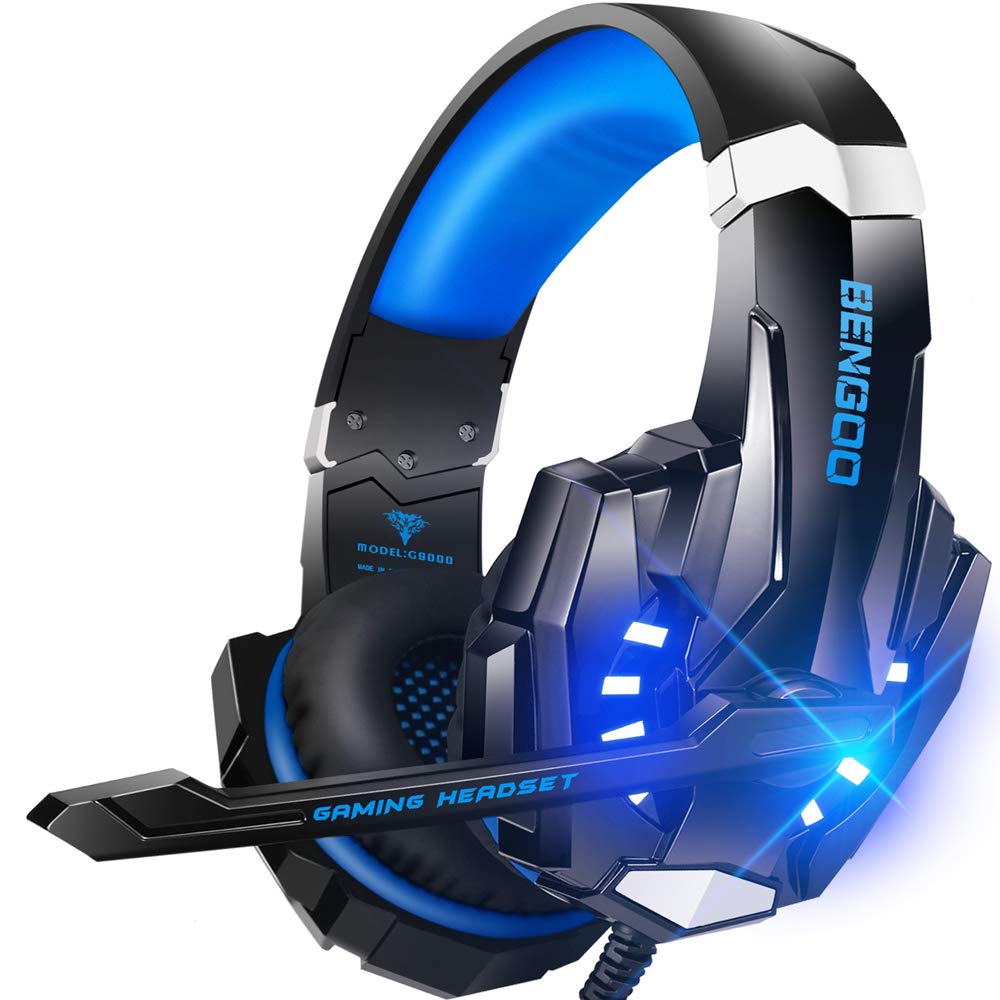
BENGOO G9000

88 /100
Sound Score Excellent

Key details

Comfort
Memory foam ear pads
Driver Size
40mm neodymium
Spatial Audio
7.1 virtual
Connection Type
3.5mm, USB
View on Amazon

For the price, the G9000 feels sturdier than expected, with bass-forward audio, memory foam pads, and LED styling that younger players enjoy. The 7.1 virtual surround is a USB-powered extra, not a true multi-channel decode, but it adds width to PC game audio. Occasional mic and longevity issues keep it below the more dependable wired picks, but this level of cost suits a first headset or a spare. The mic works for casual chat, not for streaming or competitive callouts. Compared with the simpler 3.5mm starter here, the BENGOO adds flair and virtual-surround options for about the same money, as long as you treat it as a replaceable entry point.

Pros

  • Strong entry-level value: 40mm neodymium drivers, 7.1 virtual surround, and LED styling for pocket-change cost.
  • Clear game audio with solid bass and good voice pickup for casual play.
  • Memory foam ear pads provide comfortable support during long gaming sessions.

Cons

  • Plastic shell can develop cracks after months of regular use, so this is not a heavy-duty headset.
  • Microphone output can become intermittent or go silent after a month, limiting chat for long-term owners.
Our verdict

Buy it for a young gamer's first wired headset or as a spare for casual PC play, not for a regular streaming or competitive setup.

Check Latest Price

How to Choose

Driver Size and Tuning

Larger 50mm drivers move more air than 40mm drivers, so they generally deliver fuller bass and more impact. Driver size alone doesn't guarantee clarity; tuning and chamber design decide whether footsteps stay distinct in busy mixes.

A balanced 40mm headset can sound better for voice-heavy games than a boomy 50mm set. Competitive shooters favor clarity, while cinematic games reward low end, so choose accordingly.

Connection Type

3.5mm works with any console controller, laptop, or phone with a jack, and never needs drivers. USB adds a sound card for virtual surround and EQ, but ties the headset to compatible devices.

Console compatibility is the catch: PlayStation and Switch often accept USB audio, while Xbox usually requires 3.5mm or a licensed adapter. Know your platform before picking.

Microphone Design and Reliability

Detachable mics isolate wear to a replaceable connector, while a fixed boom that snaps can take the whole headset down. Directional cardioid capsules reject background noise better than omnidirectional mics.

The trade-off is placement: cardioid mics need to sit close to your mouth, so a short or rigid boom undermines the design. Look for a flexible boom that holds position.

Weight and Comfort

Metal frames feel solid, but they concentrate pressure on the head during long sessions. Clamping force matters as much as weight: too loose shifts, too tight causes fatigue.

Memory foam pads spread pressure across a larger surface, which is why they appear at almost every price. For multi-hour play, prioritize pad material and headband padding over the frame spec.

Virtual Surround Support

Virtual surround simulates directional cues through two drivers, but it depends on software and game support. Poor processing can smear position instead of sharpening it.

Windows 7.1 only matters on PC; Dolby Atmos and DTS need games that encode for them. A well-tuned stereo headset often beats virtual surround on weak drivers.

Frequently Asked Questions