11 Best Gaming Microphone in 2026: Clear Voice in Noisy Rooms

Find the best gaming microphone for your PC or console setup — USB plug-and-play, XLR, and dynamics that reduce keyboard, fan, and room noise.

A gaming microphone is judged by how well it ignores the room around it. The most common complaint in this category is a mic that picks up voice and mechanical keyboard at the same volume. Many mics advertise noise reduction, but condenser capsules physically capture what they capture; the fix usually comes from a dynamic capsule or digital processing.

So the right starting point is your room, not the capsule. If your desk sits in a noisy space, a dynamic cardioid or a USB mic with real-time DSP will do more for your audio than a multi-pattern condenser. If you are comfortable with routing software, a DSP mic can add EQ, compression, and noise gating before your voice reaches Discord.

A flexible all-rounder and a software-polished streamer tool deliver clean game chat through different paths: one asks you to manage gain and position, the other automates more of that work. Choose the one that matches how much control you want after the mic is mounted.

About the Sound Score: This comparative score is calculated from a product's published customer rating and review volume. It is not a laboratory measurement or a hands-on test result.

1

Best Overall

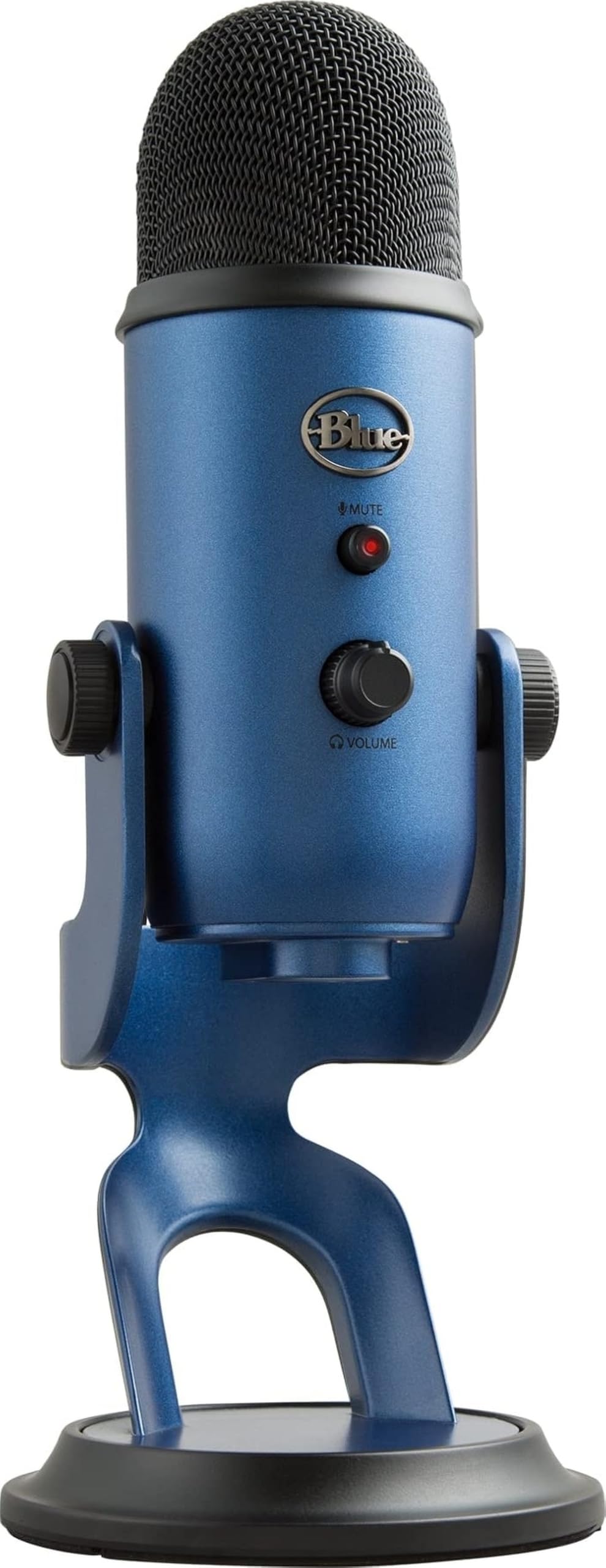
Blue Yeti USB Mic

93 /100
Sound Score Outstanding

Key details

Capsule Type
Tri-capsule condenser
Connectivity
USB Type-A
Software / DSP
Blue VO!CE
Onboard Controls
Mute, gain, headphone monitoring
View on Amazon

The Blue Yeti's tri-capsule array and four polar patterns make it one USB mic that can cover solo podcasting, two-person interviews, and instrument tracking without changing hardware. Onboard mute, gain, headphone monitoring, and pattern selection keep streamers inside the moment rather than dropping into a software panel. Podcasters get a bidirectional mode for two guests on one mic, while streamers can fall back to cardioid for a focused solo voice. The pattern switch changes the capsule's response, so you do not need a separate mic for a co-host or an acoustic pass. That combination of physical controls and switchable pickup behavior is rare at this price.

Spoken into at close range, the Yeti's voice reproduction is clear and naturally weighted, which is enough for a stream intro or podcast segment without post-processing. The all-metal body and wide base keep it planted on a busy desk, and plug-and-play USB means the first test can be the first take. Setup is as simple as connecting USB and selecting a pattern; the 3.5mm headphone out lets you monitor the input in real time.

This is the right mic for a PC or console streamer, podcaster, or voice-over beginner who wants multi-pattern flexibility in a single USB device. The honest boundary: the condenser capsule will pick up keyboard clicks and room noise in untreated spaces, so gain discipline and closer placement help. If your desk is anchored by a loud mechanical keyboard and a fan, a dynamic USB mic is a better match; if you want the Yeti, expect to work around that sensitivity.

💡 Close-mic the cardioid pattern and keep gain moderate.

Pros

  • All-metal body and heavy base feel like studio gear rather than a toy.
  • Voice output is clear and naturally weighted for stream intros, podcasts, and voice-over.
  • Mute, gain, headphone monitoring, and pattern selection all live on the mic.
  • Plug-and-play USB works with PC and Mac without an interface.

Cons

  • The all-metal body and wide stock stand dominate a small desk; a boom arm solves that.
  • Mute and gain dials can feel finicky, and occasional units can exhibit control or headphone faults.
Our verdict

For a streamer or podcaster who wants one USB mic to cover solo episodes, interviews, and casual instrument work, the Yeti is the go-to desktop mic in its class.

Check Latest Price
2

Best for Streamers

Elgato Wave:3 MK.2

95 /100
Sound Score Outstanding

Key details

Capsule Type
Supercardioid condenser
Connectivity
USB-C
Software / DSP
Wave Link, Clipguard
Onboard Controls
Dial, tap mute, headphone monitoring
View on Amazon

Clipguard 2.0 and Wave Link routing give the Wave:3 MK.2 a processing toolbox that goes beyond a standard USB condenser. Clipguard catches distortion before it hits the recording, while auto gain, EQ, and compression live in the Wave Link app. The multifunction dial adjusts gain, monitor mix, and tap-to-mute without opening software, and the compact body keeps desk clutter low. Sound quality lands close to entry-level XLR mics, and the included desk stand feels sturdy enough for daily use.

The premium price is easier to justify for PC streamers and content creators who lean on Wave Link per-app routing and DSP effects. There is no PS/Xbox support, so console-only setups need a different mic. In some cases, USB connectivity can drop out after months of use; firmware updates and cable checks are part of owning this mic. For streamers who stay inside the Wave Link workflow, the routing and anti-distortion make that upkeep worthwhile.

Pros

  • Audio quality lands close to entry-level XLR setups while staying USB plug-and-play.
  • Wave Link routing and DSP effects are the clearest reason to pick this over a simpler USB mic.
  • The body and included desk stand feel solid enough for daily streaming sessions.

Cons

  • Single supercardioid pattern suits one voice; interviews or joint streams need separate mics.
  • Supercardioid condenser still picks up room tone and keyboard clatter in untreated spaces.
Our verdict

PC streamers who want USB simplicity plus real DSP and audio routing will get the most out of this mic. If Wave Link is not part of the plan, a simpler USB condenser covers the basics for less.

Check Latest Price
3

Best Premium Dynamic

Shure MV6

89 /100
Sound Score Excellent

Key details

Capsule Type
Dynamic cardioid
Connectivity
USB-C
Software / DSP
MOTIV Mix, denoiser
Onboard Controls
Tap mute, headphone monitoring
View on Amazon

The MV6 pairs a dynamic cardioid capsule with Shure's Real-Time Denoiser, delivering keyboard and fan rejection in a plug-and-play USB format. Auto Level Mode smooths gain, tap-to-mute handles streams, and 3.5mm monitoring lets you hear yourself without routing through software. Unlike condenser gaming mics, the dynamic capsule starts with a tighter pickup pattern before DSP adds another layer of noise control.

This is aimed at gamers and streamers in noisy rooms who want premium USB simplicity, plus content creators juggling calls and podcasts. Noise rejection is strong but not absolute: loud mechanical keys can still sneak in, and occasional disconnects may occur. Even with those boundaries, the MV6 cuts a large portion of room noise without requiring XLR gear.

💡 Position the mic six to ten inches away and keep the cardioid side facing your mouth to get the most from the denoiser.

Pros

  • Crisp, clean, rich voice capture for a USB dynamic.
  • Premium build quality with a durable feel that matches the price.
  • Plug-and-play USB-C setup with tap-to-mute and headphone monitoring.

Cons

  • Noise rejection trims keyboard and room noise but may not silence loud mechanical switches.
  • A USB-C connection can drop intermittently, interrupting a stream or call.
Our verdict

The MV6 gives noisy rooms a clear path to clean USB voice: dynamic pickup, DSP denoiser, and tap-to-mute in one box. It is priced accordingly, but the target buyer gets exactly what they came for.

Check Latest Price
4

Best XLR Broadcast

Rode PodMic

96 /100
Sound Score Outstanding

Key details

Capsule Type
Dynamic cardioid
Connectivity
XLR only
Software / DSP
None
Onboard Controls
None
View on Amazon

The PodMic's warm low-mid character, 78 dB signal-to-noise ratio, and integrated swing mount give it a broadcast-style voice that stands apart from the top pick's USB convenience. It is an XLR-only microphone, so the interface, cable, and arm are already part of the buyer's workflow. The dynamic cardioid design also keeps a mechanical keyboard and room echo out of the signal, a practical advantage for a home streamer.

This is for podcasters, streamers, and voice-over creators with an existing XLR setup who want a voice-forward tone without the harsh top end of cheap USB condensers. The built-in pop filter trims plosives, so a separate foam cap is not required.

Low output is the real catch: a preamp with strong gain is required, and an inline booster like a Cloudlifter can help bring levels up cleanly. The sound quality makes that extra step worthwhile for anyone after broadcast tone from a mid-range XLR mic.

Pros

  • Warm, clear, broadcast-grade voice at a mid-range price.
  • All-metal body and integrated swing mount are built to handle regular home-studio use.
  • A cost-effective XLR dynamic for streamers who already own an interface.

Cons

  • For quick mute or gain changes mid-stream, control has to come from software or the interface.
  • All-metal body is heavy enough that a lightweight boom arm may droop; a sturdier arm is the practical fix.
Our verdict

For streamers already committed to XLR gear, the PodMic's warm presence and all-metal build make it the voice upgrade that moves past USB convenience.

Check Latest Price
5

Best Budget Kit

FIFINE T669 Kit

93 /100
Sound Score Outstanding

Key details

Capsule Type
Condenser cardioid
Connectivity
USB Type-A
Software / DSP
None
Onboard Controls
Gain knob
View on Amazon

The FIFINE T669 bundles everything a first-time streamer needs: boom arm, shock mount, pop filter, USB cable, and a cardioid condenser. The capsule delivers clear voice capture for Discord, game chat, and entry-level podcasting, and the plug-and-play USB connection needs no drivers. A front gain knob provides quick level control.

Connect it to a PC, laptop, or PS4/PS5, and the kit holds its own in quiet streaming conditions. The shock mount keeps minor desk bumps out of game chat, and the gain range is enough for a normal speaking voice.

This kit targets a first-time streamer or PC podcaster on a tight budget who wants a single-box setup. It assumes a reasonably quiet room: the condenser can pick up keyboard clicks and fan hum in untreated spaces. The bundled arm can also need periodic re-tightening after months of use.

Pros

  • Complete kit with boom arm, shock mount, pop filter, and USB cable at a budget price.
  • Clear, crisp voice pickup for game chat, Discord, and entry-level podcasting.
  • Plug-and-play USB setup works with PC, laptop, and PS4/PS5 without drivers.

Cons

  • Occasional units may become unresponsive after months of use.
Our verdict

The T669 is the most complete bundle at its price for a first-time streamer who wants to be live today and upgrade pieces later.

Check Latest Price
6

Best Compact

Razer Seiren V3 Mini

90 /100
Sound Score Outstanding

Key details

Capsule Type
Supercardioid condenser
Connectivity
USB Type-A
Software / DSP
Synapse
Onboard Controls
Tap-to-mute
View on Amazon

The Razer Seiren V3 Mini keeps the desk footprint of a budget chat mic while delivering clearer voice capture than that class usually manages. Its built-in shock absorber handles desk bumps that would otherwise rumble through a larger base, and the tap-to-mute LED gives you instant game-chat control without opening Razer Synapse. Setup is plug-and-play on a PC, and the tiny base leaves room for the rest of your setup. It focuses on the one job that matters in game chat: your voice arriving clearly.

This is the right mic for gamers with small desks who want a fixed, minimal setup. There is no hardware gain knob, so levels are set in software and left alone. The supercardioid reduces some room tone but won't remove a loud keyboard or fan, which is a fair boundary for a compact model. If your chair position and voice level stay consistent, these limits matter little.

💡 Keep the mic within a fist of your mouth; that placement pairs with the supercardioid pattern to keep room tone lower.

Pros

  • Compact build and small footprint suit tight desks without sacrificing voice clarity.
  • Voice quality holds its own against larger USB mics for game chat.
  • Tap-to-mute LED cuts game chat instantly without opening software.

Cons

  • No headphone monitoring for streamers who need live voice feedback.
  • Supercardioid trims room tone but a loud keyboard or fan can still bleed through.
Our verdict

When a smaller footprint matters more than a larger feature set, this is the compact USB mic for a tidy game-chat setup.

Check Latest Price
7

PS5/PC Gamers

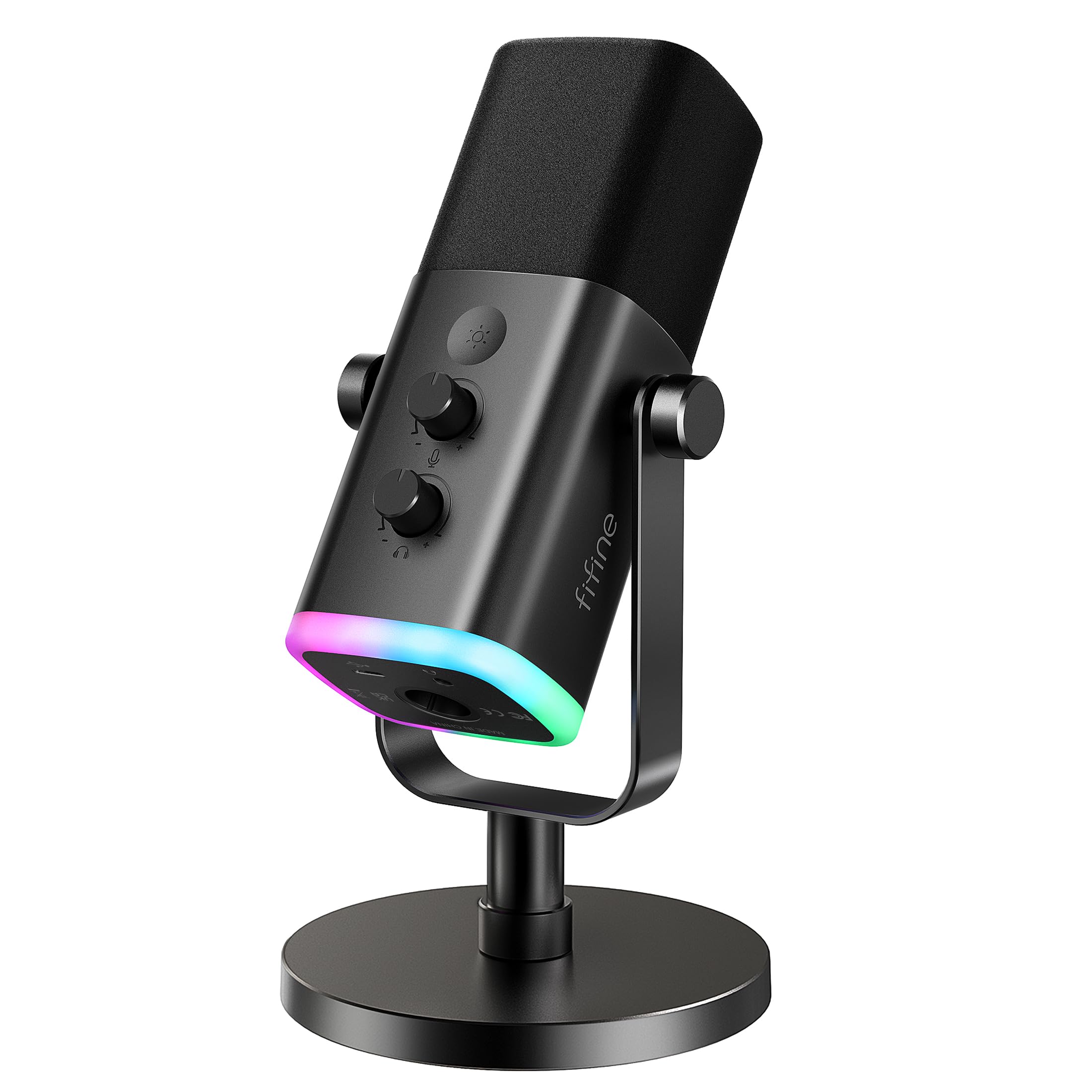
FIFINE AM8

91 /100
Sound Score Outstanding

Key details

Capsule Type
Dynamic cardioid
Connectivity
USB or XLR
Software / DSP
None
Onboard Controls
Mute, gain, headphone, RGB
View on Amazon

The FIFINE AM8 pairs a dynamic cardioid capsule with both USB and XLR outputs, giving budget PS5/PC gamers a clear voice path and a future route to an interface. RGB and function controls disable in XLR mode, so USB holds the full feature set. Static or dropouts have been noted in some environments, which keeps it behind the top picks for streamers who want one consistent USB mic.

Pros

  • Clear dynamic cardioid voice pickup keeps game chat focused without grabbing the whole room.
  • RGB lighting and tap-to-mute add gaming-setup appeal without pushing the price up.

Cons

  • Background pickup may leak through in noisy rooms, and unit-to-unit consistency can vary.
Our verdict

Consider it when you want RGB on a budget today and an XLR route open for later.

Check Latest Price
8

Beginner Streamers

MAONO DGM20S

93 /100
Sound Score Outstanding

Key details

Capsule Type
Condenser cardioid
Connectivity
USB / USB-C
Software / DSP
Noise-reduction software
Onboard Controls
Mute, gain, headphone monitoring
View on Amazon

Full metal boom-arm kit, tap mute, gain knob, and headphone monitoring bundle the essentials for a budget streaming desk. Voice clarity handles Discord, PS5 chat, and entry content work, and the one-key noise reduction tames keyboard and fan hum. This is a condenser USB mic, so room tone stays audible with the filter off. Boom arm durability and clamp strength are the main compromises here, and intermittent audio dropouts can show up on some units. For a one-box starter kit where the arm is a fair tradeoff, the value holds.

Pros

  • Complete boom-arm package with tap mute, gain, and headphone monitoring covers the basics in one box.
  • Clear, professional sound for Discord, streaming, and content creation.

Cons

  • Mic angle can drift after a repositioning that stresses the joint.
Our verdict

Best for a first-time streamer who wants a single-box setup without hunting for separate parts.

Check Latest Price
9

Mobile Creators

ZealSound K66

89 /100
Sound Score Excellent

Key details

Capsule Type
Condenser cardioid
Connectivity
USB with adapters
Software / DSP
Noise-reduction mode
Onboard Controls
Mute, gain, monitoring, echo
View on Amazon

For PC, phone, and tablet streamers who need clear voice pickup away from a dedicated desk setup, the K66 is the most flexible mobile option in this budget group. USB-C and Lightning adapters let you move between a PC and a phone for Discord, game chat, or quick recordings, with echo, gain, and monitoring controls at hand. Apple-device users should verify their adapter first, and a unit may need replacement after a few months — that durability ceiling keeps it out of the top tier.

Pros

  • USB-C and Lightning adapters plus echo, gain, and monitoring controls make it the most flexible mobile mic in the budget group.
  • Clear voice pickup and mute, gain, echo, and monitoring controls serve budget streamers recording from a laptop or phone.

Cons

  • Noise-reduction mode is partial, so loud fans or mechanical keyboards can still show up in a quiet room.
Our verdict

For streamers who alternate between a desktop and a phone, the K66 makes mobile voice capture easy enough to justify its budget price.

Check Latest Price
10

Ultra-Budget Gamers

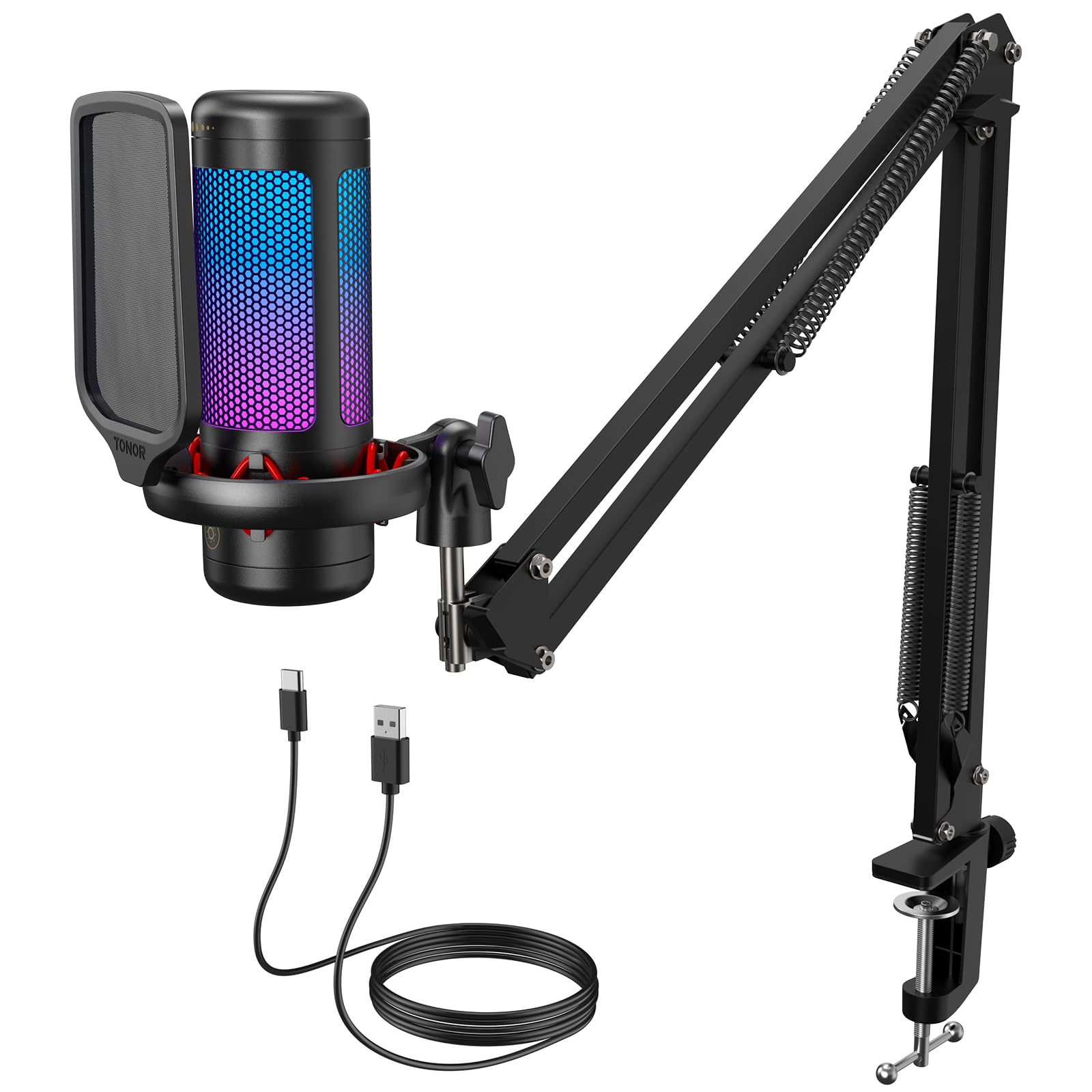
TONOR TC310+

90 /100
Sound Score Outstanding

Key details

Capsule Type
Condenser unidirectional
Connectivity
USB
Software / DSP
None
Onboard Controls
Mute, gain
View on Amazon

The TC310+ pairs a condenser capsule with a full boom-arm kit at a price that suits first-time streamers. Voice pickup is clear enough to replace a headset mic for Discord and entry-level streaming, and the RGB adds desk flair without extra cost. Durability is the boundary: the plastic arm and clamp can wear out under heavy repositioning, so this is best for light, desk-bound use rather than repeated pack-up and travel. That tradeoff keeps it below more robust kits that cost noticeably more.

Pros

  • Clear vocal pickup that steps above typical headset mics at a budget price.
  • Easy plug-and-play setup with tap mute and RGB control for a tidy first streaming desk.

Cons

  • Plastic arm and clamp can wear out sooner than on pricier kits, so gentle handling extends the setup's life.
Our verdict

Fits first-time gamers who want a low-cost, complete desktop kit and won't stress the arm with constant repositioning.

Check Latest Price
11

Casual Calls

CMTECK G009

90 /100
Sound Score Outstanding

Key details

Capsule Type
Condenser cardioid
Connectivity
USB
Software / DSP
None
Onboard Controls
Mute button
View on Amazon

The G009 is a small gooseneck USB desktop mic that keeps call audio clear and the desk uncluttered, with a mute button and true plug-and-play operation. It is an easy budget chat companion for Discord, Zoom, or light game chat. But noise handling is limited and output can be low, so in a noisy room or on a serious streaming setup it falls short — this is a chat/calls mic, not a studio tool.

Pros

  • Clear call audio for Discord and Zoom
  • Compact gooseneck shape with mute button frees desk space for casual chat.

Cons

  • No on-mic gain or monitoring controls, so streamers needing level adjustments will have to look elsewhere.
Our verdict

For casual Discord and Zoom users who want an uncluttered desk and a working mute button, this budget mic is enough; leave streaming-grade expectations at the door.

Check Latest Price

How to Choose

USB vs XLR

USB mics have a built-in preamp and analog-to-digital converter, so a single cable handles power, audio, and control data. XLR mics send a raw low-level analog signal to an external interface, which provides gain and conversion; that adds gear, but also allows cleaner gain staging and easy upgrades later. Dual USB/XLR mics offer both paths, but extra features like RGB or software effects may drop out in XLR mode.

If you only need game chat tonight, USB is the practical choice. If you already have an interface or plan to build a studio, XLR gives you more headroom, but budget for the interface and cable before buying the mic.

Condenser vs Dynamic

Condenser capsules are thin, charged diaphragms that respond to subtle air movement. That makes them crisp for voice, but equally good at capturing keyboards, fans, and room reflections. Dynamic capsules use a coil and magnet, so they need more physical vibration before they produce a signal; that natural insensitivity rejects off-axis noise.

In a treated or quiet room, a condenser's clarity is an asset. In a shared space with a mechanical keyboard or air conditioner, a dynamic cardioid is the safer first choice.

Onboard Controls

Physical mute, gain, and headphone monitoring let you adjust levels without alt-tabbing out of a game or stream. A tap-to-mute button is especially useful for coughing or side conversations. The hidden trade-off is complexity: each control adds a mechanical and electronic path that can develop static or intermittency over time.

Decide which controls you will actually use. A streamer benefits from gain and monitoring; a casual gamer may only need mute.

Software and DSP

DSP inside a microphone processes the signal before it reaches the computer, which keeps EQ, compression, and noise reduction from eating CPU cycles. The trade-off is that value depends on software updates, and some features only work on PC or with a specific app. Multi-app routing also requires you to learn it before it helps.

If you are not going to configure software, the DSP does you no good. If you will set up separate audio channels for game, chat, and music, it can be the reason to pay more.

Mount and Stand

Microphone position determines more of the final sound than the capsule choice. The ideal placement is six to twelve inches from your mouth, off to the side to avoid plosives, so a boom arm or adjustable stand is not a luxury. Budget arms rely on plastic friction washers that wear out, causing the arm to droop or the clamp to lose grip.

Set the mic where you naturally sit and test the arm across that range before buying. If you rarely reposition, a sturdy desk stand with a shock mount may be enough.

Frequently Asked Questions