8 Best HDMI ARC Audio Extractor of 2026: Match Your TV's Real Outputs

Find an ARC/eARC audio extractor that actually connects your TV to legacy soundbars, amps, or headphones — without format mismatch surprises.

The pattern repeats in nearly every thread: an ARC audio extractor arrives, the TV shows video, but the soundbar stays silent. Most of the time the box is fine — the TV is sending Dolby Digital to an analog output that only accepts PCM, or the ARC handshake simply never settled.

A well-matched extractor accounts for both of these realities. The right unit matches the TV's ARC capabilities, the receiver or soundbar's input format, and the type of cable needed to make the connection. It should also be transparent about what it doesn't do: many labeled eARC are analog-only, optical-only, or lack CEC.

This guide focuses on output-format fit first and brand names second. Whether you're driving an old stereo receiver, a digital soundbar, or a pair of wired headphones, the right pick is the one that matches your TV's actual audio settings — not the one with the flashiest box.

About the Sound Score: This comparative score is calculated from a product's published customer rating and review volume. It is not a laboratory measurement or a hands-on test result.

1

Best Overall

Tendak ARC to Optical/Coax/RCA

82 /100
Sound Score Excellent

Key details

CEC
Not specified
Outputs
Optical, coaxial, RCA, 3.5mm
Audio Formats
PCM/LPCM; no Dolby/DTS
View on Amazon

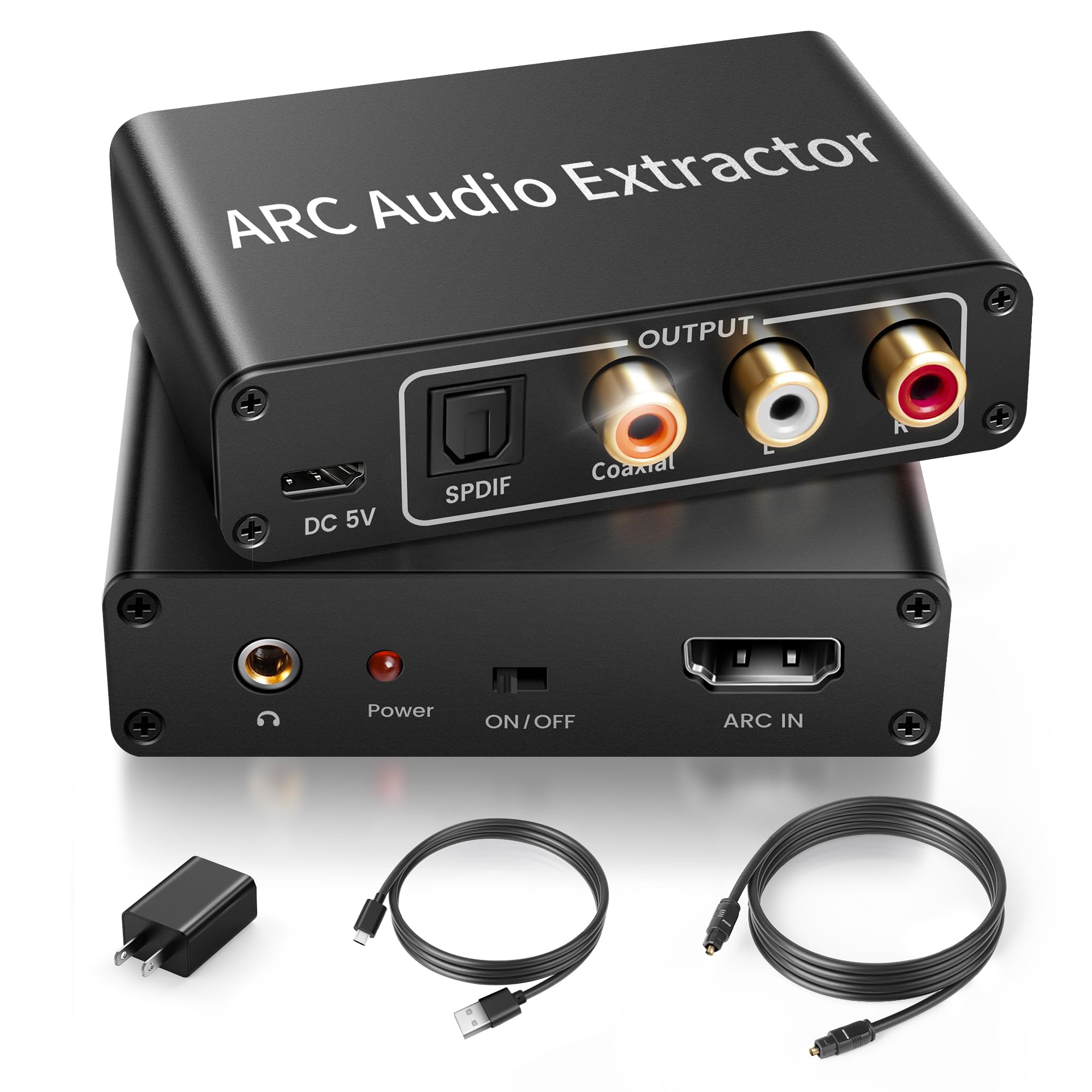
Tendak's extractor drives optical, coaxial, RCA, and 3.5mm outputs simultaneously from a single HDMI ARC connection. That is the broadest output set in the budget category, so one TV port can feed a stereo amplifier, powered speakers, and an older DAC at the same time without a switcher or splitter. All four outputs stay active, which means every connected device can remain wired and ready. The 192kHz/24-bit PCM support covers CD-quality and higher stereo sources, so headroom is not an issue for TV dialogue or music playback. The optical and RCA outputs alone cover the typical receiver plus powered-speaker combo.

ARC extraction holds across LG TVs, Edifier speakers, and older amplifiers. The digital path is the consistent side of the box, and the optical and coaxial inputs work as a standalone DAC for non-ARC sources like CD players or game consoles. That second input set adds flexibility when the TV's ARC port is not involved. In a mixed setup, the digital outputs are the safer bet for keeping an old receiver working without touching TV menus, while the analog jacks cover speakers that need a direct connection. The unit keeps the audio signal clean at ordinary listening volumes.

The metal housing and USB power make placement easy behind a TV stand or media console. The unit draws power from a phone charger or a TV USB port, and the small footprint leaves room for the HDMI and optical cables that connect to it. When ARC is active, a separate optical cable from the TV is unnecessary, which removes one cable-run headache.

This fits ARC TV owners who want one converter for multiple legacy audio systems, such as an old receiver on optical and powered speakers on RCA. It also suits users who need headphone output from a TV that only has ARC and optical. The boundary conditions are specific: the 3.5mm and RCA outputs may stay silent unless the TV is set to PCM, and Samsung TVs have been noted to need an HDMI cable re-seat after a connection drop. If you stay in stereo PCM, the analog path is stable; if you feed it a bitstream signal, you may need to adjust the TV's audio format.

A dedicated optical-only converter is easier to troubleshoot when you only need one output, but it cannot replace separate digital and analog feeds at once. For anyone juggling an old stereo amp and modern powered speakers, this box does the work of several converters. It is the rare budget unit that leaves every input and output available rather than forcing a choice between digital and analog.

Pros

  • Optical, coaxial, RCA, and 3.5mm outputs all run at once from one ARC port.
  • ARC extraction holds across LG TVs, Edifier speakers, and older amplifiers.
  • Setup is quick and the metal housing feels substantial for the price.
  • Optical and coaxial inputs double as a standalone DAC for non-ARC sources.

Cons

  • On some TVs, the ARC connection can override other audio inputs, redirecting sound unexpectedly.
  • Digital outputs pass PCM/LPCM only, so Dolby/DTS or 5.1 sources won't carry surround.
Our verdict

For mixed stereo systems needing optical, coaxial, RCA, and 3.5mm from one ARC port, this converter covers the widest ground at a budget-friendly price.
Check Latest Price
2

Best for Optical Soundbars

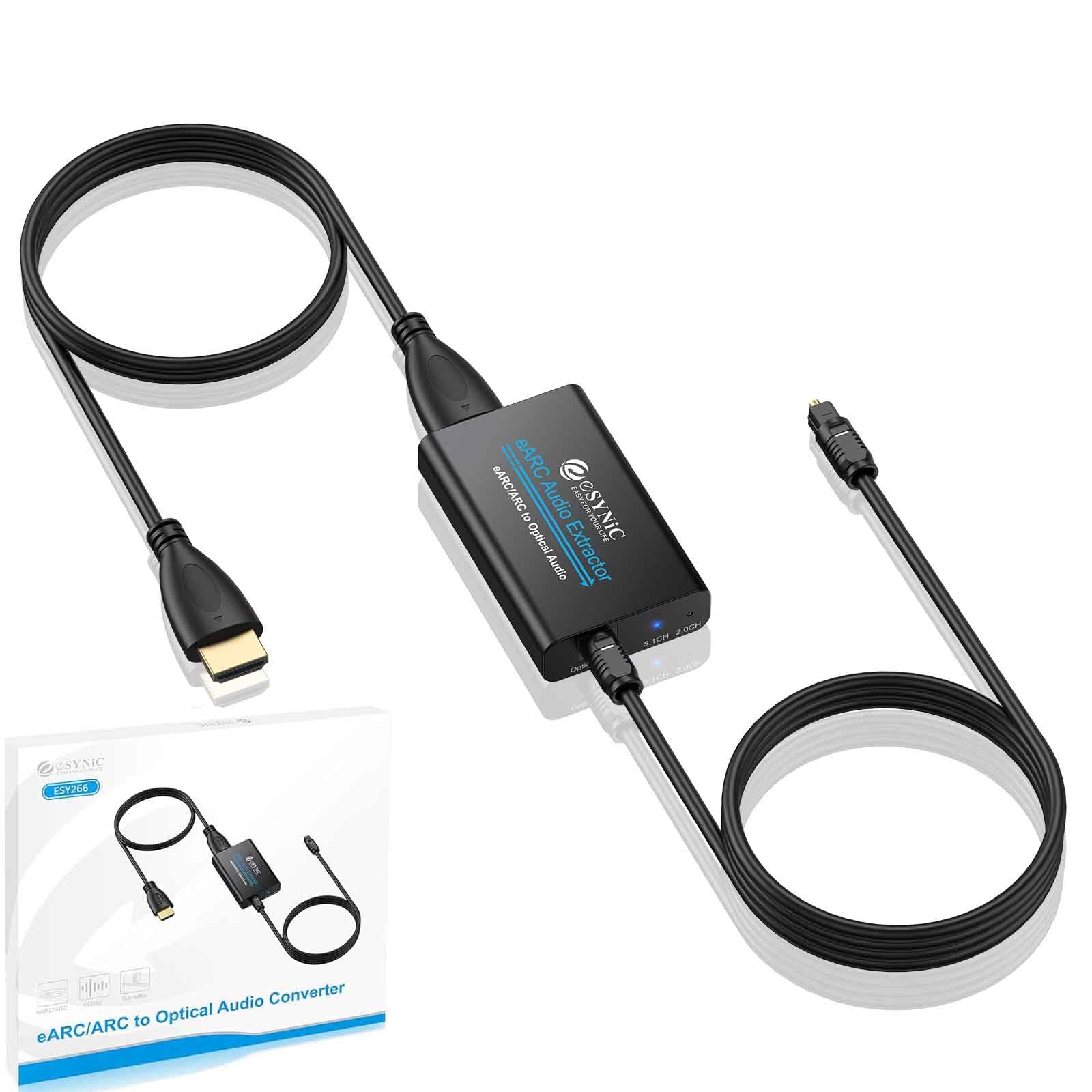
eSynic eARC/ARC to Optical

85 /100
Sound Score Excellent

Key details

CEC
No
Outputs
Optical only
Audio Formats
PCM, Dolby, DTS 5.1
View on Amazon

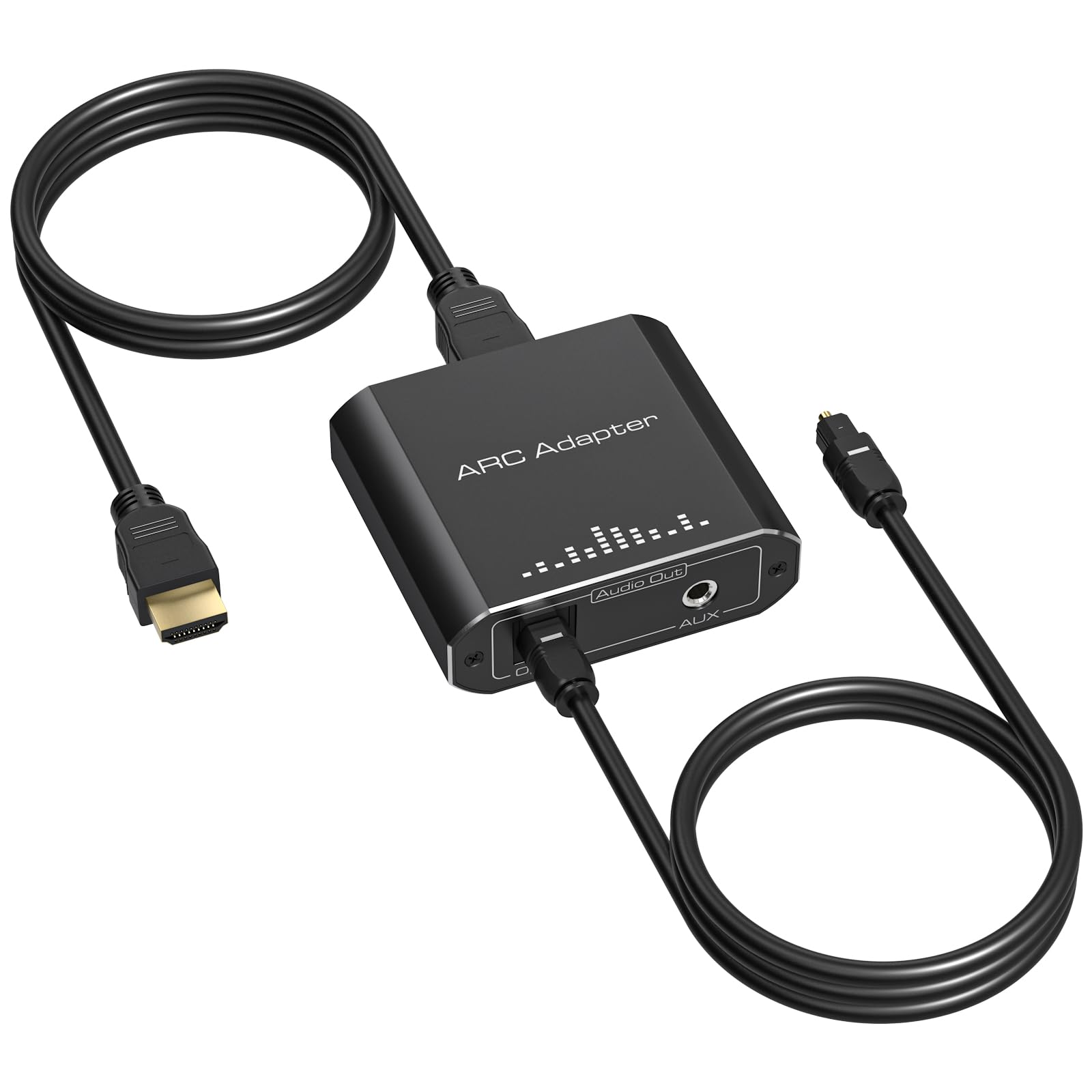
The eSynic turns a TV's eARC/ARC audio into clean Dolby/DTS 5.1 over a single Toslink cable. That focus sets it apart from the multi-output extractors in this roundup, which split audio to optical, coaxial, RCA, and 3.5mm. It is USB powered and ships with the optical and HDMI cables needed for the hookup, so the only extra requirement is a spare USB port.

Sound stays clean and surround channels hold placement across PCM, Dolby, and DTS signals. A Samsung TV to Pioneer receiver path, a Sonos Playbar, and wireless headphone bases all follow the same pattern: the TV recognizes the converter as an audio endpoint within seconds, then the output locks on.

The right buyer has a TV eARC/ARC port feeding an optical-only soundbar, receiver, or headphone dock. The converter's one output is Toslink, and some Samsung/Sonos setups need eARC/ARC or CEC enabled before the first sound appears.

Pros

  • Passes Dolby/DTS 5.1 from ARC/eARC TVs to optical soundbars and receivers without re-encoding.
  • Hooks up in about 30 seconds, then the TV auto-recognizes the converter as an audio output.
  • Solid enclosure and stable surround placement keep the signal clean across PCM, Dolby, and DTS.

Cons

  • TV-remote volume does not travel over optical; level is controlled at the connected audio device.
  • No RCA, 3.5mm, or coaxial outputs; analog and coaxial gear needs a different converter.
Our verdict

For an ARC/eARC TV feeding an optical soundbar or headphone base, this converter gets out of the way.

Check Latest Price
3

Best Analog Stereo Pick

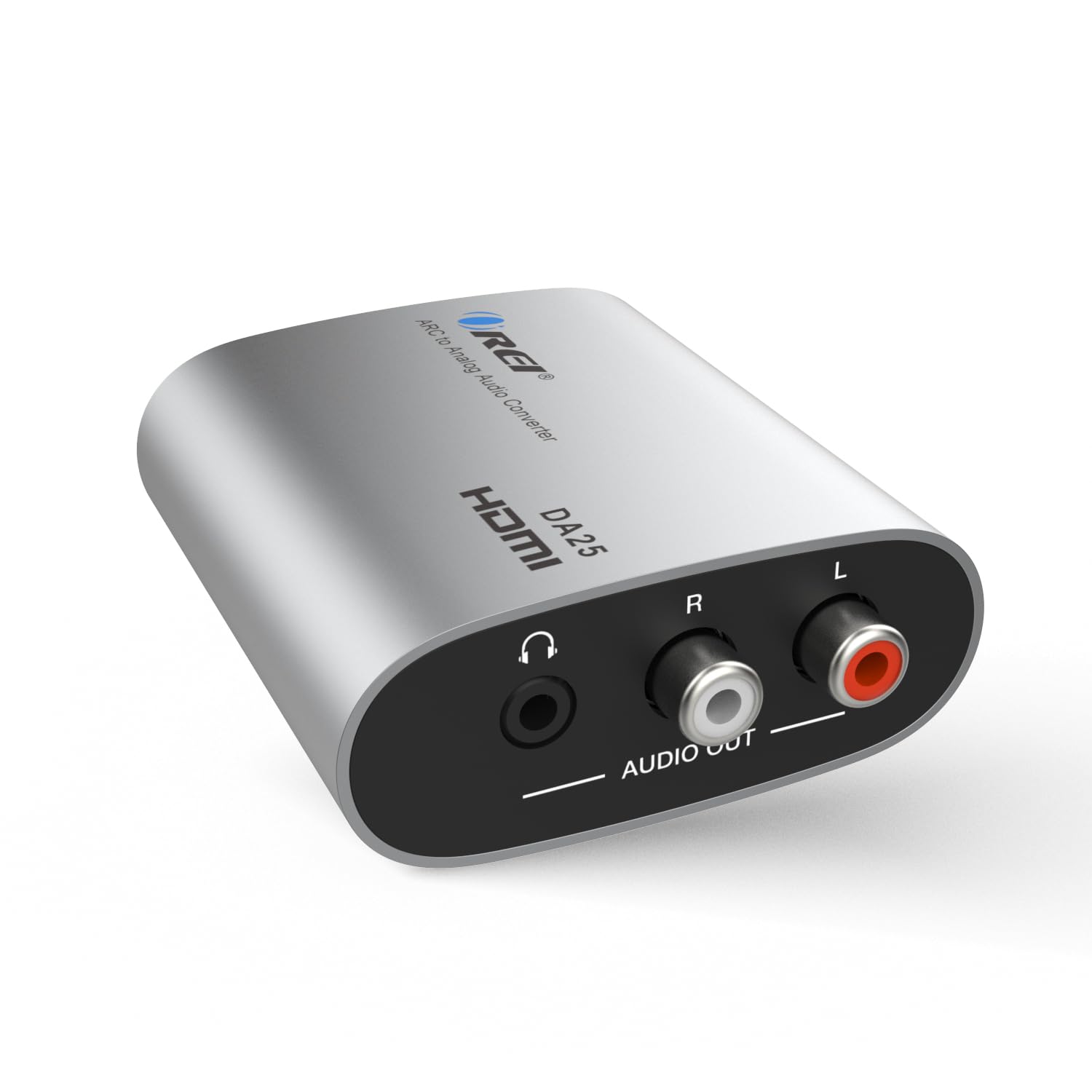
OREI ARC/eARC to RCA/3.5

83 /100
Sound Score Excellent

Key details

CEC
No
Outputs
RCA, 3.5mm
Audio Formats
PCM/LPCM 2.0
View on Amazon

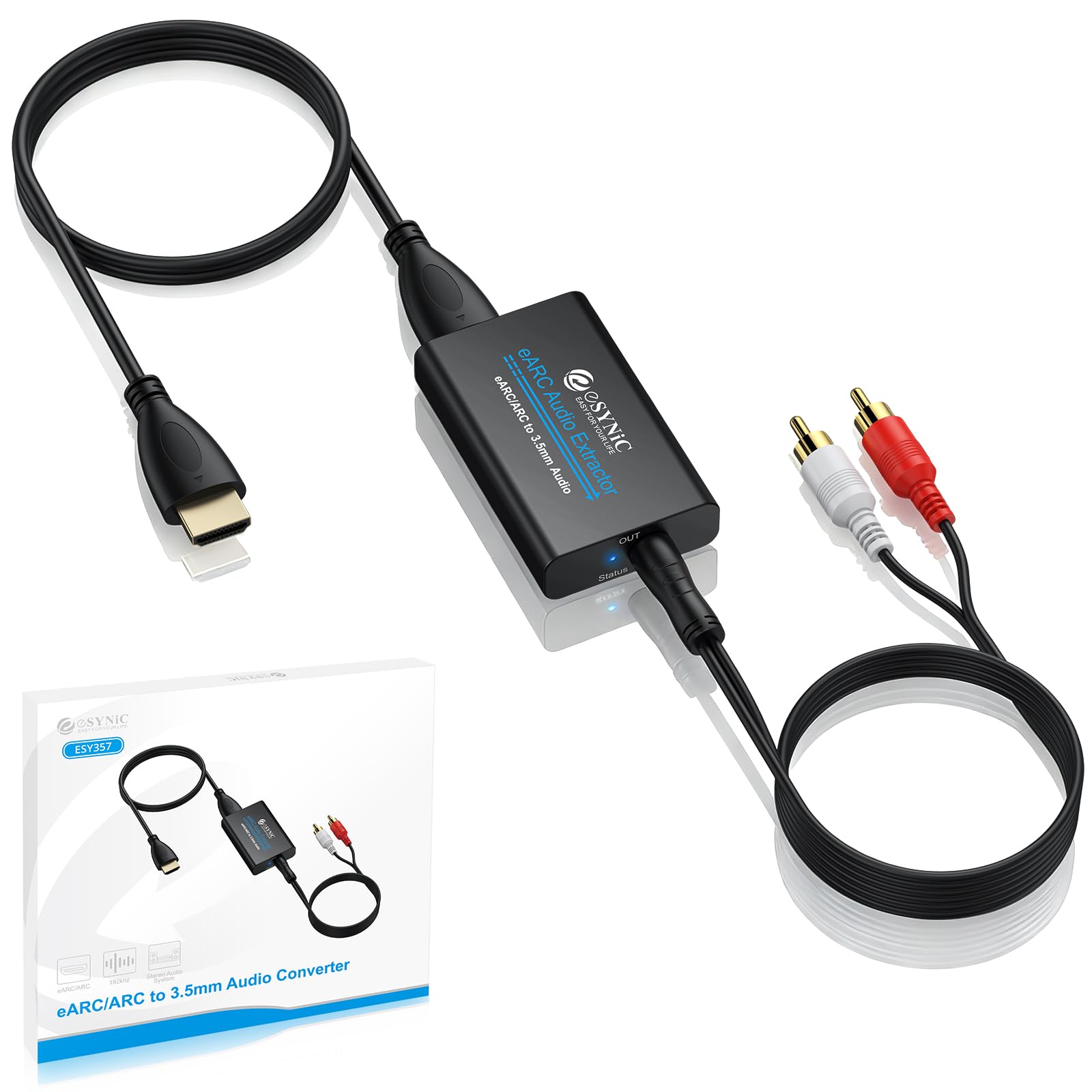
The OREI commits to the analog side of ARC extraction. It taps the TV's ARC/eARC port and sends clean two-channel PCM to RCA and 3.5mm simultaneously, which is all a 30-year-old receiver or a desk amp needs. The small box is USB-powered and has an on/off switch, so setup rarely takes more than a few cable connections.

This suits anyone with a still-functional stereo receiver or headphone amp that only accepts RCA or 3.5mm. With the TV set to PCM, the OREI sends clean two-channel audio down both outputs. Its boundary is the analog-only mission: no Dolby/DTS decoding, no optical or coaxial output. In quiet rooms, powered speakers may pick up a faint buzz when no audio signal is active, so a vintage amp with a physical volume knob is the better pairing than powered monitors left on idle.

After a PCM setting is selected on the TV, the OREI acts as a transparent adapter: music keeps its dynamics and dialogue stays locked to video. The simultaneous RCA and 3.5mm outputs are useful when one feeds amplified speakers and the other connects to a subwoofer or headphones.

💡 Set the TV's audio output to PCM; bitstream formats will not produce sound through the analog outputs.

Pros

  • Works with 30-year-old receivers, powered speakers, and headphone amps through RCA or 3.5mm.
  • Clean two-channel sound with no perceptible lag keeps music and dialogue in sync.
  • Compact USB-powered design with an on/off switch keeps setup quick and tidy.

Cons

  • TV remote volume will not adjust levels through this box; use the amp or headphone volume.
  • Some Apple TV and digital cable source combinations may not pass audio through ARC, leaving the outputs silent.
Our verdict

For stereo-receiver and headphone setups that only need two-channel PCM, the OREI is the right analog bridge between a modern TV and older audio gear.

Check Latest Price
4

Best for Gamers/High-Bandwidth Video

OREI 8K HDMI Audio Extractor

82 /100
Sound Score Excellent

Key details

CEC
No
Outputs
Optical, 3.5mm
Audio Formats
LPCM 5.1/7.1, Dolby, DTS
View on Amazon

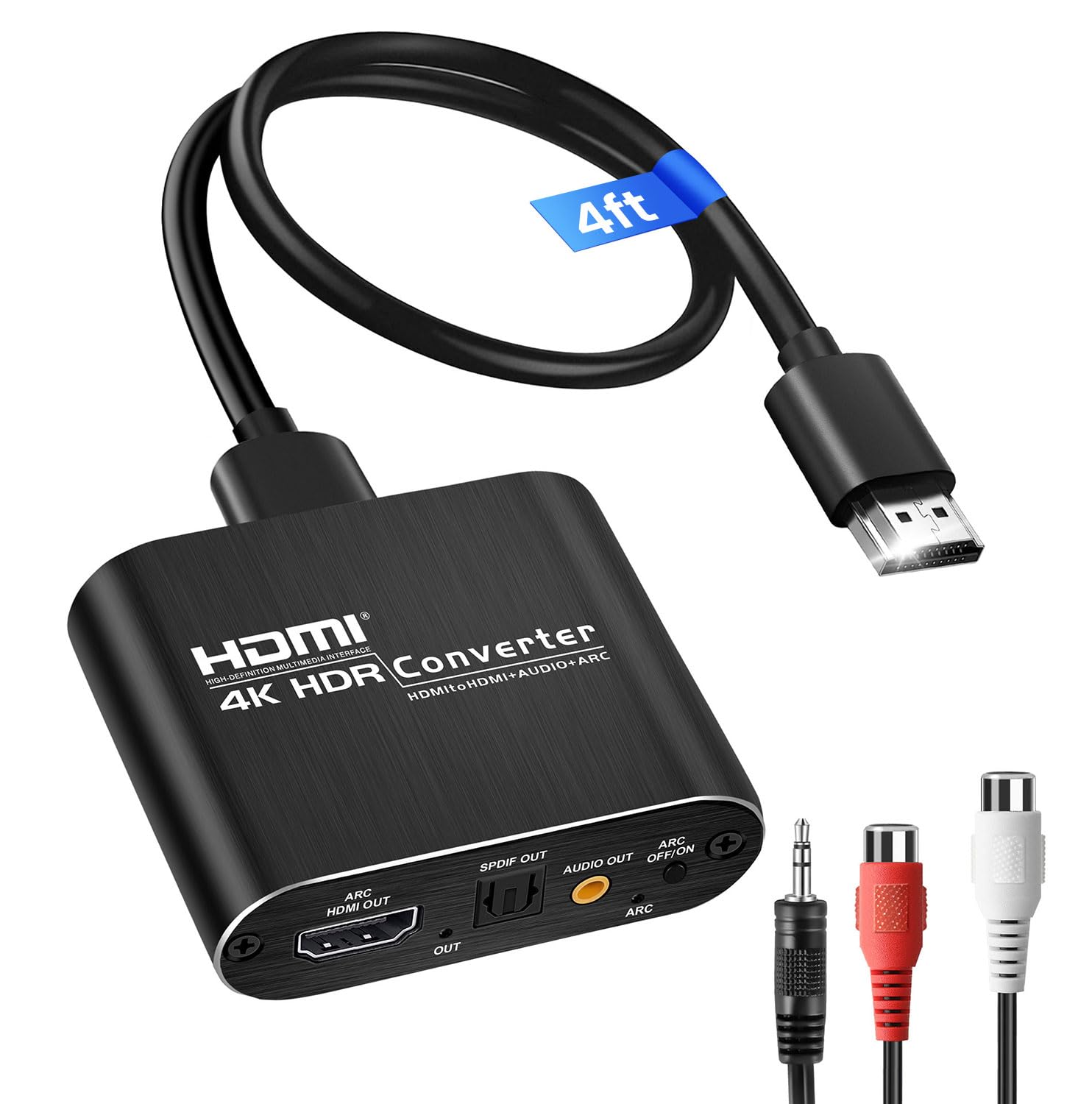
The OREI is the HDMI 2.1 option in this lineup: it passes 8K@60Hz and 4K@120Hz video without stripping ALLM or VRR, while sending audio to optical S/PDIF or 3.5mm outputs. The 48Gbps data path keeps the video stream intact, which positions it above the budget ARC extractors here for anyone running a high-refresh display with legacy sound.

PS5 setups hold 4K120/HDR on high-refresh monitors while optical audio feeds older receivers or DACs, and the unit is plug-and-play with a solid enclosure. The 3.5mm output gives powered speakers or headphones a stereo path without involving a full AV receiver.

This is a gamer-first extractor, not a general ARC/eARC audio-return bridge. It supports ARC only, so eARC TVs lose advanced audio return, and TV-remote volume is not passed through; Xbox Series X into some Samsung TVs can also require handshake patience. Buy it for console-to-monitor audio extraction, not for a TV-centric ARC setup. If your source is a TV's ARC/eARC port, a simpler optical converter fits the job.

💡 Run Dolby/DTS through the optical output for surround; the 3.5mm jack is the stereo fallback.

Pros

  • Keeps 4K120/HDR and 8K60 video intact while extracting clean optical or 3.5mm audio.
  • Solid build and plug-and-play setup for console-to-monitor rigs.
  • Lets PS5 owners keep high refresh rates while sending optical audio to legacy receivers.

Cons

  • No coaxial or RCA outputs, so legacy gear with only those inputs needs an extra converter.
  • Premium-priced for buyers who only need ARC audio extraction; simpler optical converters cost much less.
Our verdict

The OREI earns its place when the console, not the TV, is the audio source and the display runs at 4K120 or 8K60. For those users, no other ARC-style extractor in this set preserves the video signal this well.

Check Latest Price
5

Budget All-In-One

avedio ARC to Opt/Coax/RCA

78 /100
Sound Score Very Good

Key details

CEC
3.5mm/L/R only
Outputs
Optical, coaxial, RCA, 3.5mm
Audio Formats
PCM, Dolby/DTS pass-through
View on Amazon

The avedio links is the least expensive ARC/eARC extractor in this roundup that keeps optical, coaxial, RCA, and 3.5mm outputs active at the same time. The box ships with a power adapter and an optical cable, and the enclosure is solid enough for a permanent position behind a TV. Setup is mostly enabling ARC on the TV; the unit then finds the audio stream without buried settings. The TV's HDMI port must carry ARC/eARC because this box pulls audio from that connection.

Output routing is split by format: PCM stereo reaches the 3.5mm and L/R RCA jacks, while optical and coaxial pass Dolby/DTS 5.1 bitstream when the TV sends it. That makes the avedio a practical bridge for a receiver that only has digital inputs and a headphone amp that only has analog, all from one ARC port.

This fits a budget TV-to-soundbar or amplifier hookup where one box needs to feed older analog gear and a digital input at the same time. The catch is that occasional no-audio sessions have been noted, including after months of use. So this is best for casual living rooms and secondary TV setups, not for anyone who needs every-session audio without exception.

Pros

  • Four outputs — optical, coaxial, RCA, and 3.5mm
  • Install requires little more than enabling ARC on the TV; no buried audio menus.
  • Power adapter and optical cable are included, so first-time setup needs no extra parts.
  • Routes 5.1 to a digital receiver while PCM stereo remains available for analog gear.

Cons

  • TV remote volume reaches only the 3.5mm and L/R outputs; optical/coaxial volume is handled at the receiver.
  • Sony Bravia Sync and certain monitors may not negotiate ARC/eARC on the first attempt.
Our verdict

For a TV audio setup that needs both digital and analog outputs from a single ARC connection, the avedio puts the essential connections on one entry-level board.

Check Latest Price
6

Budget Optical+Analog Workhorse

VPFET ARC to Optical/RCA

84 /100
Sound Score Excellent

Key details

CEC
No
Outputs
Optical, 3.5mm
Audio Formats
3.5mm LPCM; optical Dolby/DTS
View on Amazon

The VPFET ARC audio extractor pairs a straightforward ARC-to-optical conversion with a 3.5mm auxiliary output, making it a practical addition to projector and monitor setups that lack native audio ports. Buyers have connected it to soundbars, powered speakers, and a PS4 without needing additional adapters, and the included USB-C power, HDMI, and optical cables cover the full hookup out of the box.

Installation follows a simple connect-and-play flow: plug the HDMI cable into the TV's ARC port, connect the optical cable to a soundbar or receiver, and the display's audio appears on the legacy gear. The optical path handles Dolby/DTS signals at up to 192kHz, and buyers have successfully passed 5.1 audio to a Denon receiver over Toslink. The 3.5mm output works as a secondary option, but it delivers PCM only, and a portion of users found it silent on certain TVs unless the source was manually switched to PCM before connecting.

This unit is for budget-minded ARC TV owners who want a dependable optical connection to a soundbar, stereo receiver, or projector speaker system, and who treat the 3.5mm jack as a reasonable backup rather than a guaranteed second zone. It does not support eARC features or CEC volume control, and the analog output may not cooperate with every TV's ARC handshake. A subset of units has also been noted to stop producing sound after being replugged, so a forgiving return policy is sensible even though most purchases work as advertised.

💡 Set the TV source to PCM before plugging in the 3.5mm connection to give the analog output its best chance of producing sound.

Pros

  • Adds an audio output to projectors and monitors for soundbars, powered speakers, or a PS4.
  • Plug-and-play installation works with a wide range of ARC-equipped TVs and displays.
  • Provides both optical and 3.5mm output paths, including 5.1 optical to receivers and analog to speakers.

Cons

  • The 3.5mm output can be silent unless the TV is set to PCM before connecting, limiting plug-and-play analog use.
  • Some units may stop producing audio after being replugged, requiring a reconnect or replacement.
Our verdict

For an optical-first ARC setup on a projector, monitor, or budget TV, the VPFET delivers solid audio extraction with minimal setup friction — just don't rely on the 3.5mm jack as the primary output.

Check Latest Price
7

3.5Mm Headphones

eSynic ARC to 3.5mm/RCA

85 /100
Sound Score Excellent

Key details

CEC
No
Outputs
3.5mm, RCA
Audio Formats
PCM 2.0
View on Amazon

The eSynic pulls ARC/eARC audio from a modern TV and sends it to 3.5mm headphones or RCA inputs with low background noise and no sync lag. It is a targeted 3.5mm/RCA tool, not a universal converter: the analog-only design limits use to legacy stereo gear and powered speakers. For digital-only soundbars or AV receivers, that boundary is a dealbreaker. The HDMI handshake can occasionally need a cable re-seat before sound settles, a minor annoyance beside the quiet output. This narrower focus keeps it behind the analog runner-up for general stereo duty.

Pros

  • Clean, quiet analog sound with low background noise and no sync lag.
  • Simple plug-and-play hookup from ARC/eARC TVs without drivers or extra software.
  • Extracts ARC/eARC audio to legacy analog gear such as old AV receivers and powered speakers.

Cons

  • No Dolby/DTS or multichannel pass-through; surround sources should be set to PCM.
  • No optical or coaxial digital output, so digital-only soundbars and AV receivers cannot connect.
Our verdict

If your setup is a TV plus older stereo or powered speakers with RCA inputs, the eSynic is a focused, low-cost answer.

Check Latest Price
8

HDMI Source Extraction

avedio 4K HDMI Audio Extractor

82 /100
Sound Score Excellent

Key details

CEC
No
Outputs
Optical, 3.5mm
Audio Formats
PCM, Dolby, DTS 5.1
View on Amazon

This box pulls double duty as an HDMI-to-optical converter and an ARC extractor, giving a budget buyer one unit for a game console and an older soundbar. It’s most useful when the source device sends PCM for the 3.5mm path, while the optical output handles Dolby Digital and DTS 5.1. The tradeoff is unit-level consistency: optical SPDIF can be silent or distorted on certain units, and compatibility gaps exist with some Xbox Series, smart TV, and Apple TV setups. For a dedicated TV-ARC-to-legacy-audio install that must run without resetting, a more focused single-purpose converter is the better fit; for occasional ARC and regular HDMI source conversion, this is a cost-effective stopgap.

Pros

  • Simple setup for typical users, with a wide installed base.
  • Prevents buying a new soundbar or receiver when converting a console’s HDMI audio to optical.
  • Covers HDMI source extraction and TV ARC extraction in one unit.

Cons

  • Gear that expects coaxial or RCA inputs needs an adapter; this box only offers optical and a single 3.5mm jack.
  • HDMI pass-through can drop video on certain signal changes until the unit is power-cycled.
Our verdict

Best for a console-driven setup that needs optical audio and can handle an occasional ARC handshake reset; not the anchor for a TV audio system that should run without intervention.

Check Latest Price

How to Choose

Outputs

Outputs decide which devices can physically connect. Optical Toslink feeds digital soundbars and receivers; coaxial serves older digital amps; RCA and 3.5mm feed analog stereos, powered speakers, and headphones.

Some extractors run all outputs simultaneously, letting one TV feed a soundbar and a headphone amp at the same time. Others restrict simultaneous output, so verify the port layout matches your intended setup before buying.

Audio Formats

ARC extractors fall into two camps: PCM-only boxes and those that pass Dolby Digital or DTS 5.1 through optical or coaxial. Analog RCA and 3.5mm outputs are almost always limited to stereo PCM.

If your TV sends Dolby Digital by default and your extractor only decodes PCM, the result is silence. Set the TV audio output to PCM or choose an extractor that explicitly supports Dolby/DTS pass-through to a digital output.

CEC

CEC is the feature that lets a TV remote control volume on connected audio gear. Most extractors have no CEC support, which means you will adjust volume on the soundbar, amp, or headphones themselves.

A few units pass CEC through to analog outputs, but optical is inherently incapable of carrying volume commands. If TV-remote volume matters, look for explicit CEC mention rather than assuming it.

For most home theater setups, CEC absence is not a dealbreaker. It only becomes frustrating when the extractor is hidden behind furniture and the original remote is buried.

ARC/eARC Compatibility

ARC and eARC are different protocols. Many products labeled eARC are actually ARC-only and lack the higher bandwidth for lossless multichannel audio. If you own a recent eARC TV and expect full eARC features, verify the extractor explicitly states eARC support.

If your TV and soundbar are both ARC-only, an ARC-only extractor is sufficient. The label matters less than the actual TV port and the audio format your TV can output.

Video Pass-Through

Video pass-through only matters if you route an HDMI source like a game console or streaming stick through the extractor before it reaches a display. If you are extracting audio from a TV's ARC port, the video path is unaffected.

For console users, pass-through bandwidth determines whether 4K120 or 8K video survives intact. HDMI 2.1 extractors with 48Gbps support preserve high refresh rates, but they cost more and may not support eARC.

If your setup connects the source directly to the TV and only needs audio returned from the TV's ARC port, a simple extractor without video pass-through is the right choice.

Frequently Asked Questions