8 Best HDMI Audio Extractor of 2026: Match Audio to Your Receiver

Find the HDMI audio extractor that actually matches your source, display, and receiver — without paying for specs you don't need.

An HDMI audio extractor looks like a simple box: video in, audio out, screen unaffected. The reality is a compatibility puzzle. A unit that works with one streaming stick can sit silent next to an Apple TV, and a 4K60 console will expose limitations a 4K30 streamer never will.

A practical match matters more than a long feature list. Check three things before buying: what your source device outputs, what your display can pass through, and what audio input your receiver or speakers accept. When those align, extraction just works. When one misses, no spec sheet fixes it.

Expect a trade-off as you move up in bandwidth: 4K60 and HDR passthrough deliver a modern console picture, but they also introduce more handshake variability than a proven 4K30 unit. For most buyers, a stable 4K30 connection to an old receiver beats a feature list that will never be used.

About the Sound Score: This comparative score is calculated from a product's published customer rating and review volume. It is not a laboratory measurement or a hands-on test result.

1

Best Overall

J-Tech Digital 4K30 Extractor

89 /100
Sound Score Excellent

Key details

ARC / CEC
No ARC
Audio Formats
2CH, 5.1CH, Pass
Audio Outputs
SPDIF, RCA
Video Passthrough
4K@30Hz, 3D
View on Amazon

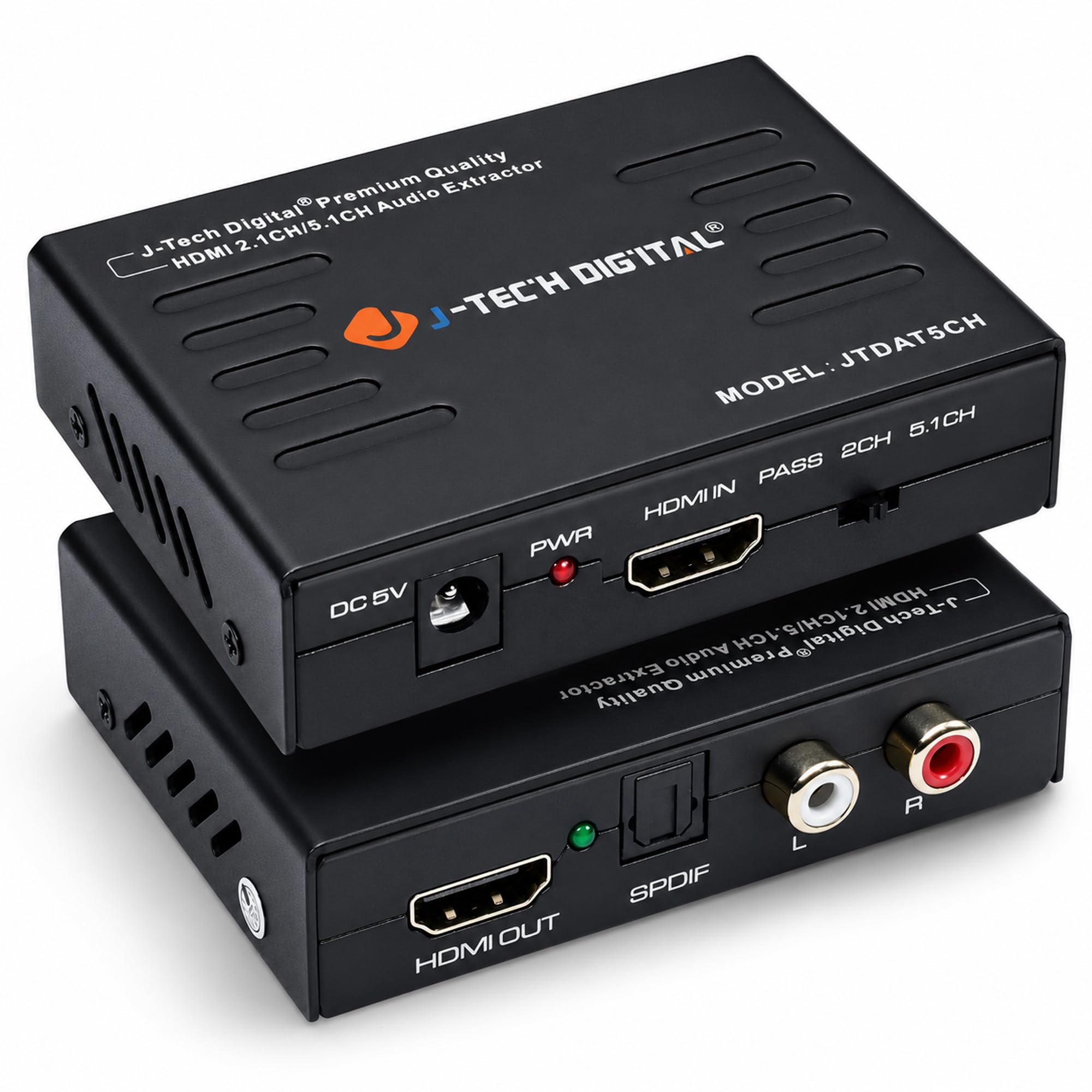
The J-Tech Digital 4K30 extractor is the default way to split SPDIF and RCA audio from an HDMI source without altering the video path. The metal case gives it the feel of a proper component rather than a disposable dongle, and the port arrangement is clear enough for a first-time install: HDMI from the source, HDMI out to the display, and optical or RCA out to a receiver. Setup on streaming sticks and Blu-ray players is plug-and-play, which is exactly where this box fits best. There is no HDMI-ARC dependency involved, so it works even with receivers that predate ARC entirely.

Sound from the SPDIF output stays stable through a full movie, and the RCA stereo pair delivers a clean signal to older amplifiers without added noise. The picture side holds 4K30 without visible artifacts, so streaming and disc sources keep their expected quality. The box also passes 3D video, a minor bonus for anyone still using a 3D display. SPDIF mode options include stereo, 5.1, and pass-through, which covers both simple TV audio and surround receivers.

This is the right extractor when the receiver is older than the source: a streaming stick or Blu-ray player feeding optical or RCA inputs while 4K video passes through to the TV. The 4K30 ceiling fits that workflow, but it rules out 4K60/HDR console gaming, and the analog output is RCA rather than a direct 3.5mm jack. Headphone buyers will need an RCA-to-3.5mm adapter; buyers with a current console looking for high-refresh passthrough should look at the 4K60 version in this set instead. If the display is 1080p or 4K30, the extractor never becomes the bottleneck.

The price sits mid-range among extractors, between budget boxes and the HDMI 2.0 tier. What that extra money buys is a component-style build and a consistency record in this product space. If the job is extracting audio from a 4K30 source into legacy gear, the J-Tech does it without fuss and without the random behavior that affects cheaper lookalikes. That consistency is the practical separation from spec-identical units in the same price band.

Because the unit is passive from the video standpoint, it does not introduce its own interface or remote to learn. The source controls the show, and the extractor gets out of the way. That makes it a low-maintenance addition to a system that is already working. Once the audio is routed, the only thing left is to select the correct input on the receiver.

Pros

  • Metal case and clear port layout give it the feel of a real component.
  • Hookup is plug-and-play on streaming sticks and Blu-ray players.
  • SPDIF and RCA outputs carry clean audio for legacy receivers.
  • Video passthrough holds 4K30 without visible artifacts.

Cons

  • Some Chromecast and projector pairings can take a second connection attempt.
  • Long sessions can drop audio until the unit is power-cycled.
Our verdict

For streaming sticks and Blu-ray players feeding older receivers, this is the 4K30 extractor to start with. It splits optical/RCA audio without drama and stays within its resolution limits.

Check Latest Price
2

Best 4K60 HDR Pick

OREI 4K60 HDMI Extractor

82 /100
Sound Score Excellent

Key details

ARC / CEC
No ARC, CEC
Audio Formats
Dolby Digital, DTS
Audio Outputs
SPDIF, 3.5mm
Video Passthrough
4K@60Hz, HDR10, Dolby Vision
View on Amazon

The OREI 4K60 HDMI Audio Converter Extractor covers the console-gamer need: 4K@60, HDR10, Dolby Vision, and HDCP 2.2 pass through to a display while audio splits to optical SPDIF and 3.5mm. No ARC support is required, so an older soundbar or headset base that only accepts digital or analog inputs can stay in service. The feature set sits in the middle of the category, undercutting the premium 8K units without losing the formats current consoles output.

With a solid HDMI cable and compatible display, the extractor holds 4K60 HDR through a PS5 or Xbox Series X. Dolby Digital/DTS surround passes over optical, so a soundbar or headset base can remain on the same input. The 3.5mm output covers stereo for desktop speakers or older audio gear.

The right buyer is a 4K60 console gamer with an optical headset or soundbar who wants HDR passthrough at a mid-range price and does not need 8K or 4K120 support. Handshake behavior depends on the source and display, so verify your specific console and TV pairing before relying on this box for everyday play.

💡 Use a certified high-speed HDMI cable between source and extractor to minimize EDID surprises.

Pros

  • Connects between source and display in minutes, with no software or ARC requirement.
  • Passes 4K60, HDR10, Dolby Vision, and HDCP 2.2 for PS5 and Xbox Series X gaming setups.
  • Covers the core optical-audio extraction job at a moderate price.

Cons

  • Apple TV 4K owners may get no audio, and some streaming sources can leave the optical output silent.
  • 4K/HDR passthrough can drop to 1080p or lose HDR on some display and cable combinations.
Our verdict

A PS5 or Xbox Series X player with an optical headset or soundbar gets the needed 4K60 HDR formats and audio outputs without paying for 8K bandwidth. Confirm your display and source pairing first; this is not a set-and-forget universal box.

Check Latest Price
3

Best Future-Proof 8K

OREI 8K HDMI Extractor

82 /100
Sound Score Excellent

Key details

ARC / CEC
ARC, CEC
Audio Formats
Atmos, DTS:X, LPCM 7.1
Audio Outputs
SPDIF, 3.5mm, ARC
Video Passthrough
8K@60Hz, 4K@120Hz
View on Amazon

The OREI steps up to 8K60 and 4K120 passthrough over 48Gbps HDMI 2.1, which places it ahead of the 4K60 extractors in this category for modern consoles. It splits audio to optical SPDIF and 3.5mm while video continues to the display, and the metal enclosure suits a permanent AV rack install.

Optical output keeps Dolby Atmos/DTS:X and LPCM 7.1 intact with no audible sync delay, and receivers recognize the source quickly. In 4K120 console use, the connection holds a stable signal without drops, so the HDMI 2.1 bandwidth is not just a spec-sheet number.

This is aimed at PS5/Xbox Series X owners with 4K120 displays and high-end home theater builders. The premium price and ARC-not-eARC boundary place it firmly in the high-bandwidth segment, and Xbox/Samsung streaming combinations should be checked before they become the primary input.

Pros

  • Clean optical output keeps audio in sync and carries the advertised Dolby Atmos/DTS:X and LPCM 7.1 formats.
  • 4K120 passthrough holds a stable signal for PS5 and Xbox Series X sessions.
  • Solid metal enclosure suits a permanent home theater rack without the flex of lighter plastic housings.
  • Setup is plug-and-play for common source and display pairs.

Cons

  • Optical audio can cut out intermittently on individual units.
  • Streaming picture quality on an Xbox-to-Samsung path can degrade, so that input pairing needs a check.
  • Premium pricing only fits high-bandwidth displays; a 1080p or 4K30 system pays for unused HDMI 2.1 bandwidth.
Our verdict

The OREI is the premium HDMI 2.1 path for 4K120 builds where full console bandwidth and clean optical audio matter more than eARC or budget.

Check Latest Price
4

Best Budget All-Rounder

avedio links HDMI Extractor

86 /100
Sound Score Excellent

Key details

ARC / CEC
No ARC
Audio Formats
Pass, 2CH, 5.1CH
Audio Outputs
Optical, RCA, 3.5mm
Video Passthrough
4K@30Hz, 3D
View on Amazon

The avedio links gives you optical, RCA, and 3.5mm outputs on one budget box, making it the three-output alternative to the metal-cased top pick. That matters when an older receiver, powered speakers, and a projector all need a separate audio path.

Fire TV, Roku, and projector sources pass audio through over HDMI, and the optical output carries a continuous hi-fi stream to receivers and soundbars. The 3.5mm and RCA connections give analog gear a place to plug in without forcing a single-output compromise.

The case feels solid for the price, and setup is plug-and-play for supported sources: connect the HDMI input, choose optical or analog, and power it from the included adapter. Once wired in, it needs little attention.

This is the three-output pick for Fire TV/Roku owners with older receivers. Analog auxiliary output can sit below source level, and audio may occasionally cut out during playback.

💡 Route the main audio through the optical output for the steadiest signal.

Pros

  • Three outputs on one budget box let optical, RCA, and 3.5mm gear share the same extractor.
  • Fire TV, Roku, and projector setups are the strongest use cases for this model.
  • Setup is plug-and-play for supported sources, with no EDID menus to learn.
  • Optical output carries continuous hi-fi audio to receivers and soundbars.

Cons

  • 4K30 passthrough caps this below 4K60/HDR gaming, so console users need a higher-bandwidth extractor.
  • Apple TV and Chromecast can pass video without audio, so neither source is a guaranteed match.
Our verdict

Fire TV/Roku households with legacy audio gear get three output paths here without paying for a 4K60 extractor.

Check Latest Price
5

Best with Volume Control

Tendak 4K60 Volume Control

80 /100
Sound Score Excellent

Key details

ARC / CEC
No ARC
Audio Formats
DTS, TrueHD, LPCM 7.1
Audio Outputs
SPDIF, RCA, 3.5mm
Video Passthrough
4K@60Hz, HDR10
View on Amazon

The Tendak 4K60 extractor separates HDMI audio into optical, RCA, and 3.5mm outputs while passing 4K@60Hz HDR video through to a display. Its key feature is the physical volume knob on the 3.5mm and RCA outputs, so powered speakers or headphones can be controlled directly without a receiver. The supported audio formats run from stereo PCM through Dolby TrueHD, DTS-HD, and LPCM 7.1, which covers desktop sources without an extra receiver.

The volume knob has a meaningful adjustment range rather than just a trim control, letting desktop monitors go from near-silent to comfortably loud without touching the source device. The optical output remains independent, so a DAC or AV receiver can use the original digital stream while the analog outputs feed a separate speaker setup.

This is a desk-friendly option for buyers who want one physical volume control for powered speakers or headphones and don't want to add a receiver. It is not for anyone who expects maximum long-term durability as a fixture; individual units can lose audio output after a few months, so the value depends on whether the volume knob is a genuine need. If you only need simple optical extraction without analog volume, one of the budget 4K30 extractors covers that use case for less.

Pros

  • Physical volume knob on 3.5mm and RCA outputs removes the need for a separate receiver in desktop setups.
  • Case and controls feel substantial for the price, with a solid mechanical volume knob.
  • Optical, RCA, and 3.5mm outputs plus 4K60 passthrough make the feature set a strong value at mid-range pricing.

Cons

  • Volume knob controls only analog outputs, so optical listeners must adjust volume at their DAC or receiver.
  • Some source/display pairings can remain silent through every output regardless of the EDID setting chosen.
Our verdict

For desktop audio setups that need a real volume knob on analog outputs, the Tendak delivers that function without requiring an AV receiver.

Check Latest Price
6

Roku, Chromecast

Amazon Basics HDMI Extractor

84 /100
Sound Score Excellent

Key details

ARC / CEC
No ARC
Audio Formats
PCM, compressed audio
Audio Outputs
SPDIF, 3.5mm
Video Passthrough
4K@30Hz, 1080P@60Hz
View on Amazon

The Amazon Basics extractor splits SPDIF and 3.5mm audio from an HDMI source while passing video through to the display, and Roku, Chromecast, and Blu-ray players connect without much effort. This is a convenient bridge for older receivers. Audio/video consistency trails the metal-shelled top pick, so it is a fix for casual listening rather than a performance upgrade. Analog sound can hiss or weaken over time, audio extraction can vary by TV setup, and households with Roku or Chromecast into legacy audio gear are well served. Easy returns lower the risk of trying it with an unfamiliar TV.

Pros

  • SPDIF and 3.5mm audio outputs connect Roku, Chromecast, and Blu-ray players to receivers without HDMI audio.
  • A cost-effective way to give an older receiver digital or stereo audio from a modern streaming stick.
  • Setup is simple enough for a non-technical household.

Cons

  • Video passthrough is limited to 4K30 without HDR, leaving 4K60 gaming outside this unit's scope.
  • The 3.5mm jack can feel loose, which may interrupt stereo output in some positions.
Our verdict

This fits households that stream from a Roku or Chromecast into an older optical-equipped receiver and want the convenience of an easy-return first attempt.

Check Latest Price
7

PS5, Xbox

J-Tech 4K60 HDMI Extractor

83 /100
Sound Score Excellent

Key details

ARC / CEC
CEC, no ARC
Audio Formats
Dolby Digital, DTS
Audio Outputs
SPDIF, 3.5mm
Video Passthrough
4K@60Hz, 1080P@120/144Hz
View on Amazon

The J-Tech Digital 4K60 HDMI Audio Extractor targets console gamers who need optical audio from HDMI 2.0 sources. It passes 4K60 HDR10 with HDCP 2.2 and supports 1080p120/144Hz passthrough, making it a sensible fit for Xbox Series X, PS5, and projector setups. The metal housing feels denser than typical budget boxes, and setup is simple: connect the source, output audio to SPDIF or 3.5mm, and run video to the display.

Against the brand's 4K30 extractor, this is a bandwidth upgrade with a consistency tradeoff. Xbox Series X 4K negotiation is not guaranteed; some displays settle at 4K24 or 1080p120. Unit-to-unit variance also exists, so buyers who need zero tolerance for signal drops are better served by the 4K30 model.

Pros

  • Carries 4K60 HDR10 with HDCP 2.2 through to modern displays and projectors.
  • 1080p120/144Hz passthrough suits gamers with high-refresh monitors.
  • Metal housing and clean setup make it feel like a step above budget extractors.

Cons

  • In some setups audio can sound static-filled or muffled.
  • Apple TV 4K users seeking guaranteed compatibility should look elsewhere.
Our verdict

This fits 4K60 console gamers with older audio receivers who want optical audio without replacing the display.

Check Latest Price
8

Coaxial Output

Wonlyus HDMI Extractor

78 /100
Sound Score Very Good

Key details

ARC / CEC
No ARC, no CEC
Audio Formats
2CH, 5.1CH, Pass
Audio Outputs
Optical, Coaxial, 3.5mm
Video Passthrough
4K@30Hz, 1080P@60Hz
View on Amazon

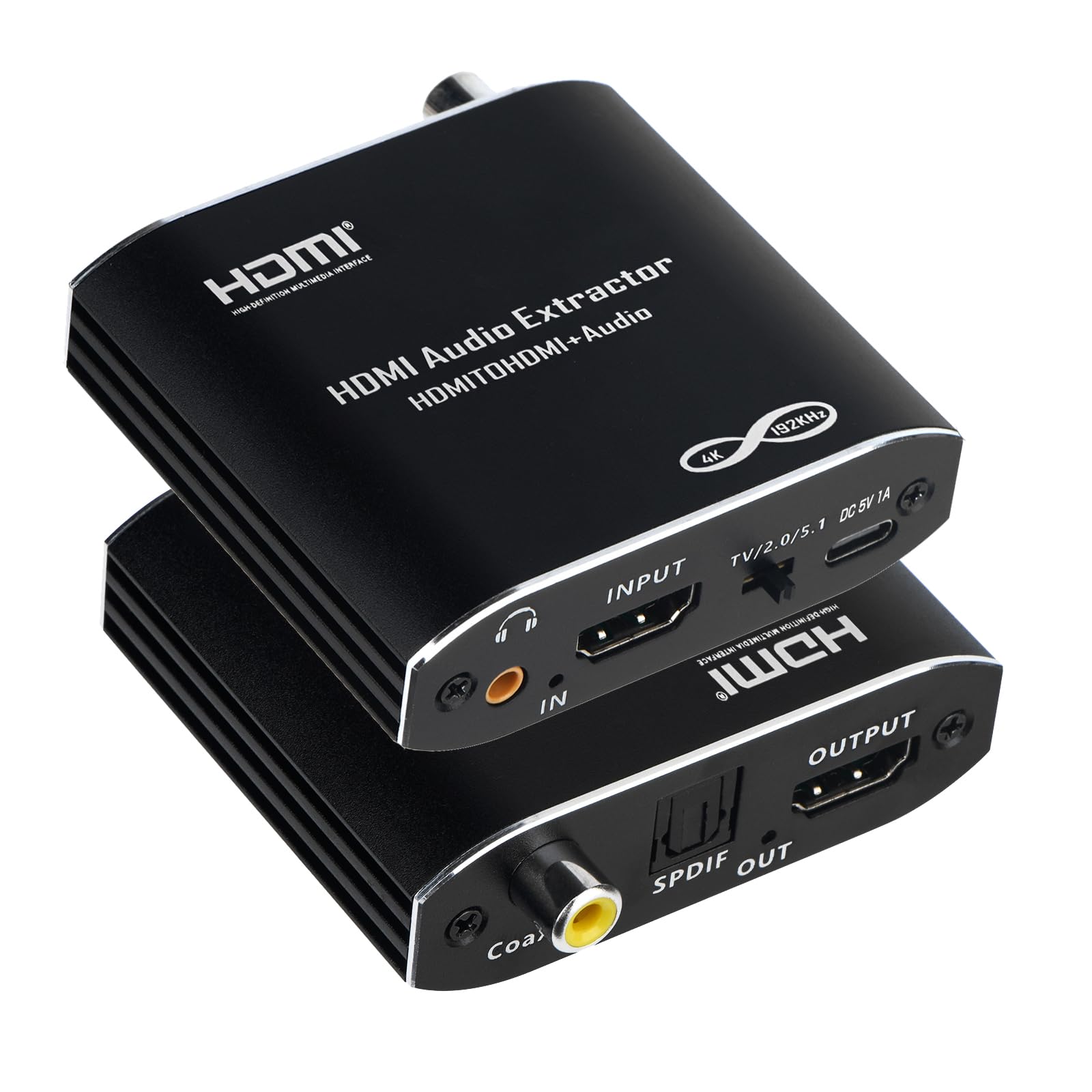
One of the few entry-level extractors with coaxial plus optical digital outputs, this small box serves legacy receivers that need both. It handles cable boxes and MacBook sources cleanly, passing 4K@30Hz video while sending S/PDIF or analog audio downstream. The three output options give older home theater gear a simple upgrade path. That usefulness is balanced by a couple of setup-level limits, which makes this a niche pick for buyers with a specific receiver rather than a default all-around recommendation.

Pros

  • Coaxial plus optical digital outputs in a budget-friendly extractor for legacy receivers.
  • Cable boxes and MacBook sources extract audio without extra setup steps.

Cons

  • For setups that rely on CEC to turn on a display from the source, this box blocks that control link.
  • With certain source/output format mismatches, no sound reaches the receiver even though video passes.
Our verdict

For buyers whose receiver needs both coax and optical on a budget, this box fills that gap.

Check Latest Price

How to Choose

Choose Audio Outputs That Fit Your Receiver

Optical output carries compressed 5.1 Dolby Digital and DTS without analog noise, but it has no extractor-level volume control. RCA and 3.5mm are convenient for powered speakers and headphones, yet they require the source to send PCM. A bitstream signal into an analog input usually produces silence.

Match the output to the receiver's actual input before buying. An extractor with only 3.5mm can reach an optical receiver only through a converter, adding another power supply and another point where the signal can drop.

Match Video Passthrough to Your Display

An extractor's video bandwidth limits everything downstream. A 4K30 model forces a 4K60 console into 1080p or drops HDR. That matters for gaming and for streamers outputting 4K HDR.

Choose 4K60 or 8K passthrough only if your display uses it. A 1080p projector gains nothing from HDMI 2.1, and the premium price only makes sense for 4K120 or 8K screens.

Check Audio Format Support

The extractor's chip decides whether surround sound survives. Most budget units pass Dolby Digital and DTS 5.1 over optical, but they expect the source to handle the bitstream. LPCM 7.1 and object-based audio need newer chips and wider bandwidth.

Set the source to match the extractor mode: PCM for analog, bitstream for optical 5.1. If the extractor is in 2CH mode and the source sends bitstream, the receiver gets nothing.

Understand EDID and Pass Modes

EDID is the message a display sends back to the source describing what it can handle. Extractors with 2CH, 5.1CH, and PASS modes rewrite or forward that message. A forced 2CH mode tells every source to output stereo; PASS lets the source negotiate directly with the display.

Without an EDID switch, a source that refuses to send audio cannot be forced. That is why identical-looking extractors behave differently on the same TV.

Treat ARC and CEC as a Bonus

ARC pulls audio from a TV's ARC port instead of the source device, but support is spotty: one TV brand works, another drops audio. For streaming sticks or consoles, connect the source to the extractor instead.

CEC allows a TV remote to control volume, but an extractor that blocks CEC breaks that link. Only pay for ARC if you will actually use it; otherwise, a standard source-device extractor is simpler.

Frequently Asked Questions