9 Best Headphone Stand of 2026: Picks That Stay Put on Real Desks

How to pick a headphone stand that won't tip under heavy over-ear headphones, and where extra features matter for your desk.

A headphone stand's real job is simple: hold a pair of headphones without tipping, scratching, or stretching the headband. In practice, the cheapest options often get the basics right but lift off the desk when you dock anything heavier than an office headset. The gap between what a stand looks like in photos and how it behaves on a desk comes down to base weight and where the metal actually goes.

Buyers often see 'aluminum' or 'metal' on a listing and expect an all-metal build. More often, only the pole is metal while the base and headrest stay plastic. That tradeoff is fine for light headphones, but it matters if you own large over-ear models or gaming headsets.

Cable trays, USB ports, and RGB lighting earn their cost only when they solve a real desk problem.

About the Sound Score: This comparative score is calculated from a product's published customer rating and review volume. It is not a laboratory measurement or a hands-on test result.

1

Best Overall

Avantree TR902 Headphone Stand

95 /100
Sound Score Outstanding

Key details

Assembly
Tool-free
Materials
Wood base, aluminum hanger
Headphone Fit
Headbands up to 5cm
Base Stability
Weighted wood base
View on Amazon

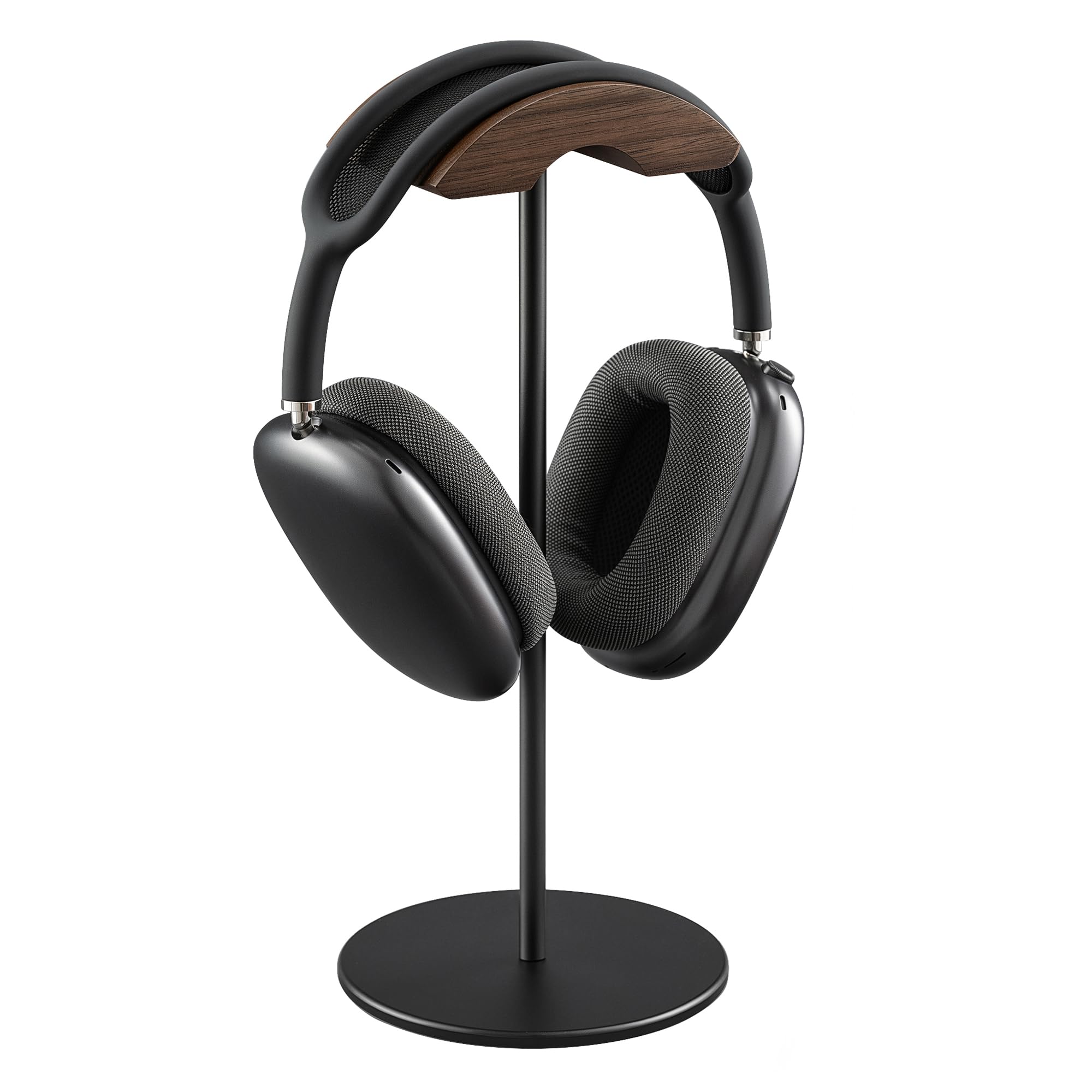
The TR902 keeps heavier over-ear headphones in place with a weighted wood base and a tall aluminum hanger. The cable tray built into the back holds a cord neatly without tugging on the headset. That combination handles daily desk use without the stand sliding or leaning, even when you reach for the headphones one-handed.

Assembly takes minutes because the hanger threads into the base by hand; no tools are needed. The anti-slip pads grip wood and glass desktops, and the 12-inch height gives standard over-ear models enough clearance for ear cups to hang above the surface. The base's mass does the real work, so picking up a heavy headset doesn't pull the stand along.

The finish is the first thing you notice. The wood base reads as furniture rather than an accessory, and the aluminum hanger has smooth edges with no rough machine marks. The materials are matched carefully, which matters on desks where plastic stands look out of place. This is a holder you can leave in view without treating it as clutter, and the lack of visible branding keeps the look clean. The wood tone is neutral enough to work with both dark and light desktops.

Inexpensive stands with hollow plastic bases can shift when you grab the headset; the TR902 stays planted because the wood base carries the weight. The cable hook is positioned at the back edge, so a wired headphone's cord hangs off the work surface instead of curling around your mouse or keyboard. The taller frame also gives the stand a presence on large desks, though it will not slide under a low monitor shelf.

This is the right stand for headphone owners who want a stable, good-looking holder without turning their desk into a charging station. The premium price covers the material quality and stability; it adds no USB or RGB extras, so buyers who need those features should look at a powered dock instead. Budget-first buyers will also find simpler stands that cost less, but they give up the weighted base and wood finish.

The neutral wood tone works on dark walnut desks as well as light oak surfaces, which makes the stand a safer visual choice than colored plastic alternatives. It is a piece that disappears into the desk rather than drawing attention.

Pros

  • Weighted wood base keeps heavy over-ear headphones stable on the desk.
  • Wood and aluminum finish looks at home on professional desks.
  • Tool-free assembly takes about a minute.
  • Cable tray and tall layout keep cords clear of the desktop.
  • Build quality holds up under daily use.

Cons

  • Extra-wide headbands may exceed the 5cm hanger opening.
  • Headphones taller than 30.5cm can rest against the desk instead of hanging free.
Our verdict

A heavy base, tall hanger, and cable tray make the TR902 the desk stand to choose when headphones are a daily tool rather than an occasional accessory.

Check Latest Price
2

Best Value

Avantree HS102 Headphone Stand

93 /100
Sound Score Outstanding

Key details

Assembly
Tool-free
Materials
Metal, silicone base
Headphone Fit
Headbands up to 4cm
Base Stability
Anti-slip silicone base
View on Amazon

The Avantree HS102 is a no-frills desktop stand built around a metal pole, an anti-slip silicone base, and a rear cable holder. It keeps everyday over-ear headphones upright without eating up desk space, and its understated profile fits office and work-from-home setups. At a mid-range price, it stays focused on the basics and skips RGB lighting and charging extras.

The rear cable holder keeps cords off the work surface, and the cradle supports standard over-ear headphones securely. The silicone base has a flexible feel that is lighter than the metal look suggests; on a flat desk it holds its position without issue. This is an easy stand to move and reposition when you are setting up a clean workspace.

The HS102 is for owners of everyday desktop headphones with headbands up to 4 cm wide and headphones up to 25 cm tall. Very large gaming headsets are outside that range and will be better served by a taller, heavier stand. The silicone base is the main compromise - it can feel floppy, so treat the look as metal-up-top with a flexible foot rather than an all-metal block. For a desk with one primary headset, this is a practical, no-frills solution.

💡 Set the stand on a flat, dry desktop before docking the headphones; the silicone foot grips best on hard surfaces.

Pros

  • Stable metal-and-silicone build with an anti-slip base.
  • Sleek, professional look that fits office desktops without standing out.
  • Integrated cable holder keeps cords off the desk and the cradle secures standard over-ear headphones.
  • Cost-effective choice for a standalone desktop stand.

Cons

  • Silicone base can feel floppy when handled, though it stays put on a flat desk.
  • Cradle is sized for headbands up to 4 cm wide and headphones up to 25 cm tall; larger headsets won't fit.
Our verdict

For a single pair of everyday over-ear headphones on an office or WFH desk, the HS102 delivers the core stand function at a fair price - no extra features, no fuss.

Check Latest Price
3

Budget Pick

New Bee Headphone Stand

93 /100
Sound Score Outstanding

Key details

Assembly
Two-piece, tool-free
Materials
Aluminum pole, plastic base
Headphone Fit
Universal over-ear
Base Stability
Light plastic base
View on Amazon

The New Bee is a budget-friendly, tool-free stand that keeps everyday over-ear headphones off the desktop. Two pieces snap together in seconds, the TPU headrest cushions the headband, and the aluminum pole gives a standard office headset enough clearance to avoid touching the desk.

Assembly is genuinely tool-free, and the parts fit with a snug enough feel for daily use. The light build makes it easy to move between a desk and a travel bag, which is a helpful extra at this price.

This stand suits budget-focused buyers with standard office or light over-ear headphones. The light plastic base may need two hands when docking heavier headphones, so heavy gaming headsets are not a good match.

💡 With heavier headphones, hold the headband with both hands while setting them down.

Pros

  • Functional, no-fuss headphone storage at a budget-friendly price.
  • Two-piece assembly takes seconds and needs no tools.
  • Quality is appropriate for the entry-level price.

Cons

  • Plastic covers the base and headrest; aluminum appears only on the pole.
  • A light base may shift when docking heavier headphones.
Our verdict

For standard office headphones on a tight budget, this stand handles the job without extra frills; heavier gaming headsets belong on the weighted wood top pick.

Check Latest Price
4

Best for Gamers with Controllers

UPERGO Walnut Controller Stand

94 /100
Sound Score Outstanding

Key details

Assembly
Tool-free
Materials
Solid walnut, metal
Headphone Fit
Headset plus controller
Base Stability
Weighted anti-slip base
View on Amazon

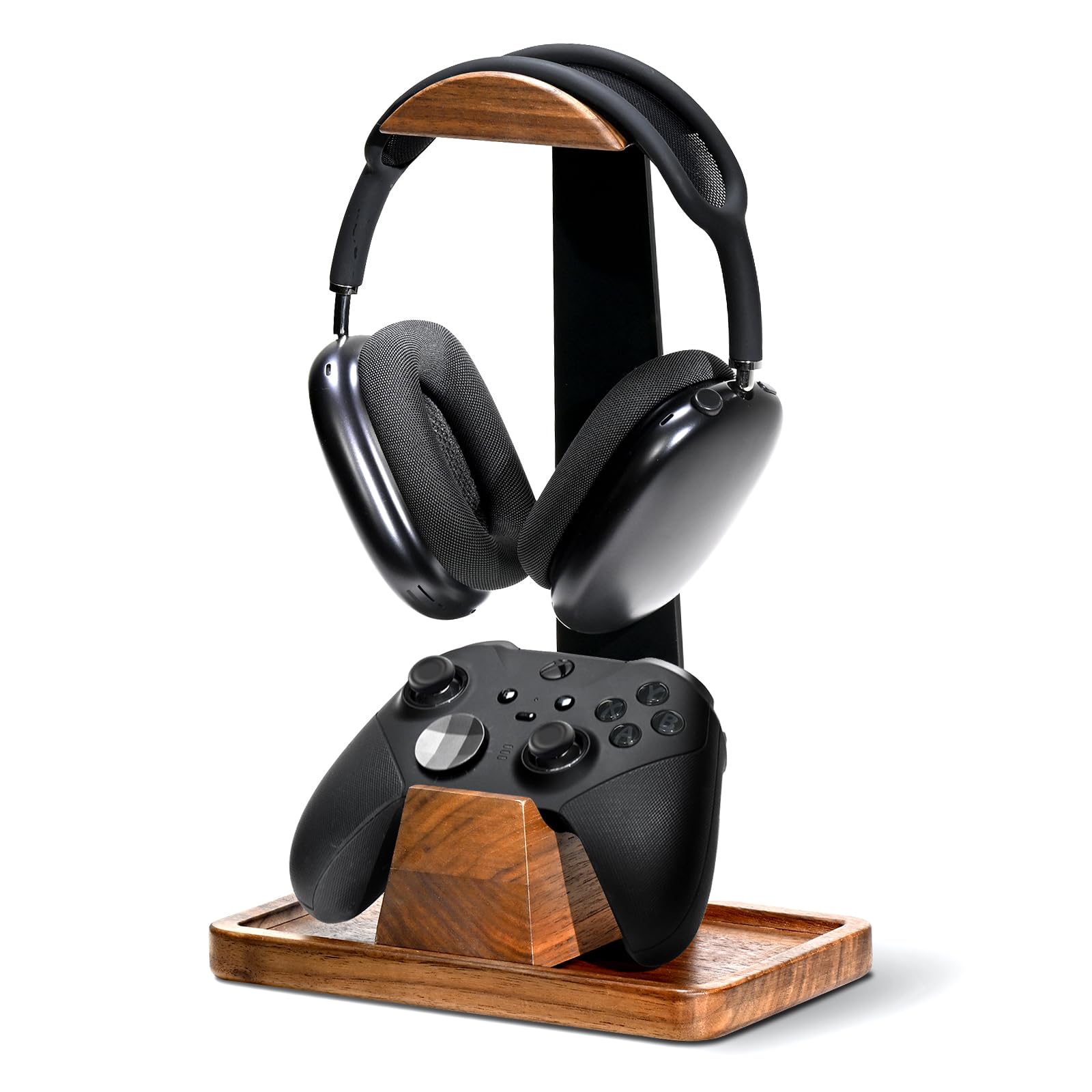
Compared with the entry-level UPERGO in this lineup, this version adds a storage tray, so the walnut base works as a small desk organizer rather than a bare headphone holder. The solid-wood platform and anti-slip pads keep heavier over-ear gaming headsets stable, and the three-piece build snaps together without tools. The controller cradle keeps a gamepad on the same footprint, which saves drawer space without widening the stand much.

The matte walnut finish reads more like furniture than gaming peripheral plastic, and the hanger clears padded over-ear designs without stressing the headband. The side tray gives earbuds, USB receivers, or a phone a defined spot, so the headset is not the only thing competing for desk space. Metal accents on the joints add a subtle industrial touch without turning the stand into a light-up accessory.

This is for gamers who keep a headset and controller on the same desk and want both within reach, plus desk organizers who need a small tray for everyday items. The controller cradle rests separately rather than locking into the base, so it can shift when bumped; buyers who expect a permanently fixed controller dock should treat that as a boundary. Minimalists who only need a headphone hanger will find the base larger than necessary, and budget-conscious buyers can get a simpler stand for less.

💡 Place the controller cradle after you arrange your mouse and keyboard so it sits out of your elbow path.

Pros

  • Solid walnut base and storage tray turn a headphone holder into a small desk organizer.
  • Weighted, anti-slip base keeps heavy gaming headsets in place.
  • Walnut finish looks at home on a furnished desk rather than a plastic-heavy setup.
  • Snaps together in three pieces with no tools.

Cons

  • Controller cradle is separate from the base rather than a fixed mount.
Our verdict

The UPERGO matches a stable walnut headphone stand with controller and small-item storage, which suits a gamer who wants one clean footprint for the gear they use daily.

Check Latest Price
5

Best RGB Charging Dock

Razer Base Station V2

94 /100
Sound Score Outstanding

Key details

Assembly
No assembly
Materials
Aluminum, rubber
Headphone Fit
Universal over-ear
Base Stability
Low-profile aluminum base
View on Amazon

The Base Station V2 takes the RGB-and-ports idea further than the budget RGB stand in this set, pairing Chroma lighting, two USB 3.1 ports, and a 3.5mm DAC combo with an aluminum body that feels substantial and stable on a desk. Unlike lighter plastic stands, the hanger doesn't flex when you lift a heavy headset off.

The low-center base and anti-slip underside keep the stand planted while docking heavier over-ear headsets one-handed. Chroma sync works across Razer peripherals, so the stand becomes part of a matched desktop setup rather than a separate accessory.

The two USB 3.1 ports bring data connections up to desk height, and the 3.5mm combo jack gives a wired headset a nearby hookup. Using them means one less trip to the back of the tower.

This is for PC gamers with Chroma/Razer setups, RGB enthusiasts, and anyone who wants USB ports and headset storage in one dock. It is not for value-focused buyers or non-gamers who just need a headphone holder; USB/audio passthrough can be intermittent in some units, so the electronics are the tradeoff to weigh against the convenience.

💡 Keep USB/audio cables fully seated; the passthrough ports are convenient for accessories you don't hot-swap.

Pros

  • Premium, sturdy aluminum build with a low-center base that stays planted during one-handed docking.
  • Chroma RGB lighting stands out on a gamer desk and syncs across Razer peripherals.
  • Two USB 3.1 ports and a 3.5mm DAC combo keep accessories and audio within reach.

Cons

  • Premium price makes sense only when Chroma and the USB/audio ports are part of your daily setup.
  • The integrated electronics add a risk that a simple stand avoids, so the USB/audio ports are the part to keep an eye on.
Our verdict

Chroma sync and USB/audio passthrough make this a true desk hub for gamers, but only if those features actually get used.

Check Latest Price
6

Best Walnut Display Stand

QinCoon Walnut Headphone Stand

95 /100
Sound Score Outstanding

Key details

Assembly
Tool-free
Materials
Walnut, aluminum
Headphone Fit
Universal over-ear
Base Stability
Solid heavy base
View on Amazon

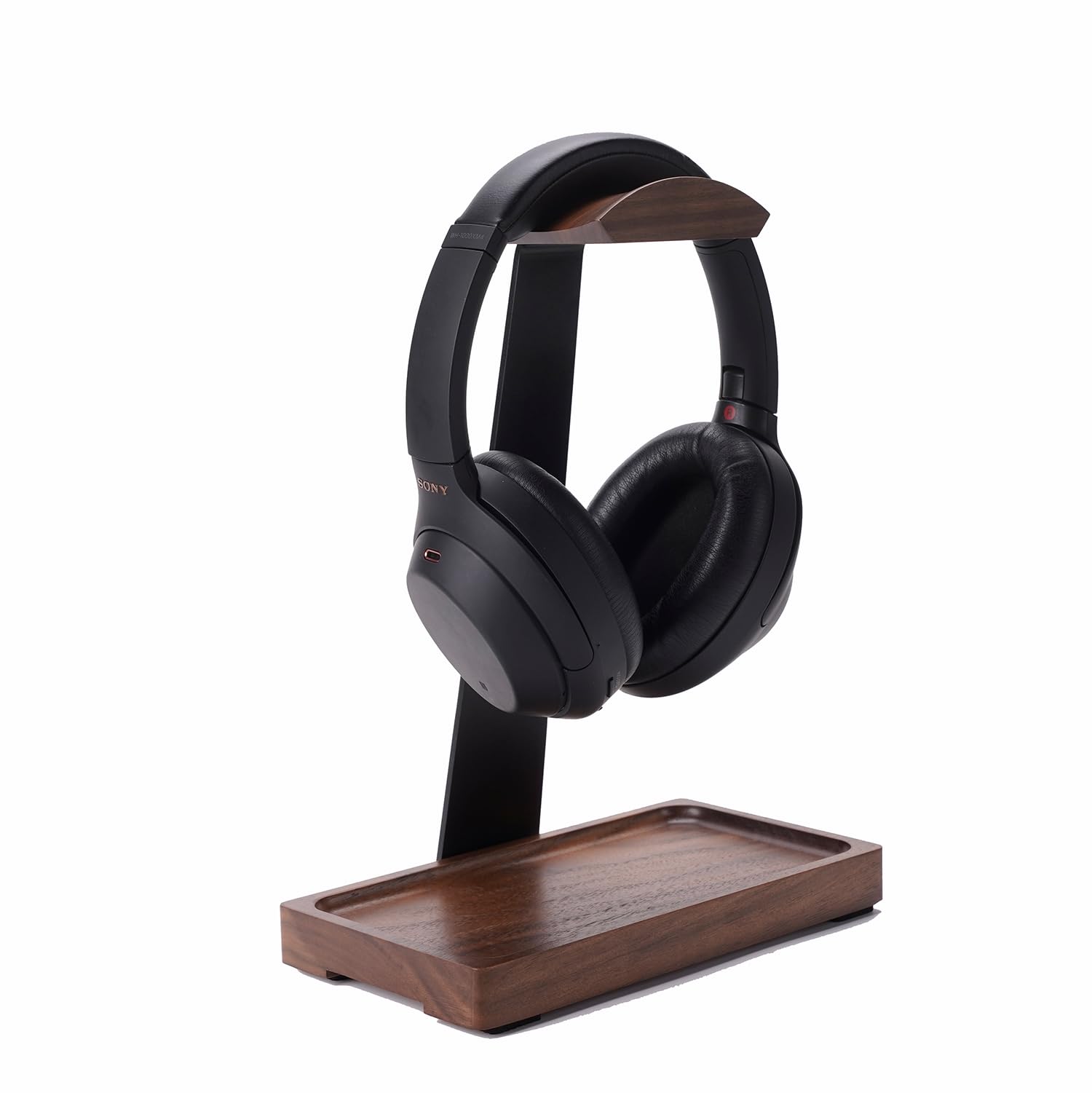
The QinCoon pairs a solid walnut tray with a matte aluminum post and a weighted base, so it reads as desk furniture rather than a utility accessory. That material focus separates it from the category's top pick, which prioritizes function with a taller hanger and a built-in cable tray. Anti-slip pads on the underside add grip on polished wood or metal surfaces.

Assembly takes a few steps: the threaded post screws into the base without tools. On a flat desk, a large over-ear headset can be parked one-handed without tipping the stand, and the hanger clears thick headbands without squeezing. The matte metal body avoids the fingerprint look of gloss poles, while the walnut tray keeps an even finish across the surface, which suits a tidy office or studio setup.

This is the right match for a walnut-and-mat-metal desk where heavy over-ear headphones need a display-grade home. Lighter or on-ear headsets will sit fine, but buyers who only store those can get by with a cheaper stand. The pole-to-base joint can loosen during use, so an occasional retighten keeps a heavy headset from rotating the base.

💡 Tighten the threaded pole joint at setup and check it occasionally to keep the base solid.

Pros

  • Walnut tray and matte aluminum body give a desk a finished, display-oriented look.
  • Weighted base and anti-slip pads keep heavy over-ear headphones stable on flat surfaces.
  • Simple assembly and a wide hanger clear large headbands without squeezing.

Cons

  • No cable or accessory tray for storing small desk items near the stand.
  • The threaded pole joint adds an upkeep step to an otherwise set-and-forget stand.
Our verdict

The right pick for a wood-and-metal desk where the stand's appearance matters and the headphones are heavy.

Check Latest Price
7

Pink Desk Setups

MANMUVIMO Pink Headphone Stand

93 /100
Sound Score Outstanding

Key details

Assembly
Tool-free
Materials
Aluminum pole, ABS base
Headphone Fit
Universal over-ear
Base Stability
Weighted base
View on Amazon

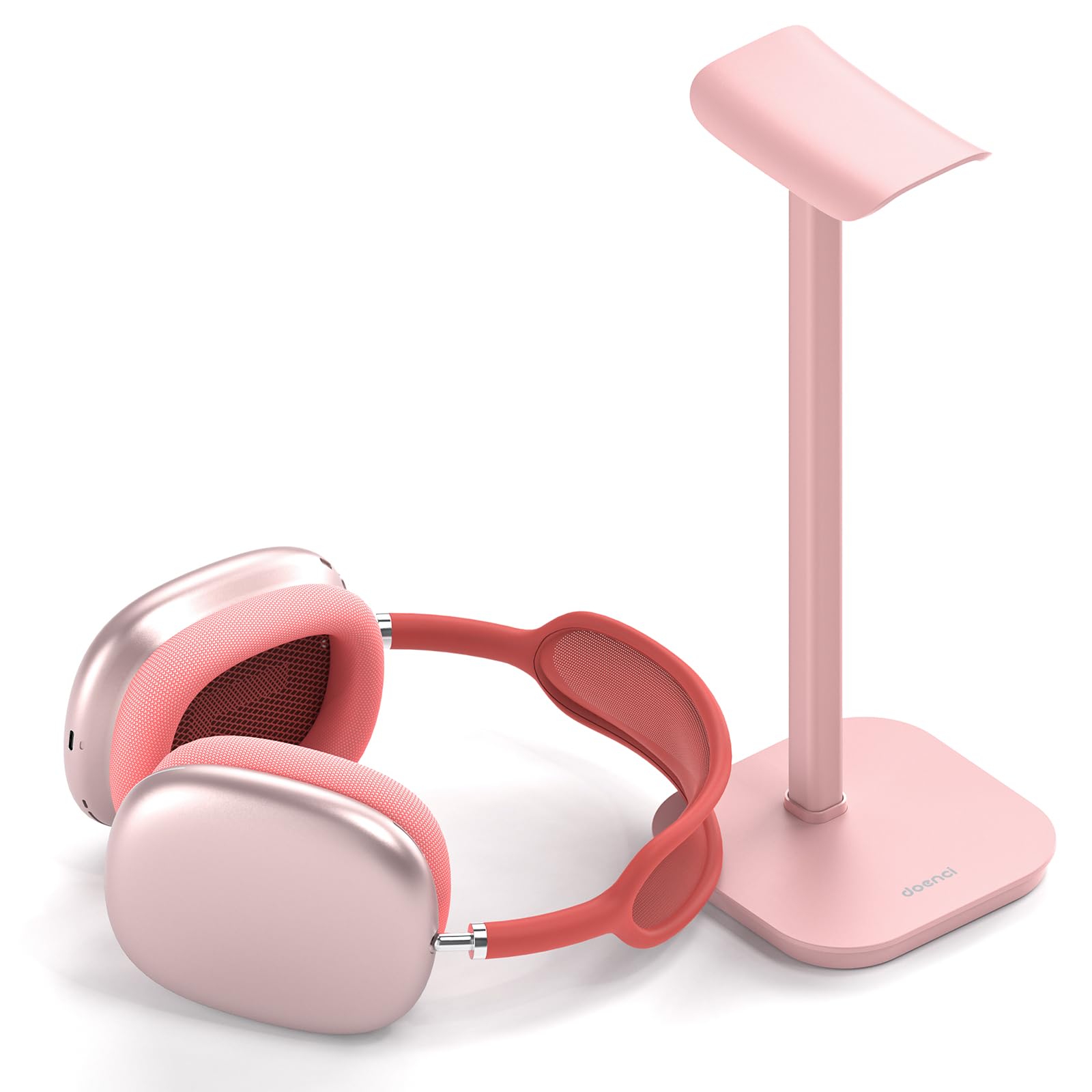
The MANMUVIMO Pink Headphone Stand assembles without tools and holds over-ear headphones on a weighted base that stays put for its size. The pink finish limits fit with neutral or wood-tone desks, which is why it sits beside the top budget pick rather than at the top of the list. The compact ABS base carries enough heft for a stand of this class, and the snap-together design means no extra hardware is involved.

Pros

  • Sturdy metal-pole build with a weighted base keeps the stand planted during everyday use.
  • Pink styling adds a clean color accent to themed desk setups.
  • Tool-free snap assembly gets the holder ready in under a minute.

Cons

  • The compact ABS base is not a heavily weighted all-metal foundation.
  • The single pink finish limits fit with neutral or wood-tone desk decor.
Our verdict

For a pink or pastel desk, this stand provides the right look and a stable hold at a budget price.

Check Latest Price
8

Budget RGB Gaming

KAFRI RGB Headphone Stand

92 /100
Sound Score Outstanding

Key details

Assembly
No assembly
Materials
Aluminum, plastic
Headphone Fit
Universal over-ear
Base Stability
Aluminum base
View on Amazon

RGB lighting, USB-C and USB-A charging, plus two AC outlets make this a one-stop power add-on for a budget gaming desk. The stand holds over-ear headsets securely, and the color modes cycle without software. The plastic base is less polished than the pricier RGB dock's aluminum shell, and the electronics package is the main reason it isn't ranked higher. For budget gamers who want extra outlets and lighting at entry-level pricing, that tradeoff is easy to accept; anyone who just needs a plain holder should look elsewhere.

Pros

  • Adds two AC outlets, one USB-C, and two USB-A ports so a phone, controller, and headset can charge without a separate power strip.
  • RGB modes cycle without software, making it easy to match a gaming setup's lighting.
  • Holds gaming headsets securely on a stable base for the price.

Cons

  • Five-foot cord can limit desk placement when the wall outlet isn't nearby.
  • Charging and RGB circuits may lose function after weeks or months of use.
Our verdict

For budget gamers who want RGB and extra AC outlets on the desk, this stand earns its low price. Those who only need a plain holder should choose a simpler model.

Check Latest Price
9

Walnut with Storage

NIRVASH Walnut Headphone Stand

88 /100
Sound Score Excellent

Key details

Assembly
Screw-together, tools included
Materials
Walnut, aluminum
Headphone Fit
Universal over-ear
Base Stability
Solid wood base
View on Amazon

A large walnut base with a shallow tray gives this stand a second job beyond holding headphones: it keeps small desk items close while displaying the headset. The American black walnut surface and aluminum hanger fit dark-academia and wood-tone setups, and the base stays steady with heavier over-ear models. Assembly takes minutes with the included hardware.

The tradeoff is finish consistency: some walnut surfaces can arrive with fine scratches or sanding marks. That matters most if the stand is meant as a showcase piece; as a working holder, the structure remains solid. Quality variance keeps it behind the top walnut stand in this category, though the storage tray gives it a separate reason to exist.

Pros

  • Warm walnut surface gives over-ear headphones a display-worthy look on wood-toned desks.
  • Heavy base keeps the stand planted when you dock larger headphones.
  • Base tray adds a spot for small desk items without buying a separate organizer.

Cons

  • Mid-range price means budget-focused headphone owners can find cheaper basic stands.
Our verdict

A walnut-toned stand with storage earns its place on desks where headphones and small tools share a surface.

Check Latest Price

How to Choose

Base Stability

A stand grips the desk through the weight and surface area of its base. If that base is light, the force of docking a headset pivots around the front edge and lifts the rear of the stand. That is why 'metal' wording on a listing means less than where the metal actually sits.

Materials

The word 'aluminum' usually refers to the vertical pole, not the whole stand. Base and headrest are often ABS plastic or silicone. That is acceptable for light headphones, but a plastic base paired with a heavy headband creates the exact tipping problem. Check the material breakdown, not the headline material.

Headphone Fit

The hanger width and overall height decide whether a large over-ear headset actually rests on the stand. A short hanger forces the headband to wrap around the pole, which can stretch padding or let the headphones slide off. If you own a wide headband, look for the widest hanger measurement the stand accepts.

Assembly

Tool-free assembly means fewer screws and faster setup, but it can also mean a looser joint between pole and base. A stand that needs a small Allen key may feel more solid after months of use. For most buyers, no-tool convenience is worth it as long as the base itself stays planted.

Extra Features

Cable trays, USB ports, and RGB lighting add convenience but also add components that can stop working. A passive wood and metal stand keeps working indefinitely, while a USB hub or lighting circuit has a much shorter lifespan. Buy these features only when they replace another device on your desk, not just because they look good.

Frequently Asked Questions