8 Best Mixer Audio Interface of 2026: Match Your Actual Mic Count

Choose the best mixer audio interface by counting true XLR preamps and checking whether its USB output is a usable stereo mix, not just a marketing number.

Channel counts on mixer boxes are often total inputs, not microphone inputs. A '12-input' board may have six XLR preamps or even two, with the rest dedicated to stereo line channels. That distinction determines whether your next recording session fits before you plug in a single cable.

The USB side carries the same trap. Many analog mixers route only the stereo mix down to the computer, so you get a final blend rather than separate tracks. For podcasting, streaming, or live capture, that is often enough, but quiet output levels can catch buyers off guard.

That leaves a practical fork: portable all-in-one units prioritize multiple headphone mixes; full-size analog mixers prioritize more channels and built-in effects. Choose based on your mic count and whether you need separate computer tracks.

About the Sound Score: This comparative score is calculated from a product's published customer rating and review volume. It is not a laboratory measurement or a hands-on test result.

1

Best Overall

Zoom PodTrak P4

93 /100
Sound Score Outstanding

Key details

Phantom Power
48V phantom
USB Capability
2-in/2-out
XLR Mic Inputs
4
Headphone Mixes
4 independent
View on Amazon

The PodTrak P4 combines four XLR mic inputs, four independent headphone outputs, and a 2-in/2-out USB audio path in a compact recording hub. It acts as a physical mixer for multi-mic sessions, sending a mix to a computer for live streaming or podcast recording while each participant monitors their own feed. The phone input lets a remote guest join the same session, so in-person and call-in interviews work without an extra interface. Built-in sound pads trigger pre-recorded intros or jingles without touching a laptop. Preamps are quiet and clean for spoken-word, and the unit is ready quickly once mics are connected and USB mode is selected.

This is for podcasters and streamers who want a portable USB mixer/interface that handles multiple voices without the bulk of an analog console. It is not the tool for musicians who need line/instrument inputs or per-channel USB multitrack; the computer feed is the stereo mix. Creators who can keep the P4 on USB-C power and use a compatible SD card get a four-mic mixer that fits in a bag and gives everyone their own headphone mix.

💡 Format the SD card in the P4 before recording to the unit to reduce write-related interruptions.

Pros

  • Four XLR preamps capture clean spoken-word audio without noticeable hiss or noise.
  • Acts as a true USB mixer/interface for streaming and podcasting without a lengthy setup.
  • Compact design with four independent headphone mixes covers in-person and remote sessions.

Cons

  • Phantom-powered condenser mics drain AA batteries quickly, so USB-C power is the practical setting for longer sessions.
  • A marginal SD card or unstable USB power can interrupt recording directly to the unit.
Our verdict

For podcasters and streamers, the P4 is the compact four-mic mixer/interface for physical mixing, independent monitoring, and USB capture without a console.
Check Latest Price
2

Best Analog All-Rounder

Yamaha MG10XU

92 /100
Sound Score Outstanding

Key details

Phantom Power
48V phantom
USB Capability
Stereo mixdown
XLR Mic Inputs
4
Headphone Mixes
1 headphone out
View on Amazon

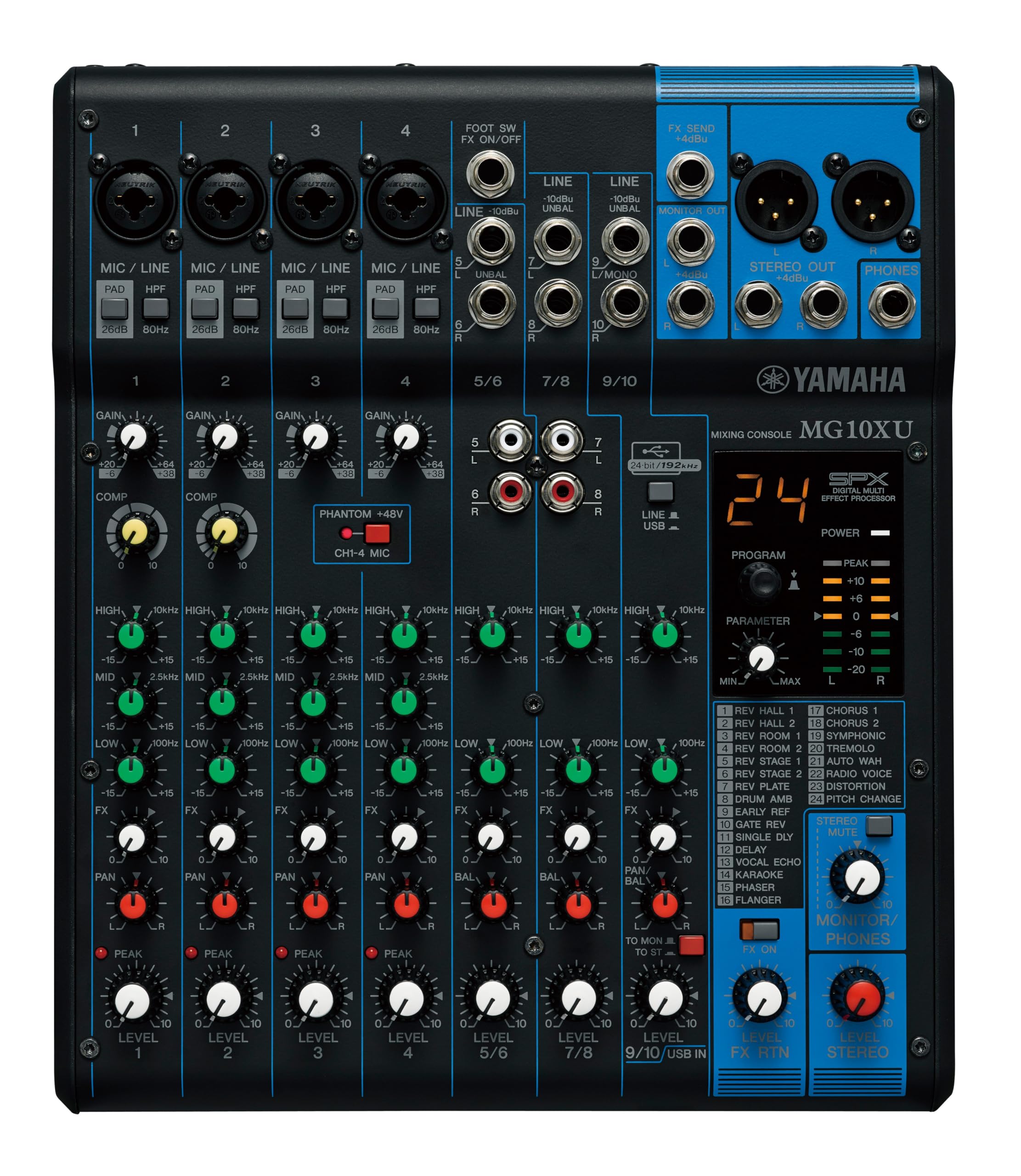
The MG10XU packs ten inputs, four Class-A D-PRE preamps, SPX effects, one-knob compressors, and USB stereo capture into a rugged metal chassis. The SPX effects are usable on stage, and the preamps keep vocals and instruments clean when gain is pushed.

This suits musicians and home-studio users who prefer physical faders and want to record or stream a stereo mix from one or two mics. The computer feed is a stereo mix, not per-track recording, and podcasters who need four headphone mixes are better served by the dedicated podcast mixer in this roundup.

💡 Set the main fader at unity and adjust the DAW input trim so the recorded waveform peaks near -6 dB.

Pros

  • Four mic preamps deliver clean gain for vocals and instruments, with enough headroom for live use.
  • SPX effects and one-knob compressors give you practical processing without extra outboard gear.
  • Physical faders, 3-band EQ, and high-pass filters keep operation fast and intuitive.

Cons

  • For direct-to-computer takes, USB output can be quieter than a dedicated interface, so level checks are worthwhile.
Our verdict

For anyone whose setup is a couple of mics, an instrument, and a stereo USB return, this is the compact mixer to keep on the desk.

Check Latest Price
3

Best App-Controlled Compact Mixer

Behringer FLOW 8

92 /100
Sound Score Outstanding

Key details

Phantom Power
48V phantom
USB Capability
Stereo 2x2
XLR Mic Inputs
2
Headphone Mixes
1 headphone out
View on Amazon

Eight channels, two Midas preamps, EZ-Gain, and 60mm faders give the FLOW 8 a physical mixing surface beyond the top pick's four-mic podcast console. The built-in USB interface routes the stereo mix to a computer for recording, streaming, or podcasting, while Bluetooth streams music from a phone. The app adds EQ, effects, and gain assistance, but Bluetooth pairing is limited to one device at a time, so this favors solo performers, streamers, and compact home studios where one person runs the mix and one or two mics are enough.

💡 Set the gain and effects from the app, then use the 60mm faders during the performance.

Pros

  • Eight physical faders and two Midas preamps bring a real mixer feel to USB recording and streaming setups.
  • Bluetooth app adds EQ, effects, and EZ-Gain from a phone or tablet, reducing need for outboard gear.
  • Cost-effective for small gigs, home studios, and streaming rigs that need effects and USB capture.

Cons

  • Advanced app routing can feel basic, so complex signal chains may need a larger digital console.
Our verdict

The FLOW 8 fits the solo performer or streamer who wants app-based EQ, effects, and USB capture without a rack console.

Check Latest Price
4

Best for Bands and Multitrack Recording

Behringer XR18

92 /100
Sound Score Outstanding

Key details

Phantom Power
48V phantom
USB Capability
18x18 multitrack
XLR Mic Inputs
16
Headphone Mixes
1 headphone out
View on Amazon

The 18×18 USB path sets it apart from the analog USB mixers here: instead of a stereo mixdown, it streams a full multitrack feed to the computer. The control surface lives in a tablet app, so channel EQ, dynamics, and FX stay accessible without a bulky console. Bands tracking a live performance get the routing depth of a large digital board in a rack-mount package.

That fits engineers and studios already comfortable mixing from a tablet. The built-in Wi-Fi can drop in crowded RF environments; an external router is the standard fix.

💡 Set the onboard Wi-Fi to a less congested channel before a gig if you plan to use it.

Pros

  • Sixteen Midas preamps cover full band inputs without external preamp racks.
  • The 18×18 USB interface records every input as a separate track.
  • Tablet control lets an engineer mix from anywhere in the room.

Cons

  • No physical faders: mixing happens in the tablet app, which excludes podcasters who need tactile controls.
Our verdict

For a band that wants a full digital console's routing at a live show, the XR18 fits in one rack space and runs from a tablet.

Check Latest Price
5

Best Larger Analog Mixer

Yamaha MG12XU

87 /100
Sound Score Excellent

Key details

Phantom Power
48V phantom
USB Capability
Stereo mixdown
XLR Mic Inputs
6
Headphone Mixes
1 headphone out
View on Amazon

The 12-input, 4-bus MG12XU has six XLR preamps, SPX effects, and routing that suits small bands — a bigger layout than the compact ten-input Yamaha.

Home studios and small bands that need more line inputs than the slimmer Yamaha get physical faders, one-knob compressors, and USB capture without leaving the analog workflow. Built-in SPX effects and 3-band EQ sweeten the mix. The USB output is a stereo mix rather than per-channel recording, so multi-track editing is outside its job. With six XLR preamps on board, buyers expecting twelve mic jacks should verify the channel layout before ordering.

Pros

  • Six XLR preamps and 4-bus routing give a small band room to grow beyond a basic stereo mixer.
  • Built-in SPX effects and one-knob compressors simplify live mixing and home recording.
  • Build quality and preamp sound hold up for regular rehearsal and recording use.

Cons

  • Buyers expecting a dozen XLR microphone inputs will find the channel layout limiting.
Our verdict

For live and studio work that rewards physical faders and extra routing, the MG12XU is the more capable Yamaha console.

Check Latest Price
6

DJ and Karaoke

Pyle PMXU83BT

86 /100
Sound Score Excellent

Key details

Phantom Power
48V phantom
USB Capability
USB MP3/audio
XLR Mic Inputs
Headphone Mixes
View on Amazon

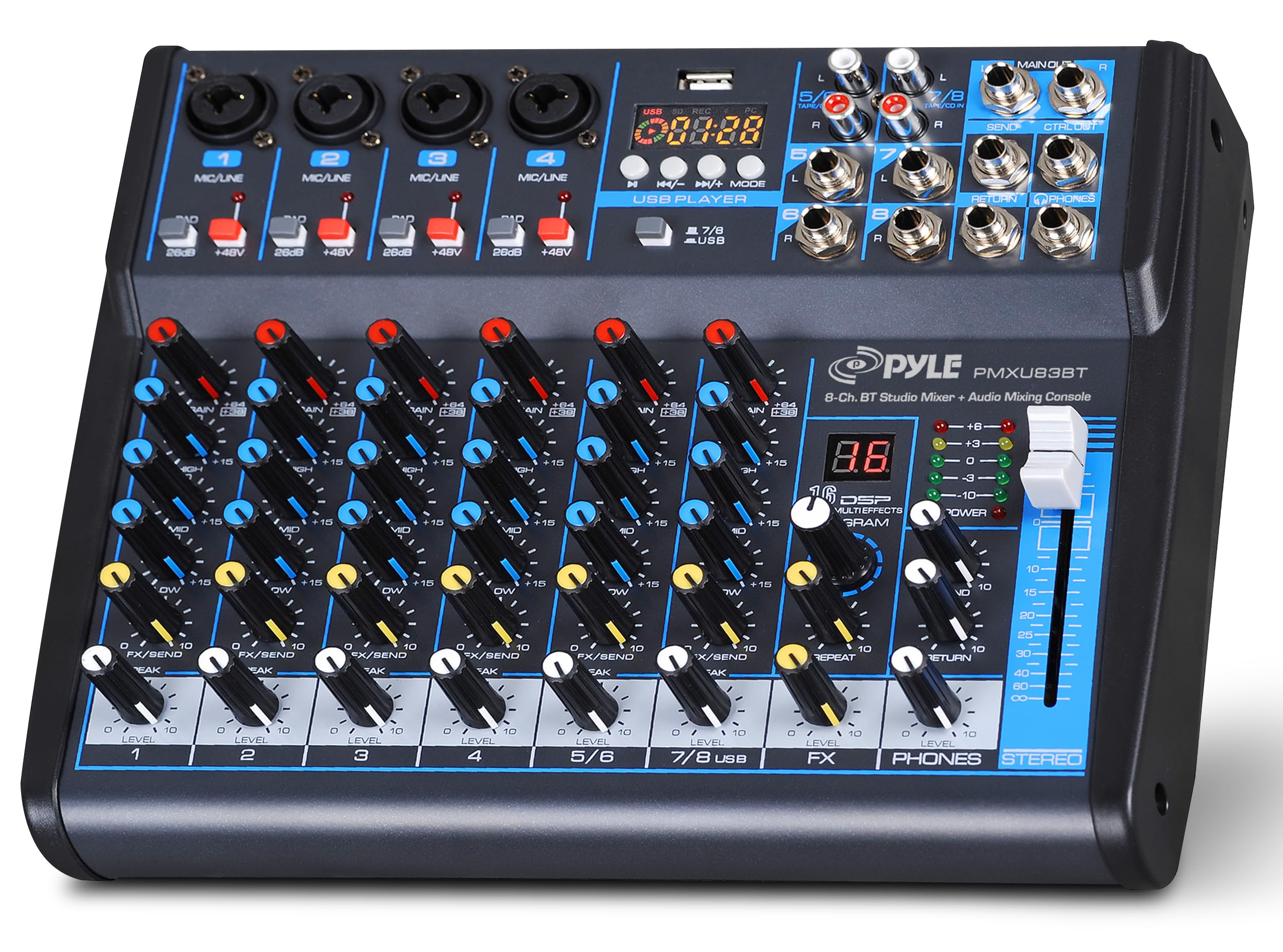
Eight channels, Bluetooth streaming, DSP effects, and 48V phantom power make this budget mixer a practical centerpiece for parties and karaoke. The USB output sends a stereo mix to a computer, but low output and modest effects can fall short in quiet critical listening. It suits live events over podcast or studio capture.

Pros

  • Eight-channel layout with Bluetooth, DSP effects, and 48V phantom power at a budget price.
  • Simple controls are easy to manage for live DJ and karaoke setups.

Cons

  • Low output and modest effects can fall short in quiet critical listening.
Our verdict

Fits budget-minded party and karaoke hosts who need Bluetooth and multiple mics for live mixing, not critical recording.

Check Latest Price
7

Solo Streamers

FIFINE SC3

89 /100
Sound Score Excellent

Key details

Phantom Power
48V phantom
USB Capability
USB-C plug-and-play
XLR Mic Inputs
1
Headphone Mixes
Headphone out
View on Amazon

The FIFINE SC3 gives first-time XLR owners a budget-friendly entry into streaming with soundpads, voice modes, and 48V phantom power in one compact USB-C box. It is built around a single XLR input, so it cannot handle multi-mic podcasts or instrument mixing; static may appear when soundpads or USB playback are active in quiet settings.

Pros

  • Budget-friendly way to add an XLR mic, soundpads, and voice effects to a solo stream without extra software.
  • Beginner-friendly setup with USB-C plug-and-play, onboard 48V phantom power, and RGB visual feedback.

Cons

  • In quiet recording spaces, hiss or static can sneak into the signal when soundpads or USB playback are active.
Our verdict

The SC3 fits a solo streamer on a tight budget who wants one XLR mic, soundpads, and voice FX without extra software — just keep expectations around noise and channel count in check.

Check Latest Price
8

Solo Gaming Streamers

MAONO G1 Neo

86 /100
Sound Score Excellent

Key details

Phantom Power
48V phantom
USB Capability
Stereo USB audio
XLR Mic Inputs
1
Headphone Mixes
Headphone out
View on Amazon

The MAONO G1 Neo delivers clean single-mic audio, 48V phantom, Bluetooth music input, and fun voice effects. Its one XLR input is the boundary: a multi-mic mixer/interface hybrid needs two or more mic inputs, and this cannot mix two mics. Subtle buzz or unwanted reverb can surface when soundpads and USB playback are active.

Pros

  • Clean, usable audio for a single XLR microphone at a budget-friendly price.
  • Built-in Bluetooth, soundpads, and voice effects add production value without extra software.

Cons

  • Static or unwanted reverb can surface when soundpads and USB playback are active.
Our verdict

This fits solo creators who want one XLR mic, Bluetooth music, and voice FX on a tight budget, but not anyone planning to mix multiple live microphones.

Check Latest Price

How to Choose

True XLR Mic Inputs

A mixer's input count often includes stereo line channels, so a 12-input board can have six mic preamps and a 10-input model can have four. Mic preamps convert microphone-level signal to line level and provide phantom power, so they define how many microphones you can physically connect.

If a podcast or band setup needs four simultaneous XLR voices, a mixer with two mic preamps will not work no matter how many line inputs the front panel shows. Check the spec sheet for 'mic preamps' rather than 'channels.'

USB Recording Capability

Analog mixers usually send a stereo mixdown to the computer, not individual microphone tracks. That is enough for streaming, podcasts, or live capture where you want the final blend as one file, but it will not give you the editing flexibility of a multitrack interface.

USB output level varies by model, and quiet recordings are common. Keep the mixer's main fader up, adjust trim on the input channel, and add gain in software if the signal still sits low.

Phantom Power and Preamps

Condenser microphones need 48V phantom power, and not every mixer supplies it on every channel. Battery-powered units draw extra current when phantom is enabled, so portable recorders lose battery life quickly with condensers attached.

Preamps matter most at the edges of the signal chain. A clean preamp keeps voices intelligible and reduces hiss; a noisy one becomes obvious once compression is applied or you listen closely with headphones.

Headphone Mixes

Independent headphone mixes let each guest hear themselves and the host without sharing one blend. That requires a separate headphone amplifier and output per person, not just a single phones jack.

A one-output mixer works for solo streamers; a four-person show needs four mixes, or at least one mix with mix-minus for remote callers. Match this number to your table setup before buying.

Effects and Control

Built-in effects range from reverb and compressors to soundpads and voice changers. Analog mixers with SPX effects add polish to live sound; gaming mixers put sound triggers at your fingertips.

App or Bluetooth control lets you adjust EQ and effects without leaving your position, but wireless control also adds pairing limits and connection dependencies. Decide whether physical faders, wireless control, or both are essential for your workflow.

Frequently Asked Questions