4 Best Whole-Home Audio System 2026: Stable Streaming, Real Zones

Find the best whole-home audio system for your rooms — with honest guidance on wired amps versus wireless speakers, stable streaming, and true per-zone control.

Whole-home audio can look simple in a product listing: one unit, and music follows you through the house. The real test comes after setup, when every room needs to hold a stream, stay in sync, and respond to control without a troubleshooting session.

Two approaches dominate. Wired matrix amplifiers connect to existing in-wall or ceiling speakers and give each zone real power and independent sources, but only if your house is prewired. Wireless smart speakers avoid that requirement, yet shift the burden to Wi-Fi reliability and ecosystem longevity.

The practical difference between a six-zone system and an eight-input matrix is not just capacity. It is whether rooms can play different music from the apps people already use, and whether the system stays responsive after the setup phase. A whole-home system only earns its place when you stop thinking about it.

About the Sound Score: This comparative score is calculated from a product's published customer rating and review volume. It is not a laboratory measurement or a hands-on test result.

1

Best Overall

Juke Audio Juke-6

80 /100
Sound Score Excellent

Key details

Zone Count
6 zones, independent sources
Form Factor
Tabletop metal chassis
App Requirement
No app required
Power Per Channel
40W per channel @ 8Ω
View on Amazon

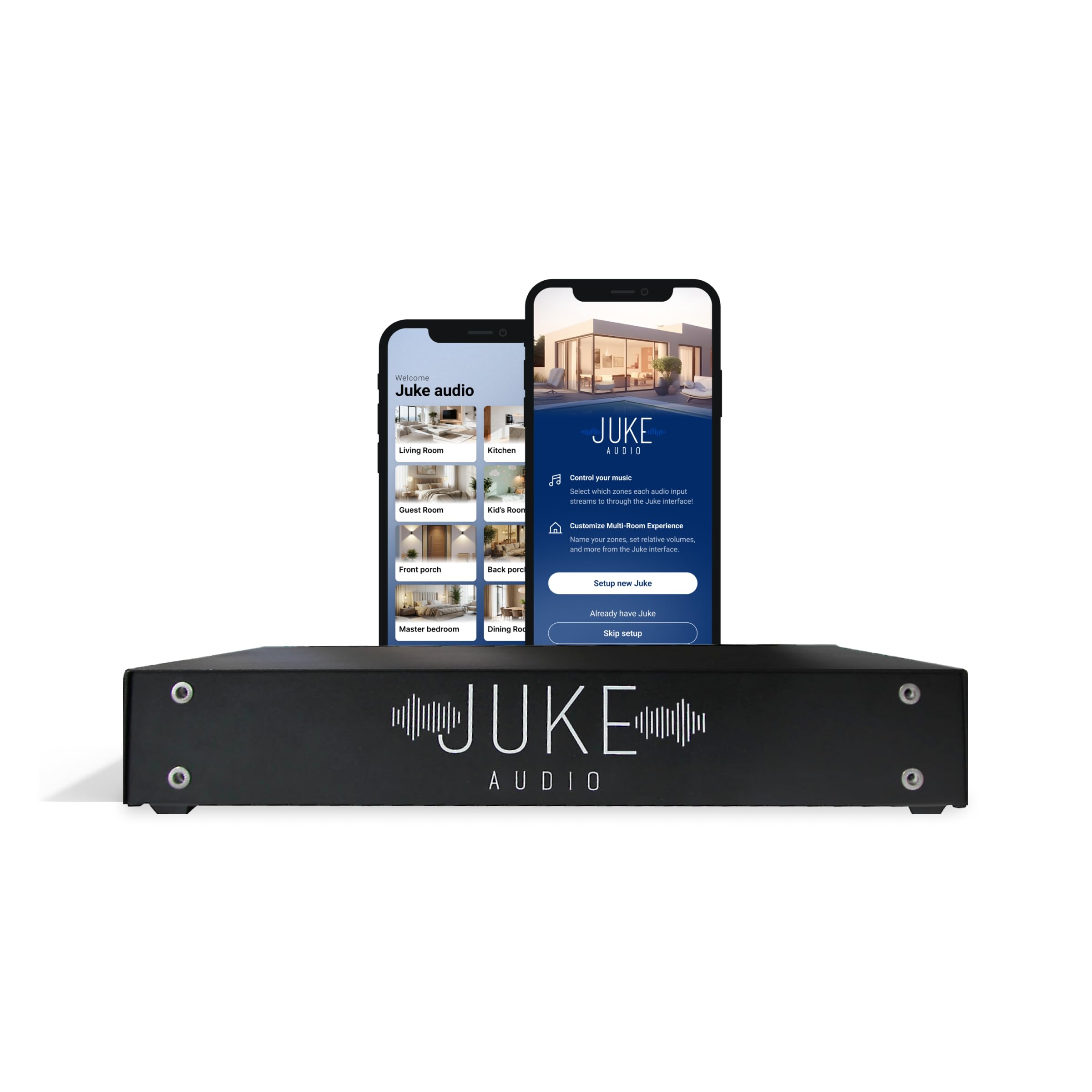
The Juke-6 takes a house full of in-wall or in-ceiling speakers and turns it into a wireless multi-room system without asking anyone to learn a proprietary app. Each zone appears as its own AirPlay 2 and Spotify Connect target, so choosing a room from the built-in iOS or Spotify menu is the entire control surface. Setup is mostly connecting the amp to home Wi-Fi and naming the zones, which is far less involved than configuring a traditional matrix controller. Zones can be renamed, so 'Kitchen' and 'Deck' show up where you expect instead of channel numbers.

The amplifier delivers adequate power for typical architectural speakers at whole-home listening levels, and multiple streams can run at once in different rooms. Clean zone separation means one person can play a podcast in the kitchen while another keeps music going in the living room without equalizing everything to a single source. Source selection, volume, and grouping stay inside the same apps you already use for music.

This is the pick for a homeowner who already has passive speakers mounted in the walls and wants native per-zone streaming from Apple or Spotify without adding a control app. The six-zone ceiling and output rating are boundaries, not flaws: homes that need more channels or sustained high-volume output should move up to the eight-zone matrix in this lineup. Wi-Fi streaming stability can vary, so occasional stutter or app connection issues may surface when network traffic is heavy; buyers with a congested home network should factor that in before committing to a wireless-only setup.

Compared with the eight-zone matrix that also appears in this roundup, the Juke-6 trades raw power and extra channels for a much shorter setup path. That trade is worth it for a typical six-room house where the alternative is an over-specified rack amplifier that requires a separate controller to become useful. The sound quality stays even across zones, and no zone is tied to the same source unless you choose to link them. The premium price reflects that convenience rather than the amplifier specs.

Homes that already made the wiring investment get the clearest benefit. The Juke-6 preserves that investment without replacing speakers or adding a separate hub, and each room can stay on its own streaming schedule. That focus is what separates it from less integrated multi-room options.

Pros

  • No dedicated app
  • Six independent zones with enough power for typical in-wall speakers and simultaneous streaming.
  • Consistent tone across all connected rooms at normal listening levels.
  • Native AirPlay 2 and Spotify Connect visibility for every zone keeps control in the user's existing apps.

Cons

  • Six-zone max and 40W per channel rule out larger homes or installations that need sustained high output.
  • Wi-Fi streaming stability can vary; occasional stutter or app connection issues may surface during heavy network use.
Our verdict

For a wired home with up to six rooms, the Juke-6 gets per-room AirPlay 2 and Spotify streaming without a separate control system.

Check Latest Price
2

Best for Larger Wired Installations

Dayton Audio DAX88

81 /100
Sound Score Excellent

Key details

Zone Count
8 zones, independent sources
Form Factor
Wired matrix amp
App Requirement
App required
Power Per Channel
75W per channel @ 8Ω
View on Amazon

Eight independent zones, eight sources, 75W per channel at 8Ω, and a five-year warranty put the Dayton Audio DAX88 above the six-zone streaming unit in this comparison. That combination points to custom installs: homes or light-commercial spaces with wired speaker runs and multiple source devices. The DAX88 is a rack-mount matrix amplifier rather than a wireless speaker bundle, so it assumes the infrastructure is already in place.

Each zone can pull from any source and keep its own volume and tone settings, which means a movie in one room and music in another don't compete. The amplifier distributes power evenly across active zones, so running several rooms at once doesn't starve any one output. Bridged output brings 260W per zone pair for larger rooms, and app control handles source selection and zone adjustments cleanly once the unit is on the network.

Buyers who want app control, lots of I/O, and a long warranty across a larger wired home are the audience here. The DAX88 is not for plug-and-play wireless households; it depends on wired speakers and app-based configuration. Shoppers who dislike app-dependent setup should pass.

💡 Place the DAX88 close to your router during setup and let the network link settle before mapping inputs.

Pros

  • Independent 8-source, 8-zone routing with per-zone volume and tone controls.
  • Clean, powerful sound carries across multiple rooms at once.
  • App control works well after the initial network connection is made.
  • Power distribution keeps active zones from starving one another.

Cons

  • App setup and connectivity can be finicky; initial zone mapping may require a few attempts.
Our verdict

For wired households that can put up with app-based setup, the DAX88 delivers eight-zone capacity the six-zone streaming option can't match.

Check Latest Price
3

Best Wireless Smart-Speaker System

Google Nest Audio 3-Pack

85 /100
Sound Score Excellent

Key details

Zone Count
3 speakers, group playback
Form Factor
3 smart speakers
App Requirement
App required
Power Per Channel
30W max per speaker
View on Amazon

Three Nest Audio speakers deliver synchronized, voice-controlled playback across rooms through Google Assistant grouping and Chromecast, so a Google-centric household can fill an apartment with music without running speaker wire or adding a multi-zone amplifier. Each speaker has its own Assistant endpoint, which means music follows the room rather than requiring a central hub. This is the wireless middle path between a single assistant speaker and a wired whole-home audio system.

The Google Home app handles group creation and per-room volume, and each speaker can pair into a stereo set or join a house-wide group. Chromecast support lets the speakers appear as streaming targets for Spotify, YouTube Music, and other cast-compatible services. The 30W drivers give the compact shell more presence than its dimensions suggest, which lets a single speaker carry a kitchen or small bedroom without sounding thin.

This bundle suits Google households that want voice-controlled music in a few rooms at a budget-friendly price. Long-term reliability varies; some speakers can become unresponsive, and Google Home ecosystem changes can disrupt sync. The system assumes a stable Wi-Fi network and a tolerance for Assistant-dependent controls rather than a no-Wi-Fi, app-free bundle.

💡 Keep the Google Home app and speaker firmware current before reorganizing groups.

Pros

  • Compact speakers with surprisingly full sound for their size.
  • Three-pack pricing makes multi-room voice audio affordable for small homes.
  • Google Home groups let each speaker play the same track or act as independent rooms.

Cons

  • Bluetooth connections can drop out during playback in some cases.
Our verdict

It fills a small home with Assistant-driven sound and keeps the cost and complexity of a wired matrix out of the picture.

Check Latest Price
4

Best No-Wi-Fi Simplicity

Avantree Harmony 2

79 /100
Sound Score Very Good

Key details

Zone Count
3 speakers, one source
Form Factor
3 speakers plus transmitter
App Requirement
No app required
Power Per Channel
15W per speaker
View on Amazon

The Harmony 2 ships with three 15W speakers and a transmitter that deliver synchronized playback at under 30ms latency without Wi-Fi or an app. Setup takes about 10 minutes: connect the transmitter to a TV, AUX, or optical source and the three speakers follow along. In a three-room layout spanning 100 feet, playback stays aligned across the set. The transmitter accepts Bluetooth, AUX, and optical inputs, so a single TV or phone can feed every speaker.

This bundle is for offices, classrooms, and small homes where the same audio should play in every room and nobody wants to manage a network. Bluetooth range is limited and the small drivers cannot fill large spaces with bass-heavy, high-volume audio, so the source device needs to stay close to the transmitter and the rooms need to stay compact. Within that footprint, the output is comfortable for background listening and TV dialogue.

The Harmony 2 is a one-source system: every speaker mirrors the same input. That simplicity suits a classroom playing one presentation audio or a small home running background TV sound, but it leaves no room-by-room independent source control. Buyers who need separate playlists or voice assistant grouping should consider a smart-speaker system instead.

💡 For a stationary TV or desktop setup, use the optical or AUX input instead of Bluetooth.

Pros

  • Complete three-speaker bundle with transmitter is a budget-friendly way to cover a small home or office.
  • No Wi-Fi or app required; connect a TV, AUX, or optical source and the speakers sync automatically.
  • Low-latency playback keeps audio aligned across a three-room, 100-foot layout.

Cons

  • The transmitter needs an external source; there is no built-in Wi-Fi streaming or app-based source selection.
  • Quality control varies: one speaker in a set can lose connection or need service after months of use.
Our verdict

For a small office or classroom that needs the same audio in multiple rooms, the Harmony 2 is a low-friction multi-room bundle that skips network setup entirely.

Check Latest Price

How to Choose

Zone Count and Source Independence

Zone count tells you how many rooms the amplifier can drive, but independent-source support tells you whether those rooms can play different music at the same time. Many budget multi-zone amps share one stream across every zone and act more like speaker selectors.

Check the routing before counting rooms. In a family home, independence matters when one person wants a podcast in the kitchen while another listens to records in the office.

Streaming Protocols

AirPlay 2, Spotify Connect, and Chromecast cast from the apps people already use, which is why they feel more dependable than Bluetooth. Bluetooth depends on the source device staying close, and walls or distance cause dropouts.

If your household mixes iPhone and Android, look for protocol support on both sides instead of committing to one ecosystem.

Power Per Channel

Power output matters if you plan to use passive in-wall or ceiling speakers. A 40W-per-channel amp is fine for background listening in typical rooms, while 75W or more offers headroom for larger spaces and higher listening levels.

Underpowering speakers distorts sound at volume and can strain the amplifier, so match continuous power to room size and speaker sensitivity.

App Dependency

Some systems require a dedicated app for every adjustment; others expose zones directly to AirPlay or Spotify and need no app at all. The catch is that app-based control adds another component that can misfire when firmware updates or network changes happen.

If the whole family needs to control music without a tutorial, prioritize native streaming visibility over app features.

Form Factor and Installation

A rack-mount matrix amplifier suits larger installations with structured wiring; a tabletop amp can sit on a shelf beside the speakers. Wireless speakers skip wiring entirely but depend on Wi-Fi coverage and power outlets in each room.

Map where the speakers go and how the amplifier will connect before buying, because construction constraints matter more than separate specs.

Frequently Asked Questions