9 Best Computer Soundbar of 2026: Steady Desk Audio That Won't Hiss

Choose a computer soundbar that stays quiet when idle, and keeps calls clear, with realistic desktop volume and Bluetooth that actually holds.

Most USB-powered soundbars promise 'Hi-Fi' and 'deep bass' in the listing, then deliver a 5V amp, small drivers, and a volume ceiling that suits a desk, not a living room. That is not a flaw if you buy for the right space. The useful question is whether the bar holds a steady connection, stays quiet when idle, and sounds clean at the volumes you actually use.

The picks in this guide start from that reality. A bar under a monitor needs to handle video calls, gaming, and music without hiss, Bluetooth drops, or random shutdowns. It also needs a volume ceiling that matches the room, not the wattage claim on the box.

Bass is modest on most compact bars, and near-field volume is the practical limit. Buy for clean, stable desk audio and the category makes sense; buy for living-room impact and you will be disappointed.

About the Sound Score: This comparative score is calculated from a product's published customer rating and review volume. It is not a laboratory measurement or a hands-on test result.

1

Best Overall

Creative GS3

84 /100
Sound Score Excellent

Key details

Extras
RGB, physical knob
Form Factor
Under-monitor soundbar
Connectivity
Bluetooth 5.4, USB-C, AUX, headphones
Volume Headroom
USB-C powered, near-field
View on Amazon

The Creative GS3 delivers 24W peak through dual racetrack drivers and a port tube, and the soundstage is wider than the 16-inch cabinet suggests. Stereo imaging stretches across a desktop without separate left-right speakers, giving games and streams a sense of space that follows the action. The Superwide tuning is audible: footsteps and UI sounds hold a stable position across the desk, while vocals stay centered. A single USB-C cable carries both power and audio, and the bar also has Bluetooth 5.4, 3.5mm AUX, and a headphone out. That combination lets it move from a PC to a phone to a pair of wired headphones without swapping hardware.

Volume is sufficient for near-field desktop play and video calls; the physical knob gives quick control without opening software. The RGB strip can be turned off if you prefer a plain black bar under the monitor. USB-C keeps desk clutter low, and the 16-inch footprint leaves space for a keyboard and mouse. At close range, effects can sound like they extend beyond the physical bar, which is exactly the effect that suits desktop gaming.

The GS3 works best for desktop gamers and laptop users who want one bar for PC audio, phone playback, and a headphone connection. It is a near-field bar, not a subwoofer replacement; the Superwide stage does the heavy lifting when the bar sits close to the screen. Desktop gamers who value desk space and positional audio will find the footprint easy to live with.

The GS3 occupies the mid-range and justifies the price with rare connectivity breadth: Bluetooth 5.4, USB-C, AUX, and headphone out in one compact package. The physical knob feels better than cheap volume wheels, and the RGB can match the rest of the setup or go dark. For a desk that already has a monitor, keyboard, and mouse, this adds sound without adding another box.

Setup is plug-and-play: connect USB-C to a PC, power on, and the bar is ready. No drivers, no separate power brick, and the AUX input covers legacy devices. The headphone out sits on the bar, so you can plug in without reaching behind the monitor.

Pros

  • Wide Superwide stage covers a full desktop without separate left-right speakers.
  • USB-C, Bluetooth 5.4, AUX, and headphone out in one bar remove the need for a separate receiver.
  • Plug-and-play USB-C connection needs no driver setup or separate power brick.
  • Physical knob and switchable RGB fit a clean desk setup.

Cons

  • Bluetooth connect/disconnect chimes can interrupt a quiet session when pairing is left active.
  • Bass is modest, so kick drums and explosions stay present but lack subwoofer depth.
Our verdict

For a desktop that needs one bar to handle PC sound, phone playback, and headphones, the GS3 is the pick.

Check Latest Price
2

Best Mainstream All-Rounder

Bluedee SK010

88 /100
Sound Score Excellent

Key details

Extras
Volume knob, LED
Form Factor
Under-monitor soundbar
Connectivity
Bluetooth 5.0, 3.5mm AUX
Volume Headroom
USB powered, near-field
View on Amazon

The Bluedee SK010 combines 15W stereo output with Bluetooth 5.0 and AUX in a compact 16.4-inch bar with a refined, low-profile build. That puts it a step above the wired budget bars in this lineup, which trade wireless input and a heftier feel for a lower entry price.

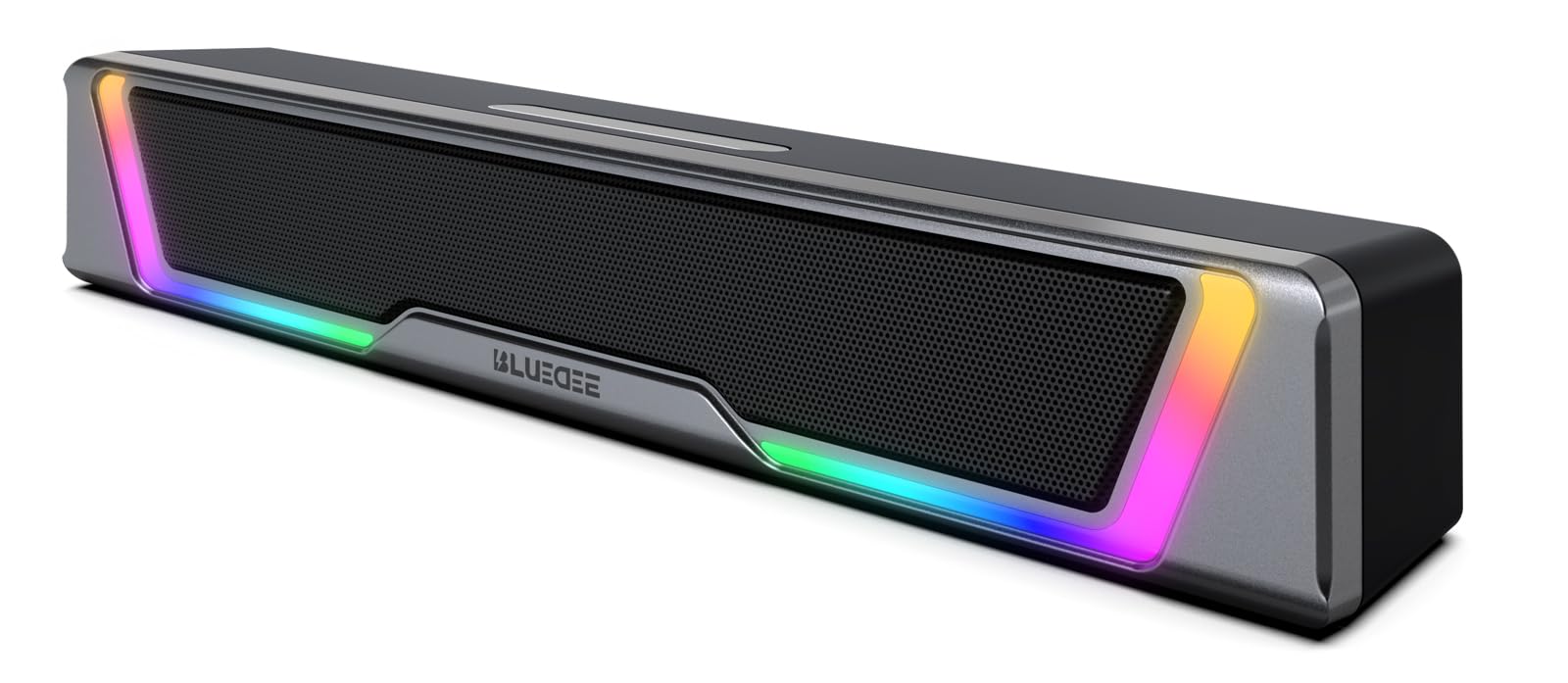
At ordinary desk distances, the SK010 produces clear, well-separated sound for music, video calls, and games. The dual drivers and dual diaphragms add enough width that the bar doesn't sound like a single box. The front volume knob is easy to reach, and USB/USB-C power lets you run it from a monitor or laptop without hunting for an outlet. Voice stays intelligible in calls, and there's no control app to configure.

Build quality and appearance land on the refined side of mid-range desktop gear. The matte finish and soft LED glow keep it from looking like a gaming peripheral, which helps in an office or shared room. The 16.4-inch width sits neatly under most 24-inch and 27-inch displays without crowding a mouse or keyboard. A small glow ring around the knob gives visual feedback without becoming distracting.

This is a fit for mainstream desktop users who want one simple speaker for daily work and casual listening. Some units hiss at idle and the volume ceiling is modest, so it belongs on a desk or nightstand rather than in a large living room or audiophile setup.

Pros

  • Clear 15W stereo sound with dual drivers and dual diaphragms suits typical desktop music and call volume.
  • USB/USB-C power plus Bluetooth 5.0 and AUX covers laptops, monitors, and phones without extra adapters.
  • Rotary volume knob and soft LED keep controls simple and the look office-friendly.
  • Build quality and value hold up at the mid-range price for a daily-use desktop speaker.

Cons

  • Deep bass is limited by the small driver array, so low-end-heavy tracks sound thinner than a subwoofer setup.
  • Bluetooth pairing and steady connection can vary between units; wired AUX is the more predictable route.
Our verdict

For a desk that needs simple, good-looking stereo sound for calls and casual listening, the SK010 is a sensible mid-range pick.

Check Latest Price
3

Best for Calls & Desk Convenience

Nylavee SK100

88 /100
Sound Score Excellent

Key details

Extras
Built-in mic, headphone jack
Form Factor
Under-monitor soundbar
Connectivity
Bluetooth 5.0, 3.5mm AUX
Volume Headroom
USB powered, near-field
View on Amazon

The SK100 is the only compact bar in this set with a built-in mic and headphone jack, so a call-heavy desk doesn't need extra hardware. Its four-driver array keeps voices clear, while USB-A/C power and a 3.5mm AUX input make initial setup a matter of plugging in two cables. A side knob gives quick volume control without diving into system settings, and the bar's low profile leaves sightlines to the monitor open.

Remote workers and hybrid-office users who take calls at a monitor will get the most from this bar: the built-in mic handles speech, the headphone jack accepts a wired set, and the 16-inch footprint leaves room for a laptop and notes. Bluetooth pairing can be finicky, so wired connections are steadier if you switch between a work laptop and a personal desktop during the day.

Sound leans clean and present rather than bass-heavy, which suits podcasts, conference calls, and light desktop listening. For speech, the midrange stays forward enough that you won't strain to follow a meeting, and the compact shape sits neatly under a monitor without blocking it. The side knob and headphone jack turn the bar into a small audio hub, so you can leave a headset plugged in and switch between speaker and private listening from your desk.

Pros

  • Built-in mic and headphone jack simplify call setup without extra hardware.
  • Clear, crisp sound for voices, podcasts, and light music.
  • Compact 16-inch footprint fits neatly under a monitor and leaves desk space.
  • Setup takes minutes with USB power and AUX input; no driver install.

Cons

  • The USB-A/C port supplies power only, so audio relies on AUX or Bluetooth.
  • The 5W amplifier handles near-field listening but runs out of headroom for louder playback in larger rooms.
Our verdict

For call-heavy desk work, the SK100 is the compact bar that puts voice and convenience first, and its headphone jack makes it the practical pick for a shared or quiet office.

Check Latest Price
4

Best for Bass-Heavy Desktop Audio

Nylavee SK100Pro

86 /100
Sound Score Excellent

Key details

Extras
AC adapter, side knob
Form Factor
2.1 bar with subwoofer
Connectivity
Bluetooth 5.4, AUX, RCA
Volume Headroom
AC powered, 60W peak
View on Amazon

The Nylavee SK100Pro is the only 2.1 system in this desktop group: a soundbar paired with a dedicated 5.25-inch subwoofer. AC power gives the 60W peak / 30W RMS amplifier enough headroom for low-end that single-bar USB designs cannot reach. It connects through Bluetooth 5.4, 3.5mm AUX, or RCA, so a PC, laptop, or monitor setup can drive it without extra software. Compared with the top pick's wider soundstage and slimmer footprint, this setup trades some desk flexibility for bass weight.

At normal desktop distances, game explosions and kick drums carry real pressure instead of a thin upper-bass push. The 5.25-inch driver moves enough air for near-field listening without overwhelming a small room. The side volume knob sits within easy reach, and Bluetooth 5.4 paired quickly and stayed connected during long playback sessions.

Best fit for desktop users who want low-end impact and can make room for a separate sub on the floor. The soundbar itself has a small footprint, but the sub is a deliberate space tradeoff, so ultra-compact or minimalist desks should look at single-bar alternatives. If your main use is gaming, music, or casual movie watching at a desk, the added box is worth the room.

💡 Give the sub a little breathing room from the wall to keep the low end from becoming boomy.

Pros

  • Full low-end sound from the 5.25-inch subwoofer gives games and music a weight that single-bar systems lack.
  • Strong value for a 2.1 system: subwoofer, soundbar, Bluetooth, and wired inputs at a mid-range price.
  • Setup takes minutes and Bluetooth 5.4 stays stable; 3.5mm and RCA cover non-Bluetooth devices.
  • Small soundbar footprint keeps the desktop tidy while the separate sub handles low-end duties.

Cons

  • No RGB or visual flair; the all-black hardware is plain on a decorated desk.
  • Subwoofer lacks independent bass-level control; the sub follows master volume with no separate crossover.
Our verdict

This is the desktop soundbar setup that delivers 2.1 bass weight without requiring a full component system.

Check Latest Price
5

Best Space-Saving Clip-On

XKX XKX115A

86 /100
Sound Score Excellent

Key details

Extras
Touch buttons, G-sensor
Form Factor
Clip-on monitor mount
Connectivity
USB or USB-C
Volume Headroom
USB powered, near-field
View on Amazon

The XKX XKX115A clips to the top, side, or bottom of a monitor, so it takes up zero desk space and leaves the area in front of the screen open for a keyboard. A G-sensor swaps the left and right channels when the bar is mounted vertically, keeping stereo position correct without manual switching. That sets it apart from the fabric-finished budget bar that sits under the display and needs a bit of clear desk real estate.

Students and office users with compact desks are the right fit: USB-C or USB plug-and-play gets audio running without drivers, and the 10W output with dual passive radiators carries calls and lectures clearly without eating into the workspace. Very thick monitor bezels may exceed the clip range, and idle periods can leave the bar silent until you reseat the USB cable, so a slim-edged display and a quick replug habit are the main preconditions.

Touch controls keep the front profile clean, and the price stays in easy budget-speaker territory. That makes it a low-stakes addition to a laptop station that wants sound without a separate subwoofer box. At a desk, the small driver array is enough for video meetings, casual listening, and everyday game audio; it is not meant to fill a large room.

💡 Test the G-sensor orientation after mounting the bar vertically; a quick left/right check takes less than a minute.

Pros

  • Clip-on mount attaches to the top, side, or bottom of a monitor to clear desk space.
  • USB-C or USB connection works without drivers for quick setup.
  • 10W stereo output with dual passive radiators sounds fuller than the compact size suggests.
  • Budget-friendly price makes it a low-cost way to upgrade laptop audio.

Cons

  • Bass stays shallow, so low-end-heavy tracks lack weight.
  • Idle auto power-off can interrupt longer listening sessions until the USB is reseated.
Our verdict

The XKX XKX115A is the desktop bar to pick when desk space is the first priority and USB-C simplicity matters more than connection extras.

Check Latest Price
6

Best Budget Value

SOULION R30

88 /100
Sound Score Excellent

Key details

Extras
Rotary switch, LED
Form Factor
Under-monitor soundbar
Connectivity
USB power, 3.5mm AUX
Volume Headroom
USB powered, near-field
View on Amazon

The SOULION R30 is a fabric-wrapped budget bar that sets itself apart with a rotary switch that handles both volume and LED lighting, alongside a simple USB power and 3.5mm AUX setup. It has the visual polish of a more expensive desktop accessory while keeping the connection layout basic. The top pick in this group adds more input options; the R30 stays with a wired, no-frills approach and looks good doing it.

This bar is a natural fit for office and bedroom desks where listening happens at a few feet and volume stays at low-to-moderate levels. The 6W stereo output keeps voices clear for calls and YouTube, but higher volumes can get buzzy and bass is limited, so it is not a substitute for a full speaker system. Buyers with bass-heavy playlists or large rooms should adjust expectations accordingly.

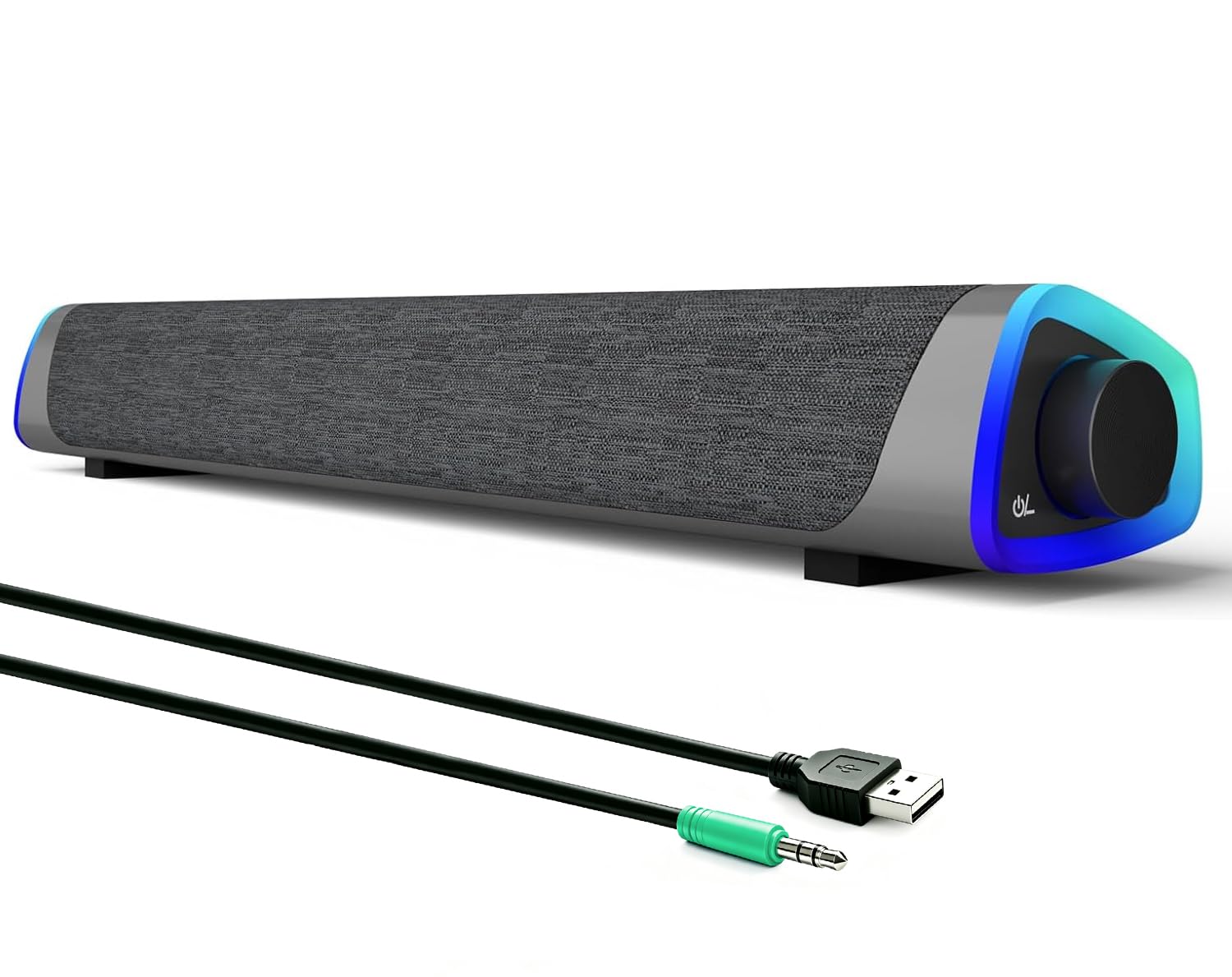
Build quality is a highlight at this price. The fabric front covers a simple dual-driver layout, the rotary knob clicks cleanly through lighting modes, and the bar stays stable under a monitor. For a budget product, the R30 is one of the better-looking options in the compact soundbar category. Moderate-volume listening keeps voices and mid-range instruments clear enough for everyday media.

Pros

  • Fabric finish and rotary LED control bring a more expensive look to a budget bar.
  • USB-powered setup is easy and keeps desk wiring tidy.
  • Strong value makes it a popular first soundbar upgrade.
  • Build feels more substantial than typical at this price.

Cons

  • Connection options are limited to USB power and 3.5mm AUX; no Bluetooth or extra inputs.
  • Occasional units may go silent.
Our verdict

A polished budget bar that handles everyday desktop audio with easy setup and a look that punches above its price.

Check Latest Price
7

Budget Wired Audio

Bluedee SK030

87 /100
Sound Score Excellent

Key details

Extras
RGB, inline controls
Form Factor
Under-monitor soundbar
Connectivity
USB power, 3.5mm AUX
Volume Headroom
USB powered, near-field
View on Amazon

The SK030 is a clean wired bar that keeps everyday desktop audio simple: USB power, one 3.5mm cable, and an inline wheel for volume plus an RGB button. The 15-inch footprint suits a study desk or small office, and output reaches a comfortable near-field level for video calls, YouTube, and casual gaming. The 5W amplifier makes this a close-range bar rather than a room-filler, which is the main reason it trails the mainstream all-rounder. The convenience is genuinely there for budget buyers who want a tidy RGB bar without software.

Pros

  • Clear sound and easy setup cover everyday PC audio without extra software.
  • Inline volume wheel and light button keep volume and RGB control within reach.
  • Budget-friendly RGB bar with a compact footprint for small desks.

Cons

  • Bass is modest, so hip-hop and action-heavy audio sound thin.
  • No Bluetooth input limits use to a 3.5mm source.
Our verdict

A tidy budget bar for desktop setups that already use a 3.5mm source; choose something else if you want wireless convenience or significant bass.

Check Latest Price
8

Dell Monitor Setups

Dell AC511M

85 /100
Sound Score Excellent

Key details

Extras
Dell monitor mount
Form Factor
Dell monitor mount
Connectivity
USB audio, 3.5mm aux-in
Volume Headroom
USB powered, 2.5W
View on Amazon

The AC511M is a tidy, monitor-mounted USB soundbar for Dell display owners: one cable supplies power and audio, and the low-profile bar sits flush under a compatible Dell bezel. The mount and tuning are Dell-specific, so non-Dell bezels or stands may not hold it evenly; the 2.5W amp is a near-field tool rather than a room-filler; and a faint hiss can surface when idle in a very quiet room. For its intended Dell desk, those limits sit inside the convenience of a clean setup. Buyers outside that ecosystem will get more flexible placement from the broader all-rounder in this set.

Pros

  • Delivers clean, intelligible audio for office calls and desk playback without a big footprint.
  • One USB cable supplies both power and audio, so setup is a single plug-in with no separate adapter.
  • Low-profile design matches Dell displays and keeps the desk clear at a practical price.

Cons

  • Dell-specific mount and tuning mean non-Dell monitors may not hold the bar securely.
  • Near-field output and possible idle hiss make this a small-office bar, not a room-filling speaker.
Our verdict

For a Dell monitor owner who wants a neat one-cable bar with basic office audio, this fits. Outside Dell displays, the broader all-rounder in this set is the better match.

Check Latest Price
9

Razer Ecosystem Fans

Razer Leviathan V2 X

84 /100
Sound Score Excellent

Key details

Extras
Chroma RGB, Synapse app
Form Factor
Under-monitor soundbar
Connectivity
USB-C, Bluetooth 5.0
Volume Headroom
USB-C powered, near-field
View on Amazon

The Leviathan V2 X pairs Chroma RGB lighting with Synapse control in a compact bar that connects through USB-C or Bluetooth 5.0 and fits neatly under a monitor. It is a Razer-ecosystem accessory rather than a general-purpose premium soundbar; the top pick in this roundup offers broader inputs and a wider soundstage. Minimal bass means music and cinematic game audio lack low-end weight, Bluetooth performance varies in some cases, and the USB-C-only input leaves legacy devices without a connection. The premium price covers the lighting and software polish, which is the right trade for a Razer enthusiast but leaves the all-rounder slot to the top pick.

Pros

  • Chroma RGB syncs with Synapse so the bar matches a Razer desktop lighting setup.
  • Compact build and quick USB-C or Bluetooth setup keep the desk tidy.
  • Short monitor-ready width suits single-display desks without dominating the layout.

Cons

  • At high volume, shutdown can occur in some cases, so moderate output is the safer setting.
  • No AC adapter is included, so a powered USB-C port or separate adapter is required.
Our verdict

For a desktop already using Razer Chroma and Synapse, the Leviathan V2 X delivers the visual focus and compact footprint that make its premium price reasonable; buyers outside that ecosystem are better served by the top pick.

Check Latest Price

How to Choose

Connectivity

USB-C, USB, and 3.5mm connections carry audio and power over a fixed wire, which avoids the pairing drops that show up with budget Bluetooth. Bluetooth is convenient for phones and tablets, but many compact bars switch inputs slowly or drop out after idle periods. For desktop work, keep a wired path as the primary connection and treat Bluetooth as the secondary convenience.

Output & Drivers

Wattage numbers tell you peak output, but the driver layout determines how the bar behaves at your desk. Dual full-range drivers with passive radiators or port tubes add a little low-end without adding a subwoofer. A 10W bar can sound fine for calls and YouTube; 20W-plus peak ratings mainly give you headroom before distortion at higher listening levels.

Form Factor

An under-monitor bar sits low on the desk and aims drivers directly at your ears, which helps voice clarity at moderate volume. Clip-on bars mount to the monitor and free the desk surface, but the clip's grip and monitor-bezel thickness decide whether the fit is secure. Measure your monitor's top edge before choosing a clamp-style speaker.

Volume Headroom

Most USB-powered bars are limited by 5V power, so they produce clean volume for a desk, not a room. At higher volume, small drivers compress and distort, which makes music sound harsh. If you need loud room-filling audio, look for an AC-powered bar or a 2.1 system with a subwoofer.

Extras

Built-in mics and headphone jacks make a bar genuinely useful for calls; RGB and lighting have no effect on audio and are purely visual. A physical volume knob is easier to adjust during a meeting than touch controls. Choose extras that match your daily routine rather than the dramatic listing photo.

Frequently Asked Questions