9 Best Soundbar for a Large Room in 2026: Systems That Fill It

Find a soundbar system with real subwoofer depth and multi-channel coverage for a large living room or media room, without the guesswork.

Most soundbar listings claim 'room-filling sound,' but a large open living room exposes the difference between a clever marketing phrase and a system with enough driver area and amplifier headroom to physically pressurize the space. A 2.1 bar with a small wireless sub can sound fine in a bedroom and vanish in a 400-square-foot great room.

The short version: a soundbar for a large room needs either a substantial subwoofer driver, physical rear or height channels, or both. Virtual surround processing and small subs cannot create the same sense of width and low-end impact once you move the listening position beyond a few feet from the TV.

That is why this guide focuses on systems with genuine multi-channel hardware, real subwoofers, and enough power to hold together at higher volumes. The right choice comes down to how much bass depth and rear-channel immersion you want, and whether you are willing to place extra speakers around the room.

About the Sound Score: This comparative score is calculated from a product's published customer rating and review volume. It is not a laboratory measurement or a hands-on test result.

1

Best Overall

Samsung HW-Q990D

86 /100
Sound Score Excellent

Key details

Subwoofer
Wireless 8-inch
Output Power
656W
Audio Formats
eARC, Atmos, DTS:X
Surround Channels
Physical rears
View on Amazon

The HW-Q990D is the only soundbar system in this set that delivers a true 11.1.4 channel layout entirely out of the box: front, side, and up-firing drivers, a wireless subwoofer, and physical rear speakers. That full speaker complement gives a large living room actual separation rather than the virtual width produced by single-bar systems. Effects move from the front of the room to the sides and rear without collapsing into one wide soundstage, and the sub maintains body through heavy action scenes instead of thinning out at high playback levels.

For Samsung TV owners, Q-Symphony adds the TV’s own speakers to the presentation, while SpaceFit Sound Pro tunes the bar to the room’s reflective surfaces. That calibration matters in open-plan living rooms with hard floors or high ceilings, where a large channel count alone can turn muddy. The result is a center-anchored dialogue track and a surround image that stays positioned even when the system runs at moderate volumes, which keeps it usable in mixed-use media rooms.

Setup is built around the wireless link between the bar, sub, and rear speakers. The rear speakers still need their own power outlets, but they connect without speaker wire and the only cable to the TV is HDMI eARC. Once paired, the system holds a steady multi-channel image across a wide seating area, so viewers at either end of a sectional hear the same front-to-rear continuity. The included sub does not need a wired connection or a separate receiver, which removes the biggest installation headache in a room without pre-run cables.

This is for buyers who want one purchase to cover the full home-theater audio chain in a large living room or media room. Samsung TV owners can take advantage of Q-Symphony and SpaceFit Pro, but the bar also works as a standalone Atmos system. The wireless sub and rear connections can drop and occasionally need a reboot, which makes this less suited to buyers who want zero wireless pairing involvement. Against that, the bundled sub and rears keep the premium price competitive with assembling separate components, and the total setup requires no extra speaker purchases.

Compared with the previous-generation flagship in this set, the Q990D adds the newer room correction and current hardware, so it is the better large-room pick unless the older unit is discounted clearly below it. The complete package also sidesteps the path of buying a bar first and adding a sub later, a route that can cost more over time.

💡 Run SpaceFit Sound Pro after moving the sub or rear speakers so the calibration matches the new placement.

Pros

  • True 11.1.4 separation with physical rear speakers and ample bass fills a large media room.
  • Included wireless sub and rear speakers keep install free of long speaker wire runs.
  • Q-Symphony and SpaceFit Pro calibration give Samsung TV owners an edge in open rooms.
  • Bundled sub and rears make the premium price competitive with separate component builds.

Cons

  • The wireless pairing layer adds component management for buyers who prefer a single-box setup.
  • Long-term durability can vary between units, so a system that starts clean may need attention after months of use.
Our verdict

For a large living room or media room, the HW-Q990D is the complete single-purchase Atmos setup in this group: full channel count, bundled sub and rears, and calibration without a component build.

Check Latest Price
2

Mid-Range Power Pick

JBL Bar 500MK2

89 /100
Sound Score Excellent

Key details

Subwoofer
10-inch wireless
Output Power
750W
Audio Formats
eARC, Atmos
Surround Channels
Virtual MultiBeam
View on Amazon

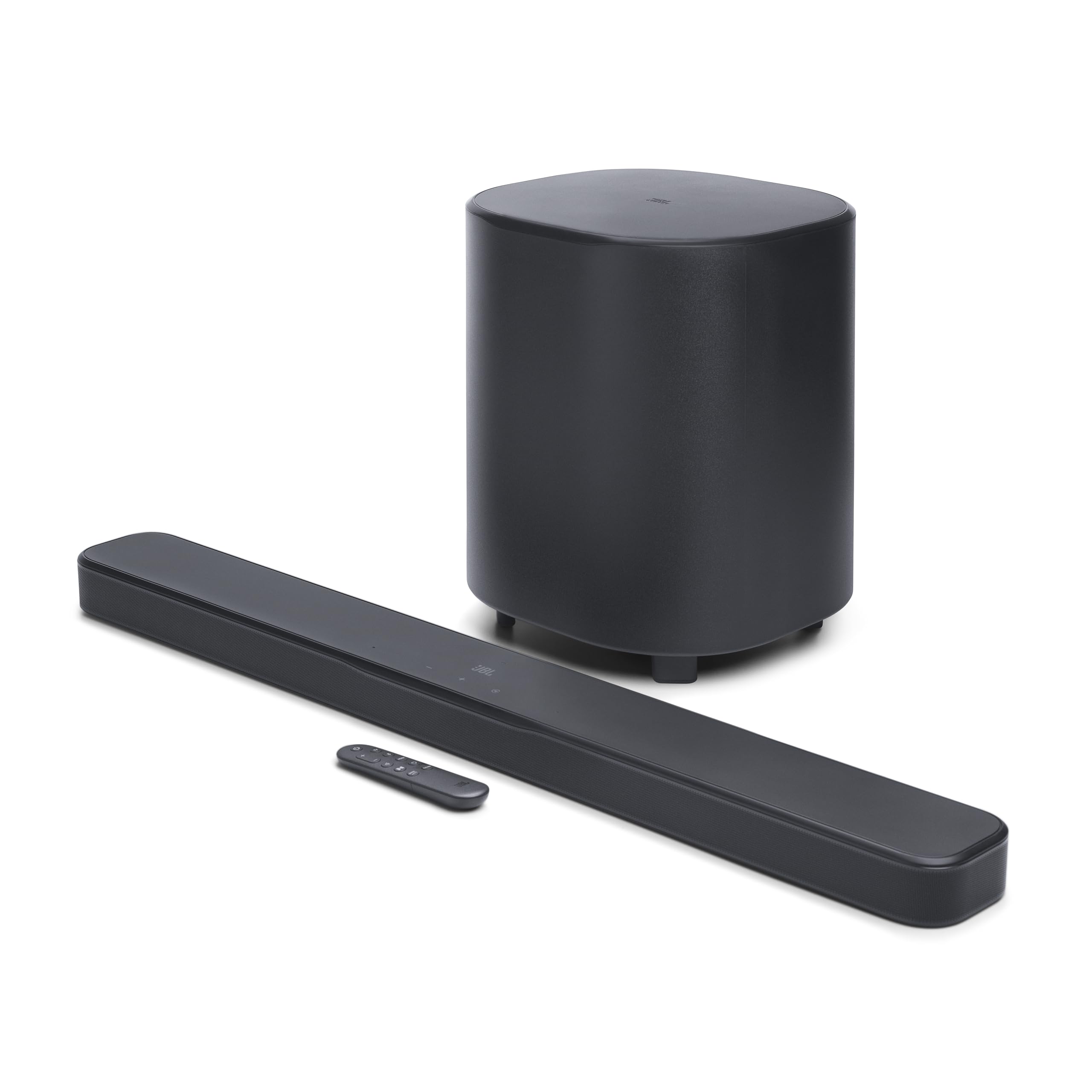
The Bar 500MK2 is the high-output mid-range JBL in this lineup, pairing 750W peak power with a 10-inch wireless subwoofer in a single-box package. MultiBeam widens the front soundstage, and PureVoice keeps dialogue clear, putting it a step above budget virtual-surround bars for large-room use. The result is a cleaner spatial presentation than typical soundbars at this price.

At higher volumes, the system holds together: bass from the 10-inch sub remains controlled, and voices stay intelligible during dense action scenes. The low-end scale is closer to a separate receiver and subwoofer setup than to a small 2.1 bar, without the extra components.

Dolby Atmos support arrives through HDMI eARC, so a modern TV can send Atmos sound to the bar directly. Built-in Wi-Fi, AirPlay, Google Cast, and Bluetooth cover streaming from a phone, tablet, or laptop without a separate source device.

This is for a large living room or media room where the goal is high output and clear dialogue without adding an A/V receiver. There are no physical rear speakers: the surround effect is beam-formed virtual width rather than discrete rear-channel audio. Buyers who insist on wired or detachable rears should look at a complete multi-channel flagship system or the detachable-surround JBL flagship.

💡 Place the wireless sub where the bass integrates cleanly; a corner will pump up the low end more than necessary.

Pros

  • High-output sound with strong bass and clear voices at the volume levels large rooms require.
  • MultiBeam widens the front soundstage beyond a typical one-box bar.
  • PureVoice keeps dialogue intelligible during effects-heavy scenes.
  • AirPlay, Google Cast, Bluetooth, and HDMI eARC cover the main streaming and TV hookups.

Cons

  • Whole-home multiroom control is not part of this system; it is built around one main listening space.
  • The 10-inch sub is a sizeable cabinet that needs floor space near the TV.
Our verdict

For a large living room focused on dialogue and bass, the JBL Bar 500MK2 is the mid-range system to beat.

Check Latest Price
3

Budget Real-Atmos Pick

ULTIMEA Skywave F40

86 /100
Sound Score Excellent

Key details

Subwoofer
5.25-inch wired
Output Power
400W
Audio Formats
eARC, Atmos
Surround Channels
Physical rears + up-firing
View on Amazon

The ULTIMEA Skywave F40 is a complete budget-friendly route to 5.1.2 home theater: real up-firing Atmos drivers and physical rear speakers, not virtual processing. The 5.1.2 layout produces discrete overhead and rear cues, so Atmos mixes carry genuine placement rather than a single wide soundstage. That makes it a strong low-cost alternative to the top pick's larger sub and room calibration.

This fits a large living room when your priorities are channel placement and physical surround rather than subwoofer scale. The compact 5.25-inch subwoofer places a clear boundary: extreme low-end impact in very large open spaces isn't on offer, though at normal seating distances it still gives action scenes solid weight. If your media room needs chest-pounding bass across a wide floor plan, a system with a bigger driver is the better route.

Setup is quick: HDMI eARC passes Dolby Atmos from a TV, and the included sub and surround speakers connect without a separate receiver. The companion app adds EQ and surround-level adjustments, which helps in rooms with hard floors or lots of glass. Bluetooth 5.4 handles phone audio when you don't want TV sound. The included sub and rears ship in the box, so a complete surround setup doesn't require a separate receiver or extra speakers.

💡 Position the soundbar at ear height and place the rear speakers behind the listening area for convincing surround placement.

Pros

  • Real up-firing Atmos drivers plus physical rear speakers create discrete height and surround cues.
  • Complete 5.1.2 package at a budget-friendly price, with value that holds up against pricier bars.
  • HDMI eARC setup is fast, and the bar connects cleanly to TVs and Bluetooth 5.4 sources.
  • App-based EQ and surround-level controls make it easy to tune the sound to the room.

Cons

  • The wired subwoofer needs a cable from the bar, so placement is less flexible in a large room.
  • DTS soundtracks are not decoded; Dolby Digital and Atmos are the source formats that work.
Our verdict

If your large living room is organized around Dolby Atmos content, the Skywave F40 delivers the full 5.1.2 layout for a fraction of flagship-system money.

Check Latest Price
4

Ultimate High-Output Flagship

JBL Bar 1300XMK2

87 /100
Sound Score Excellent

Key details

Subwoofer
12-inch wireless
Output Power
1570W
Audio Formats
eARC, Atmos, DTS:X
Surround Channels
Detachable battery rears
View on Amazon

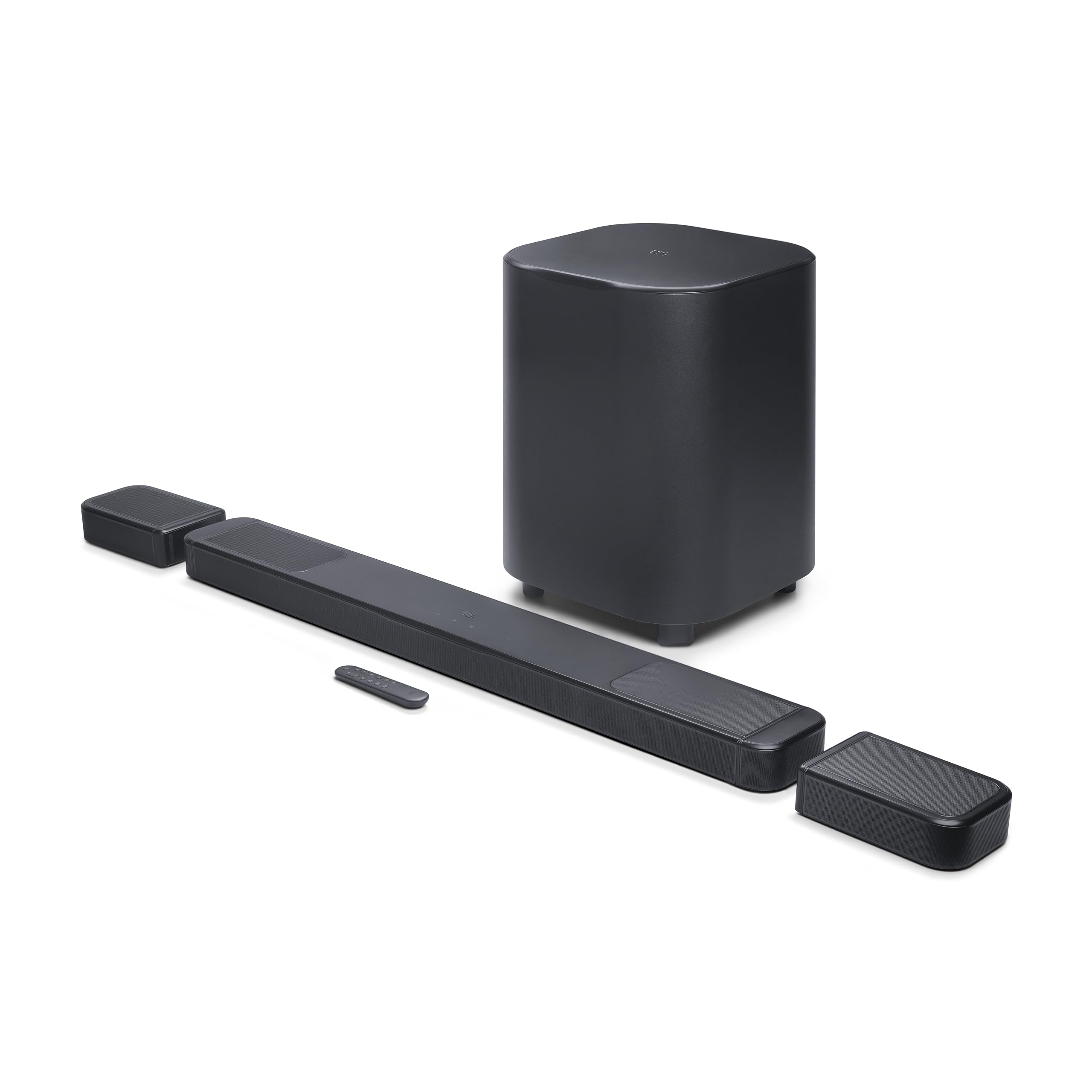
The Bar 1300XMK2 is the highest-output JBL bar in this lineup, rated for 1570W through an 11.1.4 channel layout with a 12-inch wireless subwoofer. The system's detachable rear modules pull out completely and operate independently as Bluetooth speakers, which sets it apart from JBL's 750W bar with a 10-inch sub and beam-formed surround. No other option in this comparison matches that combination of raw power and portable rear channels.

That power translates into room-filling bass and distinct rear-channel presence in large open rooms. The 12-inch sub keeps low-end impact clean at high volumes, while the detachable rear modules create an actual sound bubble behind the listener rather than a beam-formed approximation. In a dedicated media room, the system has enough headroom to handle action-heavy mixes without strain, and the portable surrounds can be moved to the side or behind the seating position without running cable.

This system suits buyers with a very large dedicated media room who want maximum output and will accept a premium price. The rear speakers' charging behavior can vary from unit to unit, so anyone who prefers a fixed-wire surround setup should weigh the top-pick Samsung alternative. Budget-focused buyers are better served lower in the range, but for maximum scale in one package, this is the option to beat.

Pros

  • Enormous, room-filling sound with cinematic bass that holds together in large rooms.
  • Premium build quality with a finish that feels genuinely high-end.
  • Serious power output with a 12-inch sub and detachable surrounds that add real rear presence.

Cons

  • The detachable rear speakers rely on internal batteries rather than a fixed wall connection.
  • Bluetooth pairing between the bar and rear speakers can be inconsistent in some setups.
Our verdict

The Bar 1300XMK2 is the strongest option here when maximum low-end scale and detachable-portable surrounds matter more than a set-and-forget wiring scheme.

Check Latest Price
5

Best-Value 5.1 Atmos

ULTIMEA Poseidon M60

90 /100
Sound Score Outstanding

Key details

Subwoofer
5.25-inch wired
Output Power
300W
Audio Formats
eARC, Atmos
Surround Channels
Virtual side-firing
View on Amazon

The Poseidon M60 is a 5.1-channel soundbar package with a 300W peak output, a 5.25-inch wooden subwoofer, and HDMI eARC, all at a price that undercuts comparable multi-channel systems. Dolby Atmos processing and side-firing drivers create a wide, room-filling stage, and dialogue stays clear enough to follow complex scenes without strain. Its main advantage over the top pick is simplicity: no rear speakers to place and no rear speaker wire to run.

This bar is for buyers who want a wide, room-filling stage in a large living room without running rear-speaker wires. Virtual surround relies on side-firing drivers rather than physical rear speakers, so the image is broad but not precisely anchored behind you. That tradeoff, plus some unit-to-unit variance in long-term behavior, is the price of the feature set.

HDMI eARC setup takes minutes, and the bar answers to the TV remote, which removes the need for a second remote. Bluetooth 5.4 pairing is clean for phone or tablet playback. The app EQ is the standout feature: a 10-band equalizer and 121 presets make room tuning practical, and dialogue remains intelligible in busy action scenes.

Pros

  • Deep bass and clear dialogue keep action scenes easy to follow.
  • HDMI eARC setup is quick and the bar follows the TV remote.
  • 10-band app EQ with 121 presets makes room tuning meaningful.
  • Dialogue clarity holds up in busy scenes, a strong budget Atmos trait.

Cons

  • The 5.25-inch subwoofer offers solid bass but limited low-end reach for very large rooms.
  • Power, Bluetooth, and auto-off behavior can vary between units over time.
Our verdict

The budget 5.1 choice for large rooms without rear-speaker wires, pairing deep bass with app EQ control.

Check Latest Price
6

Sonos Households

Sonos Arc Ultra

90 /100
Sound Score Outstanding

Key details

Subwoofer
Built-in woofers
Output Power
Audio Formats
eARC, Atmos
Surround Channels
Virtual + up-firing
View on Amazon

Sonos Arc Ultra delivers a refined 9.1.4 soundstage with built-in Sound Motion woofers and AI Speech Enhancement, making dialogue and Atmos imaging feel more precise than many virtual surround bars. It integrates cleanly into Sonos multiroom setups or over HDMI eARC, and the app guides setup with minimal cables. For a large living room used as primary home-theater audio, the boundary is low-end: the built-in woofers handle mid-bass, but deep theater punch depends on the separate Sonos Sub. That extra purchase is the reason this premium bar lands behind complete all-in-one systems with included subwoofers and rear speakers. Buyers building a Sonos ecosystem and planning for that expansion later get a strong centerpiece.

Pros

  • Refined, detailed soundstage with clear surround imaging
  • App-guided setup over HDMI eARC keeps cabling minimal and quick
  • AI Speech Enhancement keeps dialogue clear without running the volume up

Cons

  • In multi-device TV setups, HDMI eARC and multi-speaker connections can need occasional re-sync
  • Subwoofer is a separate purchase; the built-in woofers are more mid-bass than true deep-bass
Our verdict

For Sonos households that want a refined Atmos bar and plan to expand, the Arc Ultra is a premium centerpiece; its role is strongest when the system budget includes room for that expansion.

Check Latest Price
7

Discounted Flagship

Samsung HW-Q950A

87 /100
Sound Score Excellent

Key details

Subwoofer
Wireless 8-inch
Output Power
616W
Audio Formats
eARC, Atmos, DTS:X
Surround Channels
Physical rears
View on Amazon

Still-capable 11.1.4 Atmos with included wireless sub and physical rears can fill a large living room with clear dialogue and convincing height effects. The 2021 platform is aging, and random shutdowns plus app/pairing frustrations have been noted in some setups. That makes this a discount-only alternative to the top pick: Samsung loyalists who catch a steep markdown, value last-gen 11.1.4 performance, and are comfortable with the SmartThings app get a complete large-room system. Anyone weighing it at the same price as the newer Q990D should pass.

Pros

  • Complete 11.1.4 package with included wireless sub and physical rears fills a large living room with clear Atmos.
  • Voice clarity and strong surround imaging hold up well for movie dialogue and rear effects.

Cons

  • Older hardware misses newer wireless and software features found on the current Samsung flagship.
  • Wireless rear speakers may drop out and need re-pairing in some setups.
Our verdict

A meaningful discount over the newer Q990D makes this a complete 11.1.4 setup rather than a compromise; at similar pricing, the newer model is the better spend.

Check Latest Price
8

Small Living Rooms

LG S40TR

85 /100
Sound Score Excellent

Key details

Subwoofer
Wireless sub
Output Power
Audio Formats
No eARC, Dolby Audio
Surround Channels
Physical rears
View on Amazon

The LG S40TR delivers genuine rear-channel separation from included physical speakers and a wireless sub at a mid-range price, with clear dialogue for everyday TV in a compact space. LG TV owners can also use WOW Interface and WOW Orchestra to sync the bar with the TV's own speakers. The boundary arrives when the room gets large: a 4.1 driver layout and modest subwoofer can't fill a big open plan the way the higher-channel Samsung flagship in this roundup can. The rear speakers are wireless to the bar but each needs its own power cable, so 'wireless' means no speaker wire rather than no cables. Occasional dropouts or shutdowns can interrupt a session, and buyers who need true large-room scale should look to the top pick.

Pros

  • Clear dialogue and real surround separation from included physical rear speakers at a mid-range price.
  • Quick setup and pairing make the system approachable for buyers new to multi-channel audio.

Cons

  • Rears connect wirelessly to the bar but each needs a wall outlet, so 'wireless' doesn't mean cable-free.
  • The bar can power off on its own, and the sub or rear speakers may drop their wireless link.
Our verdict

For a small-to-medium living room or secondary TV, the LG is a reasonable fit; for a large-room main system, the higher-channel flagship in this roundup remains the better anchor.

Check Latest Price
9

Fire TV Rooms

Fire TV Soundbar Plus

86 /100
Sound Score Excellent

Key details

Subwoofer
Built-in sub
Output Power
Audio Formats
eARC, Atmos, DTS:X
Surround Channels
Virtual
View on Amazon

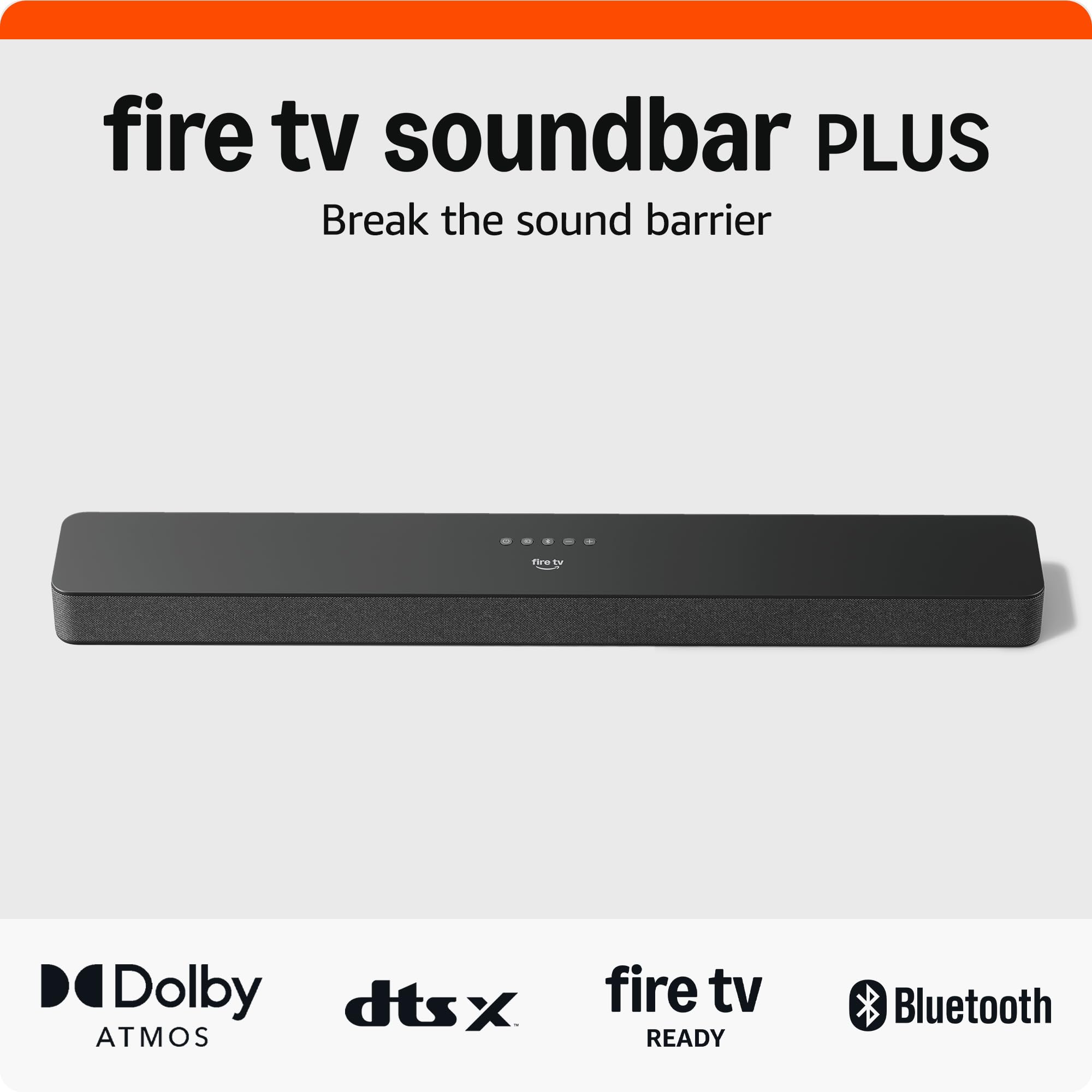
Fire TV households get a tidy one-box 3.1 with a dedicated center channel, built-in subwoofer, and HDMI eARC — a clear step up from TV speakers for compact-to-medium rooms. Setup is plug-and-play, and the included EQ modes help tune dialogue and bass. The 3.1 architecture is the ceiling: there is no output for an external subwoofer, so deep low-end scale stops at the built-in driver. Some units may auto shut-off after roughly 15 minutes, so longer sessions may require a reset.

Pros

  • Built-in sub and dedicated center deliver punchy bass and clear dialogue from a single bar.
  • Setup is plug-and-play: HDMI cable included, no receiver or separate sub to connect.
  • Fire TV integration is smooth for streaming, with adjustable EQ and sound modes.

Cons

  • Pairing can be finicky when used with non-Fire TV sources; eARC/ARC handshakes may need a reconnect.
  • In a large-room surround setup, the 3.1 bar can't place audio behind you
Our verdict

Fire TV households in compact-to-medium rooms get a clean one-box upgrade here; buyers with a large living room should budget for a dedicated multi-channel system instead.

Check Latest Price

How to Choose

Physical Rear and Height Channels

A soundbar listing may say 5.1 or 7.1, but the real question is whether those surround channels are produced by physical drivers you can place behind or beside the listening position, or by virtual processing that tries to simulate width from the bar itself. Virtual surround can widen the front soundstage, but it cannot create the same sense of a sound moving from behind you in a large room where sound waves have space to dissipate.

Physical rear speakers, whether wired or wireless, deliver a fixed anchor for surround effects. Up-firing height drivers bounce sound off the ceiling for Dolby Atmos overhead cues. A flat ceiling below roughly 12 feet works best; a vaulted or angled ceiling scatters those reflections and weakens the height effect.

Subwoofer Size and Output

A large room needs a subwoofer that can move enough air to pressurize the space. A 5.25-inch driver can deliver a convincing thump near the couch, but it runs out of headroom in a 500-square-foot open plan. A 10-inch or 12-inch driver has more surface area and can sustain deep bass at lower distortion across a much larger listening area.

Also pay attention to whether the sub is wired or wireless. Wireless subs are easier to place, but they can drop signal or require re-pairing in crowded Wi-Fi environments. A wired sub is less flexible but generally more stable.

HDMI eARC and Audio Formats

HDMI eARC is the connection standard for passing Dolby Atmos from a modern TV to a soundbar. Optical cables cannot carry the lossless Atmos or DTS:X signals that make height and surround channels feel discrete. If your TV has only ARC, not eARC, some formats will downmix to a lower-quality version but the bar will still operate.

For a large-room system, check that the soundbar supports the Dolby Audio formats you actually stream or watch on disc. Many budget bars advertise Dolby Atmos but do not support DTS content, which matters if you have a Blu-ray collection that uses DTS tracks.

Output Power and Headroom

Peak wattage numbers are mostly marketing: a 300W bar may sound louder than a 750W bar if the latter is compressed or lacks a large subwoofer. Wattage only matters as a rough headroom signal for how much clean volume a system can produce before distortion becomes audible.

In a large room, look for at least 300W of real total power, and pay more attention to the subwoofer driver size and the number of physical channels. A 5.1 system with a 10-inch sub will hold together at higher volumes than a virtual 7.1 bar with a small built-in sub.

Room Calibration

Large rooms have uneven surfaces, windows, and furniture that cause sound waves to arrive at the listening position with different delays and amplitudes. Room calibration systems such as Samsung's SpaceFit Sound Pro or Sonos Trueplay measure the room using the bar's microphones and adjust equalization, delay, and channel levels automatically.

A calibrated system tends to deliver clearer dialogue and more consistent surround imaging than one left at factory default, especially when the seating is off-center. If a soundbar lacks room calibration, plan to manually adjust the EQ and subwoofer level after setup.

Frequently Asked Questions