9 Best Computer Speakers in 2026: The Ones That Actually Last

Find the best computer speakers for your desk, from compact 2.0 pairs to subwoofer 2.1 systems, and avoid budget models that stop working early

Most budget desktop speakers make the same promise: compact size, impressive sound, deep bass. In practice the low end disappears first, and the second thing to go is confidence that a cheap USB-powered pair will still be working a year from now.

The trade-off buyers actually face is between a proven wired 2.0 setup and a pricier wireless upgrade. Bluetooth and USB-C are convenient, but they add connection quirks and cost; wired-only speakers often sound just as good for less. Bass follows a similar pattern: real low-end rumble needs a subwoofer, not a passive radiator.

This guide separates the small speakers that hold up for daily listening from the ones that fade after a few months, and matches each pick to the desk setup that actually needs it.

About the Sound Score: This comparative score is calculated from a product's published customer rating and review volume. It is not a laboratory measurement or a hands-on test result.

1

Best Overall

Creative Pebble 2.0

93 /100
Sound Score Outstanding

Key details

Controls
Front volume control
Form Factor
Compact 2.0 pair
Connectivity
USB-A, 3.5mm AUX
Driver Design
2.0, passive radiators
View on Amazon

The Creative Pebble 2.0 delivers clear, balanced sound that punches well above its size. The 45-degree angled drivers aim toward the listening position, while passive radiators add body to vocals and acoustic instruments. On a desk, the result is a wider soundstage than other budget speakers manage, with dialogue and game audio staying intelligible even at modest volume levels. Mids carry the detail that makes podcasts and lecture videos easy to follow, and the highs stay smooth rather than turning brittle.

Setup is plug-and-play: USB provides power and a 3.5mm AUX cable carries the signal. The front volume knob sits within easy reach, and the compact pair leaves room for a monitor stand, notebook, or coffee cup. The matte finish and sturdy plastic shell feel more substantial than the entry-level price suggests. Because the Pebble pulls power from USB, it pairs cleanly with laptops, desktops, and monitor hubs, removing the need for a wall wart and keeping cable management simple.

The elevated 45-degree driver angle is more than a style cue; it tilts the sound up toward ear level, which lets a speaker this small create a clear image without a separate stand. On video calls, voices come through without the hollow, distant quality that affects cheap USB speakers. Driver geometry matters more than raw wattage for everyday desk listening.

This is a near-field desk speaker, not a room-filler, so the ideal owner is someone working within a few feet of the screen. Office workers, students, and PC gamers who want desktop audio sorted without a subwoofer under the desk fit the profile. USB power defines the boundaries, which keeps the Pebble in close-range territory.

The value case is simple: this is the wired desktop speaker to start with for anyone on a budget. Compared with the pricier Bluetooth Pebble, the original costs less and delivers the same core 2.0 sound, so the extra connectivity is only worth paying for if you actually stream from a phone or tablet. For a fixed PC setup, the wired connection removes pairing issues and keeps the whole system on one power source.

💡 Use the front volume knob for quick level changes and angle the Pebble drivers toward your ears; the pair sounds best within arm's reach.

Pros

  • Clear, balanced sound that punches above its size
  • Outstanding value for money
  • Solid build quality and dependable daily performance
  • Compact, stylish, and desk-friendly design

Cons

  • Bass-heavy tracks sound thin because USB power and small drivers cap the low end.
  • Maximum output is adequate for a desk but not for large-room listening.
Our verdict

The Pebble 2.0 remains the reference for budget desktop audio: clear near-field sound, a desk-friendly footprint, and a price that makes upgrading to Bluetooth feel unnecessary. If you sit at a desk all day, this is the pair to build around.

Check Latest Price
2

Upgraded USB-C & Bluetooth Pick

Creative Pebble V3

89 /100
Sound Score Excellent

Key details

Controls
Volume knob, gain switch
Form Factor
Compact 2.0 pair
Connectivity
Bluetooth 5.0, USB-C, AUX
Driver Design
2.0, passive radiators
View on Amazon

The Pebble V3 takes the same compact 45-degree driver layout as the original Pebble and adds Bluetooth 5.0, USB-C, and a gain switch. It keeps the small desktop footprint while giving USB-C laptop owners a cleaner setup and wireless listeners a way off the wired leash.

The sound is louder and clearer than the wired Pebble, with enough presence for video calls, background music, and desktop gaming. The front volume knob handles daily level changes, and the rear gain switch adds useful headroom when the source is quiet.

Connectivity is the main reason to step up: USB-C, Bluetooth 5.0, and a 3.5mm AUX input cover nearly every source, and the front knob makes quick volume changes. It handles calls and general desktop multitasking without an input switcher, which is the practical upgrade for desktop listening.

This is for the USB-C laptop owner and Bluetooth desktop streamer who liked the original Pebble but wanted wireless convenience. Bass remains modest for a 2.0 system, and Bluetooth can be finicky — both acceptable if the desk is small and the listening stays near-field.

Pros

  • Louder and clearer than the original Pebble in the same compact footprint.
  • USB-C, Bluetooth, and AUX cover laptop, phone, and older gear without extra adapters.
  • Handles calls, music, and everyday multitasking without switching inputs.
  • Adds USB-C and Bluetooth without jumping to a higher price class.

Cons

  • Long-term durability can vary between units.
Our verdict

The Pebble V3 is the step-up pick for USB-C laptop owners and Bluetooth listeners who want the compact Pebble footprint without the cable.

Check Latest Price
3

Best Bluetooth Desktop 2.0

Logitech Z207 Bluetooth 2.0

89 /100
Sound Score Excellent

Key details

Controls
Easy-Switch, volume knob
Form Factor
Tabletop 2.0 pair
Connectivity
Bluetooth 4.2, AUX, headphone out
Driver Design
Active drivers, passive radiators
View on Amazon

The Z207 is the desktop 2.0 set that brings Easy-Switch Bluetooth to a PC-plus-phone desk, while the front headphone jack keeps wired listening close. That combination separates it from the wired budget value pick in this group, and the compact tabletop footprint keeps the whole setup tidy.

This pair fits an office routine where laptop audio, video calls, and phone music share the same speakers. Voice and dialogue come through clearly, but sound is thin for music, and occasional Bluetooth drops require a quick reconnect. If your listening leans on subwoofer-style low end, the separate-subwoofer model in this lineup is the more direct route.

Setup takes a few minutes over 3.5mm or Bluetooth, and the on-speaker power and volume controls are easy to find without hunting behind the desk. The enclosures feel solid and stable, which suits a permanent spot on a work surface. Everything you touch day to day, from pairing to volume to the headphone jack, lives on the speaker rather than a separate control pod.

The 10W peak output is a near-field tool: enough for a desk, less convincing for a large room. That is part of the 2.0 tradeoff across this group. For a multi-device workspace, the Z207's focus feels deliberate.

Pros

  • Easy-Switch moves audio between a PC and a phone without re-pairing.
  • Front headphone jack keeps wired listening near the front of the desk.
  • Solid enclosure feel holds up to daily desk use.
  • Simple setup over 3.5mm or Bluetooth gets speakers running in minutes.

Cons

  • If you never pair a phone, the wired budget 2.0 pick in this roundup costs less for similar desk sound.
  • Individual units can develop channel or power issues, so a quick return policy is worthwhile.
Our verdict

Office workers who keep a phone and a PC on the same desk will find the Z207 the most practical 2.0 way to cover both audio sources without a separate switch.

Check Latest Price
4

Best Budget 2.1 with Subwoofer

Logitech Z313 2.1 Speakers

89 /100
Sound Score Excellent

Key details

Controls
Wired control pod
Form Factor
Satellites plus subwoofer
Connectivity
3.5mm AUX
Driver Design
2.1, 9-inch subwoofer
View on Amazon

The Z313 is the 2.1 option in this desktop roundup that starts from a dedicated 9-inch subwoofer instead of two small USB-powered drivers. The 25W RMS system runs on a wall-powered sub, and the color-coded cables get the satellites and sub connected in minutes. That setup gives games and movies a low-end punch the compact 2.0 pairs here cannot match.

Explosions, engine noise, and game soundtracks get a physical kick that USB-powered desktop speakers cannot reproduce, while the satellites keep dialogue and effect details clean. That low-end presence is the main reason to pick it over the office-friendly Bluetooth 2.0 pair in this roundup. On some tracks, the low end can boom or distort in smaller rooms, so pulling the sub away from a wall helps more than you might expect.

The wired control pod keeps volume at hand and the 3.5mm AUX input connects to a PC, laptop, or monitor without a receiver. This is a desktop entertainment system for gamers and movie watchers who want real subwoofer presence at a mid-range price. Budget 2.1 buyers should steer toward it; the wired pod has no separate subwoofer control, and long-term durability can vary between units. Bass-averse listeners and desk-space minimalists will be happier with a compact 2.0 pair from this roundup.

💡 Give the sub a few inches of wall clearance and keep the wired pod volume moderate in small rooms — the low end evens out.

Pros

  • Full 2.1 sound with a real subwoofer presence for games and movies.
  • Strong bass-focused value for budget 2.1 buyers.
  • Color-coded setup with plug-and-play use; up in minutes.

Cons

  • The separate subwoofer adds floor space that a compact 2.0 pair avoids.
  • In a small room, the low end can boom or distort on some tracks.
Our verdict

Games and films get more low-end weight from this Logitech than any compact 2.0 pair in the roundup. If that is the main job of your desktop speakers, it is a direct fit.

Check Latest Price
5

Premium Compact Hi-Fi

Edifier M60 Bookshelf Speakers

90 /100
Sound Score Outstanding

Key details

Controls
Touch panel, app EQ
Form Factor
Compact bookshelf pair
Connectivity
Bluetooth LDAC, USB-C, AUX
Driver Design
2-way, 3-inch mid-bass
View on Amazon

The M60 pairs a 1-inch silk dome tweeter with a 3-inch aluminum mid-bass driver in a compact two-way cabinet, bringing genuine hi-fi driver design to the desktop. With 66W RMS, it has far more headroom than USB-powered computer speakers, and Bluetooth 5.3 with LDAC support allows hi-res wireless streaming from compatible devices. Few speakers in this size class offer that combination.

The tuning favors clarity over bass slam. Vocals and acoustic instruments stay clean and articulate, and the highs avoid the brittle edge that small metal-dome drivers can produce. The 3-inch driver cannot move air like a subwoofer, but in near-field placement it delivers more weight and presence than comparably sized 2.0 systems, and moderate volume levels are enough to fill a small room.

This is not a budget value pick; it competes on fidelity in the premium-priced compact segment. The M60 assumes you can live with touch-sensitive controls and occasional wireless or USB handshakes that can be picky. It is also a true 2.0 system, so bass is controlled and accurate rather than subwoofer deep. The ideal desk setup positions these close to the listener, where the two-way drivers can do their best work and where a physical volume knob is not a hard requirement.

💡 The Edifier ConneX app provides a software control path beyond the touch panel.

Pros

  • Delivers near-hi-fi two-way sound with clean mids in a compact desktop footprint.
  • Fits neatly under or beside monitors without dominating the desk.
  • Premium build and appearance justify a place in a high-end desk setup.
  • Offers strong audio value in the premium compact speaker segment.

Cons

  • Touch-sensitive volume controls may frustrate users expecting a physical knob.
  • Bluetooth and USB connections can drop or become unresponsive in some configurations.
Our verdict

For desk listeners who put fidelity and hi-res wireless streaming first, the M60 delivers detail and headroom that ordinary USB-powered desktop speakers cannot match, provided the touch panel and occasional input quirks are acceptable.

Check Latest Price
6

Versatile Compact Bookshelf

OHAYO 60W Bookshelf Speakers

87 /100
Sound Score Excellent

Key details

Controls
Front volume knob
Form Factor
Compact bookshelf pair
Connectivity
Bluetooth 5.3, RCA, AUX, USB
Driver Design
2-way, 3-inch driver
View on Amazon

The OHAYO 60W bookshelf pair brings an MDF cabinet, Bluetooth 5.3, RCA, AUX, and USB inputs to a compact desktop format. That input spread separates it from the USB-only budget options and gives it a broader connection story than the wired-only value pick. One pair can stay wired to a computer while a phone connects over Bluetooth.

Sonically, this is a real 2.0 speaker pair rather than a single-point USB driver. The 0.75-inch tweeter and 3-inch carbon-fiber driver produce balanced highs and mids, and the 60W peak output adds enough low-end weight for music-focused near-field listening in a small room. The speakers are powered, so no external amplifier is needed.

On a desk, the MDF cabinet stays solid and the compact footprint leaves room for a monitor and keyboard. At typical listening levels, the low end has body without drawing attention to itself.

This is best for music-focused desktop listeners in small rooms or offices who want wired and wireless sources from one compact pair. It is not for buyers who expect a separate subwoofer or a perfectly linear volume knob; the Bluetooth connect/disconnect chime can be loud.

Pros

  • Full, crisp, balanced sound from a compact bookshelf footprint
  • MDF cabinet feels solid and keeps cabinet resonance low
  • Easy Bluetooth pairing plus RCA, AUX, and USB inputs

Cons

  • Bluetooth connect/disconnect chime can be noticeably louder than the audio you are playing.
  • Front volume knob may not respond evenly at low levels, so precise adjustment can take extra care.
Our verdict

For music-focused desktop listeners who want one compact pair with wired plus Bluetooth inputs, this is the more connected alternative to the budget value pick in the 2.0 group.

Check Latest Price
7

Budget Desktop Users

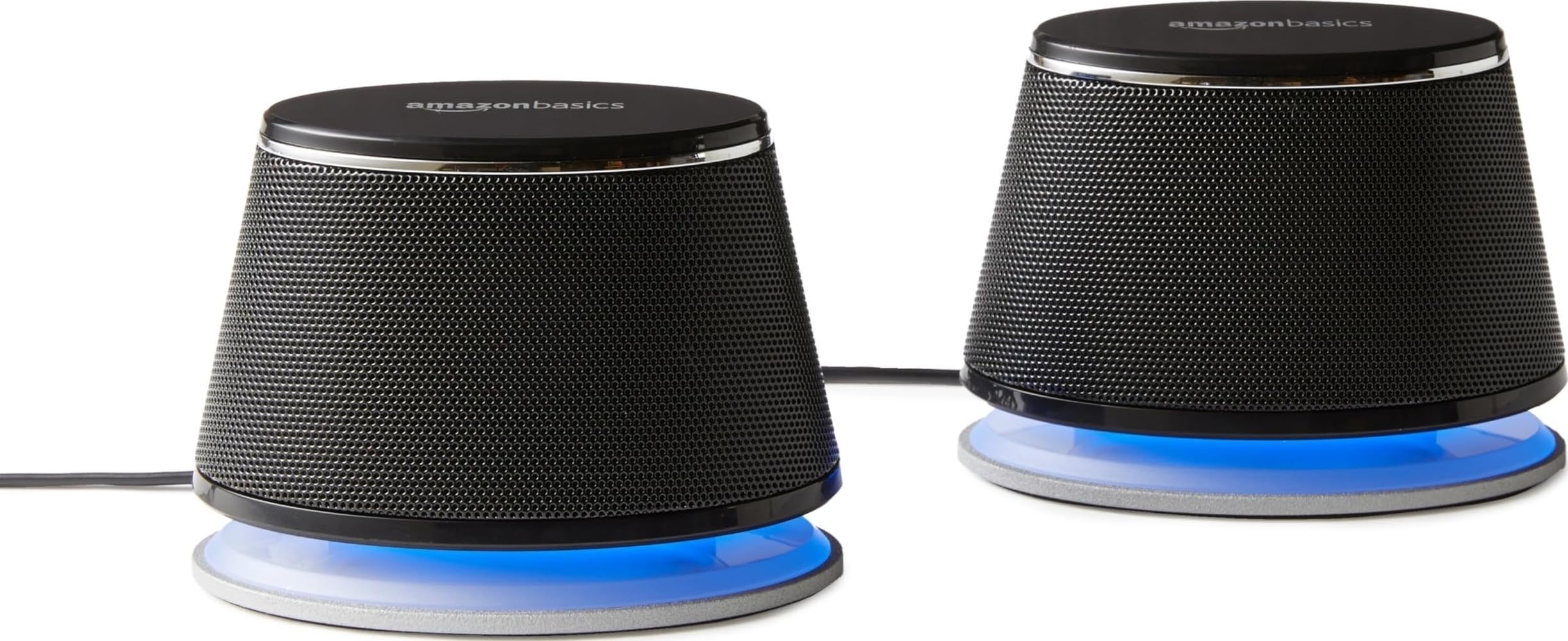
Amazon Basics Stereo 2.0

89 /100
Sound Score Excellent

Key details

Controls
Inline volume control
Form Factor
Satellite pair
Connectivity
USB-A, 3.5mm AUX
Driver Design
2-way, 3.9-inch woofer
View on Amazon

These Amazon Basics speakers deliver clear, compact sound with a simple inline volume knob and a footprint that fits a small desk without crowding it. The 3.9-inch woofer and 1-inch tweeter produce punchy enough audio for office playlists, video calls, and casual YouTube watching.

The tradeoffs are the familiar budget-desktop ones: no Bluetooth, modest bass, and a volume ceiling that fits close-up listening rather than filling a room. The clear midrange and easy placement still make it a sensible default for small desks, but unit-to-unit variance means one channel may go quiet in some units. That variance is why the Creative Pebble remains the stronger value benchmark in this class.

Pros

  • Clear, punchy audio from a compact desktop footprint.
  • Budget-friendly price fits casual desktop listening without extra amps or hubs.
  • USB power and AUX make setup plug-and-play; the inline volume control keeps the desk tidy.

Cons

  • Volume ceiling is modest
  • One channel may go quiet in some units.
Our verdict

For a small desk and casual listening, this budget 2.0 pair handles office audio well; it is the value-minded choice when you do not need Bluetooth or room-filling output.

Check Latest Price
8

Space-Saving Monitor Clip

XKX USB-C Clip-On Soundbar

86 /100
Sound Score Excellent

Key details

Controls
Touch volume, mute
Form Factor
Clip-on monitor soundbar
Connectivity
USB / USB-C
Driver Design
Dual 40mm, passive radiators
View on Amazon

The XKX clips directly onto a monitor and connects over USB-C, which makes it a practical choice for anyone trying to remove speaker footprints from a small desk. Sound is clean and noticeably more substantial than typical monitor speakers, with touch controls on the bar for volume and mute. The low end, however, remains modest; acoustic tracks, podcasts, and conference calls come through clearly, but bass-heavy music and action scenes lack depth. Clamp security also depends on bezel shape, so very thick or unusually contoured displays may not hold the bar as firmly. This is a convenience-first design that suits slim-bezel, space-conscious setups, but not bass-heavy listening.

Pros

  • Clip-on mount attaches to the monitor and keeps the desktop clear of separate speaker footprints.
  • Compact soundbar produces clear audio that is a real step above typical built-in monitor speakers.
  • USB-C plug-and-play connection works with MacBooks and laptops without extra drivers or a separate power brick.

Cons

  • On thick or unusually shaped monitor bezels, the clamp may not seat firmly and could shift.
  • Low-end depth is modest, so bass-heavy music and action scenes lack the rumble of a dedicated subwoofer.
Our verdict

For slim-bezel monitors and USB-C laptop setups where desk space is the priority, this clip-on soundbar is a cost-effective audio fix. Confirm the clamp fits your display before buying.

Check Latest Price
9

Budget RGB Setups

Tylubio ST800 Soundbar

84 /100
Sound Score Excellent

Key details

Controls
Volume knob, RGB button
Form Factor
Compact under-monitor soundbar
Connectivity
USB / USB-C, Bluetooth
Driver Design
Dual 2-inch, passive radiators
View on Amazon

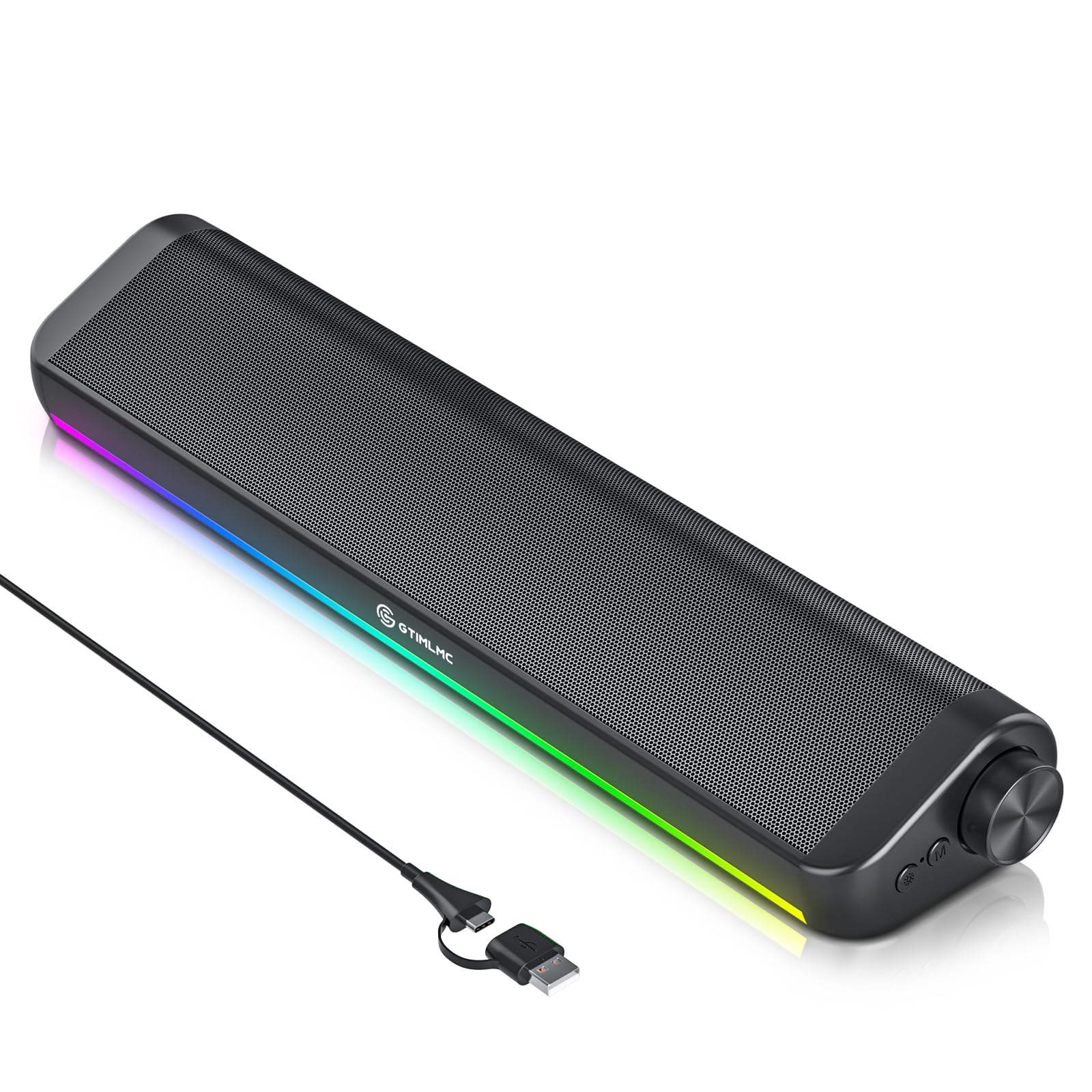
For a compact RGB bar, the ST800 delivers clear dialogue at moderate volume, and the front volume knob with push-button RGB works without software. The 10W output and passive radiators give it more presence than a basic laptop speaker, while the USB-C connection works with current laptops and tablets. As a desk accessory it is easy to recommend; as a serious audio component it sits below the roundup's 2.0 picks. The monitor-clip soundbar in this set saves more desktop space, but the ST800 counters with Bluetooth and push-button RGB in a low, under-monitor package.

Pros

  • Clear dialogue at moderate volume for such a compact bar.
  • Plug-and-play USB-C setup with a volume knob and push-button RGB.
  • Aggressive budget pricing puts RGB and Bluetooth in impulse-buy territory.

Cons

  • Bluetooth or USB connection may drop and need a restart to return.
  • Treble-heavy balance with limited bass warmth; music can sound thin and dry.
Our verdict

For a budget RGB desk setup that prioritizes looks and compact convenience, the ST800 fits; anyone shopping for musical fidelity should look toward the roundup's 2.0 pairs.

Check Latest Price

How to Choose

Power and Output

Peak wattage is marketing; RMS is the sustained output your amplifier can manage. USB power is limited to 5 volts, which caps loudness and bass. AC-powered speakers and 2.1 systems use a separate supply and push more air.

For a desk, 4-8W RMS is enough. Room-filling setups need AC power and at least 20W RMS.

Connectivity

3.5mm AUX is the most dependable: no pairing, no latency, no dropouts. Bluetooth adds convenience but can bring re-pairing, codec, and stability quirks. USB-C digital audio suits modern laptops, but check whether USB carries data or only power.

Wired wins for gaming and video editing. Bluetooth is worth it when you switch often between a PC and phone.

Driver Design

Passive radiators on small 2.0 speakers add low-end color but cannot reproduce deep bass because the driver cannot move enough air. A 2.1 system uses a larger cone in an enclosed subwoofer cabinet, producing real rumble.

Small 2.0 suits vocals, podcasts, and light music. Games and movies benefit from a 2.1 system, even a budget one.

Form Factor

Satellite pairs create wider stereo separation; soundbars save desk space but keep left and right drivers close, narrowing the soundstage. Bookshelf speakers use larger cabinets and drivers for better bass and output.

Clip-on soundbars mount to the monitor and reclaim a crowded desk, but they are not universal and have a limited soundstage.

Controls

A physical volume knob beats touch controls when you reach across a desk. A front headphone jack matters in the office, and an always-on blue LED or RGB becomes a distraction if it cannot be dimmed.

Match the control layout to your daily flow: front headphone access matters if you use headphones often, and a mute button helps more than a volume knob if you need silence.

Frequently Asked Questions