9 Best Digital Voice Recorder of 2026: Capacity That Transfers

The best digital voice recorder for lectures, meetings, and interviews: match storage, battery, and transfer ease to your recording needs.

A 128GB voice recorder at budget pricing can look like the obvious answer, but generous headlining capacity often papers over the details that determine whether a recording survives the day: clear microphone pickup, workable controls, and a file transfer path that does not fight back.

For lectures, interviews, and meetings, the practical factors are less exciting than terabyte-style claims. Microphone focus, battery chemistry, and whether a computer recognizes the recorder on first plug-in tend to matter more than a few extra gigabytes.

This guide weighs those day-to-day trade-offs around one simple consequence: whether you can hand off clean, complete audio after the fact. That means balancing generous storage against consistency when a semester lecture, a source interview, or a one-take deposition cannot be repeated.

About the Sound Score: This comparative score is calculated from a product's published customer rating and review volume. It is not a laboratory measurement or a hands-on test result.

1

Best Overall

Sony ICD-PX470

91 /100
Sound Score Outstanding

Key details

File Transfer
Built-in USB
Practical Storage
4 GB + microSD slot
Recording Quality
Stereo, adjustable focus
Battery & Charging
55 hours, 2 AAA batteries
View on Amazon

The Sony ICD-PX470 delivers clean speech capture through stereo microphones with adjustable focus, backed by built-in USB transfer and a 55-hour AAA battery life. The adjustable focus behaves like a practical tool for different rooms: a narrow setting favors one speaker in a lecture or interview, while a wider setting covers a meeting table without moving the recorder. MP3 capture keeps voice files small enough for quick transfer, and the recorded voice remains clear and intelligible above typical room noise.

The built-in USB connector makes file transfer a plug-in action, so moving recordings to a PC does not require a separate cable or card reader. Record, stop, and playback controls remain direct enough to start cleanly in a meeting without a menu detour. Compared with the mono option in this set, the stereo microphone array preserves more spatial context when multiple speakers sit apart.

Choose this recorder when the audio cannot be redone: lectures, client interviews, meeting minutes, or dictated notes. The 4GB internal storage is modest by current standards, so archival users should plan on a microSD card for larger projects. This is a speech-capture tool first, not a high-capacity archive; buyers who want built-in storage without carrying a card should consider a high-capacity alternative instead.

The decision against high-capacity budget recorders comes down to capacity and price versus capture consistency and transfer convenience. Headline storage numbers in this category can depend on low-bitrate long-play modes or bundled cards, while this Sony treats repeatable voice capture as the main job. That distinction matters when a class or interview cannot be recorded twice.

AAA power gives the recorder a field-swappable advantage: a spare pair restores full operation in seconds rather than waiting for an internal cell to charge. Spare cells are easy to carry and remove the wall-charger dependency that can interrupt a long session. That makes the Sony practical for all-day interviews, conference coverage, or back-to-back lectures. The recorder is shaped for voice work and dictated notes, not music or large-room field capture.

The Sony ICD-PX470 sits as the all-rounder in this set: more capable than the mono model, less dependent on headline capacity than the high-storage alternatives.

💡 Keep a spare set of AAA batteries in the case for uninterrupted all-day sessions.

Pros

  • Clean voice capture for lectures, meetings, and dictation
  • Quick controls for starting a recording without menu friction
  • Clear speech playback for reviewing notes and quotes
  • Consistent capture behavior when the recording cannot be repeated
  • Direct USB transfer removes the need for a separate cable

Cons

  • Runs on AAA batteries rather than a built-in rechargeable cell
  • Battery runtime can fall below the 55-hour rating during extended high-bitrate capture
Our verdict

A mid-range speech recorder that puts clean voice capture and direct USB transfer ahead of built-in capacity. Choose it when the recording itself cannot be done twice.

Check Latest Price
2

Best Budget Lecture Recorder

EVIDA 128GB Voice Recorder

88 /100
Sound Score Excellent

Key details

File Transfer
USB 2.0
Practical Storage
128 GB
Recording Quality
1536 kbps PCM
Battery & Charging
54 hours, USB 2.0
View on Amazon

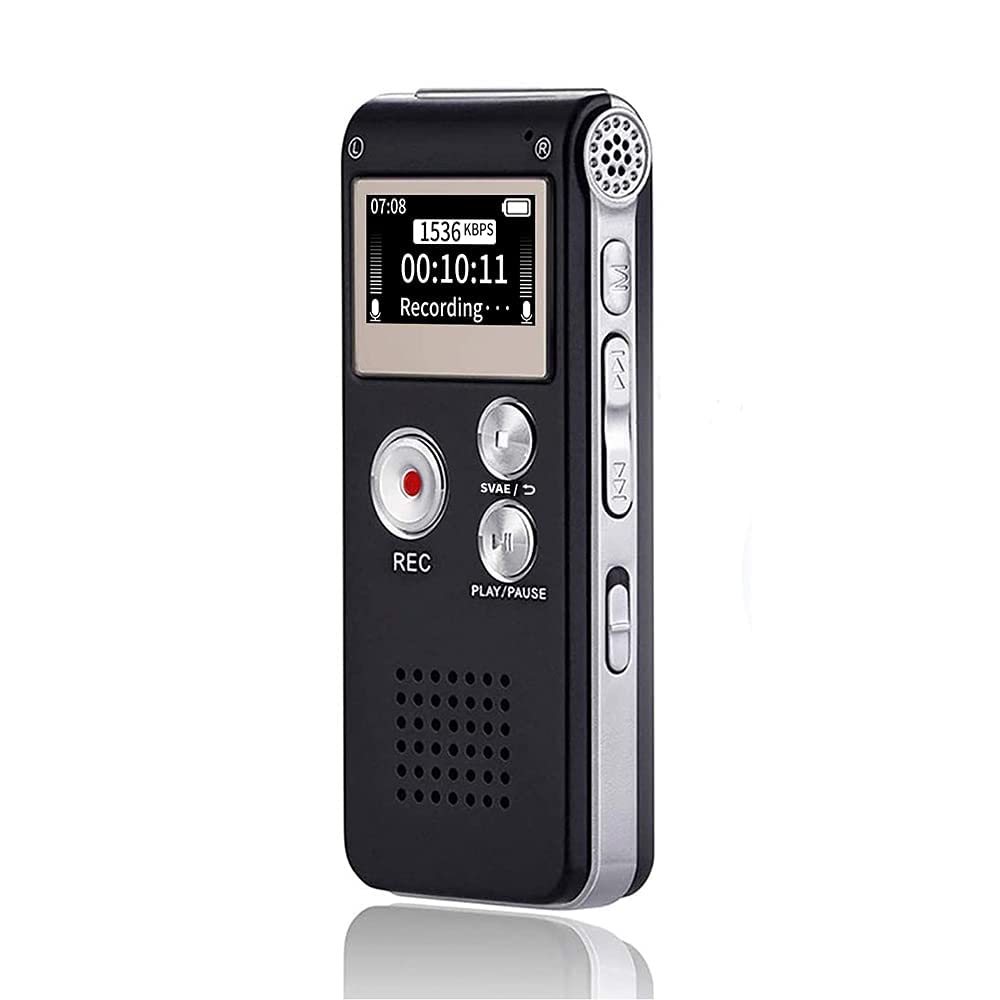
128GB of internal storage and 54-hour battery life make this a high-capacity lecture recorder for students and meeting attendees who want to record through a full day without swapping cards or charging. Six voice sensitivity levels help skip silence, and the compact metal body fits in a front pocket or bag. The top pick in this set leans toward clean, repeatable speech capture with built-in USB transfer; this model trades that narrow focus for capacity and a simpler set-and-forget routine.

Voice playback and file transfer are serviceable for review after class, with PCM recording at up to 1536 kbps preserving clear voice detail. The control layout keeps daily operation light, though the menu is basic rather than refined. For lectures, meetings, and dictation, the sound profile favors speech clarity over music or field recording.

Students and meeting attendees who need long battery life and 128GB of storage will get the most from this recorder. Unit consistency can vary between samples, with occasional sudden shutdowns or LCD damage from drops, so this fits buyers who can back up important audio and protect the recorder in a case rather than those needing a single-copy archive.

💡 Schedule large file transfers overnight because USB 2.0 makes full 128GB offloads slow.

Pros

  • 128GB storage keeps weeks of lecture audio without a microSD card.
  • Six voice sensitivity levels trim silence during long recording blocks.
  • 54-hour battery life covers multiple days of classes or meetings.
  • Compact metal body holds up to daily bag carry well.

Cons

  • Occasional unit variance can produce sudden shutdowns or LCD damage from a drop.
Our verdict

The EVIDA 128GB fits lecture-heavy schedules where capacity and battery runtime matter more than premium polish or instant file transfer. Keep important recordings backed up.

Check Latest Price
3

Best Value Workhorse

EVISTR 64GB Voice Recorder

86 /100
Sound Score Excellent

Key details

File Transfer
USB Type-C
Practical Storage
64 GB
Recording Quality
1536 kbps PCM
Battery & Charging
32 hours recording
View on Amazon

64GB of built-in storage, a metal body, USB-C transfer, and seven voice sensitivity levels define this EVISTR as a capacity-first alternative to the leaner Sony top pick, with a simpler two-button flow than the 128GB high-capacity option. That built-in headroom removes the need to add a microSD card for semester-length lecture and meeting capture.

The two-button recording flow keeps daily use from becoming a menu hunt. Start and stop stay accessible, while the compact metal shell slips into a pocket, bag slot, or desk corner without adding bulk. Battery life covers a full day of intermittent speech capture, and voice activation can be tuned for quieter rooms.

Playback is serviceable for reviewing notes, and USB-C transfer is direct enough for quick file offloading to a laptop or phone. The 1536 kbps PCM ceiling preserves speech clarity for voice-first uses, not music or field recording detail. Empty space is easy to reclaim by moving files after recording sessions.

This recorder fits students, meeting attendees, and interviewers who treat audio as re-capturable notes rather than one-chance evidence. Important recordings need a backup habit because disk errors and corrupted files can occur; buyers who require guaranteed file integrity should choose the top pick or another archival-first recorder.

Pros

  • Metal body with a compact footprint for daily pocket and bag carry.
  • Clear speech capture for lectures, meetings, and dictation.
  • Two-button recording reduces start and stop friction.
  • Battery life covers a full day of intermittent recording use.

Cons

  • Built-in storage caps at 64GB, so buyers who want 100GB or more onboard may need to transfer files regularly.
  • Some units can introduce a low background hiss in quiet-room recordings.
Our verdict

For a student or meeting-heavy professional who wants a simple daily recorder with 64GB onboard, this EVISTR fills the role without adding accessories. It is a tool for re-capturable speech, not an archival instrument.

Check Latest Price
4

Best AI Transcription

Plaud Note Pro

90 /100
Sound Score Outstanding

Key details

File Transfer
Bluetooth 5
Practical Storage
64 GB
Recording Quality
AI transcription, 112 languages
Battery & Charging
30-50 hours
View on Amazon

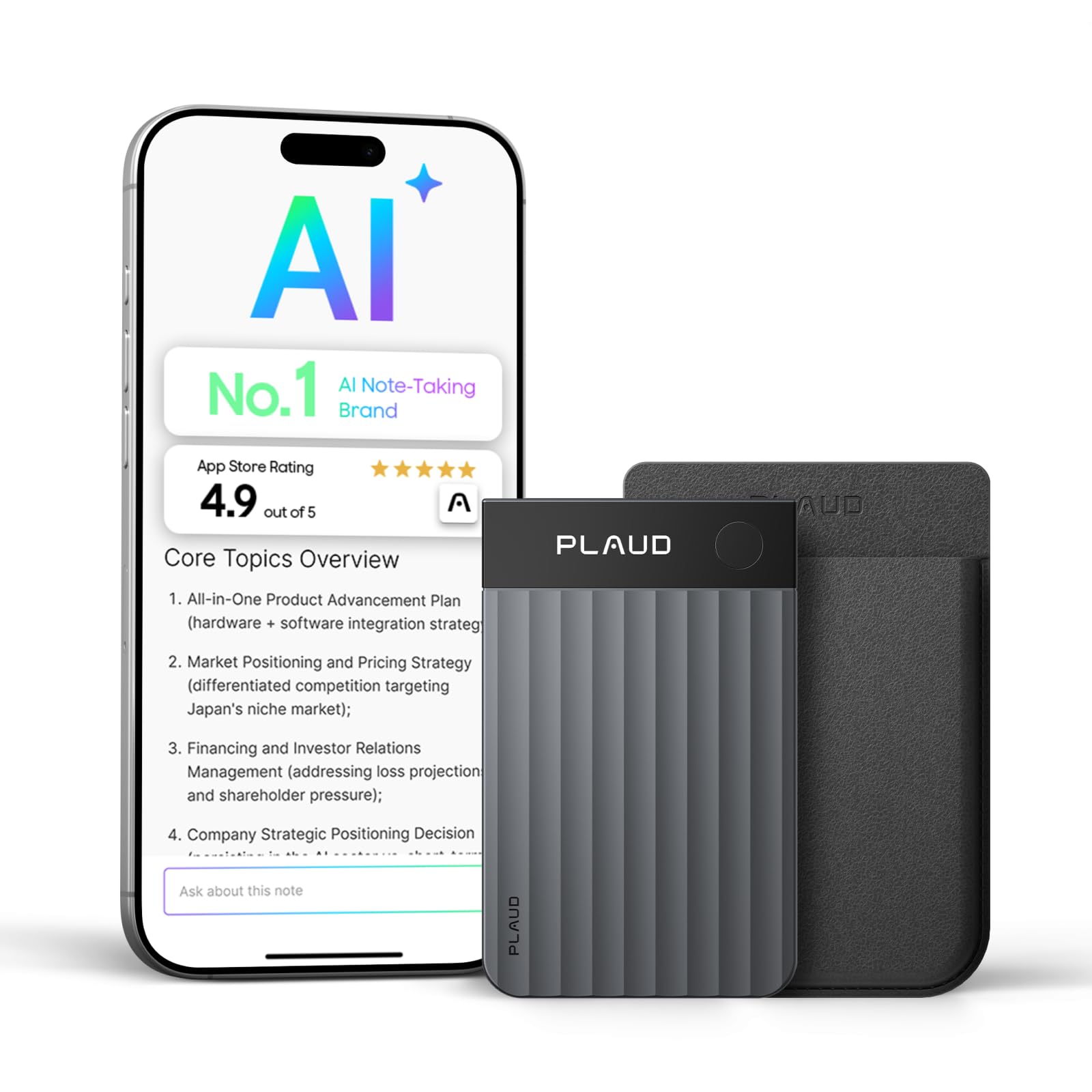
The Plaud Note Pro is an AI transcription and meeting-summary tool in a slim recorder body. It leads with 112-language AI transcription, speaker labels, summary templates, and 64GB of storage, moving the core value from raw audio capture to structured notes. Compared with the top pick, which stays focused on clean repeatable speech capture, this unit shifts attention to what the recorded conversation becomes after the meeting ends.

The build quality is premium, with a thin metal-and-glass design and a display that feels at home in a business meeting. Transcription accuracy holds up across multiple speakers, and summary templates reduce follow-up writing. The recorder works best when its output feeds directly into meeting recaps, action items, and searchable client notes rather than just an audio archive.

This fits business professionals with back-to-back meetings who want automatic transcripts and summaries without doing manual transcription. It is less suited to budget-focused buyers who just need raw audio recording or to anyone who prefers a one-time purchase with no service plan. AI features move to a paid subscription after the starter minutes, so the cost conversation should include the continuing service, not only the hardware price.

💡 For long meeting days, top up during breaks or keep a power bank nearby.

Pros

  • Premium build and slim form factor make it presentable in meetings.
  • Meeting productivity features convert spoken discussion into structured notes and action items.
  • AI transcription handles multiple speakers with enough accuracy for review.
  • Summary templates cut post-meeting write-up time.

Cons

  • Battery life under heavy transcription can fall short of a full day.
  • Charging or hardware faults may require service, so it should not be the only recorder for critical audio.
Our verdict

Meeting-heavy professionals who will pay for automated transcription get a productivity tool in a recorder form factor; pure voice archiving remains a job for a conventional recorder.

Check Latest Price
5

Best Simple Sony Value

Sony ICD-PX370

91 /100
Sound Score Outstanding

Key details

File Transfer
Built-in USB
Practical Storage
4 GB
Recording Quality
Mono microphone
Battery & Charging
57 hours, 2 AAA batteries
View on Amazon

The Sony ICD-PX370 is a no-frills mono recorder aimed at clear speech capture for dictation and basic lectures. Built-in USB, two AAA batteries, and MP3 recording cover the core workflow: record, plug in, transfer, and replay. The top pick adds stereo microphones and adjustable focus for wider rooms, but this model keeps operation direct and the price mid-range.

This fits students, office workers, and voice memo users who record a single speaker close at hand and prefer swapping AAA batteries to charging a built-in cell. The mono microphone is less suited to large or noisy room capture; if that is the recording situation, the step-up stereo model is the better tool.

Lecture and meeting audio comes through with enough clarity for transcription and note review. The compact body is easy to carry between classes or appointments, and direct USB transfer makes the recorder behave like a small flash drive when connected to a computer.

For routine lecture, meeting, and interview capture, the Sony ICD-PX370 avoids feature sprawl and keeps the daily workflow from pocket to PC short. It is less about long-term archiving and more about getting clean voice files onto a computer with minimal steps.

💡 Keep spare AAA batteries in the bag for all-day conference use.

Pros

  • Clear mono voice capture for dictation and seated lectures.
  • Intuitive controls and direct USB transfer keep file handling simple.
  • Long battery life on two replaceable AAA cells.
  • Compact body with built-in USB for pocket carry and PC connection.

Cons

  • Heavy daily recording can drain the two AAA batteries faster than the 57-hour rating suggests.
  • Long archival recordings may exceed the 4GB internal storage, requiring a microSD card.
Our verdict

This is a focused dictation tool for close-range speech, with a short path from pocket to PC.

Check Latest Price
6

Best High-Capacity Lecture Recorder

Aiworth 136GB Voice Recorder

88 /100
Sound Score Excellent

Key details

File Transfer
USB 2.0, 3.5mm
Practical Storage
136 GB storage
Recording Quality
Dual-mic, PCM 1536 kbps
Battery & Charging
45 hours
View on Amazon

With 136GB of storage, a 45-hour battery, and dual-mic PCM capture up to 1536kbps, this recorder is built for semester-long lecture capture without constant file management. The bundled 128GB card provides enough out-of-box space for months of classes, meetings, and interview audio, while playback through the speaker stays clear and loud. Against the simpler budget pick in this set, it trades a more deliberate interface for extra storage headroom and clear playback.

Students, researchers, and meeting note-takers who want days of audio without offloading files will use this as a daily capture tool. The main boundary is the workflow: menu navigation can feel slow, and a recording start delay can occur. Users who need a zero-learning-curve interface or instant start response will not find it here. For planned sessions where record is pressed a moment before the speaker begins, the audio remains clear and loud.

Routine backup is unpretentious: the USB 2.0 connection moves recordings to a laptop without extra software, and the 3.5mm jack covers headphone playback for review sessions. This practical combination suits daily lecture note capture better than a specialty field recorder.

💡 Press record a beat before the speaker begins and confirm the red light is active to avoid catching only the tail end of the first sentence.

Pros

  • 136GB of out-of-box storage for semester-long lecture and interview capture without swapping cards.
  • Clear, loud playback from dual-mic recordings works well for lectures and interviews.
  • 45-hour battery handles a full week of classes or a conference day between charges.
  • Compact body fits in the hand for desk and bag carry.

Cons

  • The body can feel heavier than slim pocket models during all-day carry.
  • One-button immediacy is not its strength; the menu sequence rewards a planned start.
Our verdict

This is the capacity-first pick for semester-long lecture capture and planned interview sessions where storage headroom and clear playback outweigh one-touch speed.

Check Latest Price
7

Students, Semester Storage

Tonfarb 136GB Voice Recorder

86 /100
Sound Score Excellent

Key details

File Transfer
USB-C
Practical Storage
136 GB storage
Recording Quality
Dual noise-reduction mics
Battery & Charging
68 hours
View on Amazon

The Tonfarb 136GB Voice Recorder pairs 136GB of combined storage with a 68-hour battery, USB-C transfer, dual noise-reduction microphones, and a metal shell. That combination covers long lecture runs, meeting days, and interview sessions without constant offloading or charging. The tradeoff is polish: sound quality can vary by environment and unit, with occasional hiss or garbled pickup in quiet rooms, and the printed manual is thin for the feature set, so advanced settings may take experimentation. Those limitations keep it just below the more polished high-capacity alternatives in this set, not the absence of core recording features.

Pros

  • 136GB of combined storage holds semester-length lecture audio without constant offloading.
  • Clear close-range voice capture with noise reduction for typical lecture and meeting rooms.
  • Long 68-hour battery reduces charging stops during heavy note-taking weeks.

Cons

  • Advanced settings take experimentation because the printed guide is sparse.
  • Audio can vary in quiet rooms; some recordings may carry background hiss or garbled moments.
Our verdict

A sensible buy for students and meeting note-takers who want huge storage and long battery life in a metal body and can accept rougher audio consistency and documentation than the segment leaders.

Check Latest Price
8

Interviews, Transcription

Olympus WS-883

83 /100
Sound Score Excellent

Key details

File Transfer
USB-A direct
Practical Storage
8 GB
Recording Quality
True stereo, linear PCM
Battery & Charging
68 hours, 2 AAA
View on Amazon

True stereo microphones and linear PCM/MP3 capture give the WS-883 clean speech recordings for lectures, meetings, interviews, and dictation. A 68-hour estimate on two AAA batteries and direct USB-A transfer make offloading files easy on a desktop or laptop. The top pick remains the stronger default for high-capacity budget needs, but this holds a place as an Olympus-style traditional recorder.

Some units arrive with Japanese menus, and the language setting is not obvious on first use; long-term durability is also not as uniformly documented as the top pick. That makes the WS-883 a boundary pick for court reporters and transcriptionists who prefer Olympus tradition, direct USB-A transfer, and linear PCM over a broad durability record or menu clarity.

Pros

  • Well-made traditional recorder body with dependable handling for daily speech capture.
  • Simple operation makes recording and playback easy to manage.
  • Crystal clear sound captures speech with strong audio clarity.

Cons

  • The 8GB internal memory can fill faster with linear PCM recordings than high-capacity budget models.
  • Per-gigabyte cost sits above budget leaders that bundle large storage cards.
Our verdict

Fits court reporters and transcriptionists who favor Olympus-style controls, linear PCM, and direct USB-A transfer over large bundled storage.

Check Latest Price
9

Casual Note-Taking

Sunlan 16GB Voice Recorder

86 /100
Sound Score Excellent

Key details

File Transfer
USB
Practical Storage
16 GB
Recording Quality
DSP noise reduction
Battery & Charging
30 hours
View on Amazon

At this price, the Sunlan 16GB Voice Recorder is a low-risk way to capture lecture and meeting speech without adding another battery-hungry device to the bag. The 16GB storage and DSP noise reduction cover clear voice pickup for occasional use, and USB playback and file transfer handle the basic workflow. This is an entry-level recorder, not a durability-first tool for must-have audio: quality control, tiny controls, and variable reliability make it a gamble for important recordings, especially around file transfer. Casual note takers who only need a backup audio trail can absorb those tradeoffs; anyone recording cannot-miss material should look toward the more consistent options in this set.

Pros

  • Low upfront cost buys usable voice capture for lectures and meetings.
  • Speech pickup is clear enough for typical classroom and conference-table use.

Cons

  • The included instructions can confuse first-time setup before recording begins.
  • Small buttons and tight spacing can make quick playback or volume changes awkward during a meeting.
Our verdict

The right fit is occasional lecture and meeting note-taking where the audio is a supplement rather than the only record.

Check Latest Price

How to Choose

Recording Quality and Noise Handling

Directional stereo or multi-microphone designs pull a speaker's voice out of room reflections better than a single mono capsule, especially beyond the front row. But small capsules in budget recorders often add faint hiss or clamp speech levels in quiet rooms. For interviews and lecture halls, choose adjustable pickup direction; for close dictation, a simpler mono or dual-mic setup can still be enough.

Realistic Storage and Recording Hours

Maximum hour counts are usually measured at low bitrates, where 8GB can claim weeks of recording but sound like a telephone voicemail. At 128-192kbps MP3, speech stays intelligible and 16GB holds roughly 180-280 hours; at 1536kbps PCM the same card fills much faster. Choose archival PCM when you need transcription-safe detail; choose high-quality MP3 when semester length matters more.

Battery Type and Charging

AAA-powered recorders revive quickly by swapping cells, but their runtime varies with microphone gain and file format. Built-in lithium batteries last longer between charges, yet lose total capacity after hundreds of cycles and tether you to a USB port when they drain. For back-to-back lectures or travel, favor replaceable cells or USB-C fast charging with a clear low-battery warning.

File Transfer and Connectivity

A recorder's transfer path decides whether audio leaves the device before it becomes a problem. Built-in USB connectors are convenient but can loosen over years; Type-C ports tolerate modern cables better; microSD cards move hours of audio quickly but add a second point of risk. Choose around how often you offload files, not the cable included in the box.

Controls and Voice Activation

Voice-activated recording saves space only when the threshold is set correctly: too sensitive records every pen tap, too strict misses the first syllable of a question. Tiny buttons compound that uncertainty because users often fumble to confirm whether recording actually started. For interviews, favor a dedicated record indicator and controls you can operate without looking; for lectures, manual start is often safer than auto threshold detection.

Frequently Asked Questions