13 Best Streaming Audio Interface of 2026: With Loopback That Works

The best streaming audio interface for creators who need clean preamps, loopback routing, and stable multi-mic setups without console-level complication.

Streaming interfaces get marketed on high sample rates and 'studio-grade' preamps, but the creators actually using them are more concerned with whether the unit stays connected and whether desktop audio can reach the broadcast. The real difference between a frustrating streaming setup and a smooth one is often loopback routing, not a spec sheet number.

Loopback is what lets OBS capture game audio, music, and system sounds alongside your microphone. Interfaces without it force you into extra software or awkward cable rerouting. The trade-off in this category is between all-in-one consoles with lots of built-in processing and conventional interfaces with proven preamps and fewer moving parts. For most live creators, the safer buy is the one that handles two mics, clean gain, and dependable routing without demanding a weekly reboot.

About the Sound Score: This comparative score is calculated from a product's published customer rating and review volume. It is not a laboratory measurement or a hands-on test result.

1

Best Overall Streaming Audio Interface
Focusrite Scarlett 2i2 4G

92 /100
Sound Score Outstanding

Key details

Inputs
2 mic, 2 instrument
Loopback
Yes
Phantom Power
Yes
Gain And Noise
120 dB dynamic range
View on Amazon

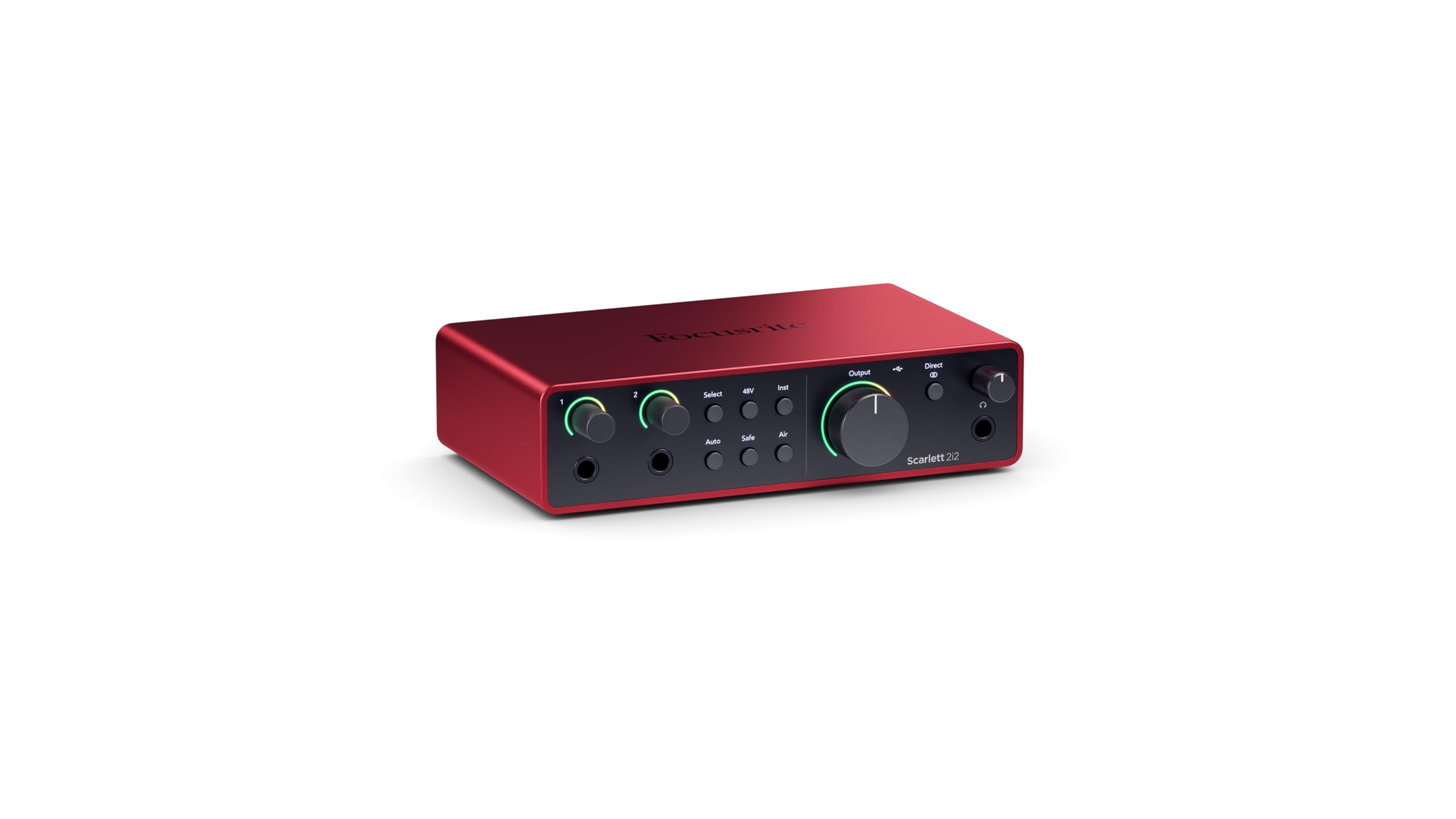
Loopback, Auto Gain, Clip Safe, and two clean preamps make the Scarlett 2i2 4th Gen a practical streaming interface. Phantom power covers condenser mics, Air modes add presence to vocals and acoustic guitar, and the 120 dB preamps handle gain-hungry dynamics without raising the noise floor. Low-latency monitoring means you hear yourself alongside a stream or backing track without a noticeable delay.

Setup is straightforward: input controls are clearly labeled, monitoring stays low-latency, and the routing tools connect the interface to streaming apps. Windows users can experience occasional pops, disconnects, or audio dropouts after driver or OS updates; keeping the current Focusrite driver installed and testing early reduces that friction.

This is the right pick for streamers, podcasters, and solo musicians recording a mic plus a guitar at the same time. The second input and loopback close the routing gap that single-input interfaces leave open. If you need four simultaneous mic inputs, move up to a multi-channel console; if you are mainly on Windows, expect driver upkeep to be part of ownership. It also covers solo creators who want one box for streaming and music production.

💡 Keep the Focusrite driver current on Windows and run a quick test before your first stream.

Pros

  • Ultra-quiet preamps keep dynamic mics usable without hiss, and phantom power covers condensers.
  • Clear controls and quick setup lower the learning curve for first-time interface owners.
  • Loopback plus two inputs streamlines routing while Auto Gain and Clip Safe protect levels before recording.

Cons

  • OS updates can lead to compatibility hiccups, so verify the interface after system changes.
  • Pops or audio dropouts can surface on Windows when drivers are not current; updating reduces the chance.
Our verdict

For solo creators moving from a USB mic to a two-input interface, this box has the gain assists, monitoring, and loopback needed to stream and record without a separate mixer.


Check Latest Price
2

Best Multi-Input Value

Behringer UMC404HD

92 /100
Sound Score Outstanding

Key details

Inputs
4 combo XLR/line
Loopback
No
Phantom Power
Yes
Gain And Noise
Midas preamps
View on Amazon

Four Midas preamps, MIDI I/O, and four TRS outputs give the UMC404HD the highest input count at its price in this set. It skips the loopback routing the top pick uses to blend desktop audio into a stream, so solo streamers will need extra routing software. Multi-mic podcasts and small bands get real value from the four combo inputs without stepping up to a pricier mixer.

This is the right interface for podcasters with several mics or musicians recording a full band live. Build quality is tank-like enough for moving between rooms or practice spaces. QC varies at this price point: phantom power or output channel faults can surface, so confirm each channel works when the unit arrives.

Pros

  • Four XLR/line inputs plus MIDI handle multi-mic podcasts or full band recording on one interface.
  • Tank-like build survives repeated setup changes and travel between practice spaces.

Cons

  • Manual is thin, so some features only surface after experimenting.
Our verdict

Choose the UMC404HD when a session needs more than two live mics and one budget-friendly box should handle the whole recording.

Check Latest Price
3

Best Portable / Mobile XLR Interface

Shure MVX2U Gen 2

90 /100
Sound Score Outstanding

Key details

Inputs
1 XLR
Loopback
No
Phantom Power
Yes
Gain And Noise
+60 dB gain
View on Amazon

The MVX2U Gen 2 is a true plug-and-play XLR-to-USB-C adapter that brings Auto Level, Real-Time Denoiser, and Digital Popper Stopper to a mobile recording setup. Its clean +60dB preamp captures broadcast-grade voice from an XLR dynamic or condenser mic without needing a mixer. Strictly one XLR input means it will not cover two-mic podcasts or instrument recording — that is a boundary, not a flaw.

Best for mobile podcasters, streamers on iPhone/iPad, and remote workers who want polished meeting audio from an existing dynamic or condenser mic. Some dynamic mics may need gain tuning in the Shure MOTIV app, and all settings live in that app rather than on physical controls.

💡 Set gain and DSP once in the MOTIV app before going live; the adapter retains those settings for the rest of the session.

Pros

  • Plug-and-play XLR-to-USB-C compatibility works instantly with mobile devices and laptops.
  • Crystal-clear voice capture for podcasts, meetings, and streams.
  • Pocket-sized build makes it easy to pack with a single XLR mic.

Cons

  • No physical controls; the Shure MOTIV app is required for gain and DSP adjustments.
  • Some dynamic mics may need a gain boost in the MOTIV app to reach a healthy level.
Our verdict

For mobile creators with an XLR mic already on hand, the MVX2U is the simplest path to broadcast-quality voice; the single input and app-controlled settings are the tradeoffs to accept.

Check Latest Price
4

Best Budget Soundboard Mixer

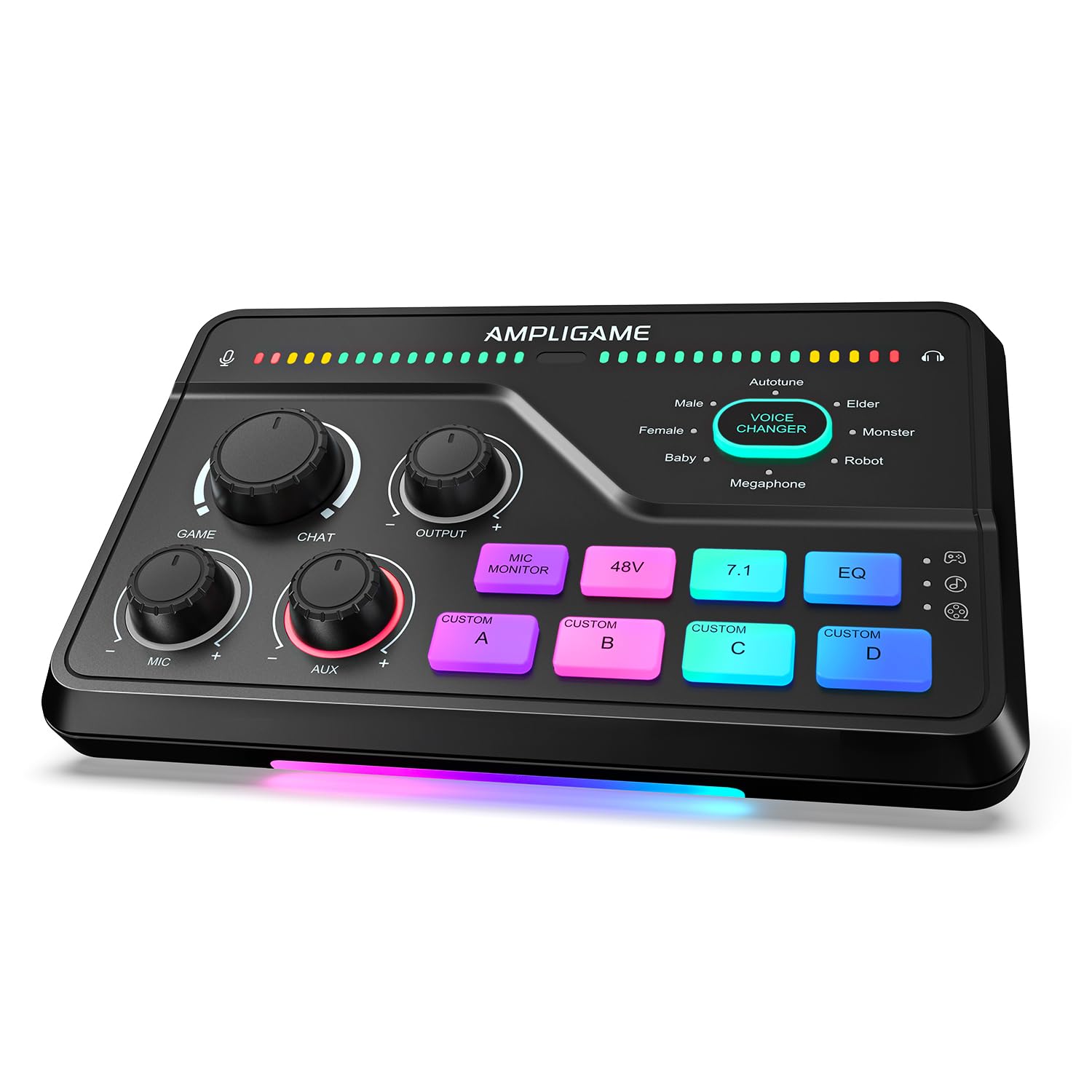
FIFINE SC3 Gaming Mixer

89 /100
Sound Score Excellent

Key details

Inputs
1 XLR, 3.5mm
Loopback
No
Phantom Power
Yes
Gain And Noise
View on Amazon

Four soundpads, six voice modes, and separate volume faders turn the FIFINE SC3 into a tiny broadcast desk for solo streamers. 48V phantom power drives XLR condenser mics, and the dedicated mute button sits where a thumb finds it mid-sentence. Beginner-friendly USB-C setup gets an XLR mic audible in streaming software within minutes.

Budget gamers and first-time streamers with one XLR mic are the right fit. Two-mic podcasters and pro audio purists after a silent noise floor should look elsewhere — the preamp can hiss in quiet scenes, headphone output runs low with insensitive headphones, and no XLR cable ships in the box.

Pros

  • Four assignable soundpads and six voice modes bring game-night effects and live vocal changes to a one-XLR setup.
  • Costs less than a typical single-input interface while adding soundpads, voice modes, and 48V phantom power.
  • Dedicated mute button and individual volume faders let you balance mic and line-in sources while live.

Cons

  • Low-sensitivity headphones can come up short on volume, so monitoring level depends on your headphone pairing.
  • In quiet gaps between speech, the preamp can introduce audible hiss under the voice track.
Our verdict

Starting streamers with a single XLR mic get a budget-friendly path to soundpads and voice effects on live streams — and a fun first step into streaming audio.

Check Latest Price
5

Best Budget Bluetooth Streaming Mixer

MAONO G1 Neo

86 /100
Sound Score Excellent

Key details

Inputs
1 XLR
Loopback
Phantom Power
Yes
Gain And Noise
View on Amazon

Bluetooth music input, four custom soundpads, and multiple voice effects make the G1 Neo a self-contained streaming mixer for mobile creators and casual PC gamers. The XLR preamp delivers clean vocal capture at this price, while 48V phantom power supports condenser mics, and the USB-C connection to a computer is plug-and-play.

This is best for TikTok/social-first streamers who want to layer phone music over a mic without a complicated routing setup. Traditional multi-input interfaces offer more recording flexibility, but they do not bring soundpads and voice effects into the same price range. Console support is not universal, so PS5 users should verify their setup before relying on it.

Pros

  • Strong vocal clarity for the price, with 48V phantom power for condenser mics.
  • Four soundpads and multiple voice effects add interactivity without extra software.
  • Bluetooth input makes phone music part of the mix with minimal cabling.

Cons

  • Stereo input paths can introduce audible static in certain setups; the Bluetooth and XLR paths stay clean.
  • PS5 compatibility varies by setup, so console streamers should check their hardware before buying.
Our verdict

The G1 Neo is the budget mixer for mobile-first streamers who want Bluetooth music, soundpads, and voice effects without building a multi-input recording rig. PC and mobile users are the primary audience.

Check Latest Price
6

Best for Polished Vocal Sound

UA Volt 176

86 /100
Sound Score Excellent

Key details

Inputs
1 mic/line/instrument
Loopback
No
Phantom Power
Yes
Gain And Noise
1176-style compressor
View on Amazon

The Volt 176 packs an 1176-style analog compressor into a compact interface, so vocalists and streamers get a polished sound before the signal reaches software. It does this without the plugin overhead of a software-only chain. UA 610 vintage mode adds analog color without plugins, while the clean preamp keeps vocals full and clear.

This is for songwriters recording one mic or instrument at a time, plus vocalists who want hardware compression on their voice. Mobile use requires external power and adapters, so a desktop station suits it better than a grab-and-go kit.

Pros

  • Built-in 1176-style compressor adds vocal polish before the signal reaches software.
  • Clean preamp keeps vocals full and clear for voice-first recording.
  • Vocal capture comes through with more body than typical interfaces.

Cons

  • One input is the ceiling for simultaneous mic and instrument tracking.
Our verdict

Voice-focused creators who want studio polish before software get that here, not in a portable XLR-to-USB adapter.

Check Latest Price
7

Solo Podcasters

Focusrite Scarlett Solo 3G

95 /100
Sound Score Outstanding

Key details

Inputs
1 XLR, 1 Hi-Z
Loopback
No
Phantom Power
Yes
Gain And Noise
56 dB gain
View on Amazon

Scarlett Solo covers solo podcast and guitar duties with simple controls, fast plug-and-play setup, and a preamp that stays quiet even on hotter gain settings. Guitarists can plug straight into the instrument input and monitor through headphones. The one-input, no-loopback design caps streaming versatility; two-mic streams or desktop-audio capture belong on the 4th-gen 2i2.

Pros

  • The 56dB preamp delivers clean gain for entry-level mics and instruments.
  • Strong value for a first interface.

Cons

  • In live streaming sessions, crackling, popping, or occasional dropouts can surface in certain setups.
Our verdict

For one-mic home studios, this is the no-fuss choice.

Check Latest Price
8

PC Gamers

FIFINE SC8 Gaming Mixer

85 /100
Sound Score Excellent

Key details

Inputs
2 combo, optical
Loopback
Phantom Power
Yes
Gain And Noise
View on Amazon

Virtual 7.1 and optical input make the SC8 a gaming mixer for PC and console players who want directional audio and a game/chat knob. Two combo preamps with 48V cover a mic and instrument. Mac users may not get full functionality, so Mac-centric streamers should look elsewhere. More niche than a general streaming interface.

Pros

  • Virtual 7.1 gives competitive FPS players a clear sense of direction in-game.
  • Setup takes minutes; the control layout makes game/chat balance easy to adjust.

Cons

  • No AUX output means routing to powered speakers or an external recorder is restrictive.
Our verdict

For PC and console gamers who want 7.1, optical input, and game/chat balance at a budget price, the SC8 fits that specific setup.

Check Latest Price
9

Budget Podcasters

M-Audio M-Track Duo

89 /100
Sound Score Excellent

Key details

Inputs
2 combo XLR/line
Loopback
No
Phantom Power
Yes
Gain And Noise
View on Amazon

Two combo XLR inputs, phantom power, and a USB/Direct zero-latency switch make this an easy entry-level option for Windows podcasters recording two mics. QC varies between units, and macOS Sonoma compatibility has gaps, so Mac users should verify before buying. Gain knobs get twitchy near full rotation. It fits a basic two-dynamic-mic podcast setup.

Pros

  • Two combo XLR/line/instrument inputs, phantom power, and direct monitoring fit a first two-mic podcast setup.
  • Windows users get a plug-and-play recording experience without extra driver management.

Cons

  • Gain knobs get twitchy near full rotation, so matching levels between two mics takes patience.
Our verdict

Best for a first-time Windows podcaster on a strict budget needing two mic inputs; recent Mac users should choose a Sonoma-friendly interface instead.

Check Latest Price
10

Budget Creators

MAONO PS22 Lite

84 /100
Sound Score Excellent

Key details

Inputs
1 combo XLR/instrument
Loopback
Yes
Phantom Power
Yes
Gain And Noise
106 dB dynamic range
View on Amazon

The PS22 Lite delivers a clean 106dB dynamic range, 48V phantom power, and USB-C connectivity for one XLR mic or instrument, with loopback handled in MAONO's ProStudio software. That routing layer can confuse first-time interface buyers, so it suits tinkerers who enjoy configuring audio paths. More conventional interfaces skip that learning curve for streamers who want loopback immediately.

Pros

  • Strong value: 192kHz specs and loopback at a budget-friendly price.
  • Connects cleanly with major DAWs for recording and streaming.

Cons

  • ProStudio routing can confuse first-time interface buyers.
Our verdict

Fits budget solo streamers who enjoy configuring their own audio paths; less ideal if you want loopback without opening a routing app.

Check Latest Price
11

Home Studios

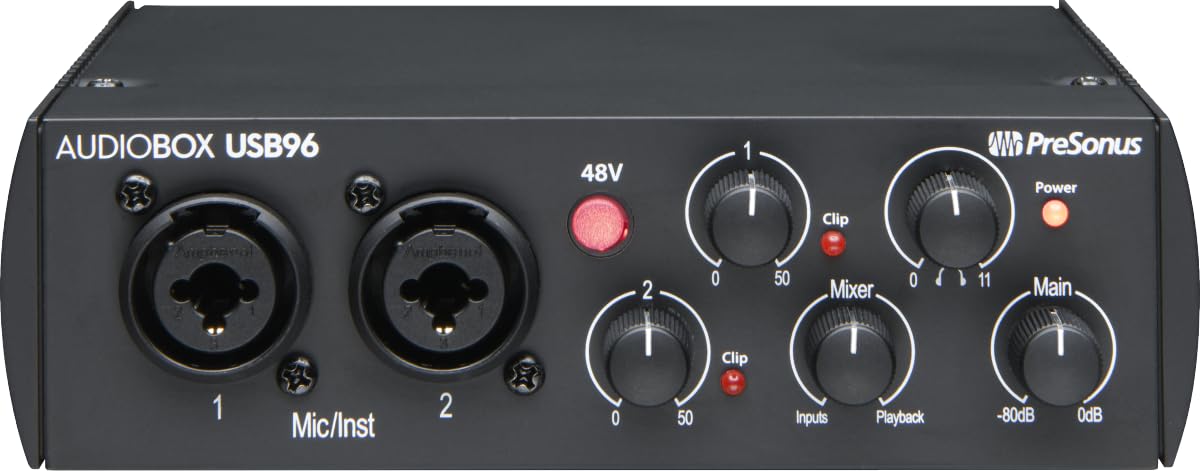
PreSonus AudioBox 96

87 /100
Sound Score Excellent

Key details

Inputs
2 mic, 2 instrument
Loopback
No
Phantom Power
Yes
Gain And Noise
View on Amazon

PreSonus packs a genuine beginner home-recording setup into a budget interface: two Class-A mic preamps with phantom power, instrument inputs, MIDI, and Studio One Artist. It covers vocals, guitars, and line sources for first-time PC studios. Noise or popping can surface in playback or recording, making it less reassuring than comparable budget picks for streamers.

Pros

  • Class-A mic preamps and instrument inputs cover vocals, guitar, and line sources in one entry-level box.
  • Bundled Studio One Artist, Ableton Live Lite, and Studio Magic add real software value to the bundle.

Cons

  • USB-C MacBook users may hit compatibility limits with certain ports or cables.
Our verdict

For a first PC home studio that values Studio One and MIDI over streaming polish, this budget interface fits.

Check Latest Price
12

Compact Setups

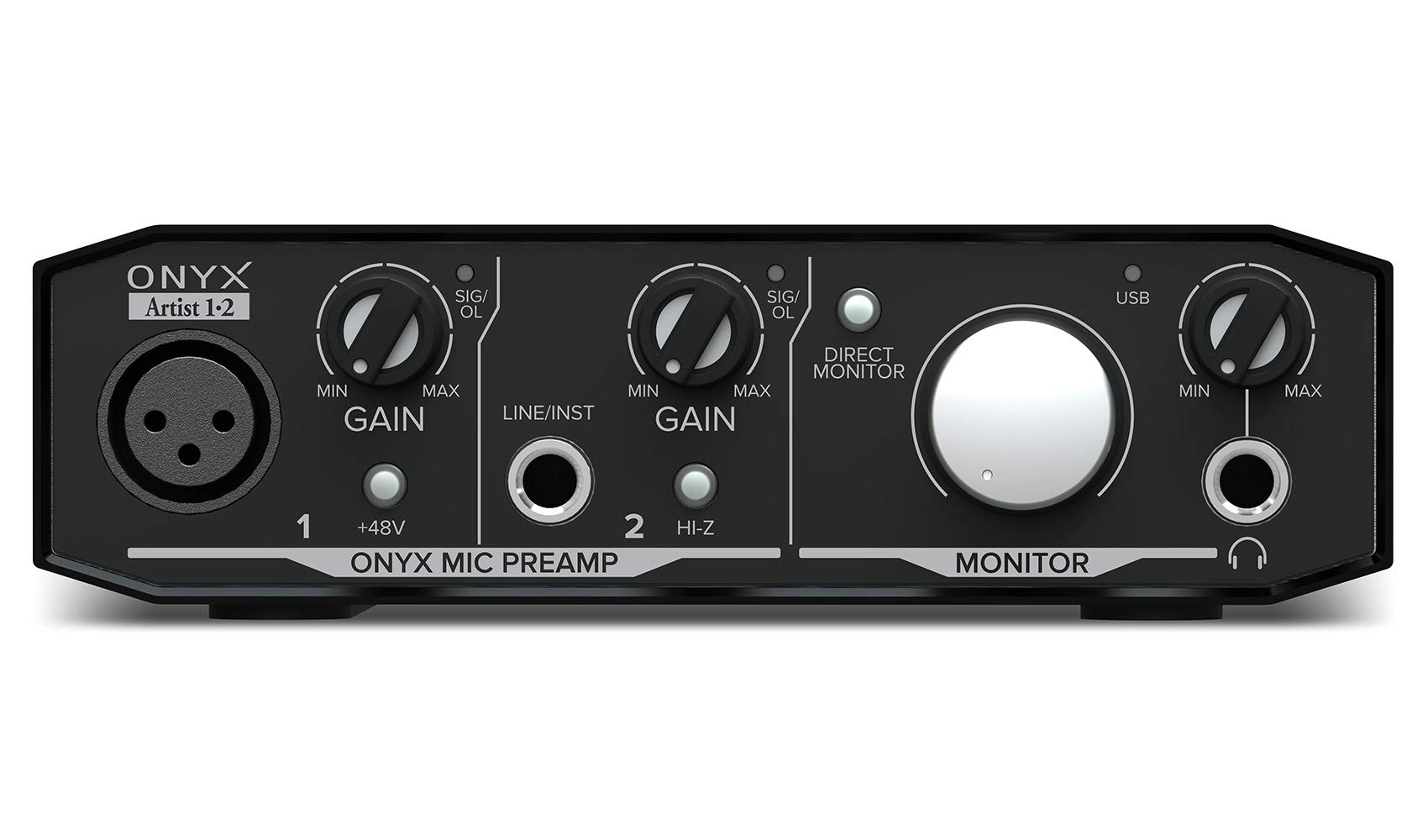
Mackie Onyx Artist 1X2

87 /100
Sound Score Excellent

Key details

Inputs
1 mic, 1 Hi-Z
Loopback
No
Phantom Power
Yes
Gain And Noise
Onyx preamp
View on Amazon

Compact and bus-powered, the Mackie Onyx Artist 1X2 pairs a clean Onyx preamp with zero-latency direct monitoring and class-compliant operation across Windows, Linux, and major DAWs. For guitarists and vocalists wanting a single-mic backup interface, that is a strong value. Its one XLR input and poor gain taper define its ceiling for streamers.

Pros

  • Clean Onyx preamp and zero-latency direct monitoring keep guitar and vocal takes quiet.
  • Class-compliant operation covers Windows, Linux, and major DAWs without a separate driver install.

Cons

  • Headphone amp can run out of headroom with low-sensitivity headphones, so monitoring levels may be tight.
Our verdict

For Linux musicians or vocalists who need a small backup at a desk, this is the cost-effective choice.

Check Latest Price
13

Also Great

Arturia MiniFuse 1

91 /100
Sound Score Outstanding
View on Amazon

Loopback, 5-pin MIDI, and a 5-year warranty make for a promising compact desktop unit. The single combo input handles mic, line, or instrument, so the ceiling is one source at a time. That works for solo podcasters and guitarists; guest mics or stereo capture fall outside its scope.

Pros

  • Loopback captures desktop audio alongside a microphone for one-cable stream routing.
  • 5-pin MIDI I/O and a 5-year warranty come in a footprint that suits a compact desk.

Cons

  • One combo input means a single mic or instrument only
Our verdict

For solo streamers who need MIDI and loopback in a small box, the MiniFuse 1 fits; streams with guest mics or stereo sources should look to the two-input Focusrite.

Check Latest Price

How to Choose

Inputs

Input count sets how many mics or instruments you can capture at once. A single-XLR interface works for a solo podcaster, but adding a guest or a mic plus guitar means you need two simultaneous channels.

Check whether the combo jacks accept both XLR and 1/4-inch. Some budget units share input paths, which limits what you can record at the same time.

Phantom Power

Phantom power sends 48V down the XLR cable for condenser mics. Dynamic mics like the Shure SM7B do not need it, so a simple global +48V switch is enough for most streamers.

The trade-off appears when phantom is global rather than per-channel. On a two-mic interface, powering one condenser also sends voltage to the second channel, which can cause hum in gear not designed for it.

Loopback Routing

Loopback lets streaming software capture system audio — game sound, music, a browser tab — along with your microphone. Without it, you need virtual-cable software or awkward physical wiring to get desktop audio into OBS.

With loopback, OBS sees one clean mix input. Without it, sample-rate mismatches and audio delays eat into every live session, so streamers should treat loopback as a requirement.

Gain and Noise

Gain determines how far a quiet dynamic mic can be turned up before conversion. Low-output mics need around 60dB; interfaces with 55dB or less are usually maxed out, which raises the noise floor.

More gain is only useful when the preamp stays quiet. Dynamic range figures like 120dB point to a cleaner circuit than older budget designs around 100dB.

OS Compatibility and Drivers

Interfaces either use class-compliant USB or vendor-specific drivers. Class-compliant devices tend to survive OS updates; driver-dependent units can break after a Windows update or macOS upgrade.

If you stream on a recent macOS version or a Windows machine that updates often, check the manufacturer's driver support before choosing an interface.

Frequently Asked Questions