12 Best Audio Interface of 2026: Clean Preamps, Stable Drivers

Best audio interface picks for clean gain with dynamic mics, stable driver behavior, and the right input count for solo or multi-source recording.

An audio interface lives and dies by two things that rarely make the front of the box: how stable the drivers are on your operating system, and how clean the preamps stay as you turn up the gain. A unit can quote 192 kHz conversion and still crackle on Windows 11 or hiss with a low-output dynamic mic.

The right interface for a solo podcaster is different from the right one for a duo recording an SM7B, a band capturing four mics, or a mobile creator running an XLR mic into a phone. Matching the hardware to that use case matters more than chasing the highest sample rate.

Practical headroom, stable recent drivers, and the input count you actually need decide whether a first interface becomes an easy tool or a troubleshooting project. Preamp headroom and a current driver report beat a larger software bundle.

About the Sound Score: This comparative score is calculated from a product's published customer rating and review volume. It is not a laboratory measurement or a hands-on test result.

1

Best Overall

Focusrite Scarlett Solo 3rd

95 /100
Sound Score Outstanding

Key details

Inputs & Types
1 XLR preamp, Hi-Z instrument
Max Sample Rate
24-bit/192 kHz
Drivers & Software
Pro Tools Intro, Ableton, Hitmaker
Monitoring & Outputs
2 balanced outputs, headphone out
View on Amazon

The single Focusrite preamp provides 56 dB of gain for condenser and dynamic microphones, while the Hi-Z input accepts electric guitar, bass, or keyboard signals. The 24-bit/192 kHz conversion path keeps recorded audio clean, and the included software bundle spans Pro Tools Intro+, Ableton Live Lite, Cubase LE, and the Hitmaker Expansion. For an entry-level interface, that is a capable recording chain without add-ons. That bundle lowers the cost of starting a recording workflow for voice, guitar, or keys.

Home recording, podcasting, and streaming fit the one-mic-plus-one-instrument layout without unused inputs. Two balanced 1/4-inch outputs and a headphone output handle desktop monitoring, and phantom power covers condenser mics. USB setup stays low-friction on consumer operating systems, so the interface gets out of the way during a session.

Solo podcasters, streamers, and singer-songwriters get one XLR mic input plus one instrument input, which mirrors a single-person recording setup. This 3rd-generation design lacks Auto Gain, Clip Safe, and loopback found on newer Focusrite interfaces, so creators who want automated level setting or internal audio routing should consider the dual-input 4th Gen model instead.

💡 Check your streaming or recording app's audio device settings before a live session.

Pros

  • Fifty-six dB of gain from the Focusrite preamp handles dynamic and condenser mics without immediate outboard help.
  • USB setup is low-friction on consumer operating systems, keeping first-time recording simple.
  • The input set and included software bundle deliver strong value for entry-level solo recording.

Cons

  • Certain software and OS combinations can require extra configuration or produce inconsistent behavior.
  • Audio can occasionally crackle, pop, or drop out on some systems over time.
Our verdict

For a first interface, this is a focused way to record one mic and one instrument without overspending. It suits the solo creator workflow rather than forcing an input count you will not use.
Check Latest Price
2

Best Flexible 2-Input Upgrade

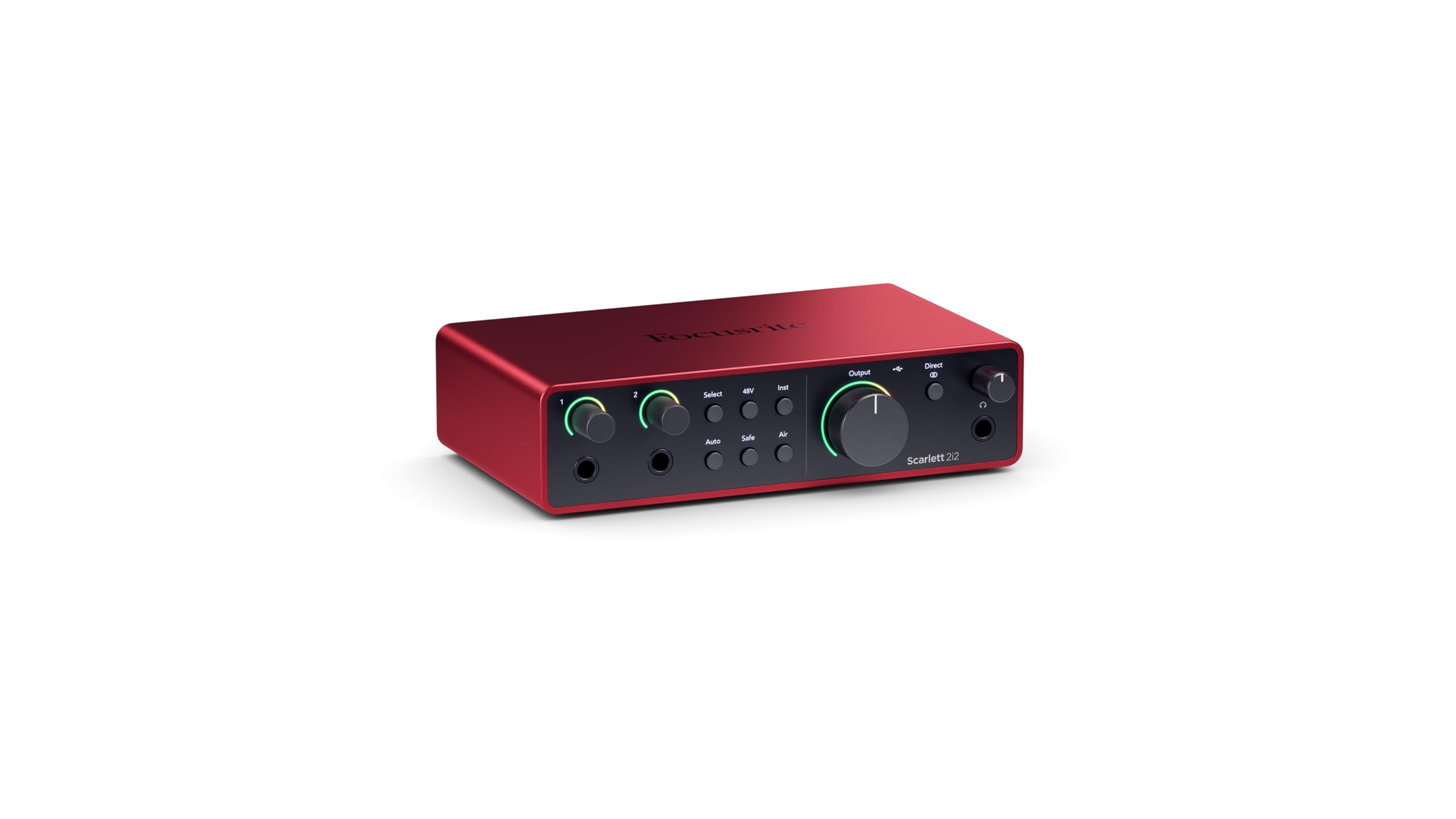
Focusrite Scarlett 2i2 4th

92 /100
Sound Score Outstanding

Key details

Inputs & Types
2 combo XLR/instrument inputs
Max Sample Rate
24-bit/192 kHz
Drivers & Software
Monitoring & Outputs
Auto Gain, Clip Safe, loopback
View on Amazon

Unlike the single-input Focusrite in this set, the 2i2 4th Gen adds two combo inputs, 69 dB of gain, Auto Gain, Clip Safe, and loopback. That makes it a more flexible recording front end for capturing two mics or a mic plus instrument at once while the interface handles gain safety.

This suits podcasters, singer-songwriters, and streamers who need simultaneous dual-source recording and want fewer manual gain decisions. Windows users may encounter driver-related dropouts or crackling on some systems, so Mac or USB-C iPad workflows may be a smoother fit. Solo creators with one mic should stay with the lower-cost single-input option.

Pros

  • Two combo XLR inputs capture simultaneous mics or a mic and instrument without swapping cables.
  • Auto Gain and Clip Safe handle gain setup and guard against input clipping before recording.
  • Quiet Focusrite preamps deliver clean gain for dynamic mics and instruments.

Cons

  • Unit behavior can vary by setup, with occasional disconnects or crashes that interrupt a session.
Our verdict

Pick this if you need two Focusrite inputs and want Auto Gain, Clip Safe, and loopback without moving into a larger interface. Single-input creators can leave those features behind for a lower entry cost.

Check Latest Price
3

Best Multi-Input Value

Behringer UMC404HD

92 /100
Sound Score Outstanding

Key details

Inputs & Types
4 MIDAS mic preamps
Max Sample Rate
24-bit/192 kHz
Drivers & Software
Monitoring & Outputs
4 outputs, MIDI I/O
View on Amazon

The UMC404HD pairs four MIDAS-designed mic preamps with four outputs, MIDI I/O, and 24-bit/192 kHz capture in a desktop interface built for multi-source tracking. The metal chassis and front-panel controls fit stationary sessions more than portable rigs, and the channel count steps beyond the compact two-input starter.

Bands, worship teams, and home studios tracking several microphones at once get the most from the four inputs, and MIDI hardware sync adds value for keyboard or drum machine setups. Some units may develop phantom power or individual output channel issues, so a fixed setup is the better fit; buyers wanting compact single-input simplicity should look elsewhere.

Pros

  • Four MIDAS preamps handle multi-mic tracking without an external mixer.
  • Clean, low-noise capture with warm preamp character suits close-miked vocals and acoustic sources.
  • Four outputs and MIDI I/O allow monitor routing and external MIDI gear sync.

Cons

  • Driver support and documentation can lag, adding manual configuration on some operating systems.
Our verdict

Choose the UMC404HD for fixed-install band, worship, or home-studio sessions that need four preamps and hardware MIDI without moving to a larger console.

Check Latest Price
4

Best Low-Latency Performer

MOTU M2

91 /100
Sound Score Outstanding

Key details

Inputs & Types
2 combo mic/instrument inputs
Max Sample Rate
24-bit/192 kHz
Drivers & Software
Low-latency MOTU drivers
Monitoring & Outputs
Hardware monitoring, loopback, visual metering
View on Amazon

Low-latency MOTU drivers and the visual metering make gain and output levels legible before a note is recorded. The two combo inputs provide clean, transparent capture for vocals, instruments, and podcast speech. This is not the 4x4 routing or expanded line I/O path; it stays compact for a focused desktop stereo workflow.

Mac users get class-compliant simplicity, while podcasters and musicians needing two clean inputs can route mics or instruments through hardware monitoring. Windows users with USB/audio driver sensitivity should verify system compatibility: intermittent crackling or driver crashes can appear on some configurations.

Pros

  • Transparent conversion preserves vocal and instrument detail without obvious coloration.
  • Visual metering and hardware monitoring keep input levels clear and latency-free during tracking.
  • Class-compliant Mac operation keeps setup minimal for a two-input recording or podcasting chain.

Cons

  • Audio can stutter or drop out on certain Windows configurations.
Our verdict

The M2 fits Mac-first or compatibility-checked Windows setups that want a transparent two-input front end with precise level feedback.

Check Latest Price
5

Best Premium Home Studio Preamp

Audient iD14 MKII

91 /100
Sound Score Outstanding

Key details

Inputs & Types
2 Class-A Audient mic preamps
Max Sample Rate
24-bit/96 kHz
Drivers & Software
Monitoring & Outputs
2 headphone outs, monitor mix
View on Amazon

Class-A Audient console preamps give the iD14 MKII a cleaner analog front end than the top pick's feature-led design. Dual headphone outputs and monitor panning support tracking sessions where a performer and engineer need separate monitoring. The 24-bit/96 kHz capture path keeps vocal and instrument detail intact.

The target buyer is a Mac/iOS-centered vocalist or instrumentalist who values preamp quality over Auto Gain or loopback. Windows users may need to complete a non-plug-and-play driver setup before first recording; the analog front end is the reason to accept that friction. Budget-first buyers looking for a simpler entry point are better served elsewhere.

Pros

  • Professional-grade AD/DA conversion keeps recordings clean and detailed at 24-bit/96 kHz.
  • Class-A console preamps bring vocal and instrument tracks forward with low self-noise.
  • Metal chassis and controls feel built for daily home-studio use.

Cons

  • For Windows-based recording, driver stability can vary after initial setup, with occasional dropouts during playback or recording.
Our verdict

For Mac/iOS-centered home studio owners and anyone prioritizing preamp quality over software conveniences, this is a premium two-input path.

Check Latest Price
6

Best Creator Hub with MIDI & USB

Arturia MiniFuse 1

91 /100
Sound Score Outstanding

Key details

Inputs & Types
1 combo XLR/instrument input, TRS
Max Sample Rate
24-bit/192 kHz
Drivers & Software
Monitoring & Outputs
Loopback, USB hub
View on Amazon

The MiniFuse 1 bundles loopback, 5-pin MIDI I/O, a USB hub, and 24-bit/192 kHz capture into a single-combo-input body. Those extras make it a more flexible hub for MIDI-equipped creators and streamers than the top pick, while the single input keeps it a one-mic decision rather than a multi-source rig.

It fits best for one microphone or instrument plus MIDI keyboards, content creators who want loopback routing, and buyers who want the 5-year warranty. Users needing two XLR mic preamps will want a dual-input alternative; occasional disconnects or DAW crashes can happen on some systems, but the warranty backs the hardware.

💡 Register the 5-year warranty after purchase and connect the interface directly to a USB port.

Pros

  • Audio quality stays clean and detailed for voice, guitar, and line-level sources.
  • Loopback, 5-pin MIDI, and USB hub features extend a compact one-input setup.
  • Software bundle adds value without raising the entry-level price.

Cons

  • Some systems can encounter an occasional disconnect or DAW crash.
Our verdict

Choose the MiniFuse 1 when MIDI, loopback, and USB hub expansion matter more than a second XLR input. The 5-year warranty covers the hardware through that extended use.

Check Latest Price
7

Best for Studio One Users

PreSonus Studio 24c

92 /100
Sound Score Outstanding

Key details

Inputs & Types
2 combo XMAX-L preamp inputs
Max Sample Rate
24-bit/192 kHz
Drivers & Software
Studio One Artist included
Monitoring & Outputs
USB-C, headphone out
View on Amazon

The Studio 24c pairs two combo XMAX-L preamp inputs with MIDI I/O and USB-C, a combination the current dual-input Focusrite does not match for players adding synths or older hardware. Studio One Artist sweetens the purchase for producers tracking vocals, guitar, and MIDI without a separate MIDI interface.

The right buyer is a Studio One user building a compact two-input setup. The preamp gain can fall short on low-output dynamics such as the SM7B, so an external booster is required for that scenario; the rear-mounted headphone jack is an ergonomic tradeoff. Condenser mics and typical instruments sit comfortably inside the available gain range.

💡 Pair an SM7B or similar low-output dynamic mic with an external booster so the preamps stay in their clean range.

Pros

  • Clean XMAX-L preamps keep vocal and instrument recordings clear at usable gain.
  • MIDI I/O and USB-C remove the need for a separate MIDI interface in a small home setup.
  • Studio One Artist gives DAW users a complete tracking path out of the box.

Cons

  • Low-output dynamic mics like the SM7B can hit the gain ceiling without an external booster.
  • The rear-mounted headphone jack can be inconvenient for quick access in a small desk setup.
Our verdict

A focused match for Studio One-centric two-input setups that lean on MIDI and the included software.

Check Latest Price
8

Budget Beginners

Behringer UMC22

91 /100
Sound Score Outstanding

Key details

Inputs & Types
1 combo XLR/TRS, 1 instrument
Max Sample Rate
Drivers & Software
ASIO4ALL Windows driver
Monitoring & Outputs
Direct monitor select
View on Amazon

The Behringer UMC22 covers first-time home recording essentials: one combo XLR/TRS input, one instrument input, a MIDAS-designed preamp, and +48V phantom power. It records a mic or guitar into a DAW cleanly enough for practice takes. At higher gain, preamp hiss can rise, and Windows setup can require ASIO4ALL. Those preamp and driver tradeoffs keep it from higher tiers.

Pros

  • Keeps first-time recording costs low while covering essential mic and instrument inputs.
  • The controls stay simple enough for a beginner to set up and record quickly.

Cons

  • Popping can appear during recording or playback on some systems.
Our verdict

A sensible stop for first-time home recording when the budget is tight and the session is one mic or one instrument at a time.

Check Latest Price
9

Budget Dual-Input Buyers

M-Audio M-Track Duo

89 /100
Sound Score Excellent

Key details

Inputs & Types
2 combo XLR/line/instrument inputs
Max Sample Rate
24-bit/48 kHz
Drivers & Software
MPC Beats included
Monitoring & Outputs
USB/Direct zero-latency monitoring
View on Amazon

Two combo XLR/line/instrument inputs and phantom power sit in an entry-level chassis, with MPC Beats included for quick starts. The tradeoff is a gain control that can jump near maximum and long-term durability that varies by unit, so this fits casual demos, spoken-word work, and first-time recording rather than critical low-noise capture.

Pros

  • Simple setup for recording two microphones or instruments at once.
  • Dual XLR/line inputs, phantom power, and MPC Beats create a practical budget bundle.

Cons

  • macOS Sonoma compatibility can be inconsistent; Mac users should verify before buying.
Our verdict

This fits a first-time Windows recorder or podcaster who needs two XLR inputs and bundled software without spending much.

Check Latest Price
10

Absolute Beginners

M-Audio M-Track Solo

88 /100
Sound Score Excellent

Key details

Inputs & Types
1 XLR + 1 line/instrument
Max Sample Rate
24-bit/48 kHz
Drivers & Software
MPC Beats included
Monitoring & Outputs
RCA outputs, 1/8-inch headphone out
View on Amazon

The bare-bones M-Track Solo pairs a single XLR plus line/instrument input with RCA outs and a 1/8-inch headphone output. First-time and occasional recording works, but ground loop hum or static and volume control spikes can appear, making it less consistent than budget leaders and requiring troubleshooting in some setups. Those needing dual inputs or robust monitoring should consider the Duo instead.

Pros

  • Solid build quality for a very affordable interface
  • Strong value for simple recording needs

Cons

  • Functionality can vary between units, requiring occasional setup rework.
Our verdict

If you are recording a single mic or instrument occasionally and can accept some setup troubleshooting, this entry-level interface is a low-cost starting point.

Check Latest Price
11

Electronic Musicians

MOTU M4

90 /100
Sound Score Outstanding

Key details

Inputs & Types
4-in/4-out, 2 mic preamps
Max Sample Rate
24-bit/192 kHz
Drivers & Software
Low-latency MOTU drivers
Monitoring & Outputs
Loopback, LCD metering
View on Amazon

The MOTU M4 routes two mic preamps plus two line inputs to four outputs, with loopback and MIDI for synth-heavy or streaming workflows. Low-latency drivers and LCD metering support hardware monitoring without needing a standalone mixer. The premium position and possible driver or firmware variance make it a niche pick over simpler two-channel interfaces, not a default for solo voice recording.

Pros

  • Low-latency drivers keep tracking and monitoring tight for synth-heavy sessions.
  • 4x4 I/O with loopback and MIDI supports multi-source studio and streaming rigs.

Cons

  • macOS Monterey and Windows ARM builds can require extra connectivity workarounds.
Our verdict

This fits a synth-heavy home studio or multi-source streaming rig that needs 4x4 routing, loopback, and MIDI on a supported Windows or macOS build. It makes less sense for a basic single-mic podcasting setup.

Check Latest Price
12

Mobile XLR Creators

Shure MVX2U Gen2

90 /100
Sound Score Outstanding

Key details

Inputs & Types
XLR mic input
Max Sample Rate
24-bit/192 kHz
Drivers & Software
Shure DSP: Auto Level, Denoiser
Monitoring & Outputs
View on Amazon

The MVX2U Gen 2 packs Shure DSP and a solid XLR input into a compact USB-C adapter that works well for phone, tablet, or computer recording. The tradeoff is clear: no hardware monitoring output or instrument input, so this sits outside the core desktop-interface role the top pick fills. Mobile creators get a focused one-mic Shure signal chain.

Pros

  • Compact build makes it easy to pack for mobile podcasting and voice work.
  • Clean, clear Shure sound keeps voice capture polished without extra processing.

Cons

  • Higher gain settings can introduce hiss or leave gain short with some dynamic mics.
Our verdict

Choose this for mobile creators who want a pocketable Shure DSP path for one XLR microphone in phone, tablet, or laptop workflows.

Check Latest Price

How to Choose

Input Count and Type

The number of mic preamps sets a hard ceiling on what you can record at once. A single XLR input handles one microphone; dual combo inputs support two mics or two instruments; four-input units cover small bands but add size and power needs.

Check whether the input is combo XLR/TRS or limited to instrument-level signals. Instrument inputs have higher impedance, which keeps guitar pickups from sounding dull, while line inputs expect hotter signals from keyboards or external preamps.

Preamp Gain and Phantom Power

Gain range determines whether a dynamic mic like the SM7B gets loud enough before the preamp adds audible hiss. Budget interfaces often run out of clean gain near the top, so that last 15 dB can come with noise.

Phantom power matters for condenser mics and some inline boosters. Most interfaces include +48V, but if you plan to use a low-output dynamic broadcast mic, look for at least 60 dB of available gain or budget for an external booster.

Max Sample Rate and Bit Depth

Sample rate and bit depth are less important than they appear once you pass 24-bit/48 kHz. Higher figures like 192 kHz are useful for lower-latency conversion and demanding music production, but they do not fix driver instability or preamp hiss.

File sizes and CPU load climb with higher rates, so 96 kHz or 192 kHz only makes sense if your sessions use many tracks and plugins.

Monitoring and Outputs

Direct monitoring routes your microphone or instrument to headphones before the computer loop, so there is no distracting delay. Loopback adds a separate computer audio return, useful for streaming gameplay or backing tracks without complicated routing.

Check output type before buying: balanced 1/4-inch outputs reduce noise over longer cable runs, while RCA outs and a rear headphone jack can create cable clutter or force adapters.

Driver Stability and Software Bundle

Driver stability is the least visible spec and the most common source of regret. Windows machines often need the manufacturer's ASIO driver, and compatibility can vary by OS version, USB chipset, and software host.

An included DAW or plugin bundle adds value only if you will install it. Prioritize recent driver reports for your operating system ahead of a bigger software bundle.

Frequently Asked Questions
