12 Best Podcast Audio Interfaces of 2026: Clean Gain That Holds

Find the podcast audio interface that matches your mic setup, input needs, and computer without paying for specs you don't need.

Most podcasters choose an interface by looking at sample rates and bundled software, but the conversations that matter happen after the first recording session. That is when input count, preamp gain, and driver stability decide whether a setup feels effortless or becomes a troubleshooting project.

The practical sweet spot for podcasting is a low-mid-tier USB interface that gives you one or two XLR inputs, phantom power, dependable computer connectivity, and zero-latency monitoring without pushing you toward studio-grade expansion you won't use. The right choice depends on whether you record solo, host a co-host, or travel with a phone and a microphone.

This guide sorts the category by those real working scenarios so you can match an interface to the way your show actually gets made.

About the Sound Score: This comparative score is calculated from a product's published customer rating and review volume. It is not a laboratory measurement or a hands-on test result.

1

Best Overall

Scarlett Solo 3rd Gen

95 /100
Sound Score Outstanding

Key details

Extras
Hi-Z input
Rating
4.7 ★
Monitoring
Direct monitor
XLR Inputs
1
View on Amazon

The Scarlett Solo 3rd Gen gives solo podcasters and streamers a clean 56dB mic preamp and a headphone monitor output in a compact USB interface. It keeps the route from mic to computer simple, with a gain knob that stays quiet enough for voice work at normal settings. Direct monitoring lets you hear yourself without latency, which is useful for timing a live stream or lining up a voiceover read. The Hi-Z instrument input lets a singer-songwriter track guitar alongside a vocal take, and the front-panel layout stays minimal: gain, monitor mix, and a 48V phantom switch cover the essentials.

Solo podcasters, voiceover artists, and first-time home studio buyers are the right audience. The single XLR input is a hard limit for two-mic shows, so co-hosted recordings need a two-input interface. If your stream or podcast runs one microphone at a time, this is the no-fuss option that avoids paying for channels you won't use. Setup takes a few minutes even for a beginner: plug in the mic, set the gain, choose the Scarlett as the computer's input, and start recording. The focus keeps the price in mid-range territory without cutting the features that matter for podcasting and streaming.

💡 Streaming apps may need their audio input/output settings matched manually before going live.

Pros

  • Clean 56dB gain keeps a single dynamic mic usable for voiceover and streaming without audible noise.
  • Simple setup and minimal controls make it an approachable first audio interface.
  • Strong value at a mid-range price for beginners building a home studio.

Cons

  • A second XLR mic can't be added later, so two-host recordings need a two-input interface.
  • Connection stability can vary between units; occasional crackling or USB drops have been noted.
Our verdict

For solo-format work, this Scarlett handles the essential job of getting a microphone into a computer with clean gain and minimal setup friction.
Check Latest Price
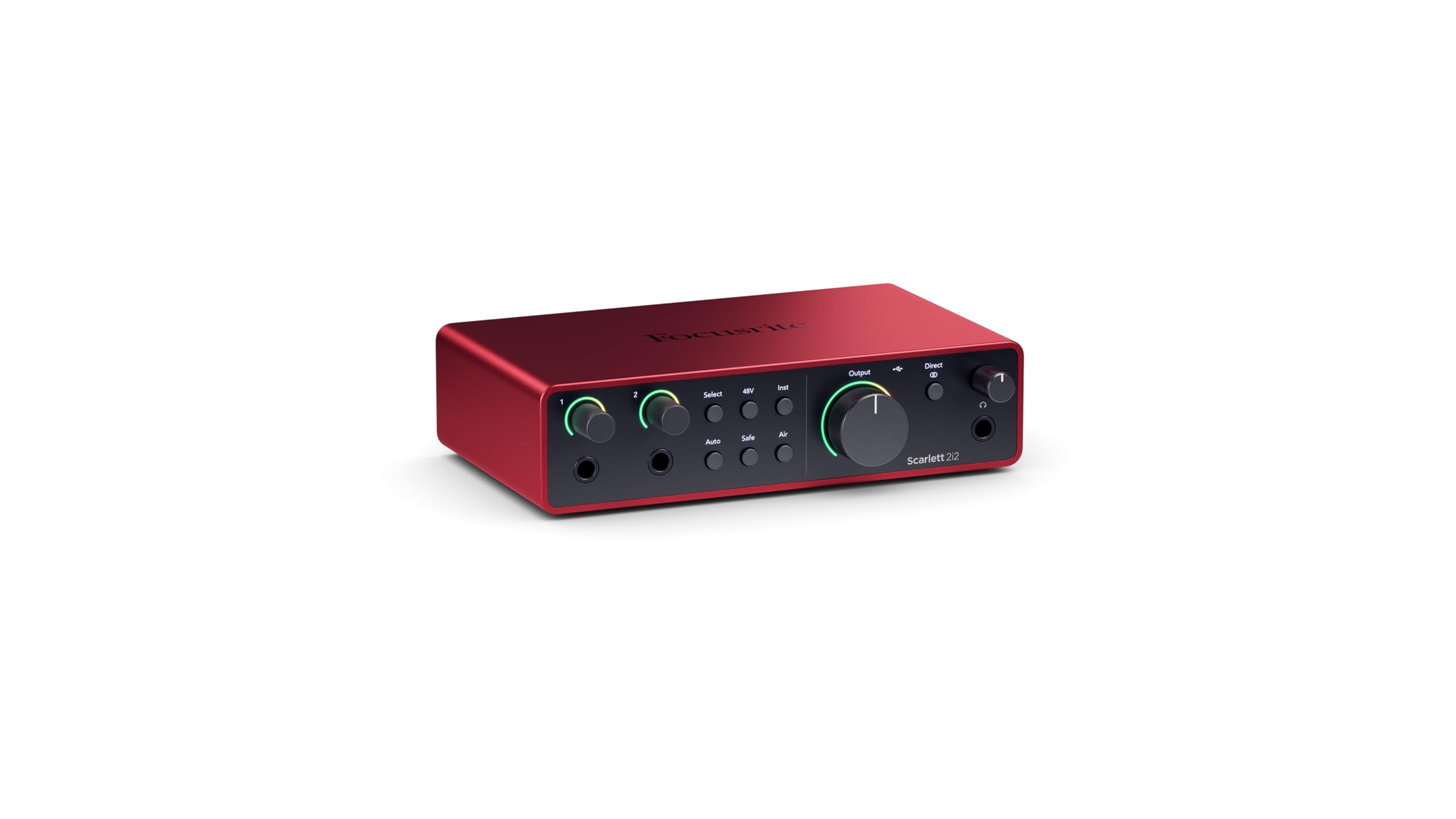
2

Best for Two-Mic Podcasting

Scarlett 2i2 4th Gen

92 /100
Sound Score Outstanding

Key details

Extras
Auto Gain, loopback
Rating
4.6 ★
Monitoring
Direct monitor
XLR Inputs
2
View on Amazon

Two modern XLR preamps, Auto Gain, Clip Safe, and loopback in a compact 4th-gen Focusrite make this a capability upgrade over the single-input Scarlett. The dual combo inputs accept XLR or instrument cables, covering two-mic podcasts and mic-plus-guitar sessions at 24-bit/192kHz. The 120dB dynamic range keeps quiet sources clean without extra fuss.

This Scarlett suits podcasters and streamers who need two XLR inputs and a safety net for level-setting. It is not the cheap entry point; it is the upgrade path. Windows users may encounter audio dropouts or driver-related disconnects, so a current driver build is part of setup.

Pros

  • Two XLR/instrument combo inputs with clean preamps cover voice plus guitar at the same time.
  • Auto Gain and Clip Safe make level-setting faster and harder to mess up.
  • Loopback routing suits streamers who need to blend desktop audio into a broadcast.

Cons

  • High-impedance headphones can sound quiet on the front-panel jack; a separate amp may be needed.
Our verdict

A mid-range price buys two clean preamps, Auto Gain, and loopback for creators who have outgrown a single-input interface.

Check Latest Price
3

Best Sound Quality

MOTU M2

91 /100
Sound Score Outstanding

Key details

Extras
LCD metering
Rating
4.6 ★
Monitoring
Hardware monitor
XLR Inputs
2
View on Amazon

Reference-grade converters, low-latency performance, and a loud headphone amp make this compact 2x2 a precise tool for critical solo recording. The LCD metering is accurate enough to trust, and the preamps stay clean at usable gain levels for voice work. Build quality and sound clarity hold up in home studios without demanding extra desk space. The headphone output has enough level for tracking without a separate amp.

Solo podcasters and voiceover artists recording one or two mics at a time are the primary fit; the direct monitoring keeps vocal takes on time. Mac and Linux users get steady behavior in common DAWs. Desktop streamers who need loopback for audio capture should look at the 4x4 sibling instead.

💡 Windows users should confirm the latest MOTU driver is installed before long sessions.

Pros

  • Clean, accurate converters with a headphone amp that has strong output.
  • Easy setup with consistent behavior on Mac and Linux systems.
  • Good value for the performance level, especially for solo voice work.

Cons

  • On Windows, some DAW sessions may produce crackling, stuttering, or driver crashes.
Our verdict

For solo podcasters and voiceover artists, this is a cost-effective way to get clean conversion and precise metering.

Check Latest Price
4

Best Budget Two-Mic Interface

M-Track Duo

89 /100
Sound Score Excellent

Key details

Extras
Phantom power
Rating
4.4 ★
Monitoring
Zero-latency switch
XLR Inputs
2
View on Amazon

Two combo XLR inputs with phantom power and a USB/Direct zero-latency switch give two-mic podcasters a genuinely affordable entry point without the single-input limits of the slimmer option in this set. The gain controls are workable for voice, but the top of the knob is touchy, so fine level matching takes patience. This suits budget-minded co-host shows and streamers who need both condensers powered at once. Mac users on Sonoma should verify driver support before buying. Some units may vary in long-term behavior or produce clicks/pops around the gain range, so checking a unit early is worth the effort.

💡 Start with both gain knobs low and bring them up slowly to find matching levels without overshooting.

Pros

  • Two-mic recording at a budget price
  • Preamp quality holds up for spoken-word use at this price.
  • New users can get setup done quickly without a complicated control surface.

Cons

  • Dialing two mics to equal levels is finicky near the top of the gain knob.
  • Unit-to-unit consistency can vary; connection or audio issues may appear after months of use.
Our verdict

For co-host podcasts and streaming setups on a tight budget, the M-Track Duo is the budget-friendly way to get two mics into one computer.

Check Latest Price
5

Best for Mobile Recording

Shure MVX2U

90 /100
Sound Score Outstanding

Key details

Extras
DSP, mobile support
Rating
4.6 ★
Monitoring
XLR Inputs
1
View on Amazon

The MVX2U Gen 2 pairs directly with Mac, Windows, iPhone, and iPad over a single USB-C cable, and Shure's Auto Level, Real-Time Denoiser, and Digital Popper Stopper run inside the device rather than in desktop software. Setup is close to instant, and the lightweight body slips into a bag without adding bulk.

It suits mobile podcasters and remote interviewers who already own an XLR mic and want a small rig for phone or tablet work. The single XLR input and app-only control system are the boundaries: this is for solo mobile recording, not co-host shows or musicians who need a physical gain knob.

Pros

  • Works cleanly with a wide range of XLR mics and devices right out of the box
  • Auto Level and Real-Time Denoiser run without installing desktop software
  • Compact footprint makes it easy to move between phone, tablet, and laptop setups

Cons

  • Gain can get hissy near the top of its range, leaving very quiet dynamic mics short of clean level
Our verdict

For solo creators who work from a phone or tablet, this is the most portable way to get clean XLR audio and Shure's voice processing in one cable.

Check Latest Price
6

Premium Solo Creator

UA Volt 1

90 /100
Sound Score Outstanding

Key details

Extras
UA 610 mode
Rating
4.6 ★
Monitoring
Direct monitor
XLR Inputs
1
View on Amazon

The Volt 1 stands apart with UA 610 preamp emulation that adds analog color to a desktop interface, and the clean preamp plus solid metal build makes it feel more expensive than the category's utilitarian favorite. The bundled LUNA/UAD software and the premium shell account for the step-up in price.

It suits solo podcasters, vocalists, and songwriters who want a refined desktop look, low-noise capture, and the LUNA/UAD plugin bundle. The headphone output covers cue monitoring during voice and vocal takes. The boundary is one mic input: two-XLR shows outgrow it quickly, and streamers who need loopback or MIDI routing should look elsewhere.

💡 Leave the 610 Vintage mode off for a neutral spoken-word track; switch it on when vocals or acoustic need added presence.

Pros

  • Low-noise preamp handles spoken word and vocals cleanly, while the 610 mode adds analog color on demand.
  • Works with common recording apps and current Mac/Windows systems without setup friction.
  • Metal body and compact controls give it a premium studio look.

Cons

  • Direct monitoring uses a switch instead of an input mix knob, so balancing mic and playback levels is less flexible.
Our verdict

For solo creators who want analog tone and a polished compact unit, the Volt 1 is the more expressive pick in this group.

Check Latest Price
7

Best for Multi-Input Streaming

MOTU M4

90 /100
Sound Score Outstanding

Key details

Extras
Loopback, MIDI
Rating
4.6 ★
Monitoring
Hardware monitor
XLR Inputs
2
View on Amazon

The M4 turns a podcast or streaming setup into a small hub: two XLR mic preamps, two additional line inputs, loopback routing, MIDI I/O, and an LCD that shows levels without guessing. Streamers can route desktop audio and mic feeds into one broadcast mix, and home studios can keep outboard gear connected alongside MIDI instruments.

Best for podcasters who want two mics plus line sources, and for streamers who need loopback without extra software. Occasional firmware or driver glitches have been noted, and some units can stop or produce static under extended use, so having a quick restart path matters during live sessions.

Pros

  • Four simultaneous inputs allow two XLR mics plus two line sources.
  • Loopback routing mixes desktop audio and microphone feeds without extra software.
  • Low-latency direct monitoring keeps headphone cues in sync while recording.

Cons

  • On Windows on ARM or macOS Monterey, the connection can drop or the interface may not wake from sleep.
Our verdict

The M4 is the right call when two XLR positions aren't enough and you want one box that handles mics, line sources, loopback, and MIDI.

Check Latest Price
8

Budget Starters

Behringer UMC22

91 /100
Sound Score Outstanding

Key details

Extras
Hi-Z input
Rating
4.5 ★
Monitoring
Direct monitor
XLR Inputs
1
View on Amazon

The UMC22 costs little and brings a Midas-designed preamp, phantom power, and headphone monitoring to a first solo podcast setup. Quiet voice work at high gain can expose hiss, and some Windows machines may need ASIO4ALL to work around driver quirks. That budget ceiling keeps it below higher-tier interfaces.

Pros

  • Midas-designed mic preamp with phantom power covers one XLR mic, and the instrument input handles a guitar.
  • Simple controls and plug-and-play USB setup get a first podcast recorded without a steep learning curve.

Cons

  • Single XLR input rules out two-mic co-host podcasts; one instrument input covers solo mic-and-guitar work instead.
Our verdict

For solo podcasters whose main constraint is price, this interface gets the first episode recorded and leaves room to upgrade later.

Check Latest Price
9

Ultra-Budget Solo

M-Track Solo

88 /100
Sound Score Excellent

Key details

Extras
Hi-Z input
Rating
4.3 ★
Monitoring
Zero-latency switch
XLR Inputs
1
View on Amazon

The M-Track Solo covers podcasting basics — phantom power, headphone monitoring, USB connection — at a low entry price. Solo beginners get one working XLR mic without complex setup. Single XLR, hum in quiet rooms, and gain jumps near the top make it a distant alternative to the Scarlett Solo.

Pros

  • Sturdy build at a budget price gives beginners one less thing to worry about.
  • Plug-and-play operation suits first-time podcasters who want one XLR mic connected to a computer.

Cons

  • USB connection can drop mid-session in certain setups.
Our verdict

Best only for a solo starter on a tight budget who records one mic at a time and accepts the interface's rough edges.

Check Latest Price
10

DAW Users

Studio 24c

92 /100
Sound Score Outstanding

Key details

Extras
MIDI, Studio One
Rating
4.6 ★
Monitoring
Mixer knob
XLR Inputs
2
View on Amazon

Two XLR/instrument inputs handle podcast mics and direct recording. MIDI I/O is a rare addition in this price range. Gain runs short for low-output dynamics such as the Shure SM7B, so an inline booster is the workaround for that mic.

Pros

  • Works well out of the box, especially with the bundled Studio One DAW.
  • Solid hardware build with a clean, functional control layout.

Cons

  • Streamers who need loopback routing to mix desktop audio into a broadcast won't find that here.
Our verdict

For podcasters and home musicians with standard dynamic or condenser mics, the dual inputs, MIDI I/O, and bundled Studio One cover the essentials.

Check Latest Price
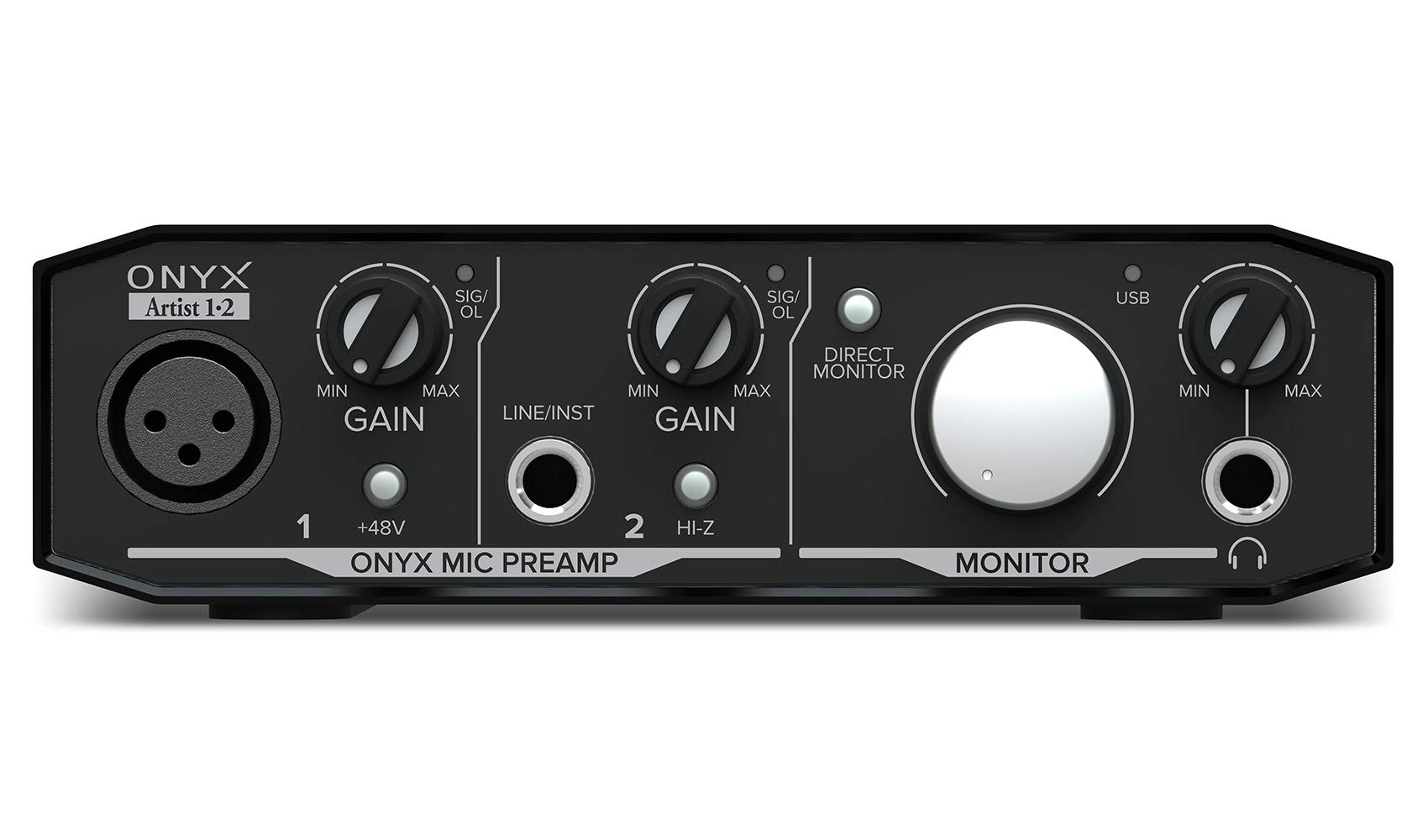
11

Compact Budget

Mackie Onyx Artist 1-2

87 /100
Sound Score Excellent

Key details

Extras
Hi-Z input
Rating
4.5 ★
Monitoring
Zero-latency direct
XLR Inputs
1
View on Amazon

The compact Mackie delivers solid build quality, clean Onyx preamp sound, and broad Windows and Linux compatibility. It records one XLR mic at a time, so two-mic shows are out; the gain knob can get touchy near the top and high-impedance headphones may need a separate amp. The Focusrite Scarlett Solo is a stronger default for this solo-podcast job.

Pros

  • Compatible with Windows, Linux, and common DAWs
  • Quiet preamp that keeps recordings clean with little noise

Cons

  • Low-sensitivity dynamic mics can sound quiet through the built-in preamp.
Our verdict

For a budget solo podcaster or streamer, the compact Mackie provides phantom power and direct monitoring.

Check Latest Price
12

Budget Streamers

MAONO PS22 Lite

84 /100
Sound Score Excellent

Key details

Extras
Loopback, ASIO
Rating
4.3 ★
Monitoring
Direct monitor
XLR Inputs
1
View on Amazon

Loopback routing and ASIO support suit a solo streamer who wants to blend mic and system audio for broadcast. It delivers clean gain for the price, with simple plug-and-play setup. The tradeoffs: crackles or drops can interrupt longer sessions, and monitor output may run low with passive studio monitors.

Pros

  • USB-C plug-and-play, loopback, and ASIO support cover the streaming essentials at a budget price.
  • Easy setup gets a first-time streamer from unboxing to microphone check quickly.

Cons

  • Single XLR input means a two-mic podcast needs a different interface.
Our verdict

For a solo streamer on a budget who needs loopback and works with a single mic, this compact interface fits.

Check Latest Price

How to Choose

XLR Inputs

A single XLR input forces every conversation into a one-mic-at-a-time workflow. If a co-host or guest appears later, you need a new interface rather than a simple cable swap.

Two XLR inputs cost a little more but cover in-person interviews, dual-mic banter, and simultaneous mic-plus-guitar recording. For most podcasters, the second input is the better insurance policy.

Preamp Gain

Dynamic mics like the Shure SM7B produce a quieter signal than condenser mics, so they need clean gain in the 60dB range. Interfaces with weak preamps push you to crank the knob, which raises the noise floor and produces hiss.

A Cloudlifter or inline booster can fix that, but it adds cost and another cable. Choosing an interface with enough native gain is the simpler path for most home studios.

Headphone Monitoring

Zero-latency direct monitoring lets you hear yourself through the interface instead of through software, avoiding the delayed echo that makes podcasters talk over their own words. A dedicated headphone output with a volume knob matters more than a second input if you record solo.

High-impedance headphones need a stronger headphone amp; budget interfaces sometimes run out of volume before you reach a comfortable listening level.

Connectivity

USB-C is the modern standard, but older USB interfaces still work fine when the drivers are stable. The bigger issue is OS compatibility: Windows users report more crackling and driver conflicts than Mac users across several brands.

Before buying, check whether the interface supports your OS version and whether the manufacturer still updates drivers. A 192kHz spec means nothing if the connection drops mid-episode.

Streaming Extras

Loopback routing lets you capture desktop audio alongside your microphone, which is essential for streamers who play music or game sound during a live show. Phone and camera integration helps podcasters bring in remote callers or record video simultaneously.

Voice DSP presets like Auto Gain and Denoiser can reduce editing time, but they are not a substitute for a clean preamp and a quiet room.

Frequently Asked Questions