10 Best Streaming Microphone in 2026: Ones That Fit Your Setup

Find the best streaming microphone for your room and workflow, from USB plug-and-play to XLR broadcast tone and hybrid upgrades.

Most streaming mics claim broadcast quality and noise cancellation, but marketing rarely matches the room you are sitting in. A condenser on a desktop with a mechanical keyboard and a box fan picks up all of it. The practical difference is between mics that accept your space and mics that pretend it is quiet.

Workflow is the second fork. USB mics go from unboxing to stream in minutes; XLR dynamics need an interface, a cable, and enough preamp gain to sound right. Hybrid USB/XLR mics look like a bridge, but their mute, monitoring, and RGB controls often switch off when you use XLR.

The remaining trade-off is between a simple no-software USB mic and a streamer-focused model with anti-clip protection. The extra DSP is only worth paying for if you will actually use it on a live stream. Match the microphone to the room and the workflow you have, not the one in the ad.

About the Sound Score: This comparative score is calculated from a product's published customer rating and review volume. It is not a laboratory measurement or a hands-on test result.

1

Best Overall

Logitech Blue Yeti

93 /100
Sound Score Outstanding

Key details

Connectivity
USB
Noise & Gain
Requires quiet room
Capsule Pattern
Condenser, four patterns
On-Mic Controls
Gain, mute, pattern, headphone
View on Amazon

The Blue Yeti is a four-pattern USB condenser built around a tri-capsule array, with zero-latency headphone monitoring and no software requirement. The voice it captures is clear and broadcast-like for spoken word, and it works immediately as a standard USB audio device on Mac or PC.

The front panel puts gain, mute, pattern selection, and headphone volume at hand, so you don't need to tab into an OS mixer mid-stream. The zero-latency headphone output mirrors the capsule before any computer processing, which keeps live monitoring in sync for streams and podcast recordings. A quick twist of the pattern dial switches between solo and multi-person setups without restarting the recording app.

This is for streamers, podcasters, and remote workers who want a no-app USB microphone with multiple patterns and direct monitoring. The boundary is room noise: as a condenser, the Yeti picks up keyboard clatter and fan hum in untreated spaces, so a quiet desk or conservative gain is part of the setup. If you already run an XLR interface and want a dynamic broadcast tone, this USB-only design is not that path.

The four-pattern dial covers cardioid for a solo host, omni for multi-person table capture, bidirectional for interviews, and stereo for room recording. Each mode uses the same tri-capsule array, and switching is immediate without opening software.

The heavy all-metal body and wide base keep the microphone planted on a desk, which matters when a streamer gestures or reaches for a keyboard. It is a desktop fixture, not a travel mic.

Pros

  • Clear, broadcast-like voice for spoken-word content with no extra drivers.
  • Four pickup patterns handle solo, group, interview, and room-recording sessions.
  • Zero-latency headphone monitoring and front-panel gain, mute, and volume controls keep sessions self-contained.
  • Heavy all-metal build stays planted while you talk, type, or gesture.

Cons

  • The mute switch and stand angle knobs can feel less refined; the mic is happiest when left in one position.
  • In an untreated room, the condenser captures keyboard clatter and fan hum unless gain is kept low.
Our verdict

This is the USB mic to compare other desktop options against: clear voice, four patterns, and no software dependency in a heavy, stable body.


Check Latest Price
2

Best XLR Dynamic

Rode PodMic

96 /100
Sound Score Outstanding

Key details

Connectivity
XLR
Noise & Gain
Dynamic, high gain needed
Capsule Pattern
Dynamic cardioid
On-Mic Controls
None
View on Amazon

The PodMic is a cardioid dynamic broadcast mic with a warm, voice-first character. Its internal pop filter and integrated swing mount are ready for a desk setup, and the all-metal shell feels more expensive than the asking price. Where a USB condenser tends to catch keyboard and room noise, this dynamic capsule keeps the focus on the person speaking.

Close-miked speech is where it shines: the capsule flatters the voice with a present midrange and avoids the exaggerated sibilance of budget condensers. The integrated swing mount holds position well, and the all-metal body does not feel like a toy.

This is for streamers and podcasters in noisy rooms who already have an XLR interface with enough gain. It is not a USB plug-and-play microphone, and the box includes no cable, stand, or pop filter, so budget for those alongside the mic.

💡 Keep the PodMic a few inches from your mouth; that is where its broadcast tone and cardioid rejection work together.

Pros

  • Warm broadcast tone flatters voice-over and podcast vocals at a budget price.
  • Cardioid dynamic pickup keeps keyboard clatter and room noise out of the live stream.
  • All-metal body and integrated swing mount feel substantial and adjust easily on a desk.

Cons

  • No on-mic mute or monitoring; live control depends on your interface or broadcast software.
  • The low-output capsule can sound quiet on interfaces with less than 50 dB of gain; an inline booster solves that.
Our verdict

For an XLR owner in a noisy room, the PodMic brings broadcast color and strong background rejection to the desk without a premium price.

Check Latest Price
3

Best USB for Streamers

Elgato Wave:3 MK.2

95 /100
Sound Score Outstanding

Key details

Connectivity
USB-C
Noise & Gain
Supercardioid, software routing
Capsule Pattern
Condenser supercardioid
On-Mic Controls
Dial, tap mute, headphone
View on Amazon

The Wave:3 MK.2 is a streamer-first USB condenser, not a multi-pattern all-rounder. Clipguard 2.0 catches voice peaks before they clip, and Wave Link routes game audio, chat, and music into separate channels without a mixer. The supercardioid pattern keeps the focus on your voice, and the tap-to-mute dial plus headphone jack put live control on the desk.

This mic rewards a streamer or podcaster who wants software mixing and anti-clip protection rather than a set-and-forget USB plug. The premium price and occasional USB recognition variance between units are easier to accept if you keep Wave Link open every session. Anyone avoiding installable software or shopping on a tight budget is better served by a simpler all-rounder.

Wave Link adds EQ, compression, and reverb, which is why this USB mic can carry a premium price over entry-level options. The capsule delivers a polished voice sound that sits close to an XLR feed for a desktop setup.

💡 Keep Wave Link open before going live so Clipguard and custom routing activate.

Pros

  • Audiophile-grade USB sound that lands close to an XLR feed.
  • Wave Link software routing replaces a separate mixer for streamers.
  • Tap-to-mute and the multifunction dial make live control easy.

Cons

  • The routing and anti-clip value depends on Wave Link; without the app the mic is a standard USB condenser.
  • Fixed supercardioid pattern limits two-person recording; a separate mic is needed for co-host podcasts.
Our verdict

The Wave:3 MK.2 makes the most sense for streamers who will actually use Wave Link every session. Anyone seeking an app-free all-rounder should go with a simpler USB mic.

Check Latest Price
4

Best Budget Starter Kit

FIFINE T669

93 /100
Sound Score Outstanding

Key details

Connectivity
USB
Noise & Gain
Condenser, room noise pickup
Capsule Pattern
Condenser cardioid
On-Mic Controls
Gain knob
View on Amazon

The T669 bundles a boom arm, shock mount, pop filter, and cardioid USB condenser at an entry-level price, so it arrives as a complete desktop streaming setup. The included hardware covers what first-time podcasters and streamers usually have to piece together themselves, and the capsule's clear voice pickup works for spoken-word content with no processing. The arm and shock mount are the least polished parts of the bundle; the arm can lose tension and the mount may feel loose when repositioned.

This kit suits gamers moving off headset mics, work-from-home users building a desktop rig, and budget-conscious first-time podcasters. It is a fixed USB condenser, so an XLR upgrade means replacing the bundle. Heavy room noise is the boundary: keyboard, fan, and room reflections show up when gain is high, and unit-to-unit durability can vary, so this is a starter-kit tradeoff rather than a broadcast-workhorse promise.

💡 Position the cardioid front toward your mouth and keep the gain modest for the cleanest vocal pickup.

Pros

  • Full desktop setup in one box: boom arm, shock mount, pop filter, USB cable.
  • Clear voice pickup for podcasting and streaming without post-processing.
  • Plug-and-play USB works with PC, Mac, and PS4/PS5 for quick setup.

Cons

  • Boom arm and shock mount can lose tension or feel loose when repositioned.
  • Condenser picks up keyboard, fan, and room tone when gain is raised; a dynamic mic suits noisy rooms better.
Our verdict

For a first desktop podcast or streaming setup, this is the kit that gets you started without buying accessories separately.

Check Latest Price
5

Best Premium Hybrid

Shure MV7+

92 /100
Sound Score Outstanding

Key details

Connectivity
USB-C + XLR
Noise & Gain
Dynamic, auto level, denoiser
Capsule Pattern
Dynamic unidirectional
On-Mic Controls
Touch mute only
View on Amazon

The MV7+ is a premium hybrid dynamic microphone: its unidirectional capsule rejects room reflections, while USB-C and XLR outputs let the same mic serve a laptop setup now and an interface-based setup later. Voice capture stays clear and present without the sibilance or room echo typical of desktop condensers. The metal body and LED touch panel feel built for daily desk use, and Auto Level plus a real-time denoiser keep the broadcast tone intact without a complicated software chain.

This is not a budget starter bundle. It is aimed at streamers and podcasters who expect to move from USB to XLR and want one durable microphone for both phases. That path assumes you will supply an XLR cable and adapt to a touch-only mute surface; for casual USB users, the premium price and minimal controls are harder to justify.

💡 Set Auto Level and touch-mute behavior in the software before your first stream.

Pros

  • All-metal body and LED touch panel feel substantial enough for daily streaming and podcasting sessions.
  • Voice stays clear and present while the dynamic capsule keeps keyboard and room noise in the background.
  • USB-C and XLR outputs let one mic move from a simple desktop setup to an audio interface without swapping hardware.

Cons

  • Touch-only mute is the only physical control; there are no other on-mic buttons or switches.
  • The premium price does not include an XLR cable or case, so an interface workflow needs extra purchases.
Our verdict

This is the hybrid dynamic to pick when a desktop USB mic needs to grow into an XLR studio setup without re-buying hardware.

Check Latest Price
6

Hybrid Upgraders

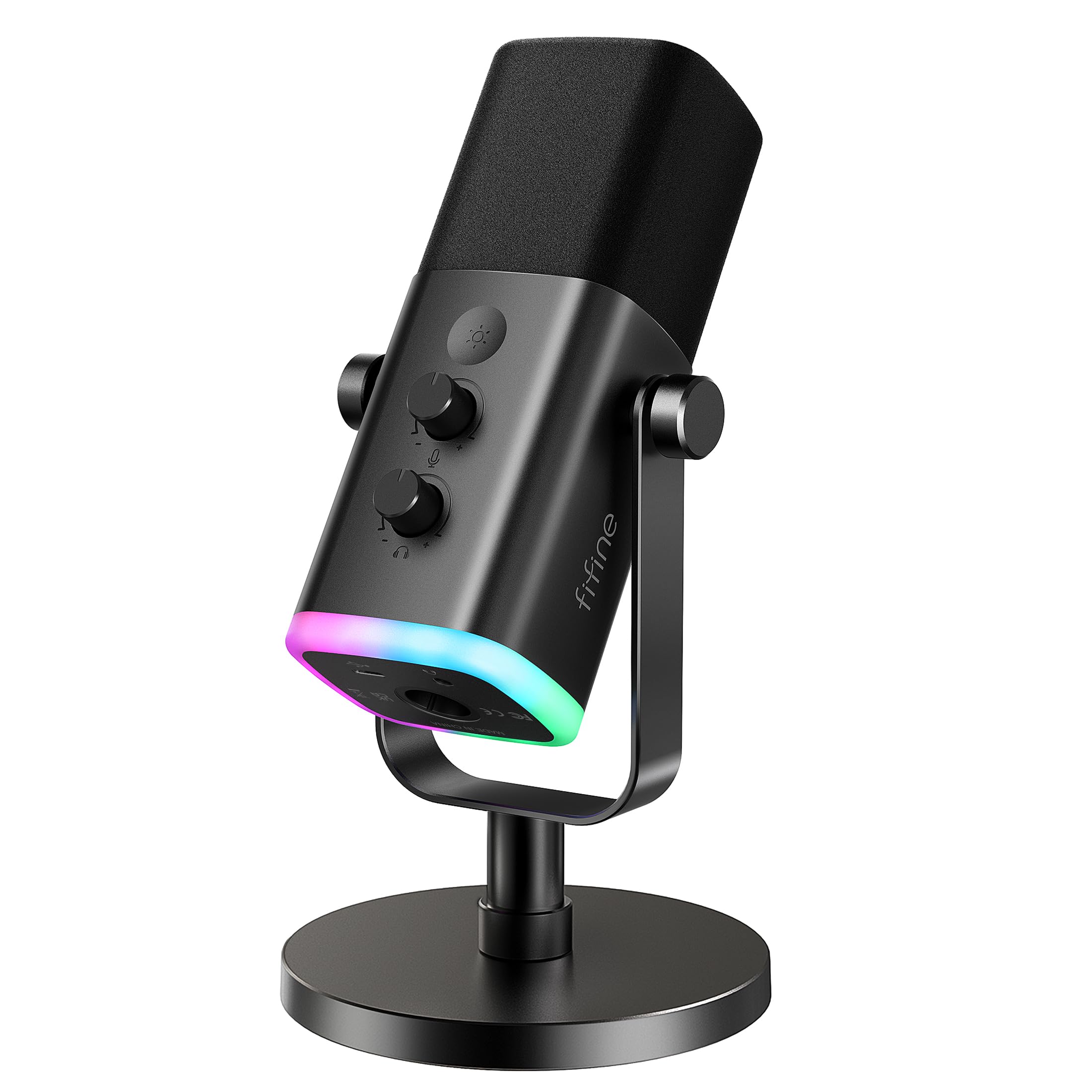
FIFINE AmpliGame AM8

91 /100
Sound Score Outstanding

Key details

Connectivity
USB + XLR
Noise & Gain
Dynamic, high gain needed
Capsule Pattern
Dynamic cardioid
On-Mic Controls
Tap mute, gain, monitoring, RGB
View on Amazon

The AM8 is a budget dynamic hybrid with a cardioid capsule, USB and XLR outputs, RGB, and tap mute in USB mode. It delivers clean voice capture in a noisy room and lets you keep the same mic when you add an interface later. XLR requires a separate cable, but the USB path is fully usable on its own. Static, crackling, or random cutouts can develop over time, which is why it sits below a dedicated XLR dynamic or a fuller USB bundle for daily streaming.

Pros

  • Dynamic cardioid pickup keeps voice clear in a noisy room.
  • USB and XLR outputs let you start on a PC and move to an interface without replacing the mic.

Cons

  • Switching to XLR turns off mute, RGB, and headphone monitoring.
Our verdict

A sensible first dynamic for budget streamers who want room-noise rejection and an XLR upgrade path without replacing the mic.

Check Latest Price
7

Budget Podcasters

MAONO AU-A04

91 /100
Sound Score Outstanding

Key details

Connectivity
USB
Noise & Gain
Condenser, room noise pickup
Capsule Pattern
Condenser cardioid
On-Mic Controls
No mute
View on Amazon

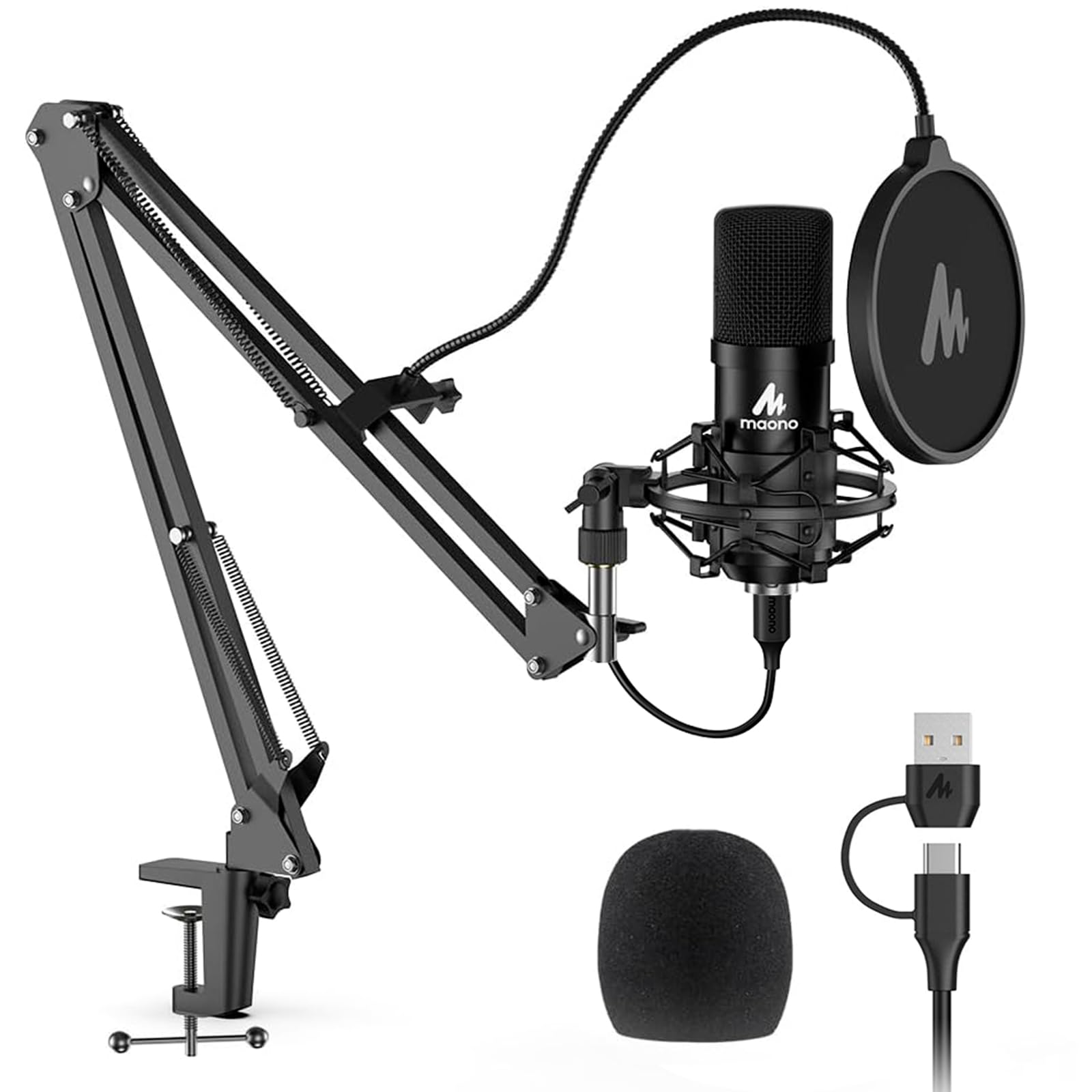
The AU-A04 is the studio-style podcast bundle in this lineup: a scissor arm, shock mount, pop filter, windscreen, and cardioid condenser with 192kHz/24-bit capture for clear spoken word. The condenser picks up keyboard and fan noise in untreated rooms, so a quiet recording space matters. There is no hardware mute button, which makes software muting the workaround, and the scissor arm can sag. Those tradeoffs are why the T669 in this guide feels more polished for a similar budget.

Pros

  • Complete kit with scissor arm, shock mount, pop filter, and windscreen removes the need to buy extras separately.
  • Clear cardioid voice capture with plug-and-play USB setup keeps podcast workflows simple.

Cons

  • Desk clamp may not grip thicker desktops, so a standard-thickness desk is the safer match.
Our verdict

A cost-effective starting point for budget podcasters who want the whole studio package in one box.

Check Latest Price
8

Budget Gamers

MAONO DGM20S

93 /100
Sound Score Outstanding

Key details

Connectivity
USB
Noise & Gain
Condenser, noise reduction software
Capsule Pattern
Condenser cardioid
On-Mic Controls
Tap mute, gain, headphone
View on Amazon

The MAONO DGM20S gives budget gamers a clear, more professional voice than typical headset mics, with one-key noise reduction, tap mute, zero-latency monitoring, and RGB in a compact boom-arm kit. The bundled arm and clamp can be a weak point, the exposed gain dial is easy to bump mid-stream, and intermittent audio dropouts may occur. Those tradeoffs keep it from runner-up status, but for a first streaming setup at this price, the feature set still holds up.

Pros

  • Clear, more professional voice than typical headset mics
  • One-key noise reduction helps tame keyboard and room chatter

Cons

  • Exposed gain dial can be nudged, causing sudden level changes
  • Boom arm and desk clamp may not hold position under heavier adjustment
Our verdict

For budget gamers starting a first streaming setup who can live with a finicky desk clamp and the possibility of audio dropouts, the DGM20S offers the right feature mix at the right price.

Check Latest Price
9

Beginner Streamers

TONOR TC310+

90 /100
Sound Score Outstanding

Key details

Connectivity
USB-A
Noise & Gain
Condenser, room noise pickup
Capsule Pattern
Condenser cardioid
On-Mic Controls
Tap mute, gain dial
View on Amazon

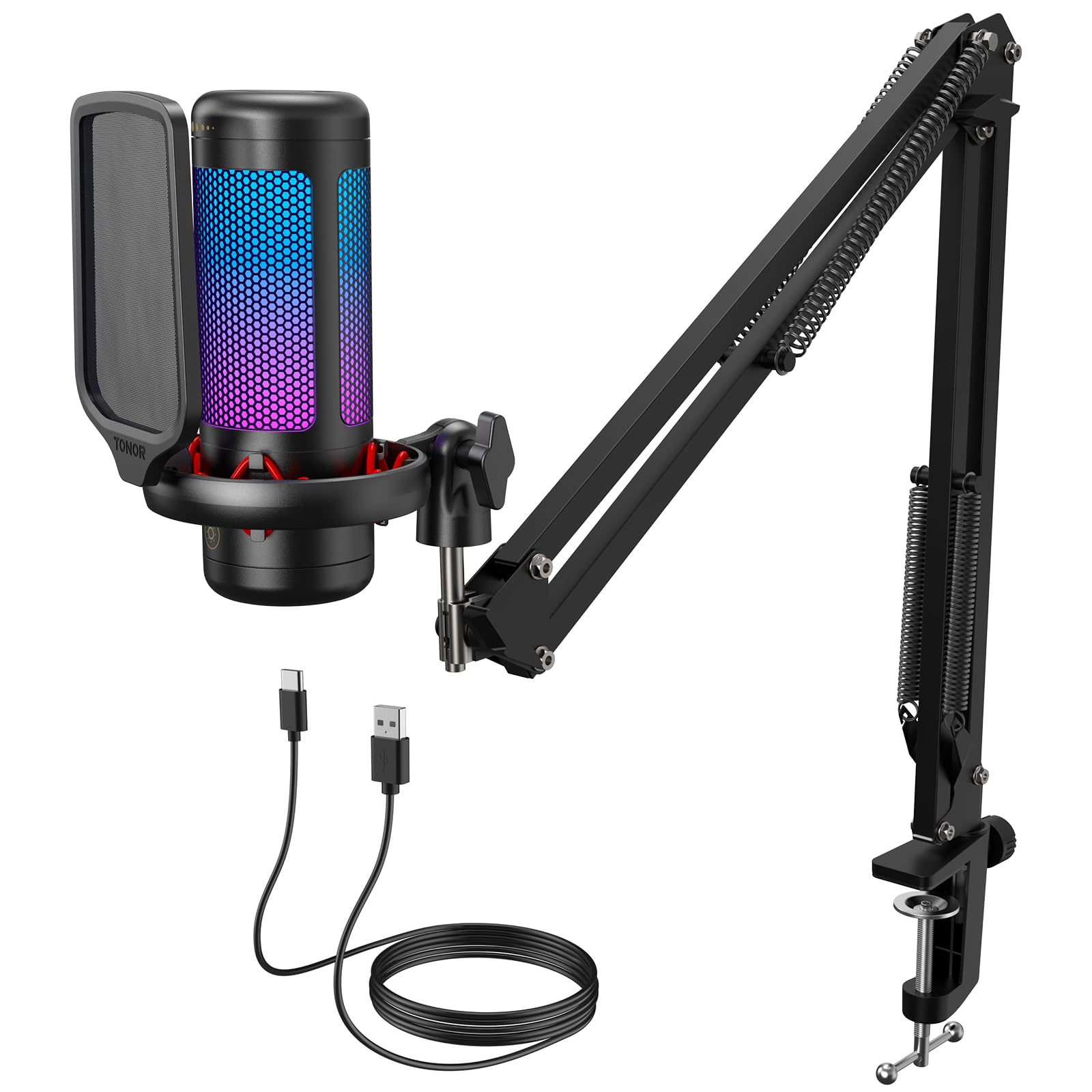
The kit packages a shock mount, pop filter, and a clear cardioid USB voice alongside the boom arm, RGB, and tap mute. The plastic body and arm will feel entry-level compared to metal mics, so this is best for a first setup rather than a studio workhorse. Setup is genuinely simple and the voice quality holds up for Discord, game chat, and early streaming. That makes it a sensible starter kit at a budget price.

Pros

  • Clear voice quality that holds up for Discord, game chat, and early streaming.
  • Simple setup with all mounting parts in the box.

Cons

  • Background noise can appear in the feed when the room has keyboard clatter or fan hum.
Our verdict

For a first streaming setup where the complete desktop look matters more than premium materials, this kit delivers the essentials at a budget price.

Check Latest Price
10

Mobile Creators

ZealSound K66

89 /100
Sound Score Excellent

Key details

Connectivity
USB, USB-C, Lightning
Noise & Gain
Condenser, noise reduction mode
Capsule Pattern
Condenser cardioid
On-Mic Controls
Gain, monitoring, echo, mute
View on Amazon

The ZealSound K66 delivers clean spoken-word audio for podcasting and voice work, with gain, echo, monitoring, and mute controls placed on the body for quick adjustment. Its USB-C and Lightning adapters let a laptop, iPhone, or iPad share one mic at a budget price. The mobile flexibility is the reason to consider it; desktop-only streamers get a typical budget condenser, and unit-to-unit durability can vary.

Pros

  • Clean, professional-sounding audio for spoken-word podcasting and voice work.
  • On-body gain, echo, monitoring, and mute controls make setup easy without software.

Cons

  • Ambient room sound can still get into the recording despite the noise-reduction mode.
  • Mac and Apple-device connections may need extra patience despite the included Lightning adapter.
Our verdict

Fits podcasters who want one budget mic for a laptop and an iPhone or iPad, provided they work in a quiet room and can tolerate possible connection quirks.

Check Latest Price

How to Choose

Connectivity

USB mics contain the preamp and analog-to-digital converter, so they connect to any computer and show up as a sound device immediately. XLR mics send an unamplified analog signal to an interface or mixer, which is why they need a cable and external preamp before they make sound.

A hybrid USB/XLR mic looks like a two-for-one, but feature controls often run over USB only; in XLR mode you lose mute, monitoring, and RGB.

Capsule Type and Polar Pattern

Condenser capsules are sensitive and detailed, which is why they flatter voices but also capture keyboard clicks, fans, and room reflections. Dynamic capsules use a heavier diaphragm that requires a stronger acoustic signal, so they naturally ignore distant background noise.

If you stream at a desk with a mechanical keyboard, a cardioid dynamic is the more useful tool; if you have a treated room and want a brighter voice, a condenser is worth the extra noise discipline.

On-Mic Controls

On-mic mute and headphone monitoring matter more on a live stream than in a studio session. A hardware mute switch cuts the signal at the capsule, while a software mute still leaves the mic powered and can stop responding if the app crashes.

Headphone monitoring on a USB mic uses a built-in headphone amp; when the output is a direct tap from the converter, latency is near zero, but a mic without a headphone jack forces you to monitor through your computer and hear a delay.

Bundled Accessories

Budget kits bundle boom arms, shock mounts, and pop filters because accessories cost less to manufacture than a better capsule, and they make the box look complete. Those arms are often the first weak point: a lightweight clamp loses tension, the arm sags, and the mic drifts out of position mid-stream.

A good monitor arm or table stand with a solid clamp should be part of the real budget, even if the kit already includes one.

Noise Rejection and Gain

Dynamic mics reject room noise by design but produce a lower output voltage, so they need an interface preamp with 50 dB or more of gain. If your audio interface is entry-level and hisses at high gain, adding an inline booster like a Cloudlifter or Fethead pushes the signal cleanly before it reaches the preamp.

Condensers are more sensitive and need less gain, which is why they are easier to plug into a laptop but harder to use in a noisy room.

Frequently Asked Questions