8 Best USB Computer Speakers of 2026: Single-Cable Clarity

Which USB computer speakers deliver clear sound over one cable and which budget models need AUX, so you can match the right setup to your desk.

A lot of budget USB speakers lean on the same promises: room-filling sound, deep bass, one-cable simplicity. In everyday use, those claims usually meet the hard limits of small drivers and low amplifier power. The result is clearer speech and decent YouTube audio, but rarely the bass-heavy music reproduction the packaging suggests.

The practical decision is less about chasing the biggest wattage number and more about matching the connection style to your setup. Some USB speakers carry both power and digital audio over one cable; others use USB only for power and still require a 3.5mm AUX cable. Getting that detail right determines whether the speakers simply work on your desk.

The speakers that earn their place are the ones with the right form factor and controls for how you actually listen. A compact soundbar under a monitor fits tight spaces, while a separate stereo pair gives genuine left-right imaging. Physical volume controls matter more than they should at this price.

About the Sound Score: This comparative score is calculated from a product's published customer rating and review volume. It is not a laboratory measurement or a hands-on test result.

1

Best Overall

Creative Pebble V3

89 /100
Sound Score Excellent

Key details

Form Factor
2.0 stereo pair; 45° elevated
Connectivity
USB-C audio; Bluetooth 5.0; AUX-in
Output & Driver
8W RMS; 2.25-inch full-range drivers
Volume Controls
Front volume knob
View on Amazon

The Creative Pebble V3 makes USB-C a true single-cable desktop audio connection. One USB-C cable carries digital audio and power at the same time, and a USB-A adapter is included for older computers, so the speakers work without an external DAC or AC adapter. The 45-degree elevated drivers point sound toward the listener rather than straight across the desk. That placement helps preserve clarity in near-field use and keeps the presentation from turning into the flat, low sound that small USB bars can settle for.

The 2.25-inch full-range drivers deliver a clear, punchy presentation with more stereo separation than typical single-bar USB speakers. Output is rated at 8W RMS and 16W peak, enough to fill a small to medium office or dorm room without pushing the volume into distortion. Clear Dialog processing adds intelligibility for meetings and voice calls, pulling speech forward in a way that helps more than a simple volume bump. This is a desktop audio upgrade first, not a room-filling speaker.

Setup is minimal: the same cable that powers the speakers also carries the audio signal. Compared with a wired-only pair in this price range, the V3 adds Bluetooth without losing the clean USB-C core. The compact footprint sits under or beside a monitor, and the front-facing controls stay within reach during calls. Wired USB-C operation is the consistent core for daily work, while Bluetooth 5.0 and 3.5mm AUX serve as secondary inputs for a phone or tablet.

The value sits in the combination rather than any single feature: digital audio and power over one cable, Bluetooth backup, and clear vocal processing in a compact pair. It avoids the separate AUX cable and external power brick that lower-cost setups often require.

This set fits small to medium desks where a single-cable USB-C setup is the goal and Bluetooth is a convenience, not the main connection. Buyers who mainly rely on Bluetooth and dislike occasional dropouts or re-pairing should look elsewhere; the same applies to bassheads who want subwoofer-level lows, because the small drivers keep low-end controlled. For everyone else, the Pebble V3 is a clean path to better computer audio without a pile of adapters or extra cables.

💡 Keep the USB-C connection as the daily audio path and use Bluetooth for short phone or tablet sessions.

Pros

  • Clear, punchy desktop sound with stronger stereo imaging than typical single-bar USB speakers.
  • Single USB-C cable carries digital audio and power, with a USB-A adapter included for older machines.
  • Clear Dialog processing keeps voices intelligible during calls and meetings.
  • Strong value for a desktop audio upgrade without an external DAC or AC adapter.

Cons

  • Deep bass is limited by the small drivers, so low-end presence stays controlled.
  • Long-term durability can vary between units, with some developing USB connection issues over time.
Our verdict

A clean USB-C-first desktop audio upgrade for small and medium spaces, with Bluetooth as a backup convenience rather than the main event.
Check Latest Price
2

Best Value Stereo Pair

Amazon Basics Stereo 2.0

89 /100
Sound Score Excellent

Key details

Form Factor
2.0 stereo pair
Connectivity
USB power; 3.5mm AUX audio
Output & Driver
2.4W RMS total; 3.9-inch drivers
Volume Controls
In-line volume control
View on Amazon

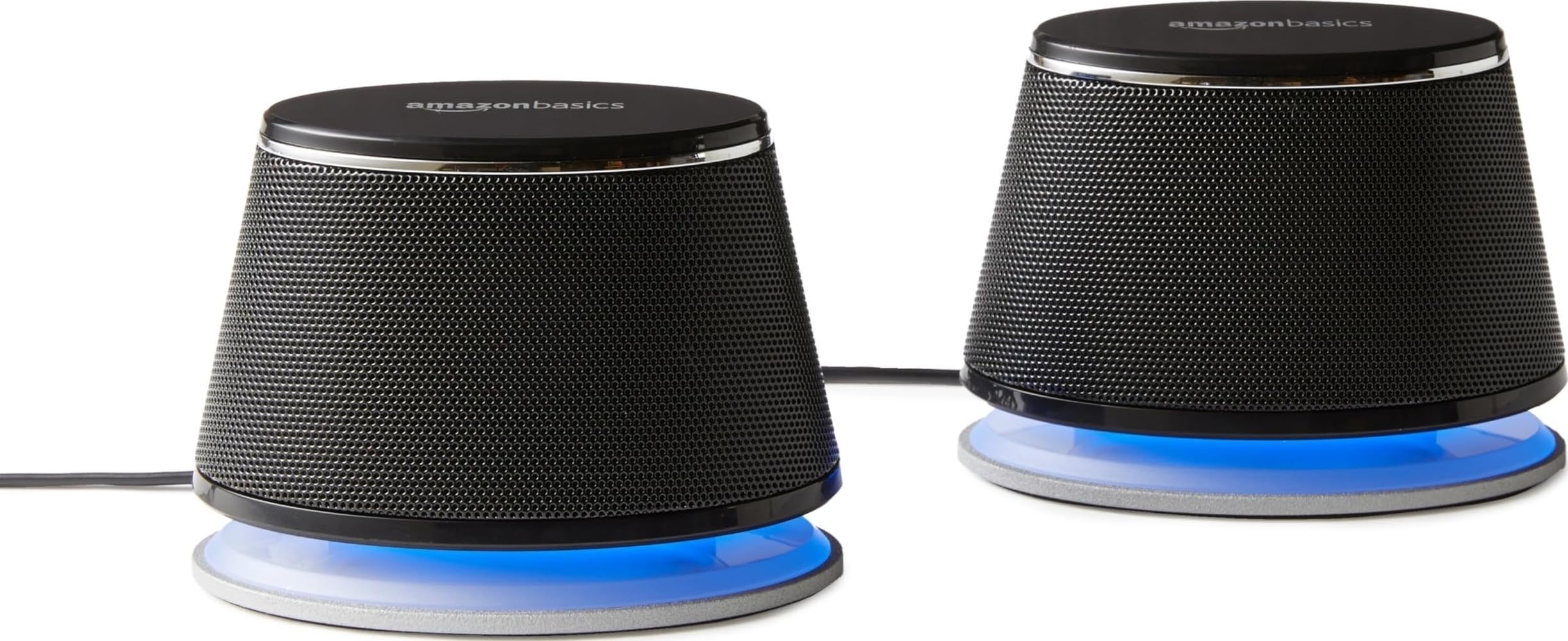
The dual 3.9-inch full-range drivers and bottom radiator give this pair more stereo separation and lower-mid body than a single compact soundbar in the same desk footprint. The cabinets are small enough to sit below a monitor or beside a laptop, yet still create a defined left and right image for calls, system audio, and casual video.

This set fits first-time external speaker buyers moving from built-in monitor audio who want clearer speech and a real stereo field without paying for Bluetooth, RGB, or a subwoofer. The in-line volume control keeps level changes within arm's reach, which matters when switching between calls and media on a small desk.

The sound profile favors midrange clarity for voice and acoustic content. Low bass is present through the bottom radiator but stays modest, so it suits productivity and general media rather than bass-heavy music. That tuning matches the typical desk workload: meetings, system alerts, and background video.

The budget positioning makes the durability variance easier to absorb: an individual unit may develop one-sided audio, so checking both channels on arrival is worthwhile. For a productivity speaker rather than a long-term audio upgrade, the value still holds.

💡 Set the level from the in-line control rather than the system output to keep the amp in its comfortable range.

Pros

  • Clear general-purpose stereo sound for music, video, and calls at moderate volume.
  • Compact cabinets fit small desks and sit below monitor stands.
  • Strong value for a budget 2.0 pair with in-line volume control.
  • High satisfaction baseline for basic desktop stereo audio.

Cons

  • USB only powers the speakers; audio still requires a 3.5 mm AUX cable.
  • Volume output may be too low for noisy rooms or high-volume music.
Our verdict

This is the wired 2.0 default when stereo separation and value outweigh extra features.

Check Latest Price
3

Best Wired USB-C Desktop Pair

Creative Pebble V2

91 /100
Sound Score Outstanding

Key details

Form Factor
2.0 stereo pair; 45° elevated
Connectivity
USB-C power; 3.5mm AUX audio
Output & Driver
8W RMS; 2-inch full-range drivers
Volume Controls
Front volume knob; gain switch
View on Amazon

The Pebble V2 pairs a strong buyer satisfaction record with a rear gain switch that lifts output for movies and games. Where the top pick in this group leans on Bluetooth and single-cable USB-C audio, this pair stays wired and focused. The 45-degree driver angle keeps the sound stage near the listener, which matters on a small desk. That wired-only focus keeps the cost lower and the desk setup minimal.

The 2-inch full-range drivers and passive radiators produce clear vocals and enough body for near-field listening. With the gain switch flipped, output has extra headroom before the volume knob runs out. Build quality feels more substantial than the price suggests, and the compact footprint leaves room for a laptop stand or notebook. The front volume knob stays within easy reach.

This is for wired desktop setups where a 3.5mm AUX cable is already part of the plan. The USB-C port is power only, so single-cable USB audio buyers should look to the top pick. Some units can develop background static, which matters especially at high gain in quiet rooms. Buyers who don't need Bluetooth and want strong sound at a mid-range price will get solid value from this pair.

💡 Connect USB-C to power and run a 3.5mm AUX cable to the computer; audio will not travel over USB-C.

Pros

  • Clear, full sound from compact 2-inch drivers.
  • Outstanding value for a wired 2.0 set.
  • Compact angled design fits small desks and aims sound toward the listener.
  • Build quality feels more substantial than the price suggests.

Cons

  • Audio requires a separate 3.5mm AUX cable; USB-C powers the speakers only.
  • Some units may develop background static, especially at higher gain.
Our verdict

Clear near-field sound and compact size make the Pebble V2 a comfortable mid-range choice for wired small-desk setups.

Check Latest Price
4

Best Monitor Clip-On

XKX Clip-On USB Speaker

86 /100
Sound Score Excellent

Key details

Form Factor
Monitor clip-on soundbar
Connectivity
USB-C single-cable audio; USB-A adapter
Output & Driver
10W; four dynamic units
Volume Controls
Touch volume and mute
View on Amazon

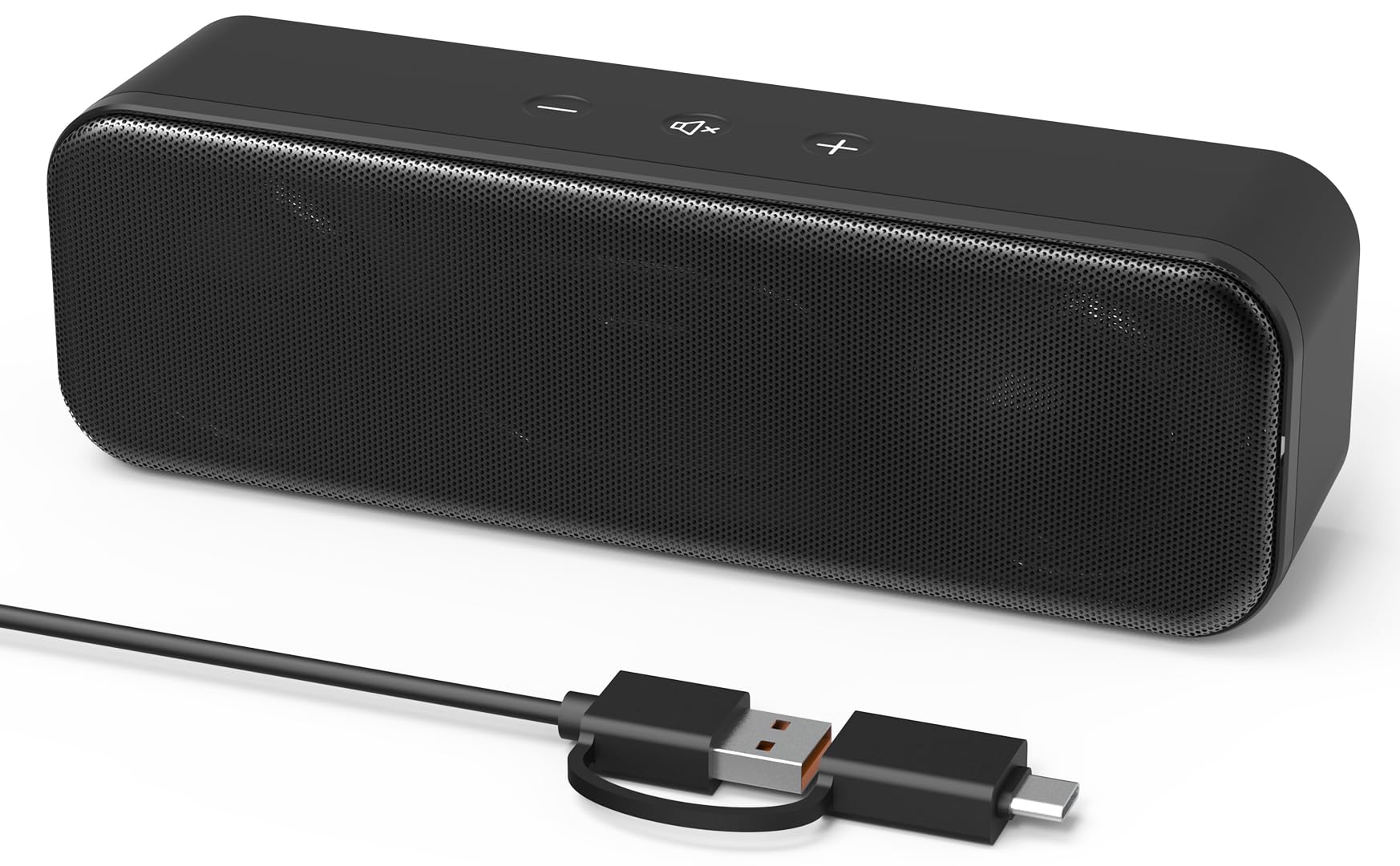
The clip-on mount is the main reason to choose this over a tabletop USB-C bar. The G-sensor keeps left and right channels correct whether the soundbar is clamped above or below the display, and the 10W output gives it more presence than typical compact USB bars at this price. A single USB-C cable carries both audio and power, with an included USB-A adapter covering older laptops and desktops.

Compared with a flat tabletop speaker, the clamp design moves audio to the monitor edge and clears desk surface. That helps small desks, standing-desk converters, and any setup where a separate speaker pair would crowd the workspace. Touch controls for volume and mute are built into the bar, so basic adjustments stay within reach without adding clutter.

This fits a specific monitor-mounted profile: the clip may not fit thick or wide monitor bezels, and low-bass output is modest, so it works for standard-bezel displays and clear speech or midrange over deep low end. It is the right shape for video calls, web browsing, and lighter music at near-field distances, where desk space is scarce and a single USB-C cable matters more than low-end impact.

Pros

  • Compact clip-on bar delivers clear near-field audio that beats typical monitor speakers.
  • Single-cable USB-C setup works immediately with no driver install.
  • Strong value for the clamp design and USB-C support.
  • Monitor-mount form factor saves desk space and keeps cabling clean.

Cons

  • Single-cable USB audio may not cooperate with every host machine.
  • Low-bass output is modest despite the deep-bass marketing claim.
  • Clip tension may not fit thick or wide monitor bezels.
Our verdict

The clamp-on design is the real purchase decision: if the monitor accepts the clip, this is the tidy USB-C alternative to a separate tabletop bar.

Check Latest Price
5

Best Ultra-Budget USB Soundbar

LIELONGREN USB Soundbar

86 /100
Sound Score Excellent

Key details

Form Factor
2.0 soundbar
Connectivity
USB-A single-cable audio and power
Output & Driver
Dual 3W drivers; passive radiator
Volume Controls
None
View on Amazon

One USB-A connection carries both digital audio and power, which removes the need for an AUX cord, a wall adapter, or driver downloads. The 7.1-inch bar fits under a monitor or beside a laptop, and its dual 3W drivers push out clean midrange that makes speech easier to follow on calls. That wired-only focus sets it apart from USB-C tabletop bars that add touch controls or Bluetooth.

Both Windows and macOS recognize the bar as a standard USB audio device, so setup is quick enough for shared desks or temporary workstations. Voice audio projects cleanly at arm's-length distances, and the passive radiator gives speech a little body without hollow resonance. The compact housing keeps the desk area clear, which matters when space is tighter than a traditional speaker pair allows.

This is for ultra-budget desk setups, meetings, and video calls where clearer voice output is the main goal. It has a modest maximum volume and no onboard dial, so level changes happen through the operating system. Long-term durability can vary by unit, which makes this a low-cost utility purchase rather than a long-term audio upgrade. Buyers who want music playback with real bass or room-filling output should choose a larger powered set instead.

💡 Set the system output near maximum and keep the bar close to your seating position for clearer call volume.

Pros

  • Clear midrange output keeps voices intelligible during calls and meetings.
  • Entry-level price delivers a capable basic speaker for a small desk.
  • Compact 7.1-inch body fits under monitors or beside laptops without clutter.
  • One USB-A cable carries both power and audio with true plug-and-play recognition.

Cons

  • Maximum volume stays modest, so noisy rooms can overwhelm the output.
  • Unit-to-unit durability can vary; a bar may lose output after weeks or months.
Our verdict

A low-cost way to make speech and call audio clearer without adding cables or clutter to a small desk.

Check Latest Price
6

Small Desk Calls

XKX USB Soundbar

86 /100
Sound Score Excellent

Key details

Form Factor
7.2-inch compact soundbar
Connectivity
USB-C single-cable audio; USB-A adapter
Output & Driver
8W; dual drivers; passive radiator
Volume Controls
Touch volume and mute
View on Amazon

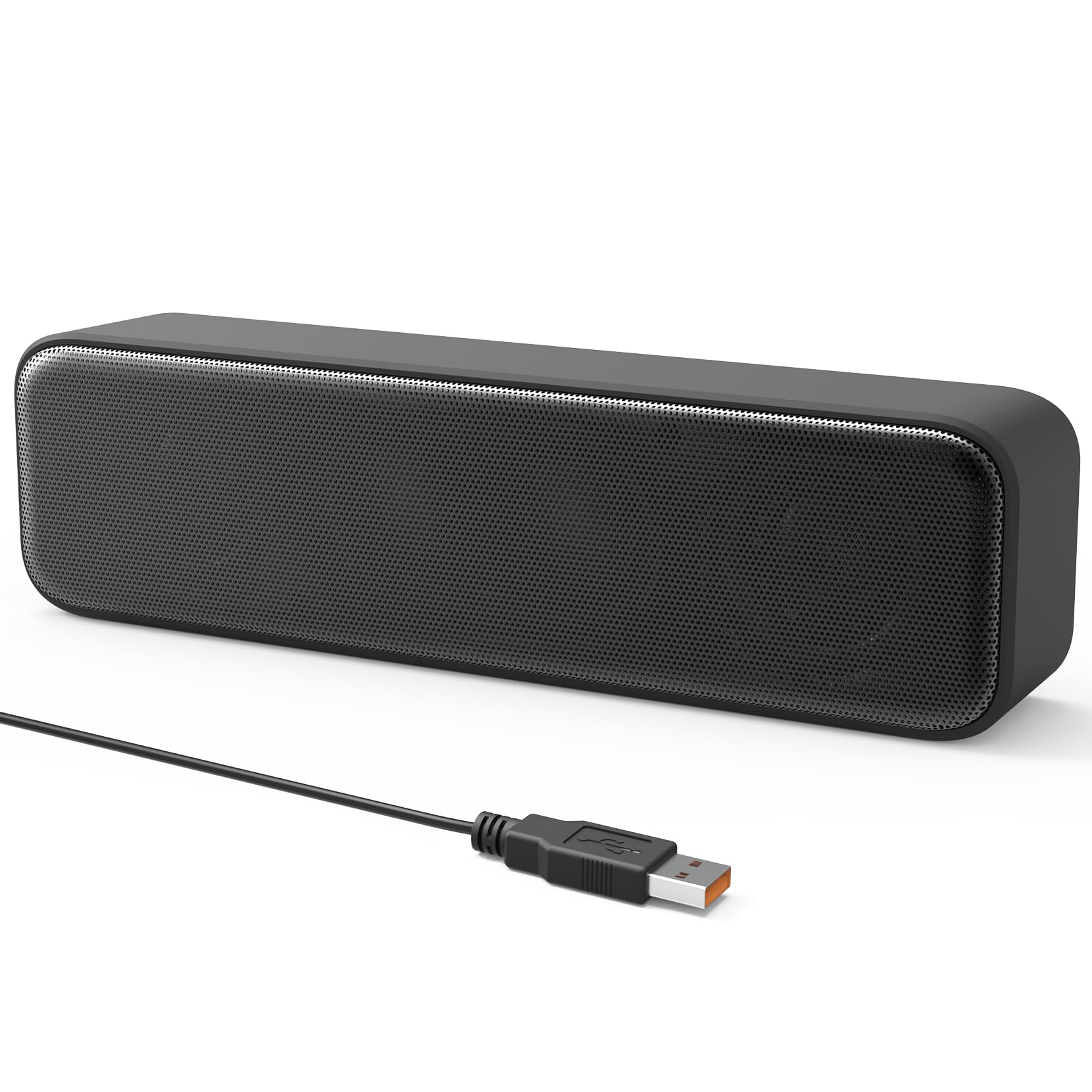
The XKX USB-C soundbar keeps small-desk audio simple: a compact 7.2-inch bar with one USB-C cable for audio and power, plus a USB-A adapter. Speech and system sounds are clear enough for Zoom and Teams calls, and the narrow footprint sits easily under most monitors.

It sits below the top options because the touch volume controls are less consistent than a physical knob, bass output stays modest, and the tabletop form factor overlaps with stronger compact picks. For call-first desks and casual listening, those tradeoffs are minor; music-heavy setups will want a fuller low end.

Pros

  • Clear, pleasing voice output for meetings and general desktop use.
  • Strong budget value for a compact USB-C soundbar.
  • Single USB-C cable handles audio and power; USB-A adapter included.

Cons

  • Low-end output is modest, leaving music and action audio thin.
  • Touch volume controls can respond inconsistently on some units.
Our verdict

This is the small-desk USB-C bar for call-heavy setups where a clean cable path and footprint matter more than full-range sound or physical controls.

Check Latest Price
7

Tight Desk Setups

Cyber Acoustics CA-2890

85 /100
Sound Score Excellent

Key details

Form Factor
Clip-on monitor soundbar
Connectivity
Single-cable USB audio; USB adapter
Output & Driver
10W max output
Volume Controls
Volume, mute, play/pause
View on Amazon

The Cyber Acoustics CA-2890 puts a 10W bar on the monitor rather than the desk, freeing work surface and reducing cable clutter. The clip mount holds on standard bezel shapes, and one USB cable carries audio and power without extra software. The tradeoff is fit and durability: unusually thick or wide bezels may prevent a secure clamp, and occasional units can lose audio output after several months. This is a space-first way to improve call and video audio rather than a long-term music setup.

Pros

  • Clip-on mount keeps the bar off the desk and attached to standard monitor bezels
  • Single USB cable carries both audio and power for a quick plug-in setup
  • Compact 10W output sounds clear for near-field speech and calls

Cons

  • Volume is adequate for near-field audio but not for filling a room
  • Clip-on fit can be limited by unusually thick or wide bezels
Our verdict

Choose it for a monitor-mounted, cable-minimal desk setup with standard bezel dimensions; it works best as a speech and video-call bar.

Check Latest Price
8

Ultra-Budget Secondary Audio

Logitech S150 USB Speakers

86 /100
Sound Score Excellent

Key details

Form Factor
2.0 stereo pair
Connectivity
USB-A single-cable audio and power
Output & Driver
1.2W RMS / 2W peak
Volume Controls
Up/down volume; mute
View on Amazon

The S150 is a small USB-A stereo pair that keeps desktop audio simple: one cable carries both digital audio and power, setup is immediate, and the right-speaker volume buttons put basic control within reach. For buyers comparing it with the dedicated budget 2.0 pair in this set, the S150 uses USB digital audio rather than a separate 3.5mm cable. Its compact footprint fits a crowded desk or a laptop bag. The tradeoff is a modest output ceiling and thin, lean tuning, so the S150 is best for speech and basic audio rather than music. It is best treated as a speech-first speaker for secondary desktops and travel, not a meaningful upgrade for noisy rooms or listeners who want fuller audio.

Pros

  • Plug-and-play USB-A setup gets sound working immediately on a PC or Mac.
  • Small footprint fits crowded desks or slides into a laptop bag without much weight.
  • Delivers basic wired stereo for speech, calls, and system sounds at a very low price.

Cons

  • For music and game audio, low-end presence is minimal and the result can be hollow or flat.
  • In a quiet room, the on-speaker volume buttons provide only a narrow range and leave soft sources capped.
Our verdict

A spare desk, a travel bag, or a quiet workspace where voice calls and system alerts matter more than full-range music is the right fit. The USB-A single-cable setup and small size are the main reasons to add it.

Check Latest Price

How to Choose

USB Audio vs USB Power

Digital USB audio carries signal and power over one cable, removing the 3.5mm dependency when a laptop or desktop lacks a headphone jack. Budget USB audio chips can be sensitive to port power quality, producing occasional drops or static.

USB-powered plus AUX models separate power from signal: USB only feeds the amplifier, while the computer's DAC and headphone jack handle audio. That can sound cleaner if the laptop DAC is good, but it adds a cable and depends on a healthy 3.5mm port.

Output Power and Driver Size

RMS watts describe continuous loudness; peak watts are less useful. A 1.2W RMS pair handles quiet speech, but 8W RMS with 2-inch or larger drivers stays clearer near a fan or street noise.

Small full-range drivers cannot move enough air for true sub-bass, no matter how many passive radiators are listed. Radiators add punch, but they do not replace a subwoofer.

Stereo Pair vs Soundbar vs Monitor Clip

A stereo pair gives real left-right imaging because the speakers sit on either side of the display, but two small enclosures consume more surface area than one bar.

Soundbars conserve space and sit neatly under monitors, but closely spaced drivers limit channel separation. Clip-on bars remove the footprint entirely, yet they only fit bezels within the listed clamp thickness.

Volume Controls

Physical volume knobs and buttons are easier to adjust during a call than touch strips or software-only controls. Cheap touch controls can lag, mute unpredictably, or require a precise tap.

If a speaker has no onboard control, you are tied to system volume and may click through menus mid-meeting. That feels minor in the listing and frustrating after a week.

Extra Inputs

Bluetooth is a useful backup, but on compact USB speakers it adds a radio that can occasionally drop pairing and require reconnection. Treat it as a convenience, not the primary desktop connection.

A 3.5mm AUX input extends compatibility with older laptops and music players, while a headphone jack helps only if you regularly switch to private listening without unplugging the speakers.

Frequently Asked Questions