11 Best USB Podcast Microphone of 2026: Room-Proof Your Voice

The right USB podcast microphone depends on your room: condensers capture detail but hear noise, dynamics reject it. This guide matches mics to space, budget, and upgrade path.

The term 'USB podcast microphone' mostly points to one design: a cardioid condenser. That design gives you a detailed, immediate voice tone, but it also treats your keyboard, PC fan, and room echo as part of the performance. The noise is not a defect; it is the trade-off for sensitivity.

The decision starts with the room. Condenser mics reward a treated space with detail, while dynamic mics reject more off-axis noise and demand closer mic technique. In an untreated home office, a dynamic capsule can sound cleaner than a more expensive condenser.

Budget, desk size, and whether you plan to move to XLR later shape the purchase. The right match accounts for room treatment, not just audio specs, because a microphone that works in one space can sound out of place in another.

About the Sound Score: This comparative score is calculated from a product's published customer rating and review volume. It is not a laboratory measurement or a hands-on test result.

1

Best Overall

Blue Yeti USB Mic

93 /100
Sound Score Outstanding

Key details

Capsule Type
Condenser (3-capsule)
Connectivity
USB Type-A
Polar Patterns
Cardioid, omni, bidirectional, stereo
Onboard Controls
Mute, volume, headphone output
View on Amazon

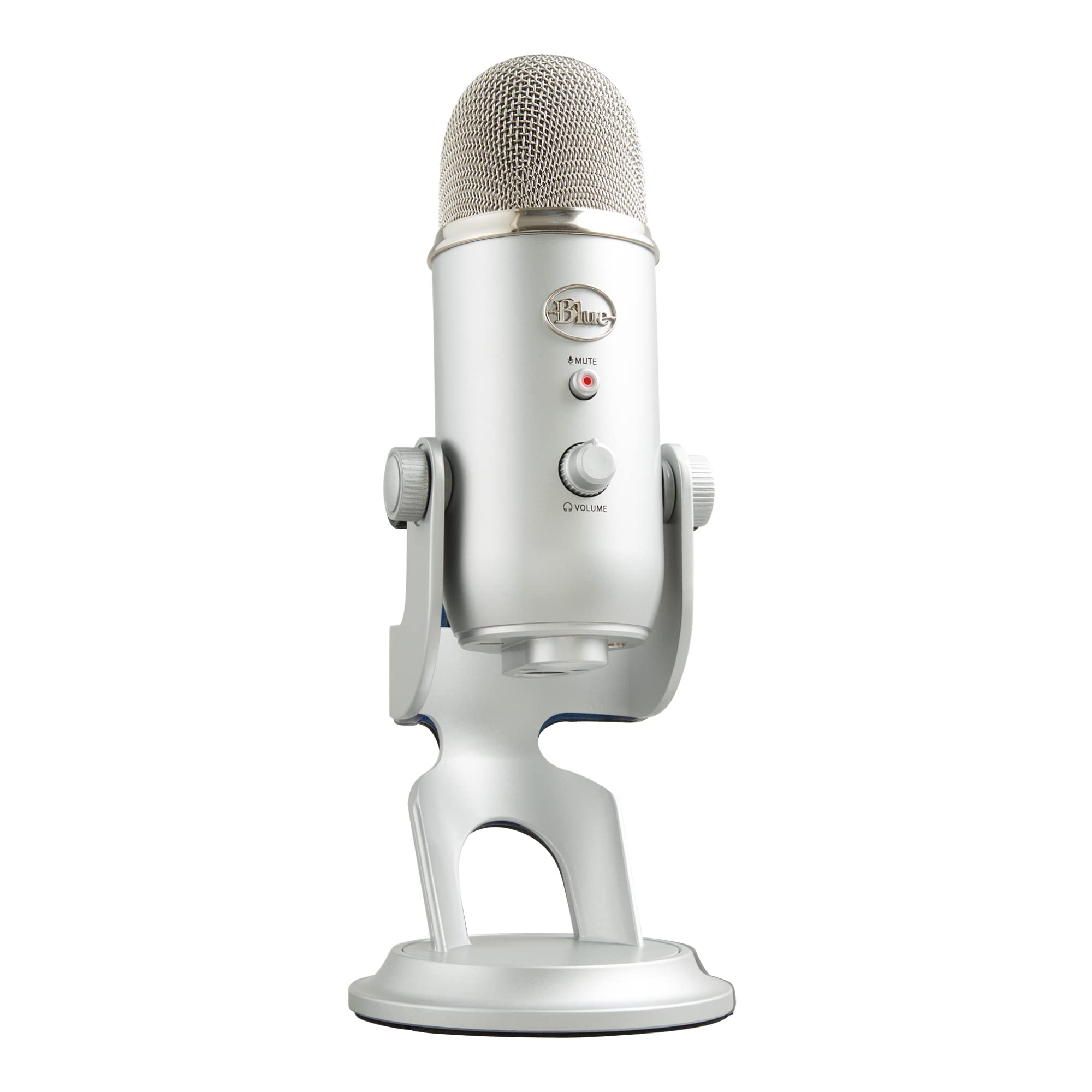
Four pickup patterns—cardioid, omni, bidirectional, stereo—make the Blue Yeti a single-mic solution for solo narration, two-person interviews, and roundtable discussions. The clear broadcast-style tone suits podcasting, streaming, and voice-over, while the USB connection skips the mixer and links directly to Mac or PC. A headphone output provides latency-free monitoring during takes. The all-metal body adds desk presence that lighter plastic mics lack.

Setup is plug-and-play in the true sense: connect the USB cable, select the Yeti as your input, and record. No driver installation and no external audio interface required, which is why it fits first-time podcasters and remote workers who want to get from unboxing to recording quickly. The USB connection carries both power and audio over a single cable, so the desk stays tidy.

This works best for first-time podcasters and solo creators who want one flexible USB mic without an audio interface. It also covers streamers and voice-over artists who need to switch between cardioid and bidirectional for guest conversations. The tradeoff is the capsule type: a condenser this sensitive rewards a quiet room, so keep gain low or add noise suppression if yours is not.

💡 Use the headphone output for live monitoring while you speak; it confirms levels before recording begins.

Pros

  • Four polar patterns cover solo narration, two-person interviews, and roundtable recording from one mic.
  • Clear broadcast-style tone suits podcasting, streaming, and voice-over without extra processing.
  • Plug-and-play USB setup connects directly to Mac or PC; no mixer needed.

Cons

  • No built-in shock mount or tap-to-mute, so streamers need external mute or isolation solutions.
  • Condenser sensitivity can make room tone, keyboard clicks, and desk bumps audible in untreated rooms.
Our verdict

For podcasters who want one USB mic that covers solo, interview, and group recording formats, the Yeti's four-pattern flexibility fits the bill.

Check Latest Price
2

Best for Streamers & Gamers

HyperX QuadCast

96 /100
Sound Score Outstanding

Key details

Capsule Type
Condenser (tri-capsule)
Connectivity
USB
Polar Patterns
Stereo, omni, cardioid, bidirectional
Onboard Controls
Tap-to-mute, gain, headphone output
View on Amazon

The QuadCast stands apart from the multi-pattern default by putting the controls gamers need right on the mic: a tap-to-mute button, an anti-vibration shock mount, an internal pop filter, and Discord/TeamSpeak certification. Four polar patterns cover solo cardioid, two-person bidirectional, and broader room capture, all over a plug-and-play USB connection.

It is a USB condenser, so this is a streamer/creator mic for typical rooms rather than a dynamic isolation tool for untreated shared spaces; for Twitch, YouTube, and PS4/PS5 voice chat, the QuadCast is a complete desktop setup out of the box.

💡 Position the mic close to your mouth and lower the gain to get the most from the cardioid pattern.

Pros

  • Clear voice reproduction for streams, podcasts, and Discord without needing extra processing.
  • Sturdy build with an anti-vibration shock mount and internal pop filter ready for desk use.
  • Plug-and-play USB setup with tap-to-mute and four polar patterns for solo or guest recordings.

Cons

  • Ambient voices in loud rooms can still reach the cardioid capsule despite the shock mount.
Our verdict

The QuadCast is the streamer-first alternative to the default multi-pattern pick: ready to use, visually distinct, and built around mute and shock-mount controls.

Check Latest Price
3

Best Premium Dynamic

Shure MV7

95 /100
Sound Score Outstanding

Key details

Capsule Type
Dynamic
Connectivity
USB, XLR
Polar Patterns
Cardioid
Onboard Controls
Mute, gain, headphone output
View on Amazon

The Shure MV7 is the dynamic USB/XLR hybrid in this roundup, pairing a cardioid capsule with Voice Isolation to cut room noise that condenser mics pick up. USB and XLR outputs let you start with plug-and-play USB and move to an interface later, while onboard DSP and headphone monitoring keep the desktop clean. The metal body feels built for regular use.

This is the pick for professional podcasters and voice artists recording close-mic in untreated rooms. It demands close-mic technique; the dynamic capsule is not a hands-free conference mic. If you want a casual budget starter or an RGB gaming centerpiece, that is not its lane.

Pros

  • Dynamic cardioid capsule with Voice Isolation rejects room noise in untreated spaces.
  • USB and XLR outputs let you start with USB and move to an interface later.
  • Onboard DSP and headphone output make setup simple and controls immediate.

Cons

  • The micro USB port can be a physical weak point under cable strain.
  • Unit-to-unit quality can vary, so a quick sound check on arrival is worth the time.
Our verdict

The MV7 is the dynamic hybrid for podcasters who want broadcast tone now and XLR flexibility later.

Check Latest Price
4

Best Budget Kit

FIFINE T669

93 /100
Sound Score Outstanding

Key details

Capsule Type
Condenser
Connectivity
USB-A, USB-C
Polar Patterns
Cardioid
Onboard Controls
View on Amazon

The FIFINE T669 pairs a cardioid USB condenser with a boom arm, shock mount, and pop filter in one box — a full desktop setup before separate purchases. The capsule delivers clear, natural voice capture for the price, and the USB connection keeps setup simple from the box.

First-time podcasters and budget streamers who want plug-and-play USB voice capture without extra accessory purchases are the target; the bundled arm and clamp can loosen or struggle to hold position in some units, so a sturdy desk and light repositioning are part of the deal.

💡 Set the arm clamp once on a solid desk edge rather than repeatedly adjusting it mid-session.

Pros

  • Clear, natural voice capture for the price
  • Complete accessory bundle includes boom arm, shock mount, and pop filter
  • Easy plug-and-play USB setup for podcasting and streaming

Cons

  • The cardioid capsule can pick up room noise, so background sound may be noticeable in untreated spaces.
Our verdict

For podcasting, streaming, or voice-over, this is the entry-level bundle that gets you recording with a single purchase.

Check Latest Price
5

Best for Software/Streaming Control

Elgato Wave: 3 MK2

95 /100
Sound Score Outstanding

Key details

Capsule Type
Condenser
Connectivity
USB-C
Polar Patterns
Supercardioid
Onboard Controls
Mute, gain, headphone output
View on Amazon

The Wave:3 MK.2 captures voice with near-XLR clarity for a USB mic, then hands the real control to Wave Link. Clipguard 2.0 tames sudden spikes, and the supercardioid capsule keeps room tone lower in the mix. For OBS users running game audio, music, and voice as separate channels, this replaces a hardware mixer in software.

This is a software-first microphone; the full feature set lives in Wave Link. Streamers and podcasters who already work inside OBS will get the most from its EQ, compression, and routing. Buyers who refuse software-dependent mics should pick the simpler studio-neutral USB condenser in this lineup.

💡 Save a Wave Link preset for each show so routing for repeat guests stays consistent.

Pros

  • Near-XLR voice quality from a USB capsule, clean for podcast and streaming conversation.
  • Wave Link routes multiple audio sources through one interface, keeping OBS scenes manageable.
  • Solid build connects over USB-C with no audio interface required.

Cons

  • Wave Link's occasional glitches can interrupt a recording session.
  • Intermittent audio cutouts can occur, making a backup recorder worthwhile for paid live work.
Our verdict

If OBS is your command center, the Wave:3 MK.2 delivers mixer-style control and DSP in a compact USB-C package — just plan around the Wave Link dependency.

Check Latest Price
6

Best for Clean Studio Tone

AT2020USB+

94 /100
Sound Score Outstanding

Key details

Capsule Type
Condenser
Connectivity
USB
Polar Patterns
Cardioid
Onboard Controls
Headphone mix control
View on Amazon

The AT2020USB+ is the studio-neutral option in this USB group: a cardioid condenser with a clean, natural voice tone and plug-and-play USB connection. No companion app is required, and no driver install stands between you and a clean take. The signal path stays simple from capsule to DAW.

Voice-over artists and podcasters who already own a boom arm and pop filter are the right audience. Levels are set in software since there is no on-mic gain knob or mute. This is still a condenser, so background noise in an untreated room will show up on the track; managing the room matters as much as the mic.

💡 Place the mic about a hand's width from your mouth and angle it slightly off-axis to reduce plosives.

Pros

  • Clean, natural cardioid tone for voice-over and podcast tracking.
  • Plug-and-play USB operation without driver installation.
  • The build and finish feel like a serious studio instrument.

Cons

  • The bundled desktop stand is small and light; a boom arm is the practical mount.
Our verdict

For voice-over and podcast sessions in a quiet space, this USB condenser delivers a neutral, present voice track without driver fuss.

Check Latest Price
7

Compact-Desk Podcasters

Blue Yeti Nano

93 /100
Sound Score Outstanding

Key details

Capsule Type
Condenser (2-capsule)
Connectivity
USB
Polar Patterns
Cardioid, omnidirectional
Onboard Controls
Mute, volume, headphone output
View on Amazon

Blue Yeti's recognizable voice arrives in a smaller body with cardioid and omni patterns for solo podcasts, gaming, and calls. USB connection can be finicky about staying seated, and the reduced pattern set keeps it behind the full-size Yeti for creators who want four polar modes.

Pros

  • Recognizable Blue Yeti voice in a compact body that suits small desks and travel bags.
  • Plug-and-play USB on PC and Mac with no driver setup.

Cons

  • Durability can vary between samples; occasional units may lose function after limited use.
Our verdict

For a compact desk or travel kit, the Nano works as a secondary Blue Yeti when cardioid and omni cover your recording needs.

Check Latest Price
8

XLR-Bound Creators

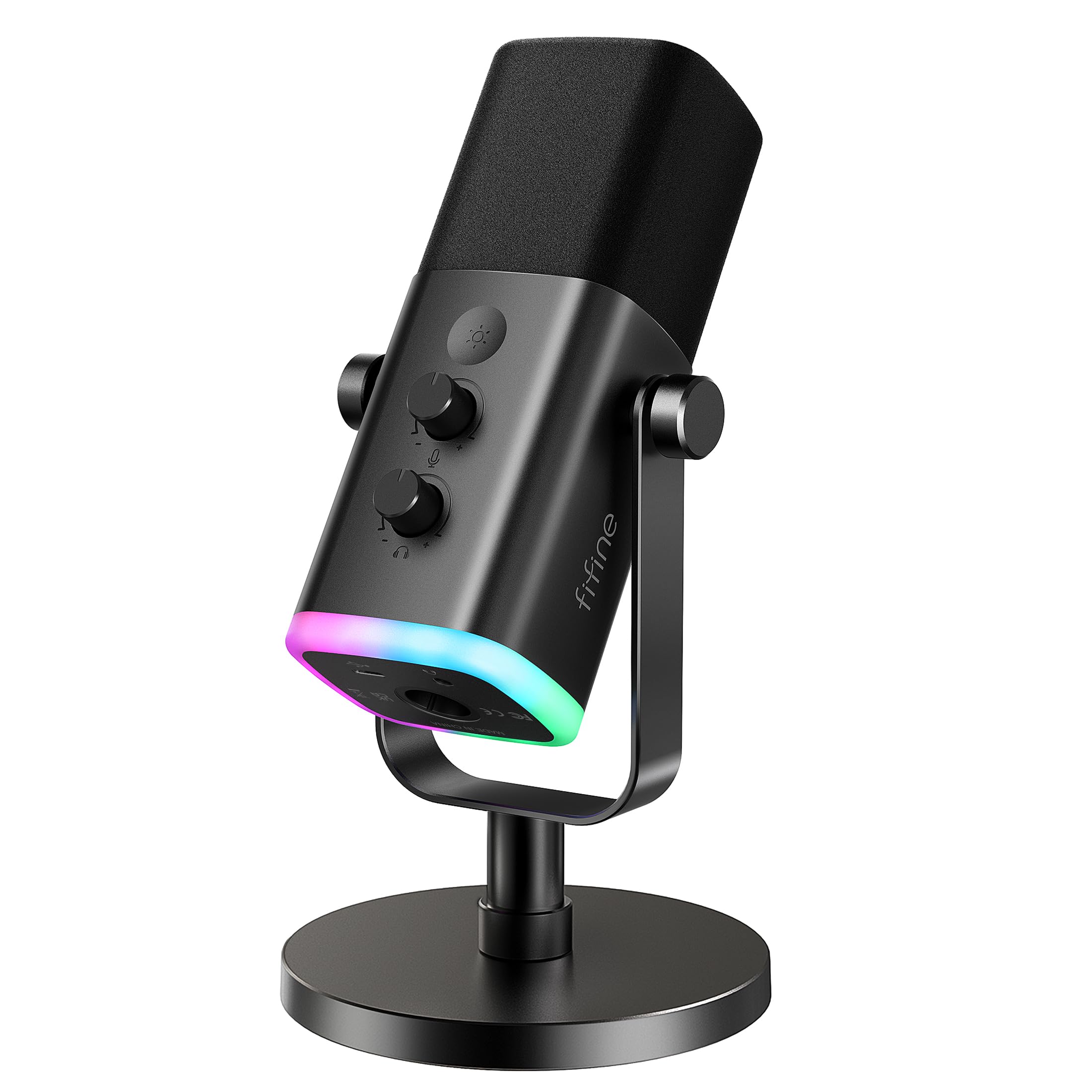
FIFINE AM8

91 /100
Sound Score Outstanding

Key details

Capsule Type
Dynamic
Connectivity
USB, XLR
Polar Patterns
Cardioid
Onboard Controls
Mute, gain, headphone output
View on Amazon

FIFINE AM8 pairs a dynamic cardioid capsule with USB/XLR outputs, RGB, and headphone monitoring at a budget price. Room-noise rejection plus USB plug-and-play suits streamers who want an XLR path later. Not a full kit: XLR cable and boom arm are missing, and occasional static or crackle can appear in quiet recordings. Fine for a first dynamic mic, less for an out-of-box podcast setup.

Pros

  • USB and XLR outputs let you move to an interface later without replacing the mic.
  • Dynamic cardioid capsule rejects background room noise while keeping USB plug-and-play ease.

Cons

  • In a quiet voice recording, occasional static or crackle may surface on certain units.
Our verdict

Choose it for a first dynamic mic when you can live without a bundled boom arm and XLR cable.

Check Latest Price
9

RGB Gamers

MAONO DGM20S

93 /100
Sound Score Outstanding

Key details

Capsule Type
Condenser
Connectivity
USB, USB-C
Polar Patterns
Cardioid
Onboard Controls
Tap-to-mute, volume
View on Amazon

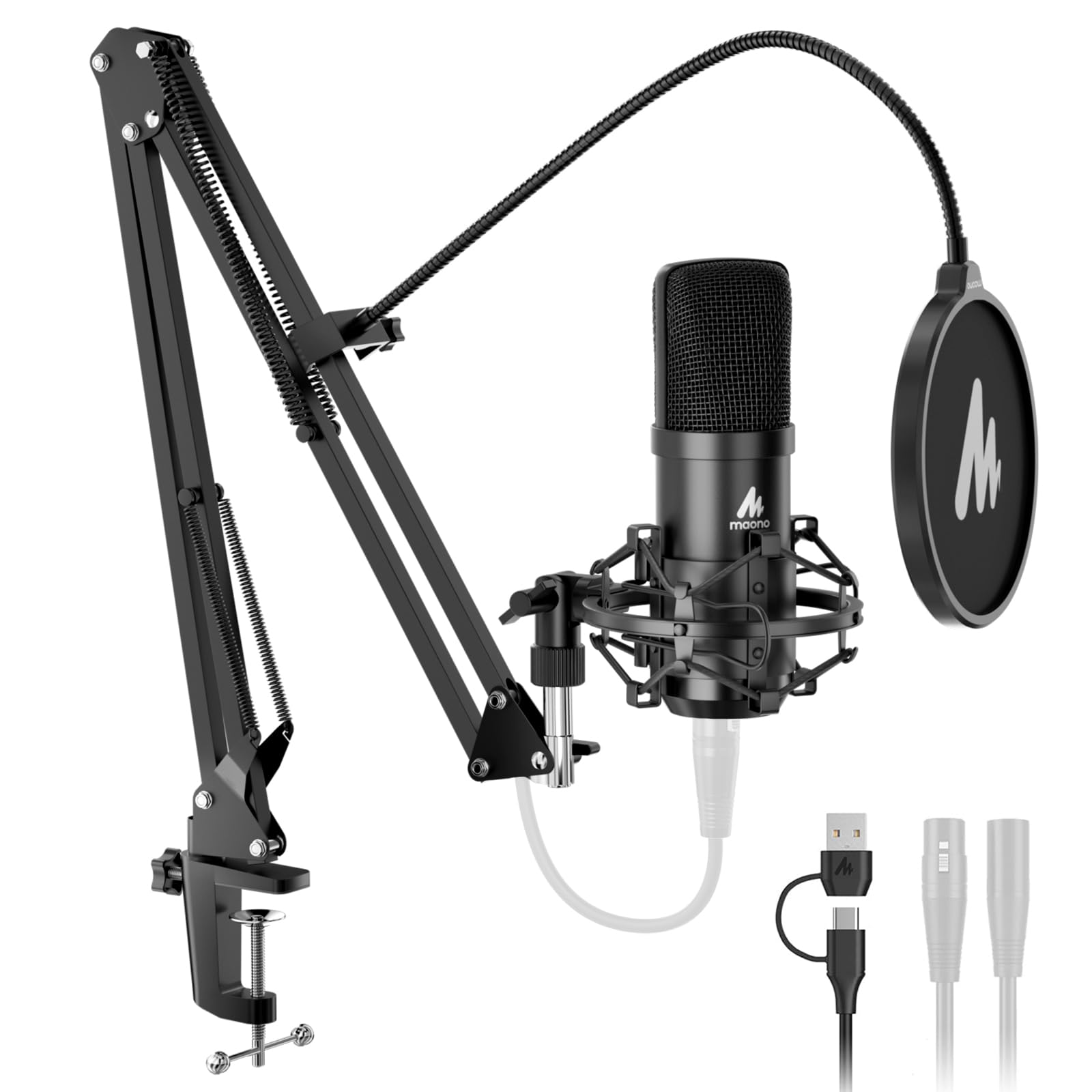
RGB, tap-to-mute, one-key noise reduction, and a boom arm form a complete budget gaming package for streamers. Voice clarity holds up for Discord, gameplay, and entry-level streaming. The one-key processing helps in normal rooms, though its real-world effect is less dramatic than claimed. Durability is what keeps it below the purpose-built podcast bundles in this comparison.

Pros

  • Clear voice for gaming and streaming calls without added processing.
  • Impressive value for a kit that includes RGB, tap-to-mute, and a boom arm.

Cons

  • The bundled boom arm can loosen after repositioning, so mic placement may need readjusting.
Our verdict

Gaming and light streaming are the sweet spot here, especially when you want the full desk kit on a budget. For general podcasting, the purpose-built podcast bundles in this comparison are a stronger match.

Check Latest Price
10

Budget Remote Workers

TONOR TC30

91 /100
Sound Score Outstanding

Key details

Capsule Type
Condenser
Connectivity
USB-C
Polar Patterns
Cardioid
Onboard Controls
View on Amazon

Clear voice capture and a no-software USB-C connection make this an easy desk mic for budget podcasting and meeting audio. There’s no mute or gain on the mic, and the condenser can pick up room noise in untreated spaces. It skips DSP and RGB extras, so the feature set stays minimal.

Pros

  • Clear voice capture for a budget mic
  • Genuinely plug-and-play via USB-C; tripod stand, pop filter, and shock mount are in the box

Cons

  • No XLR output; future studio upgrades require a different mic
Our verdict

A practical fit for budget podcasters and remote workers who want a no-software desk mic.

Check Latest Price
11

USB/XLR Creators

MAONO A04 Gen2

91 /100
Sound Score Outstanding

Key details

Capsule Type
Condenser
Connectivity
USB, XLR
Polar Patterns
Cardioid
Onboard Controls
View on Amazon

Maono Link EQ and noise-reduction software join the A04 family's clean USB capture, while XLR output adds an interface upgrade path. It suits podcasters who want plug-and-play recording now and a studio hookup later, but an XLR cable is not included. For multipattern versatility, the category leader still covers more ground.

Pros

  • Delivers the A04 family's clean voice capture and strong value in one bundle.
  • Quick to set up: USB connection and included shock mount and pop filter get a podcast going without extra gear.

Cons

  • The bundled boom arm can feel underbuilt; re-check the clamp before mounting the shock mount.
Our verdict

Consider it when the A04's USB sound is the main draw and the XLR/Link options are a future path, not a deciding factor.

Check Latest Price

How to Choose

Capsule Type: Dynamic vs Condenser

Condenser capsules are sensitive and detailed, which is why they dominate USB podcast mics. That sensitivity also captures keyboard clicks, HVAC hum, and room echo when you push gain to compensate for distance. Dynamic capsules need more sound pressure, so they reject off-axis noise at close range. In a live room or next to a PC fan, a dynamic is the safer match; a condenser rewards a treated space.

Polar Patterns: Cardioid vs Multi-Pattern

Cardioid picks up what is in front and ignores most of what is behind, which is why nearly all budget podcast mics use it. Multi-pattern mics add omni, bidirectional, and stereo modes, but those modes weaken rejection or change the capture area. One mic can record two guests in bidirectional mode, but in omni it pulls in the whole room. Most solo podcasters will never switch off cardioid.

Connectivity: USB-Only vs USB/XLR Hybrid

USB-only mics contain the converter and preamp inside the mic, so setup is plug-and-play. That convenience locks you to the built-in electronics; an audio interface purchase later leaves the mic unused. A USB/XLR hybrid outputs both digital and analog, so you can start with USB and move the same capsule to an interface later. The catch is price: hybrids carry two signal paths.

Onboard Controls: Mute, Gain, Monitoring

Onboard controls are not luxuries; they solve live-recording problems. Tap-to-mute or a dedicated mute button lets you cough or adjust gear without editing it out later. Gain control sets input level at the mic instead of relying on software, preserving signal-to-noise ratio. Headphone monitoring with zero-latency output lets you hear yourself in real time; without it, timing suffers.

Included Accessories: Boom Arm, Shock Mount, Pop Filter

A boom arm positions the capsule inches from your mouth, which matters more than the mic itself for consistent level. The shock mount decouples the capsule from desk thumps, and the pop filter stops plosives from turning P into a low-end thump. The hidden trade-off is mechanical: cheap arms and clamps loosen after weeks of repositioning, even when the mic capsule sounds good. A stand-alone arm with metal joints is often the first upgrade budget kits need.

Frequently Asked Questions