11 Best USB Microphone of 2026: Match the Capsule to Your Room

The right USB microphone depends on your room and use case: dynamic mics reject noise, condensers capture detail. These picks match the best USB mic to your setup.

Most USB microphones use condenser capsules because they capture voice detail, but that same sensitivity also picks up keyboard clicks, desk thumps, and HVAC rumble. In an untreated room, a dynamic microphone is often the quieter choice, even though its detail is less sparkly. Price alone does not solve this trade-off.

The real decision starts with the room and the use case: a cardioid or dynamic mic for single-voice streaming and podcasting, an omni for conference calls, and a multi-pattern condenser for varied studio work. Onboard gain, mute, and monitoring are not luxuries—they prevent clipping, pops, and accidental live audio. Software helps only when it fits your OS and workflow.

If you record in a shared or noisy space, prioritize a dynamic capsule and keep the mic close. If you have a treated or quiet room and need one versatile tool, a multi-pattern condenser is a better match. Match the mic to the room, not the price tag.

About the Sound Score: This comparative score is calculated from a product's published customer rating and review volume. It is not a laboratory measurement or a hands-on test result.

1

Best Overall

Blue Yeti USB

93 /100
Sound Score Outstanding

Key details

USB/XLR
USB-A only
Capsule Type
Condenser, tri-capsule
DSP Software
Blue VO!CE
Polar Pattern
Cardioid, Omni, Bidirectional, Stereo
View on Amazon

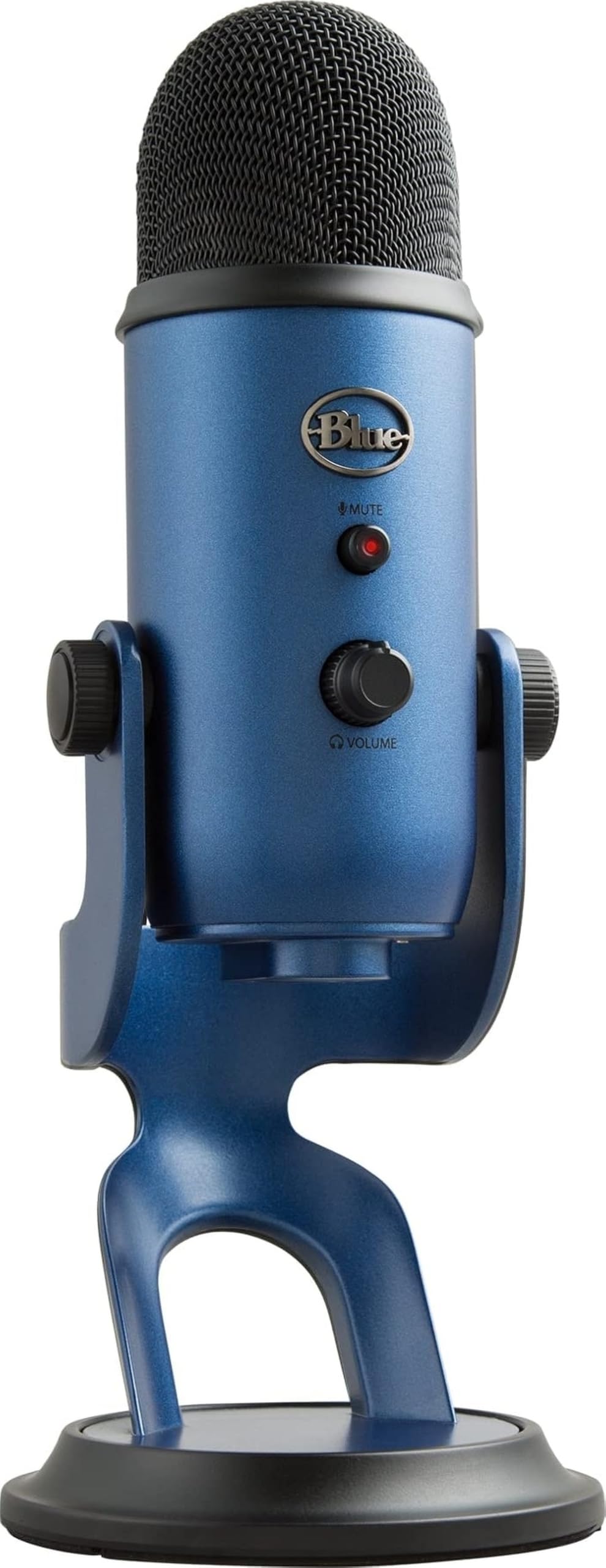
The Blue Yeti’s tri-capsule array is the core of its identity. Four pickup patterns — cardioid for solo voice, bidirectional for interviews, omni for room capture, and stereo for music — turn one desk mic into a small recording tool. Setup is plug-and-play over USB-A, and the resulting voice character is the familiar broadcast-style presence that podcast and voice-over listeners expect. A front dial swaps between patterns without opening software.

The all-metal body and weighted base keep the mic planted on a desk, while front-panel controls — mute, gain, headphone volume, and pattern select — put the adjustments you need mid-session in reach. Mute and gain sit on the front face, so you can adjust them without reaching behind the mic. Blue VO!CE software adds EQ, compression, and noise reduction for users who want to tune the signal further, but the mic sounds usable without opening the app. A front headphone jack provides no-latency monitoring for sessions where you need to hear yourself in real time.

This is the right pick for a streamer, podcaster, or voice-over beginner who wants one mic to cover multiple recording situations without learning an audio interface. Pair it with moderate gain and a reasonably quiet space, and the four-pattern design covers the rest.

At a mid-range price, the Yeti lands between budget single-pattern mics and premium studio gear. For a first-time USB mic buyer, the pattern dial removes the need to pick a cardioid-only mic now and a different mic for interviews later. The metal build and four patterns make the extra cost easier to accept in a permanent desk setup.

💡 Start in cardioid and set gain so your normal speaking level lands in the upper half of the meter.

Pros

  • Four pickup patterns cover solo, two-person, and music recording without swapping mics.
  • Metal body and weighted base keep the mic planted during long podcast or streaming sessions.
  • Broadcast-style voice with strong presence reads clearly in podcasts, streams, and voice-over.
  • Plug-and-play USB hookup works on PC and laptop without driver setup.

Cons

  • Full-size metal body takes up meaningful desk space and adds weight for travel.
  • In an untreated room, condenser pickup can reveal desk and room noise.
Our verdict

The Yeti is the four-pattern USB mic that covers podcasting, streaming, and voice-over with one pattern dial. For first-time buyers, that means no second mic purchase when the use case changes from solo to interview or music capture.

Check Latest Price
2

Best for Streamers & Software Power Users

Elgato Wave:3 MK.2

95 /100
Sound Score Outstanding

Key details

USB/XLR
USB-C only
Capsule Type
Condenser
DSP Software
Wave Link, Clipguard 2.0
Polar Pattern
Cardioid
View on Amazon

Wave Link turns the microphone into a full streaming chain: EQ, compression, routing, and Clipguard 2.0 anti-distortion live in the software, so streamers don't need a separate audio interface. Voice quality sits close to lower-tier XLR mics, and the tactile dial handles gain and tap-to-mute without menu hunting. Clipguard 2.0 also catches loud peaks before they distort, which helps when a stream gets lively.

Best for streamers, content creators, and gamers who will use Wave Link's DSP and routing; unit consistency can vary, so it is wise to test a new unit before relying on it for daily broadcasts. This makes it a stronger fit for Elgato ecosystem users than for general office calls.

💡 Configure Wave Link before the first stream — Auto Gain and routing are part of the mic's appeal.

Pros

  • Wave Link's built-in EQ, compression, and routing remove the need for a separate audio interface.
  • Voice quality approaches lower-tier XLR mics, delivering clean stream-ready audio.
  • Tactile dial and tap-to-mute keep gain and mute control natural during a live stream.

Cons

  • Wave Link is required for EQ, compression, and routing, so plug-and-play-only buyers miss the core feature set.
  • For casual meetings, the premium price includes DSP features that will go unused.
Our verdict

The Wave Link workflow is the difference: streamers who want EQ, compression, and routing in one USB mic will get more use from this than from a general-purpose condenser.

Check Latest Price
3

Best for Untreated Rooms & Podcasting

Samson Q2U

91 /100
Sound Score Outstanding

Key details

USB/XLR
USB-C and XLR
Capsule Type
Dynamic
DSP Software
None
Polar Pattern
Cardioid
View on Amazon

The Q2U pairs a dynamic cardioid capsule with both USB and XLR outputs. In a bedroom or home office, that cardioid pattern keeps the voice forward and reduces the echo that a condenser would capture; later, the XLR output connects the same microphone to an interface without buying another mic. The headphone output supplies direct monitoring, so a beginner can adjust distance and tone while hearing their own level.

This is a match for a beginning podcaster, voice-over hobbyist, or budget broadcast user who wants one mic for now and a path to an interface later. The tradeoff is on the edges: the bundled stand, on/off switch, and headphone jack are durability weak points, so the kit favors steady desk use over rough handling. A dynamic capsule also means it is not a substitute for a large-diaphragm condenser when you need wide-frequency music detail.

💡 The bundled stand holds the Q2U fine on a stable desk, so keep the desk clear rather than moving the arm.

Pros

  • Dynamic cardioid pickup keeps speech clear while rejecting background noise in untreated rooms.
  • USB and XLR outputs let you record now and move to an interface later without a new mic.
  • Bundled stand, windscreen, and cables form a complete starter kit for podcasting.

Cons

  • The bundled stand, on/off switch, and headphone jack are the least durable parts.
  • Performance consistency can vary, and an occasional shutdown or audio dropout may occur.
Our verdict

For a first USB/XLR microphone in a noisy room, the Q2U is the practical choice: it gets voice right, bundles starter gear, and keeps the upgrade path open.

Check Latest Price
4

Premium Pick for Professional Recording

Shure MV7+

92 /100
Sound Score Outstanding

Key details

USB/XLR
USB-C and XLR
Capsule Type
Dynamic
DSP Software
MOTIV app
Polar Pattern
Cardioid
View on Amazon

The Shure MV7+ keeps the dynamic vocal tone that made the earlier USB/XLR hybrid popular and adds USB-C, XLR, auto level, real-time denoiser, and an LED touch panel. The metal body and weighted base feel at home on a desk, and the capsule rejects room noise at the source, which gives it an edge over a sensitive condenser in untreated spaces. Setup is a matter of plugging in and letting the software do the tuning.

Podcasters and streamers who want Shure's vocal tone and need a mic that works now over USB-C and later through an interface will get the most from this. The auto-level and denoiser are genuinely useful in rooms with fan or keyboard noise, but they assume a willingness to spend a little time in the software. The premium price, touch controls, and software configuration are not for casual users, and a minority of units may need troubleshooting for no-audio or connection issues.

💡 Turn on auto level during streams so the touch panel stays idle and the denoiser handles room tone.

Pros

  • Solid metal build and weighted base give it a premium desk presence.
  • Dynamic cardioid capsule captures Shure's vocal tone with less background room noise.
  • Auto level and real-time denoiser handle uneven voice levels and fan hum in noisy rooms.

Cons

  • Touch-panel controls and software setup favor tweakers over plug-and-play users who want a physical knob.
  • Some units can hit no-audio or connection snags that need a quick troubleshooting pass.
Our verdict

The MV7+ is for creators whose room noise is a problem and whose next upgrade path leads to an audio interface.

Check Latest Price
5

Best Budget XLR/USB Hybrid

FIFINE AM8

91 /100
Sound Score Outstanding

Key details

USB/XLR
USB-C and XLR
Capsule Type
Dynamic
DSP Software
None
Polar Pattern
Cardioid
View on Amazon

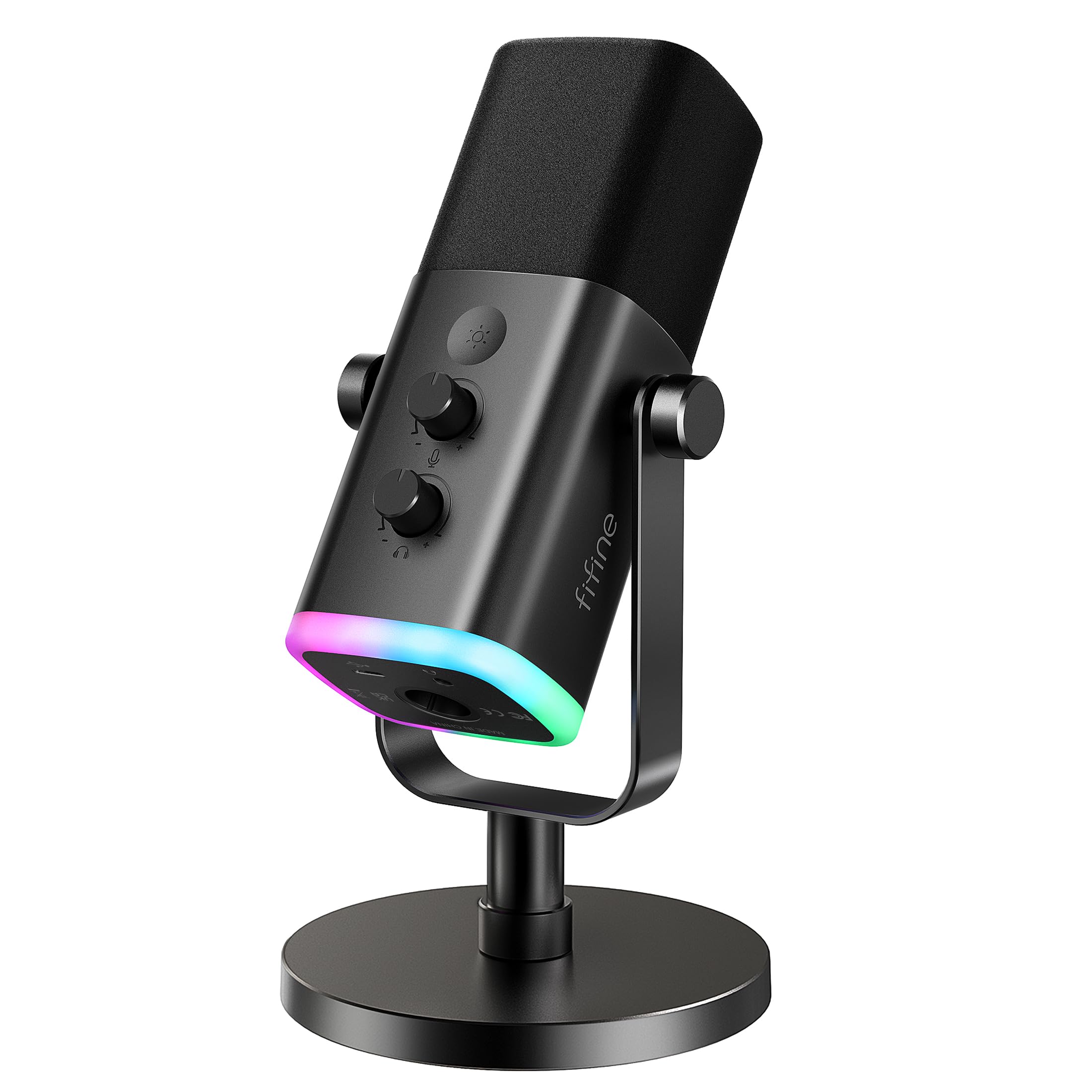
The AM8 gives you a dynamic cardioid capsule in a body that works as a USB-C microphone right out of the box, then moves to XLR without needing a second mic. That dual output is what separates it from simpler budget desk mics, and it arrives with RGB, tap mute, gain, and a headphone monitoring jack at a budget-friendly price point.

The dynamic capsule suits a moderately noisy room, so it is a sensible first mic for a bedroom streamer or a podcaster who does not want a condenser picking up every mouse click. If XLR is the long-term goal, this is a low-cost way to test that workflow before investing in an interface. The RGB lights and onboard controls stay inactive in XLR mode, so that connection is purely audio.

💡 For clean USB capture, keep gain moderate and position the mic a few inches from your mouth so the dynamic capsule picks up voice over room noise.

Pros

  • Dual USB-C and XLR outputs let one mic move from a laptop to an audio interface without a second purchase.
  • Dynamic cardioid pickup keeps speech focused in rooms with background noise.
  • Plug-and-play USB setup with mute, monitor volume, and RGB is ready for streaming.

Cons

  • Quiet-room setups may pick up static or buzzing, noticeable in gaps between speech.
  • Audio can briefly drop or sound muffled during extended sessions, which matters on live streams.
Our verdict

For a gamer or streamer starting on USB with plans to grow into XLR, the AM8 is a practical bridge in the budget tier.

Check Latest Price
6

Best Compact Studio-Quality Mic

Rode NT-USB Mini

91 /100
Sound Score Outstanding

Key details

USB/XLR
USB only
Capsule Type
Condenser
DSP Software
Rode Connect
Polar Pattern
Cardioid
View on Amazon

Rode's studio condenser tuning and Connect DSP arrive in a body small enough to sit next to a keyboard, with a magnetic stand that removes the need for a boom arm. The cardioid capsule keeps the focus on a single voice, and the plug-and-play USB connection gets a podcast or stream running without extra gear. Compared with streamer-style mics that lean on software routing, this one keeps the physical setup lean.

It is a fit for podcasters, vocalists, and streamers who want Rode's voice tone in a minimalist desk setup. The fixed cardioid pattern means the source needs to stay in front of the mic, and the compact base limits mounting flexibility compared with standard boom-arm mics. Some units can show noise or static, so it works best for owners who keep gain moderate and leave the mic on a stable surface.

💡 Keep the USB cable clear of foot traffic and set the magnetic stand on a stable surface.

Pros

  • Studio-quality voice from a compact body that suits small desks.
  • Clear, crisp vocal capture with professional-sounding tone for podcasting and streaming.
  • Plug-and-play USB setup with Rode Connect DSP and a magnetic stand.

Cons

  • A low-level hiss can appear in quiet recordings when gain is pushed.
  • Cable strain or drops can affect the USB and headphone connections.
Our verdict

For podcasters and vocalists who want Rode voice tone without a boom arm, this compact USB mic delivers the essential chain in a smaller footprint.

Check Latest Price
7

Budget Meetings, Desktop

FIFINE K669B

91 /100
Sound Score Outstanding

Key details

USB/XLR
USB only
Capsule Type
Condenser
DSP Software
None
Polar Pattern
Cardioid
View on Amazon

The FIFINE K669B brings clear voice, a solid metal body, and a handy volume knob to a budget price, making it an easy first USB mic for home-office calls and gaming chats. PC and PS4/PS5 users get plug-and-play operation without software, so it outperforms laptop mics for spoken-word use. It skips mute and headphone monitoring, which keeps it behind fuller-featured USB mics for podcasters who need live audio checks.

Pros

  • Clear voice pickup for meetings and gaming chats without spending much.
  • Sturdy metal construction and a dedicated volume knob add everyday practicality.

Cons

  • Long-term durability can vary between units, with the possibility of a faulty sample after a few months.
  • Keyboard and room noise can bleed into the feed, so this cardioid mic works best in a quiet room.
Our verdict

For a first wired USB mic on a strict budget used in a controlled home-office space, this delivers the essential voice quality.

Check Latest Price
8

Budget Podcasting, Chat

TONOR TC-777

88 /100
Sound Score Excellent

Key details

USB/XLR
USB only
Capsule Type
Condenser
DSP Software
None
Polar Pattern
Cardioid
View on Amazon

At this price, the TC-777 packages a cardioid condenser, shock mount, pop filter, and foldable tripod into a genuinely plug-and-play desktop kit for a first podcasting or meeting setup. It gets a voice across clearly enough for chat and entry-level recording. What keeps it from a higher spot is tolerance: sound quality, build, and durability can be inconsistent between units, and background noise pickup may intrude in untreated rooms. That makes it a budget-first choice, not a backbone for long-term production.

Pros

  • Good overall sound for an ultra-budget mic, with enough clarity for podcasting and meetings.
  • Plug-and-play USB operation and included accessories cut the usual setup friction to near zero.

Cons

  • The bundled stand and pop filter can feel flimsier than the mic body.
Our verdict

For a first podcasting or chat setup on a very tight budget, this complete bundle is the reasonable starting point.

Check Latest Price
9

Budget Gaming Setups

TONOR TC310+

90 /100
Sound Score Outstanding

Key details

USB/XLR
USB only
Capsule Type
Condenser
DSP Software
None
Polar Pattern
Cardioid
View on Amazon

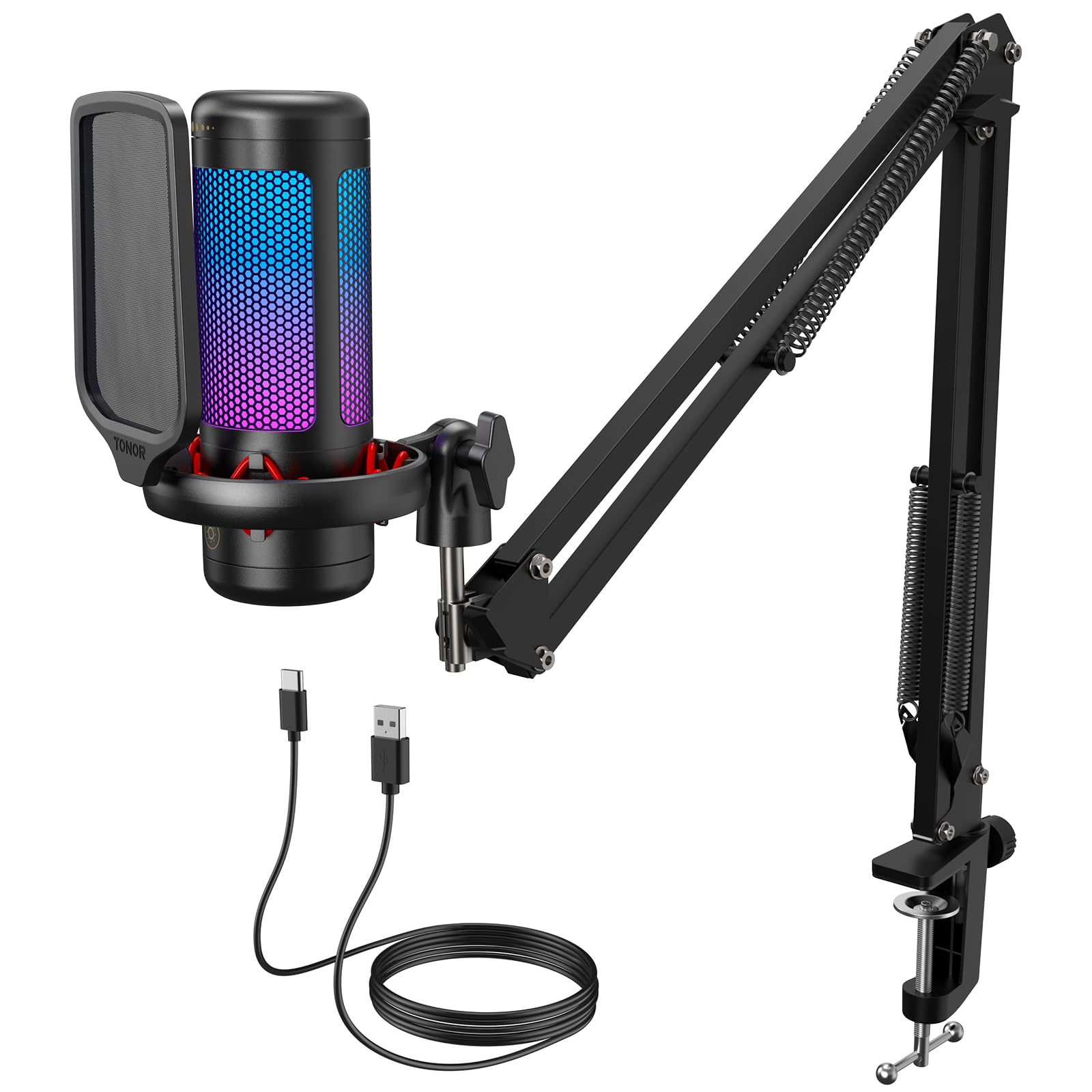
The TC310+ bundles a metal boom arm, shock mount, pop filter, RGB lighting, and tap mute around a usable cardioid condenser, giving first-time streamers a complete desk-friendly kit. Voice chat and Discord sound clean for the money, and the arm keeps small desks tidy. Mic quality is good-for-the-price rather than standout. Plastic joints can vary in durability under regular adjustment, and modest noise rejection favors a quieter room.

Pros

  • Beginners get a usable microphone that sounds clear for voice chat and streaming.
  • Boom arm and shock mount make setup quick and keep small desks tidy.

Cons

  • Not a studio-recording tool; match it to voice chat and entry streaming.
Our verdict

For a first Twitch or Discord setup that needs a space-saving arm, this one-box kit is the practical buy despite its caveats.

Check Latest Price
10

Travel, Small Desks

Blue Yeti Nano

93 /100
Sound Score Outstanding

Key details

USB/XLR
USB only
Capsule Type
Condenser
DSP Software
None
Polar Pattern
Cardioid, Omni
View on Amazon

Compact Blue-family tone with two practical patterns and plug-and-play setup gives the Nano a clear place on small desks and in travel bags. Cardioid handles solo voice for podcasting, streaming, and calls; omni works for room tone. It sidesteps the full-size Yeti's bulk, though it drops two pickup patterns. The USB port and stand can feel delicate when the mic is moved between setups. Those limits keep it below the full-size Yeti for four-pattern or travel-heavy needs.

Pros

  • Packs the familiar Blue-family tone into a smaller footprint for travel and small desks.
  • Plug-and-play USB setup with mute, volume, and pattern controls gets you recording fast.

Cons

  • Audio can cut out or become intermittent in some cases.
Our verdict

For a stationary desktop setup with a stable cable, the Nano keeps Blue-family tone in a smaller footprint.

Check Latest Price
11

Conference Calls, Dictation

JOUNIVO JV-601

89 /100
Sound Score Excellent

Key details

USB/XLR
USB only
Capsule Type
Condenser
DSP Software
None
Polar Pattern
Omnidirectional
View on Amazon

The JV-601's 360-degree pickup catches multiple voices around a desk, while its flexible gooseneck and mute LED make it easy to adjust and silence mid-call. As a USB plug-and-play mic, it gets meetings and dictation moving quickly. The omnidirectional design that suits conference rooms limits its role for solo podcasting or streaming, so single-voice broadcast work belongs elsewhere. PC compatibility can be inconsistent: some computers may not recognize the mic until reconnected or set as the default input device.

Pros

  • Works immediately when plugged in, so calls and meetings start without software setup.
  • Clear voice pickup for conference calls and dictation at a budget-friendly price.

Cons

  • Long-term durability can vary between units after extended use.
Our verdict

If your main audio jobs are conference calls and dictation, the JV-601 is a cost-effective desk mic with clear 360-degree pickup and a mute LED.

Check Latest Price

How to Choose

Polar Pattern

Cardioid is the default for single-voice work because it picks up sound mostly from the front and rejects the sides and rear. But cardioid rejection is not a wall; it still hears loud keyboard clatter and HVAC rumble when the gain is high.

Omnidirectional mics hear equally in every direction, which suits conference rooms where several people speak. For a solo podcaster, an omni pattern is the wrong tool because it captures the room as loud as the voice.

Capsule Type: Condenser or Dynamic

Condensers use a thin diaphragm that responds to air pressure quickly, so they reveal sibilance, breath, and transient detail. That sensitivity also makes them more prone to low-level static and background bleed in untreated rooms.

Dynamics use a moving coil and need more gain, but they have a tighter pickup and tolerate loud, close-up sources. For a podcast in a spare bedroom, a dynamic will sound clearer than a condenser picking up the PC fan.

Onboard Controls

Gain control matters more than most buyers assume. If the gain is too low, the recording is quiet and noisy after normalization; if too high, clipping creates distortion that no software can fully fix.

Mute and headphone monitoring let you check levels without a pop or drop the audio during a cough. A dedicated volume knob or tap-to-mute matters in meetings and Discord because it gives you an immediate physical action, not a click through a settings menu.

USB/XLR Flexibility

A USB/XLR hybrid sends audio to a computer over USB and to a mixer or interface over XLR. That means the same mic works now as a simple plug-and-play desktop mic and later as a permanent studio mic.

Once you move to XLR, the mic's onboard controls may not carry power or signal the same way, so the upgrade path matters more than the outward connection. Buy the hybrid only if you actually plan to add an interface; otherwise USB-only saves money.

Software and DSP

Software can shape the sound before it reaches your recording, which helps when you cannot treat the room. Elgato's Wave Link, Blue VO!CE, Rode Connect, and Shure's app each offer EQ, compression, or noise reduction.

The catch is that this processing is tied to one vendor's ecosystem and may not work when you switch to XLR or another app. Test the software on your OS before buying; some plugins run only through the manufacturer's mixer, which adds a layer to your routing.

Frequently Asked Questions