8 Best 49-Key MIDI Controller of 2026: Match Your DAW's Workflow

Find the 49-key MIDI controller that matches your DAW, keybed expectations, and budget — without paying for features you won't use.

Every 49-key controller promises semi-weighted keys, plug-and-play setup, and a generous software bundle. On paper, most look almost identical. In practice, the keybed feel and the DAW integration decide whether the keyboard becomes a daily tool or sits on a shelf.

The gap between marketing claims and everyday use shows up quickly: springy keys, auto-mapping that needs manual setup, and controls that do not line up with the software you actually open. The right controller matches the DAW you use and the playing style you already have.

The practical result is simple: if you produce in Ableton or FL Studio, DAW-specific shortcuts matter more than extra pads. If you just want a keyboard that turns on and plays, a simple, no-frills design matters more than a long spec sheet. Those two realities separate a useful controller from an expensive decoration.

About the Sound Score: This comparative score is calculated from a product's published customer rating and review volume. It is not a laboratory measurement or a hands-on test result.

1

Best Overall 49-Key MIDI Controller

Nektar Impact LX49+

91 /100
Sound Score Outstanding

Key details

Keybed Feel
49-key synth-action, light spring
DAW Integration
Nektar integration, most DAWs
Hands-On Controls
8-pad, 9-fader, 8-knob
View on Amazon

The Nektar Impact LX49+ is a complete control surface: eight backlit pads, nine faders, eight knobs, and six transport buttons, with Nektar DAW integration at a mid-range price. In Studio One, Logic, Cubase, and FL Studio, the mixer and instrument sections auto-map without a long MIDI-learn session. The bundled Bitwig Studio 8-track and Cherry Audio plugins add enough software to start producing right away.

Setup is one driver install and one USB cable, and the controls hold up in a working session. The pads trigger drums cleanly, the faders feel smooth, and the knobs respond without noticeable lag. The Nektar integration is the reason to choose this over a plain 49-key controller; it turns the mixer and instrument controls into tools you actually use while writing rather than a panel you have to map.

The synth-action keybed is springy, so players who need a hammer-action piano feel should look at weighted controls. For beat makers and DAW producers who play synth bass, chords, and drum pads, the action is a normal tradeoff, and the Nektar mapping makes mixer and instrument control feel native to the DAW. This is a controller for hands-on production, not a piano practice instrument.

Pros

  • DAW integration maps mixer, instrument, and transport controls quickly in Studio One, Logic, Cubase, and FL Studio.
  • Pads, faders, knobs, and transport cover hands-on mixing and instrument work without extra hardware.
  • Cost-effective for the control depth; this price range usually asks for a separate control surface.

Cons

  • The full control layout adds a wider footprint than a slim 49-key keyboard.
  • Occasional USB dropouts can interrupt a session and may need a computer restart.
Our verdict

For DAW producers, the Impact LX49+ is the 49-key controller that turns faders, pads, and knobs into a working mixer surface without the usual premium.
Check Latest Price
2

Best Simple / Entry-Level Pick

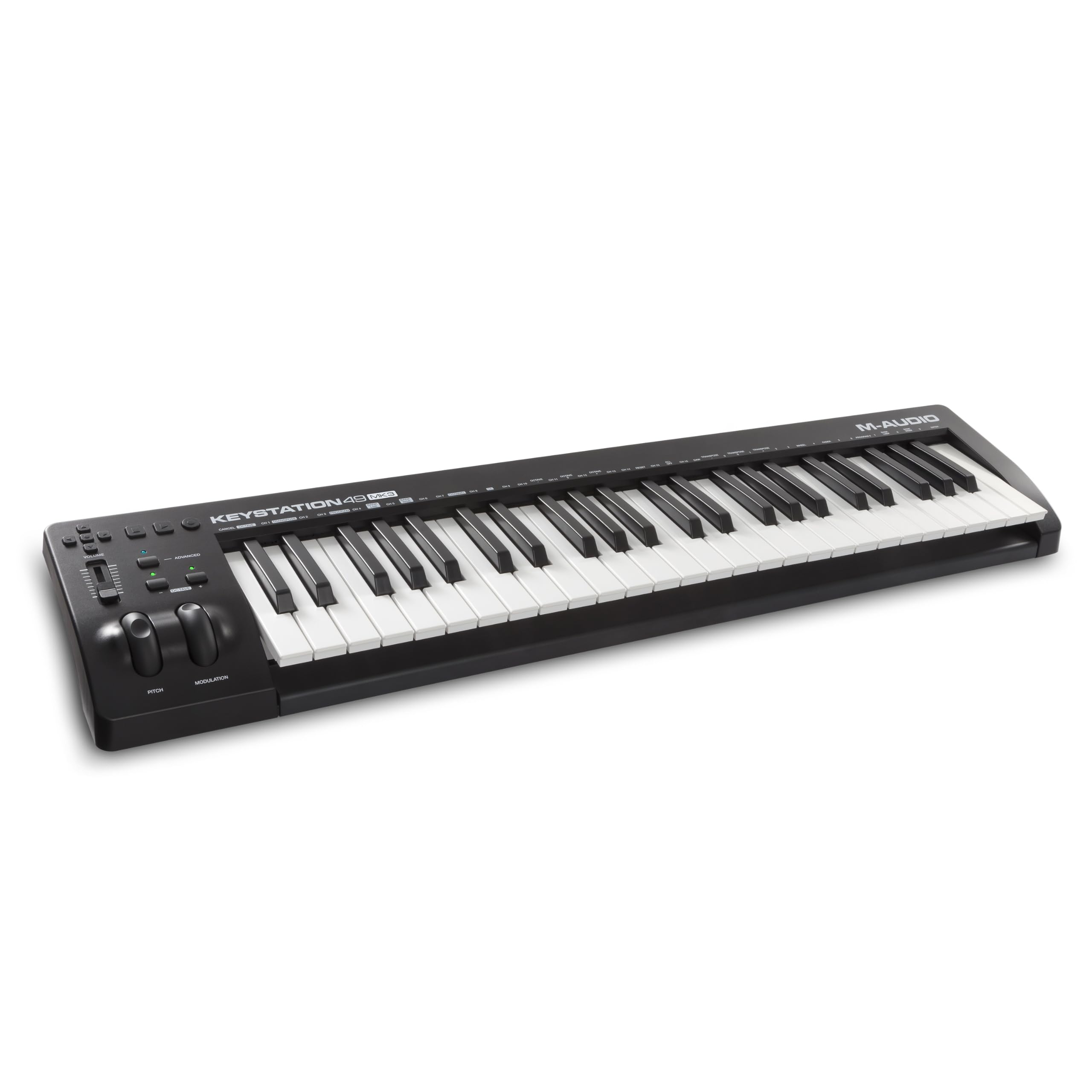
M-Audio Keystation 49 MK3

93 /100
Sound Score Outstanding

Key details

Keybed Feel
49-key synth-action
DAW Integration
Class-compliant generic MIDI
Hands-On Controls
Volume fader, transport buttons
View on Amazon

The Keystation 49 MK3 is a direct 49-key path into a DAW: plug in, launch the software, and the class-compliant USB connection responds without driver hunting. Hands-on control stays to the essentials — volume fader, transport buttons, pitch/mod wheels, octave shift — keeping the front panel uncluttered. This is primarily a playing keyboard with modest transport control, so it suits first-time buyers and travel/laptop producers who want a lightweight keyboard; players who need deeper hands-on DAW control will be better served by a control surface in this lineup. Everyday playing and quick sketches feel natural on the full-size keybed.

Pros

  • Plug-and-play USB connection with no driver setup, so it works right away with Mac, PC, and iOS.
  • Light enough to use on a lap or toss in a bag for travel and laptop sessions.
  • Gives first-time buyers a full-size 49-key playing surface at a budget-friendly entry price.

Cons

  • Pianists used to weighted boards may find the springy action and plastic shell light-duty.
  • There are no pads or knobs, so beat making and synth tweaking fall to a mouse or external gear.
Our verdict

A lightweight, no-frills keyboard that keeps the focus on playing; for deeper production workflows, another controller in this lineup is the better direction.

Check Latest Price
3

Best Software Bundle

Arturia KeyLab Essential mk3

88 /100
Sound Score Excellent

Key details

Keybed Feel
49-key synth-action
DAW Integration
Ableton, Logic, FL Studio
Hands-On Controls
8-pad, 9-fader, 9-encoder
View on Amazon

The KeyLab Essential mk3 targets a different workflow than the top pick by putting Analog Lab V browsing on a 2.5-inch LCD; the display shows preset names and the encoder bank lets you flip through sounds without mouse-hunting. Nine faders, eight encoders, and eight RGB pads extend that hands-on feel to mixer levels, sends, transport, and drum programming.

This suits producers who build tracks around virtual instruments and want the included Analog Lab V titles, UVI Model D, and NI The Gentleman to stay playable from the keyboard. It arrives with Loopcloud and Melodics subscriptions as well. Unit-to-unit quality control can vary, so inspect the keybed and screen early.

Pros

  • The included Analog Lab V collection covers vintage synths and acoustic instruments, making the bundle feel like a real starter library.
  • The LCD, encoders, faders, and RGB pads keep DAW transport, preset browsing, and drum programming at hand.
  • Build quality and playability hold up for a synth-action controller at this price.

Cons

  • Synth-action keys feel light and springy; players expecting semi-weighted or weighted resistance should factor that in.
Our verdict

For virtual-instrument producers, the KeyLab Essential mk3 makes the Analog Lab library a front-panel instrument rather than a browser window.

Check Latest Price
4

Best for Ableton Live

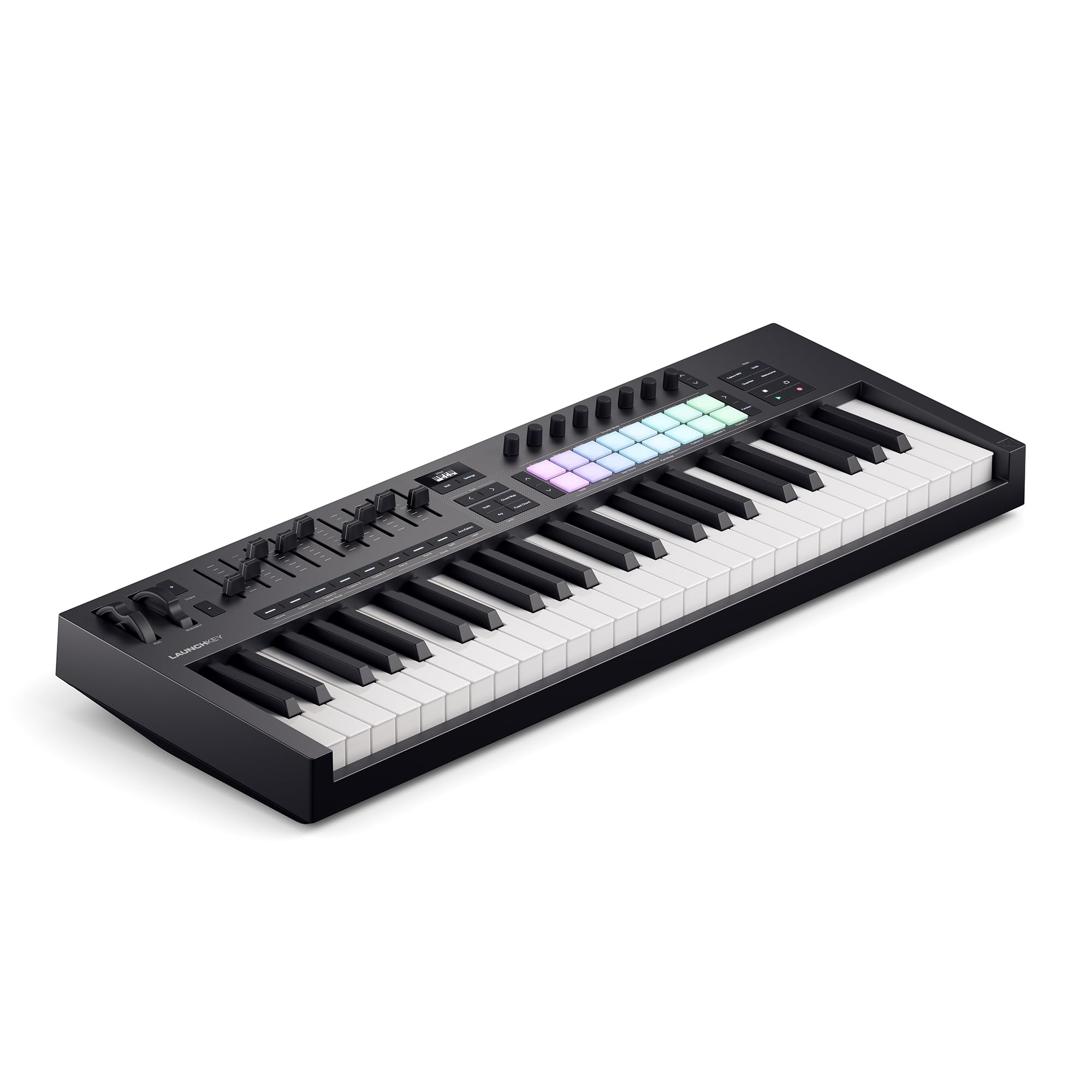
Novation Launchkey 49 MK4

90 /100
Sound Score Outstanding

Key details

Keybed Feel
49-key semi-weighted
DAW Integration
Ableton-first, major DAWs
Hands-On Controls
16-pad, 9-fader, OLED
View on Amazon

The Launchkey 49 MK4 pairs a smooth semi-weighted keybed with 16 FSR pads that translate polyphonic aftertouch into per-note expression. Ableton Live users get direct clip launching and transport control, while the NKS-ready profile and broad DAW support cover Logic, Cubase, and FL Studio without a deep setup session. Scale Mode, Chord Modes, and the arpeggiator turn the OLED display into a practical creative hub rather than a decorative screen.

This controller suits keyboardists who want aftertouch expressiveness without flagship pricing, and producers who want a modern, feature-complete 49-key layout. FL Studio-specific producers will get deeper channel-rack and step-sequencer control from the FLkey; for everyone else, the Launchkey is a premium-priced controller whose expressive hardware backs up the price.

Pros

  • Well-built with a quality keybed
  • Powerful creative features
  • Great playability and sound

Cons

No consistent drawbacks identified in the available review data.

Our verdict

If your music-making starts in Ableton Live and your hands want aftertouch, this is the 49-key controller to put on your desk.

Check Latest Price
5

Best for FL Studio

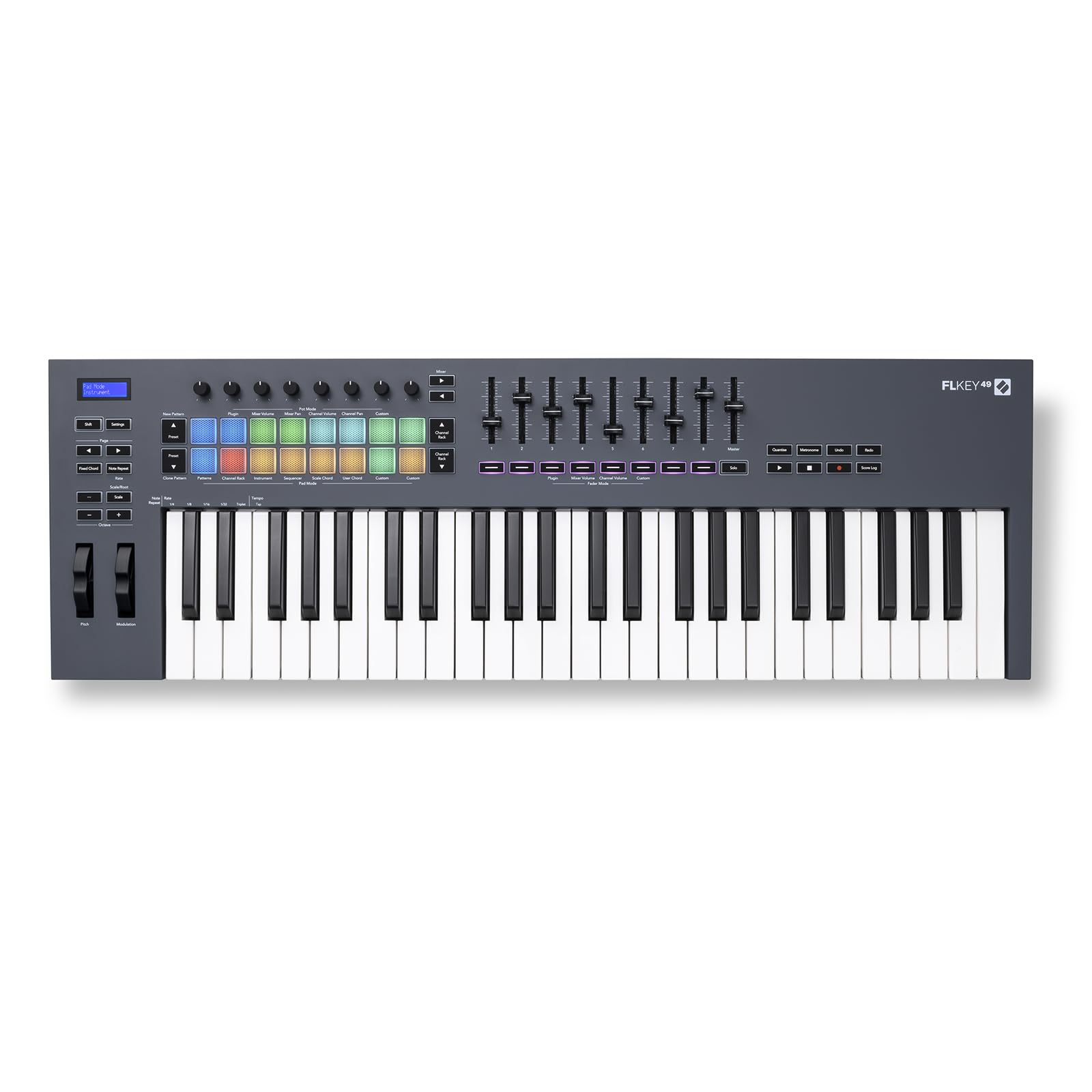
Novation FLkey 49

93 /100
Sound Score Outstanding

Key details

Keybed Feel
49-key semi-weighted
DAW Integration
Deep FL Studio integration
Hands-On Controls
16-pad, 9-fader, 8-encoder
View on Amazon

The FLkey 49 goes deeper into FL Studio than any other 49-key controller in this group. Faders, encoders, pads, and transport controls map to FL Studio's mixer, channel rack, and step sequencer with minimal setup, so the bulk of the workflow stays on the keyboard. Chord modes, scale mode, and note repeat add useful creative shortcuts for beat-making and melody sketching.

That focus is the tradeoff: this is an FL Studio-first controller, not a universal DAW surface. Producers who live in FL Studio get native-feeling control and strong value for the premium price; anyone switching between DAWs will find the general-purpose Launchkey-style option more useful. A USB power switch is a practical companion for keeping the desk clean when not in use.

Pros

  • Faders, encoders, and pads control FL Studio's mixer and channel rack with minimal setup
  • Semi-weighted keybed and responsive RGB pads hold up under regular production use
  • Chord modes, scale mode, and arpeggiator speed up melody and beat ideation

Cons

  • No power switch or standby; the keyboard stays powered whenever USB is live
Our verdict

FL Studio producers who want hands-on mixer, channel rack, and step sequencer control will find this the closest 49-key option. Outside FL Studio, the same value doesn't carry over.

Check Latest Price
6

Budget-Conscious Producers

Nektar SE49

89 /100
Sound Score Excellent

Key details

Keybed Feel
49-key velocity-sensitive
DAW Integration
Nektar DAW integration
Hands-On Controls
Transport buttons only
View on Amazon

This 49-key controller packs full-size keys and Nektar DAW integration at the lowest entry price in this set. It stays a keyboard-first tool, leaving pad/fader/knob control to the higher-priced full surface. If response feels off, check DAW buffer settings before suspecting the unit.

Pros

  • Exceptional value for money: full-size keys and DAW integration at a budget price.
  • Well-built for the price, with keys that show good tension and velocity response.

Cons

  • Responsiveness can be inconsistent in some setups.
Our verdict

Best for budget-focused players who primarily play keys and want Nektar DAW integration at the lowest entry price.

Check Latest Price
7

Advanced Producers

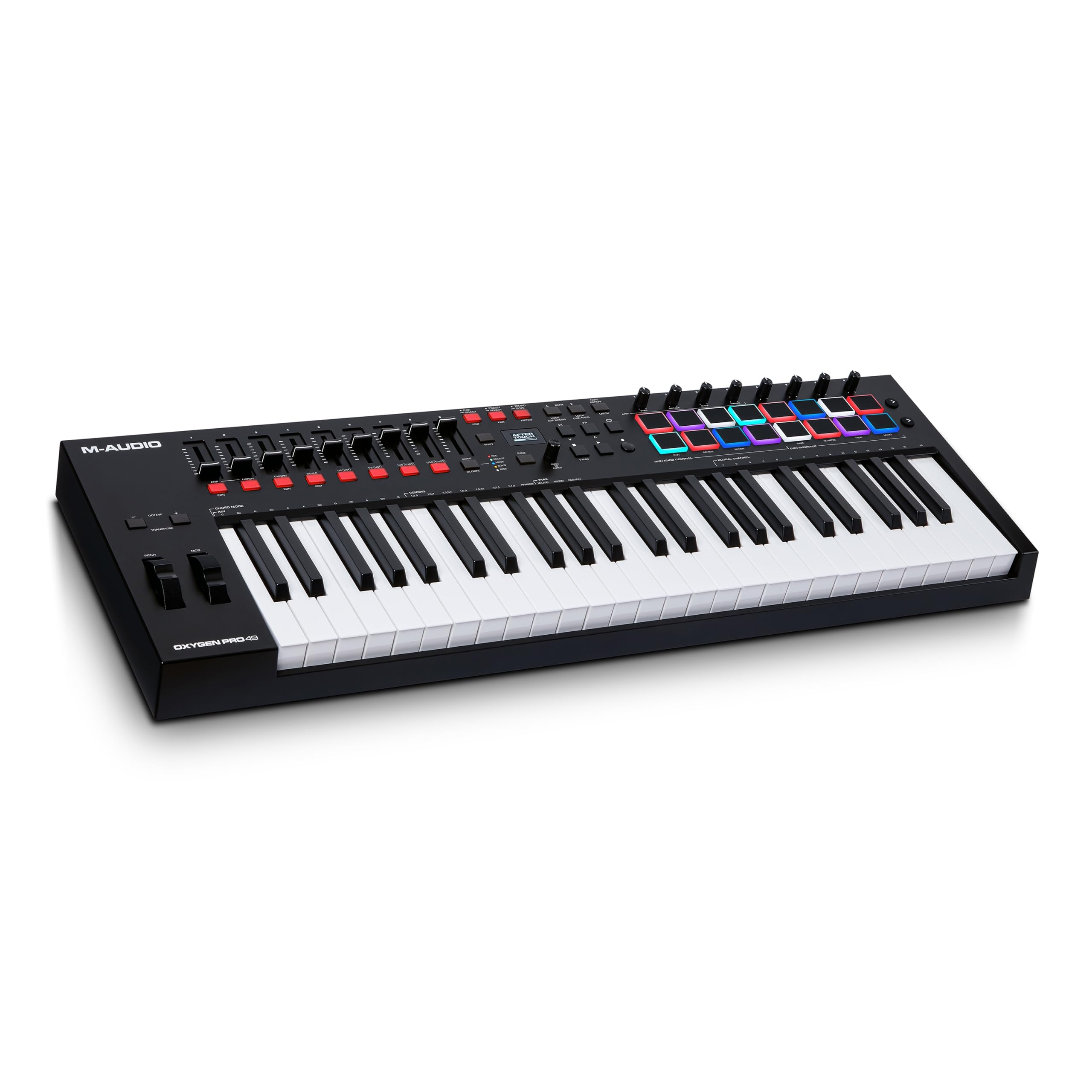
M-Audio Oxygen Pro 49

89 /100
Sound Score Excellent

Key details

Keybed Feel
49-key semi-weighted, aftertouch
DAW Integration
User mapping required
Hands-On Controls
16-pad, 8-knob, 9-fader
View on Amazon

Semi-weighted aftertouch keys, 16 pads, and a 5-pin MIDI out put this controller ahead of basic 49-key options. Full DAW mapping can require manual setup—HUI heartbeat and auto-mapping quirks may appear—and the premium price makes more sense for advanced producers than first-time buyers. The keybed and control set are the reason to choose it.

Pros

  • Semi-weighted keys with aftertouch respond well to expressive playing.
  • Sturdy construction that holds up in a working studio.

Cons

  • Aftertouch can demand firm finger pressure; key response may vary between units.
Our verdict

Suits producers who will use the expressive keybed, pad bank, and hardware synth connection every session.

Check Latest Price
8

Simple Setups

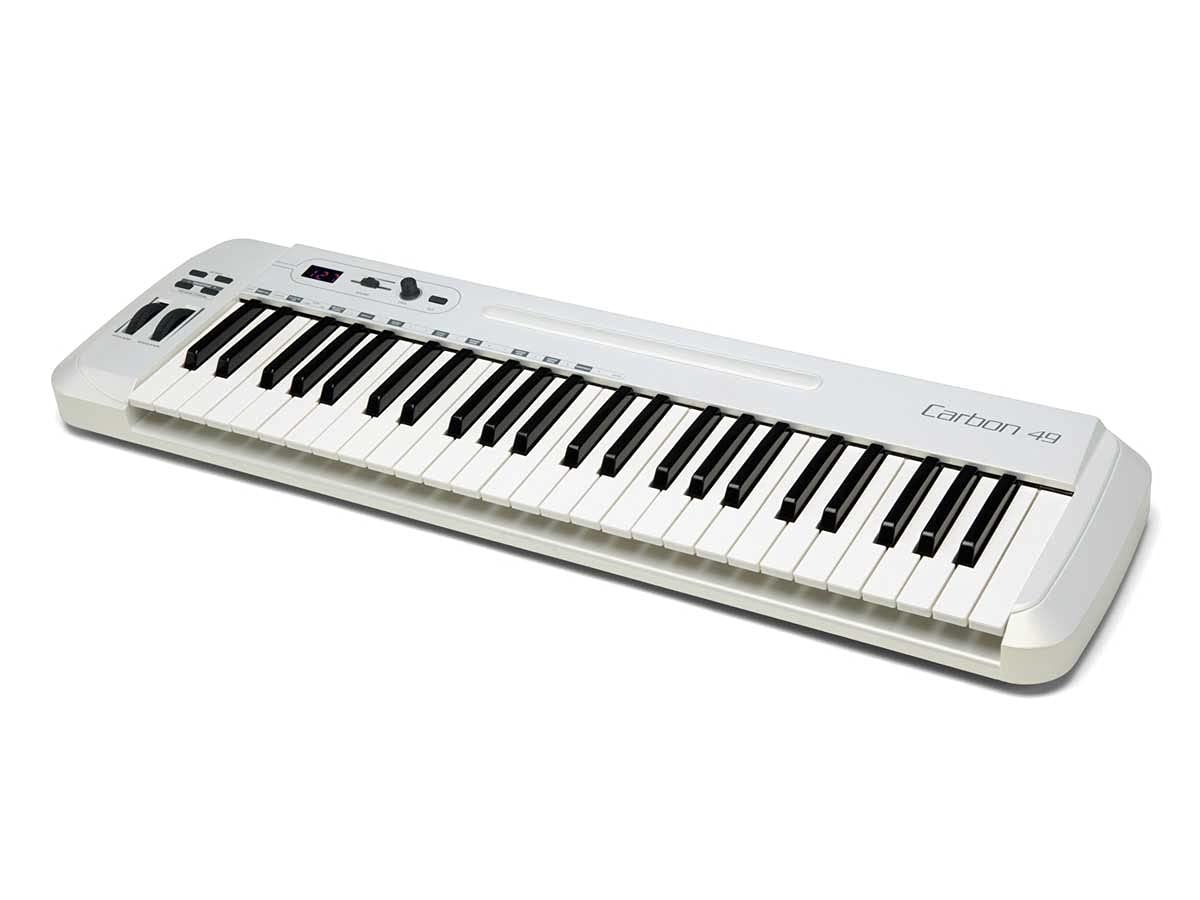
Samson Carbon 49

86 /100
Sound Score Excellent

Key details

Keybed Feel
Velocity-sensitive, semi-weighted label disputed
DAW Integration
Generic MIDI
Hands-On Controls
Encoder, volume slider
View on Amazon

The Samson Carbon 49 is a functional USB controller with traditional MIDI out at an approachable price. The keybed is the divisive element: the action can feel stiff and noisy, and the semi-weighted claim is overstated. For undemanding sessions it works; for players who care about key feel, it doesn't fit.

Pros

  • Simple to set up and play in a basic USB MIDI setup.
  • Functional 49-key option at a budget-friendly price with traditional MIDI out.

Cons

  • Bundled software can be unstable, and durability may vary between units.
Our verdict

For quick, undemanding mobile sessions, this budget controller covers the basics.

Check Latest Price

How to Choose

Keybed Feel and Velocity Response

The keybed mechanism sets the ceiling on feel. Synth-action keys use a light spring and rubber contact strip; they respond quickly but feel light under heavy hands. Semi-weighted keys add mass or spring resistance to approximate a piano action. Aftertouch adds a pressure strip for modulation after the initial strike.

'Semi-weighted' is not a regulated label. Some budget models use a heavier spring on a standard synth-action mechanism, which is why the same spec can feel different across two keyboards. Test the resistance at the bottom of key travel before buying.

DAW Integration Depth

DAW integration determines whether the controller operates your mixer, transport, and instruments or just sends notes. Generic MIDI requires manual mapping; scripted integration like Nektar or Novation auto-assigns controls to the DAW's main windows.

The trade-off is lock-in. A controller with deep scripts for one DAW often behaves generically in another, so the same keyboard can feel brilliant in Ableton and idle in Cubase. Class-compliant generic keyboards are more flexible if you switch software often, but require more setup.

Hands-On Controls

Pads, faders, and knobs reduce mouse work by mapping to the actions you repeat most: finger drumming, mixer levels, and synth parameters. Sixteen pads suit drum racks and melodic sampling; eight pads cover basic triggering.

The trade-off is channel count. Nine faders map to eight mixer channels plus a master in most DAWs, so larger projects need banking between channel groups. Check for bank shift if your sessions exceed eight tracks.

Included Software Bundle

Included software can cover the cost of the controller if you actually use it. Bundles typically include a lightweight DAW, a virtual instrument, or both. A bundle tied to a DAW you do not use adds no practical value.

Some bundles require registration, download, and authorization, which adds setup time. Factor the cost of a comparable virtual instrument into the total price and decide whether the software matches the way you work.

Build Quality and QC Consistency

A MIDI controller is mechanical: keys, pads, encoders, and circuit boards wear with use. QC consistency matters as much as the average rating because the same model can ship with a flawless keybed or a dead key.

Buy from a retailer with a return policy and test every key, pad, and knob in the first week. USB-powered controllers without a power switch stay on whenever the computer is awake; a USB power strip or switch solves that without adding noise.

Frequently Asked Questions