7 Best MIDI Pad Controller of 2026: Match Pads to Your Workflow

Match a MIDI pad controller to your workflow: velocity-sensitive pads for finger drumming, session grids for Ableton, and software you already own.

Most MIDI pad controllers look similar in product photos: rows of RGB pads, a few knobs, and a bundled software logo. The differences that decide whether one fits your studio are harder to see. Pad sensitivity varies widely — some grids only trigger note-on events, while others track velocity and pressure. DAW compatibility often determines whether a controller feels like a tool or a setup project.

The first decision is functional: drum pads or session grid. A drum-pad controller with a universal MIDI profile gives beat makers a flexible, DAW-agnostic surface for MPC-style playing. A session grid with scale modes and clip launching suits Ableton or Logic performers who want to play melodies and trigger scenes from one board. Neither is inherently better; each solves a different problem.

About the Sound Score: This comparative score is calculated from a product's published customer rating and review volume. It is not a laboratory measurement or a hands-on test result.

1

Best Overall Pad Controller
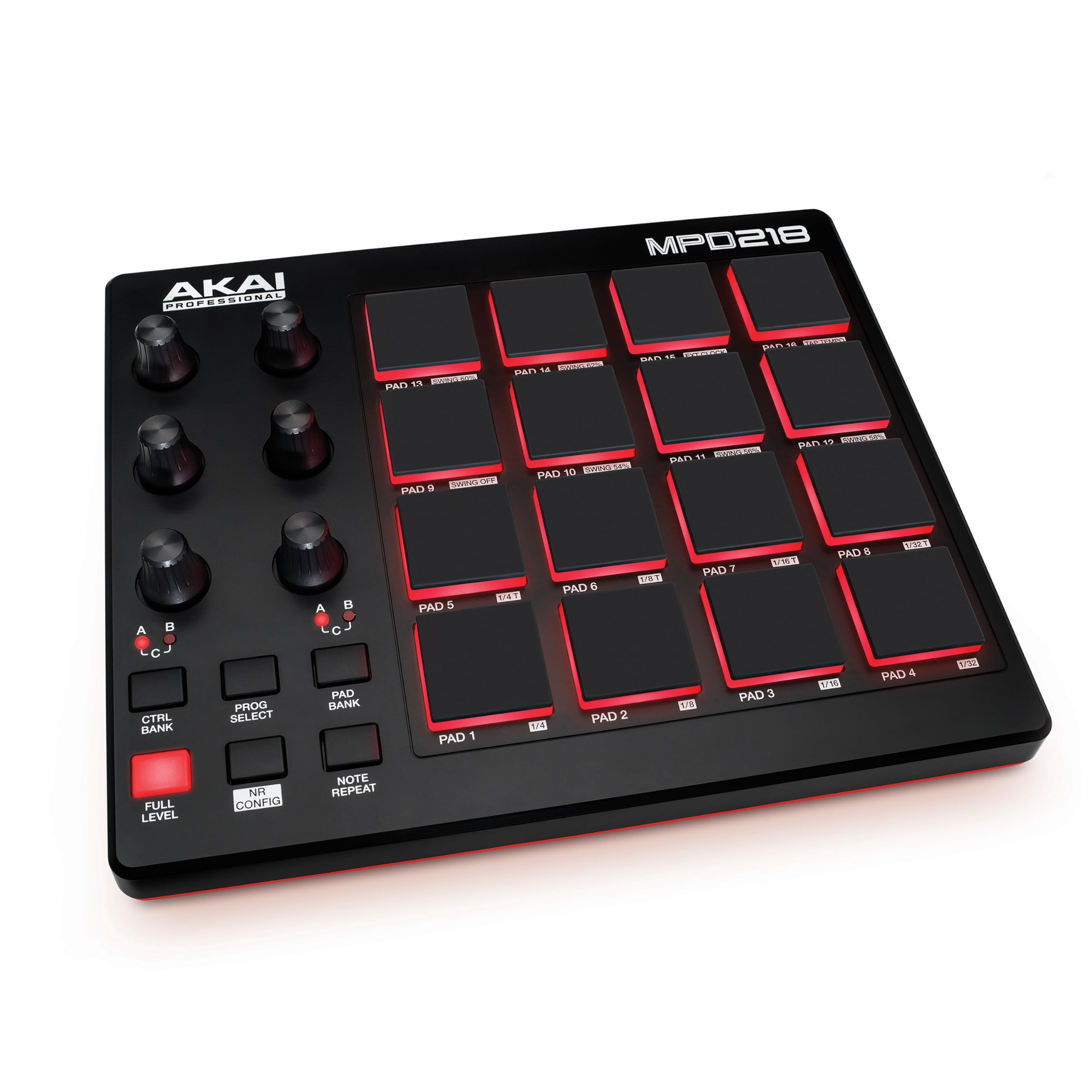
Akai MPD218

89 /100
Sound Score Excellent

Key details

Controls
18 assignable knobs
Software Fit
Universal MIDI
Pads And Banks
16 pads, 3 banks
Pad Sensitivity
16 velocity-sensitive pads
View on Amazon

The MPD218 puts 16 velocity-sensitive MPC pads, Note Repeat, Full Level, and 18 assignable knobs in a compact bus-powered shell. It ships with Ableton Live Lite, MPC Beats, and Drum Synth 500, so the first beat-making session does not require a separate software purchase. The pads use a four-by-four MPC grid that finger drummers recognize immediately, and the three banks expand it to 48 trigger points.

For beat makers and finger drummers who want MPC-style response without switching DAWs, this controller works with FL Studio, Reason, EZDrummer, and other sequencers over standard USB MIDI. It also connects to iPad or iPhone through Apple's Camera Connection Kit, making it a practical mobile pad option. The 18 knobs handle synth parameter tweaks, while Note Repeat and Full Level keep fills lively without menu diving.

This suits players who treat pad response as part of the setup rather than a plug-and-play guarantee; some units need velocity-curve adjustment before the pads feel consistent. It is not a fully integrated sampler or a DAW in a box — you supply the DAW, the sounds, and the patience to dial in that response. Bundled software covers production and drum synthesis, so the package works even before you open your usual DAW.

💡 Map Note Repeat to a pad you can hold comfortably while keeping your other hand free for fills.

Pros

  • Sturdy MPC-style hardware with a familiar four-by-four pad grid.
  • 16 pads plus a usable software bundle at a budget-friendly price.
  • Universal MIDI works across FL Studio, Reason, EZDrummer, and other DAWs.

Cons

  • The Akai editor and install workflow is clunky, so first-time configuration can take patience.
  • In fast drum patterns, occasional double-triggers or missed hits can appear.
Our verdict

The MPD218 covers the core drum-pad workflow at a budget price while leaving your DAW and sound choices open.
Check Latest Price
2

Best Expressive Grid Controller

Novation Launchpad X

93 /100
Sound Score Outstanding

Key details

Controls
Mixer and transport controls
Software Fit
Ableton/Logic grid
Pads And Banks
64 pads
Pad Sensitivity
64 velocity- and pressure-sensitive pads
View on Amazon

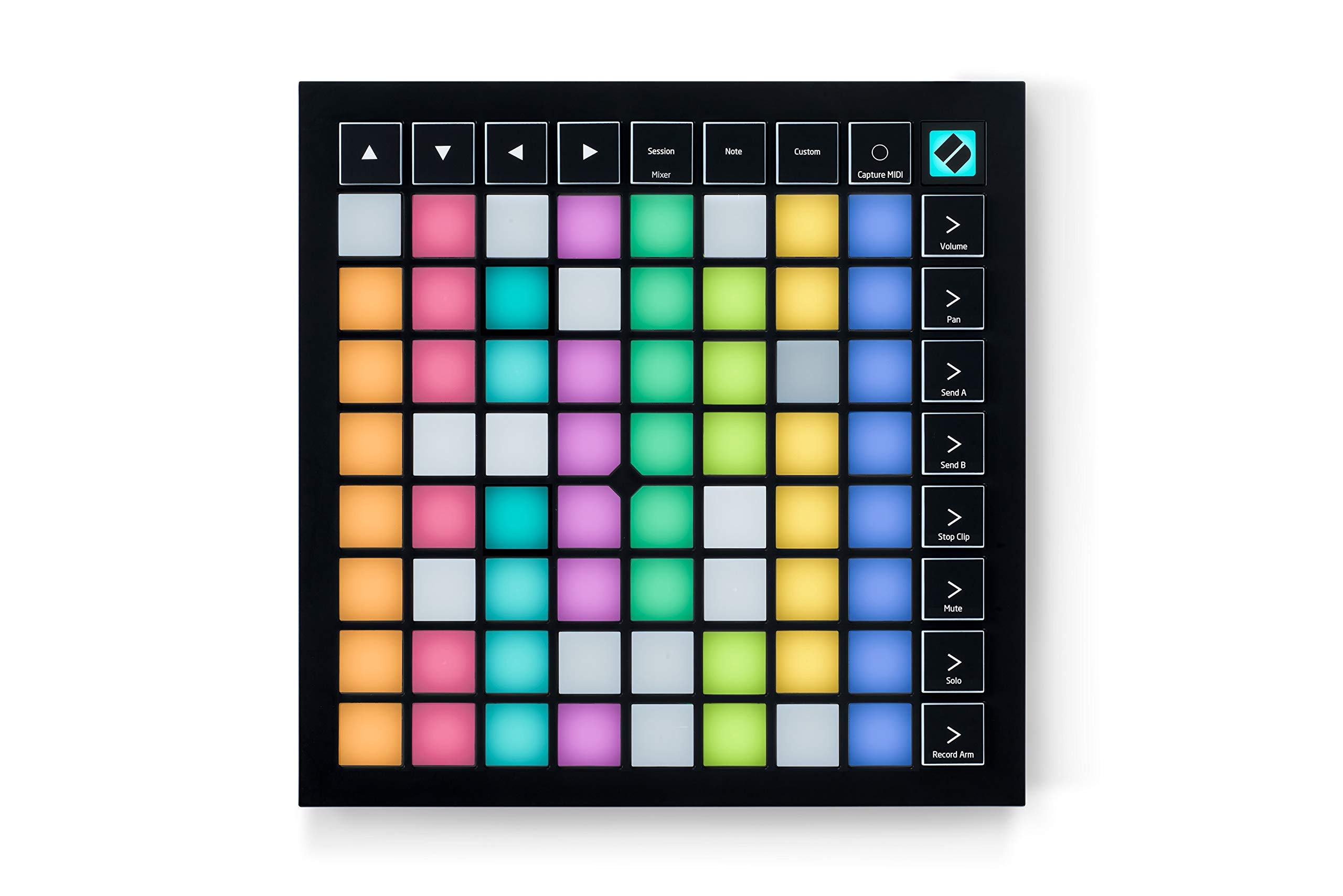
The Launchpad X's 64 velocity- and pressure-sensitive pads set it apart from the slimmer clip-launch-only Mini in this lineup. Note, Scale, Drum, and four custom modes make it a genuine grid instrument for finger drumming and melodic work. Logic and Ableton integration is smooth, and the pads respond to playing nuance rather than acting as simple triggers.

This suits producers who want one grid for both Ableton clip launching and expressive performance. Drum Mode expects Ableton's built-in Drum Rack, so third-party drum plug-ins won't map in that mode, and Scale mode skips common options like major pentatonic. If you work primarily inside Ableton's native instruments, these boundaries are easy to live with.

💡 Third-party drum kits can be mapped in a Custom Mode instead of Drum Mode.

Pros

  • Solid build quality with satisfying pads holds up to repeated finger-drumming sessions.
  • Velocity- and pressure-sensitive pads translate dynamics without needing a separate velocity curve.
  • Four custom modes allow deep MIDI mapping beyond the stock Ableton clip-launching layout.

Cons

  • Scale mode runs from a fixed list, so common melodic choices like major pentatonic are missing.
  • Drum Mode only maps Ableton's built-in Drum Rack, leaving third-party drum plug-ins out of that mode.
Our verdict

Expressive Ableton-centric grid for producers who want to perform their clips and melodies from the same 64 pads.

Check Latest Price
3

Best Budget Ableton Grid

Novation Launchpad Mini MK3

90 /100
Sound Score Outstanding

Key details

Controls
3 custom modes
Software Fit
Ableton-centric
Pads And Banks
64 pads
Pad Sensitivity
64 pads, not velocity-sensitive
View on Amazon

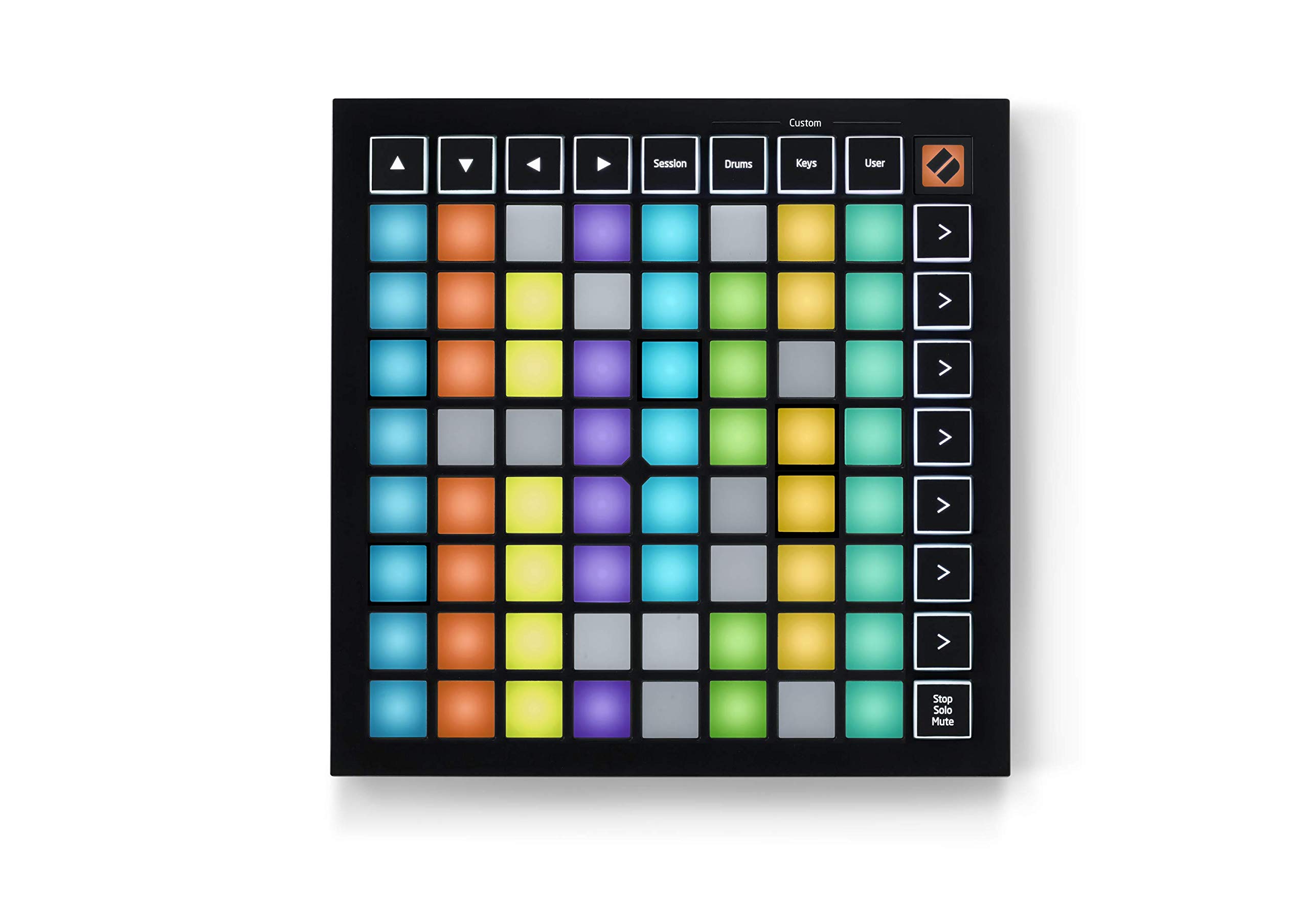
The Novation Launchpad Mini MK3 is a 64-pad Ableton clip launcher in a 7.1 x 7.1 x 0.56-inch USB-C shell. Its grid maps directly to Live's session view, so clip launching, scene triggering, and start/stop control work without mapping. At a budget-friendly price, it is the most travel-friendly grid in this lineup, and three custom modes expand what the pads can do.

This is for Ableton beginners and traveling producers who want a compact clip-launching surface. The pads are not velocity-sensitive, so expressive drumming is limited; that boundary matters only if you plan to finger-drum. For clip-based live sets, the Mini's size and price make it a natural fit.

Pros

  • Clear 64-pad layout makes Ableton clip launching approachable for beginners.
  • Compact 7.1-inch shell slips into a laptop bag for travel.
  • Budget-friendly entry into hardware clip control without extra setup.

Cons

  • Pads are fixed-velocity, so drumming dynamics and expressive melodic playing are limited.
Our verdict

The most budget-friendly Ableton clip-launching grid that fits in a laptop bag.

Check Latest Price
4

Best for Studio One

PreSonus ATOM

87 /100
Sound Score Excellent

Key details

Controls
20 buttons, 4 encoders
Software Fit
Studio One first
Pads And Banks
16 pads, 8 banks
Pad Sensitivity
16 pressure-sensitive RGB pads
View on Amazon

The ATOM's 16 pressure-sensitive RGB pads across eight banks offer a level of expressiveness that stands above the budget tier, and the bundled Studio One Artist makes it a complete starter setup. It is a universal MIDI pad controller, but its deepest advantage appears when Studio One is the DAW.

Best for Studio One users, new producers, and budget-conscious finger drummers who want pressure response without paying for a premium controller. Pad triggering can vary between units, and per-pad MIDI note assignment is limited to the ATOM's fixed map, so producers with custom note layouts should plan around that.

Pros

  • Sturdy frame and RGB pads feel built to handle regular beat-making sessions.
  • Hands-on Studio One control reduces menu diving once the DAW connection is set.
  • Bundled Studio One Artist, Ableton Live Lite, and Studio Magic add serious value for new producers.

Cons

  • Producers already committed to Maschine or MPC will prefer their existing hardware and software over adding the ATOM.
Our verdict

For Studio One users, the ATOM delivers strong value. Outside that DAW, the top pick's universal pads are easier to recommend.

Check Latest Price
5

Best Premium Integrated Beat Studio

NI Maschine Mk3

87 /100
Sound Score Excellent

Key details

Controls
Smart Strip, touch knobs
Software Fit
Maschine ecosystem
Pads And Banks
16 pads
Pad Sensitivity
16 velocity-sensitive pads
View on Amazon

The Maschine Mk3 is a complete beat production center rather than a plain MIDI pad controller. Its 16 velocity-sensitive pads, 96 kHz/24-bit audio interface, Smart Strip, and 25 GB Komplete sound library are tightly integrated into Maschine 2 software. You can lay down drums, arrange scenes, and tweak sounds without leaving the box, and the pad response holds up in live finger-drumming sessions.

This is for producers who want one instrument for beat making and performance and are willing to commit to the Maschine ecosystem. The steep learning curve and software registration/DAW integration can be frustrating, so the payoff comes from full-time use rather than casual DAW hopping.

Pros

  • 16 velocity-sensitive pads with a feel that supports expressive finger drumming.
  • Built-in 96 kHz/24-bit audio interface and 25 GB Komplete library cover a full production setup.
  • The integrated Maschine 2 system brings strong value for working producers.

Cons

  • The Maschine 2 workflow has a steep learning curve before it feels intuitive.
  • Registration and DAW integration can be frustrating if you plan to work mostly inside another DAW.
Our verdict

The Maschine Mk3 is a genuine production center for producers who will treat Maschine 2 as their main instrument. For a lightweight, DAW-neutral pad controller, the top pick in this roundup is the better fit.

Check Latest Price
6

Portable Maschine Producers

NI Maschine Mikro Mk3

88 /100
Sound Score Excellent

Key details

Controls
Touch strip, transport
Software Fit
Maschine ecosystem
Pads And Banks
16 pads
Pad Sensitivity
16 velocity-sensitive pads
View on Amazon

The Mikro Mk3 pairs a sturdy metal 16-pad body with the full Maschine 2 software — the lowest-cost entry into Native Instruments' pad workflow without the larger studio unit. No audio interface, and Windows recognition/firmware setup can be finicky. It suits mobile producers who want a rugged, compact Maschine controller and don't need the big unit's extra library or studio I/O.

Pros

  • Responsive 16-pad layout with satisfying velocity response for finger drumming
  • Compact metal chassis is easy to pack and durable enough for travel

Cons

  • Newcomers face a steep learning curve inside the Maschine 2 software workflow
Our verdict

If you're already working inside Maschine 2 and want a compact travel controller without the full-size unit's audio interface, this is the fit.

Check Latest Price
7

Ableton Clip Launchers

Akai APC Mini MK2

91 /100
Sound Score Outstanding

Key details

Controls
9 faders
Software Fit
Ableton-centric
Pads And Banks
64 pads
Pad Sensitivity
64 clip/drum pads, no velocity
View on Amazon

A compact Ableton Live session grid: 64 RGB clip/drum pads and nine faders at an entry-level price. Ableton-centric mapping takes outside research, so producers outside that DAW are better served by a universal 16-pad controller. That DAW dependence keeps it below the top pick for pad-first beat making.

Pros

  • Compact 64-pad layout with nine faders slips into a gig bag for mobile live sets.
  • Clip-launch and drum-grid controls pair directly with Ableton Live's session view.

Cons

  • On some Ableton versions, RGB pads can stay unlit until the controller is replugged.
Our verdict

For Ableton Live users who need a portable clip-launching surface with faders, this compact grid fits the job. If you need a universal drum pad for other DAWs, choose a 16-pad alternative instead.

Check Latest Price

How to Choose

Pad Velocity and Pressure Sensitivity

Non-velocity pads send only a note-on message, so every hit lands at the same volume. That works for launching clips, but it kills the dynamics of finger drumming.

Velocity-sensitive pads convert strike force into loudness through a spring or silicone membrane that compresses differently with harder hits. Pressure-sensitive pads add aftertouch, letting you change filter, pitch, or volume while a pad is held down.

Pad Count and Pad Banks

More pads reduce hand movement, but banks are what let a 16-pad controller act like a 48-pad kit. Banks reassign the MIDI notes on the same physical pads, so you can move from kick to snare to percussion without shifting grip.

The real cost is memory and speed. Dedicated bank buttons let you switch kits live; controllers that rely on software remapping make you break your workflow and reach for the mouse.

DAW and Software Compatibility

Some controllers send plain MIDI and work with any DAW; others are built for a specific software pairing. A grid labeled 1:1 mapping usually means the pads and faders were designed for one DAW's session view, not for universal control.

The same split appears in groovebox-style controllers. Maschine and MPC hardware shine inside their own software, but when you try to use them as a transport control surface in another DAW, some buttons simply won't map. Choose the software ecosystem before you choose the hardware.

Assignable Controls

Knobs, faders, and encoders are not interchangeable. Absolute knobs jump to a position; endless encoders send relative changes, which prevents the jump when your DAW parameter and hardware knob are out of sync.

Faders give visual feedback for mixing, but they need a DAW that accepts MIDI CC for those channels. If the controls are locked to a vendor preset, you can't redirect them to the plugin parameters you actually use.

Portability and Build Quality

A controller thin enough for a backpack often has smaller pads packed tightly together. That layout works for chords but can cause mis-hits during fast finger drumming.

A metal chassis adds weight and keeps the pads stable on stage. Lighter plastic frames may flex under aggressive play, which changes how evenly the pad sensors respond.

Frequently Asked Questions