8 Best DAW Control Surface in 2026: Pick the Fader Type You Need

Find a DAW control surface that matches your mixing workflow, from budget fader boxes to motorized consoles, without overpaying for features you won't use.

Tactile mixing is the fastest way back into a session: your hand lands on a fader, the balance changes in real time, and the screen fades into the background. The category splits hard at one feature, though. Motorized faders give you visual confirmation of automation playback; they also raise the price significantly. And 'universal DAW support' often means Mackie Control or HUI emulation, not deep native integration.

That distinction matters more than any spec sheet. Multi-DAW engineers should follow the protocol support; Studio One and Ableton users should follow native integration; and anyone who mostly records, edits, or checks balances can get a complete mixing workflow without motorized feedback.

The practical result: a cheaper non-motorized surface is not a downgrade if your sessions don't need automated fader movement. It is a use-case fit. Motorized feedback is worth the jump only when you are actively automating and recalling mixes with multiple faders.

About the Sound Score: This comparative score is calculated from a product's published customer rating and review volume. It is not a laboratory measurement or a hands-on test result.

1

Best Overall

Behringer X-TOUCH

89 /100
Sound Score Excellent

Key details

Fader Type
Motorized, touch-sensitive
Fader Count
9 motorized faders
DAW Protocol
HUI, Mackie Control
Control Depth
Transport, automation, editing
View on Amazon

The X-TOUCH is a nine-fader control center for project studios that move between DAWs. Its 100 mm touch-sensitive motorized faders, eight LCD scribble strips, and HUI/Mackie support cover Logic, FL Studio, Ableton, Reaper, Mixbus, and Premiere Pro. Nine faders cover more of the mix before banking than an 8-fader surface. Ethernet can chain additional X-Touch units or Extenders, so the system scales past eight channels when the mix demands it.

Faders and knobs respond efficiently in daily mixing, and the scribble strips keep track names readable when switching banks or DAWs. The motorized faders track automation moves smoothly in a session. Logic Pro X integration is a standout, giving Mac-based studios extra confidence in the surface. The Ethernet expansion path gives the X-TOUCH a defined upgrade route instead of a dead-end control design.

Project-studio owners mixing on multiple DAWs are the natural fit, as are buyers who want motorized faders and expandability without console pricing. Those studios get one control surface instead of a separate controller per DAW. Setup is the price of admission: HUI/Mackie mapping is not zero-configuration, and buyers who need native deep control in a single DAW should weigh a dedicated controller instead.

💡 Mapping each DAW once reduces the setup friction during sessions.

Pros

  • Broad DAW connectivity works across Logic, FL Studio, Ableton, Reaper, Mixbus, and Premiere Pro.
  • Logic Pro X integration stands out among DAW-specific feedback.
  • Faders and knobs are efficient and responsive once the mapping is done.

Cons

  • Motorized fader movement can be audible, and smoothness may vary between units.
  • Pro Tools sessions can occasionally drop the USB connection and require a reconnect.
Our verdict

The X-TOUCH delivers nine motorized faders and a scale-out Ethernet path for less than the Studio One-native 8-fader alternative.
Check Latest Price
2

Best for Studio One

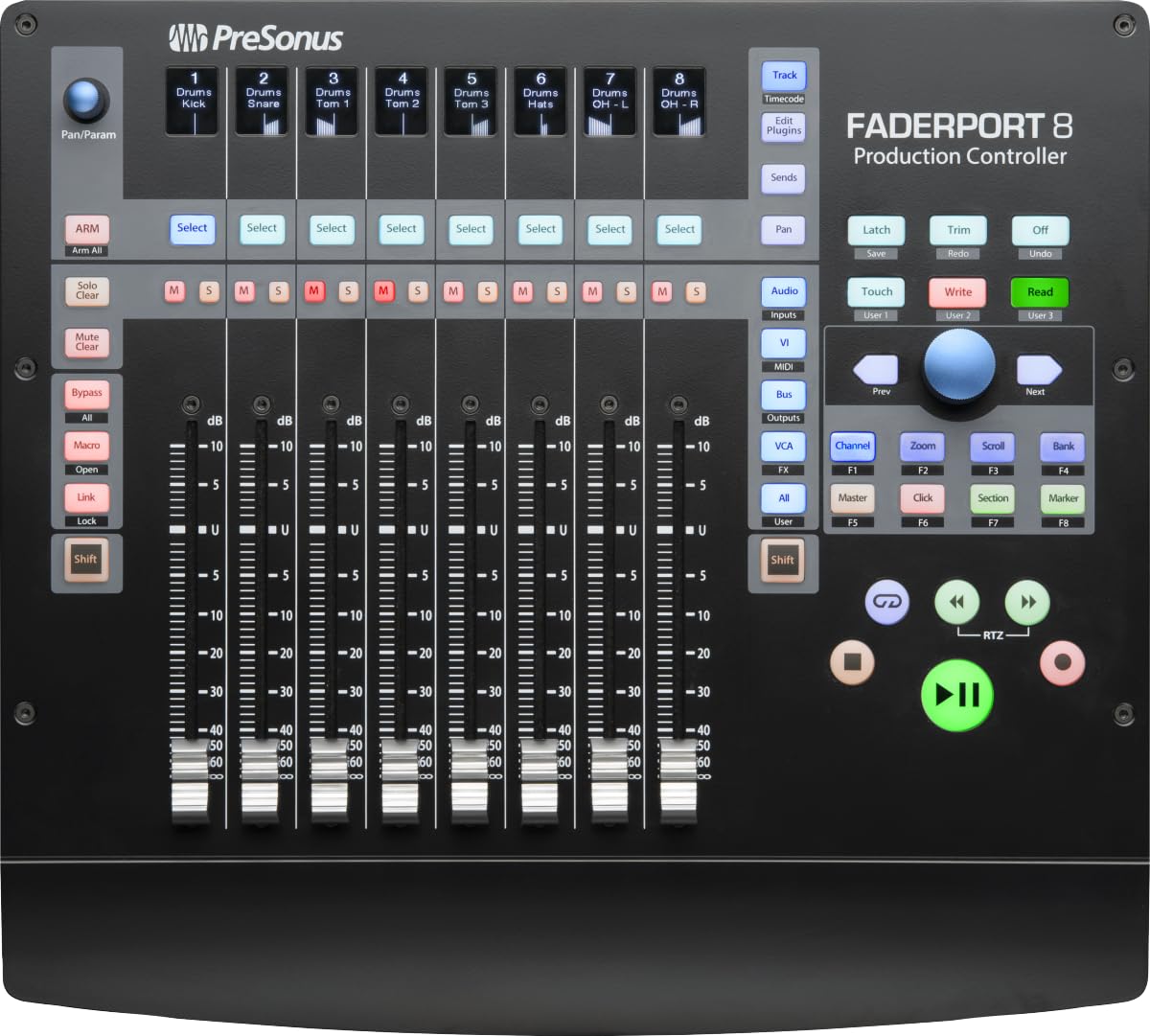
PreSonus FaderPort 8

88 /100
Sound Score Excellent

Key details

Fader Type
Motorized, touch-sensitive
Fader Count
8 motorized faders
DAW Protocol
Studio One, HUI, Mackie
Control Depth
Complete transport, automation
View on Amazon

Native Studio One integration is the FaderPort 8's defining trait: eight 100 mm motorized touch-sensitive faders, high-definition scribble strips, and transport controls behave like a direct extension of the DAW after a firmware update. Studio One users get smooth automated mixing without building MIDI maps.

This is the right surface for Studio One-centric project studios that want tactile fader control and concise scribble feedback. In HUI/Mackie mode with Pro Tools or other DAWs, some transport and edit functions may not map, so those workflows may need the mouse for those jobs.

Pros

  • Eight smooth 100 mm motorized faders with high-definition scribble strips make mix automation immediate.
  • Studio One connects plug-and-play after a firmware update, so no MIDI mapping is needed.
  • HUI/Mackie mode supports Pro Tools and other DAWs for multi-software use.

Cons

  • Higher price than the 9-fader top pick buys deeper Studio One integration rather than broader DAW coverage.
Our verdict

For Studio One owners, this is the motorized fader console that feels native; choose the 9-fader alternative if universal DAW coverage matters more.

Check Latest Price
3

Best Single-Fader Workhorse

PreSonus FaderPort V2

88 /100
Sound Score Excellent

Key details

Fader Type
Motorized, touch-sensitive
Fader Count
1 motorized fader
DAW Protocol
Studio One, Mackie, HUI
Control Depth
24 buttons, 40 functions
View on Amazon

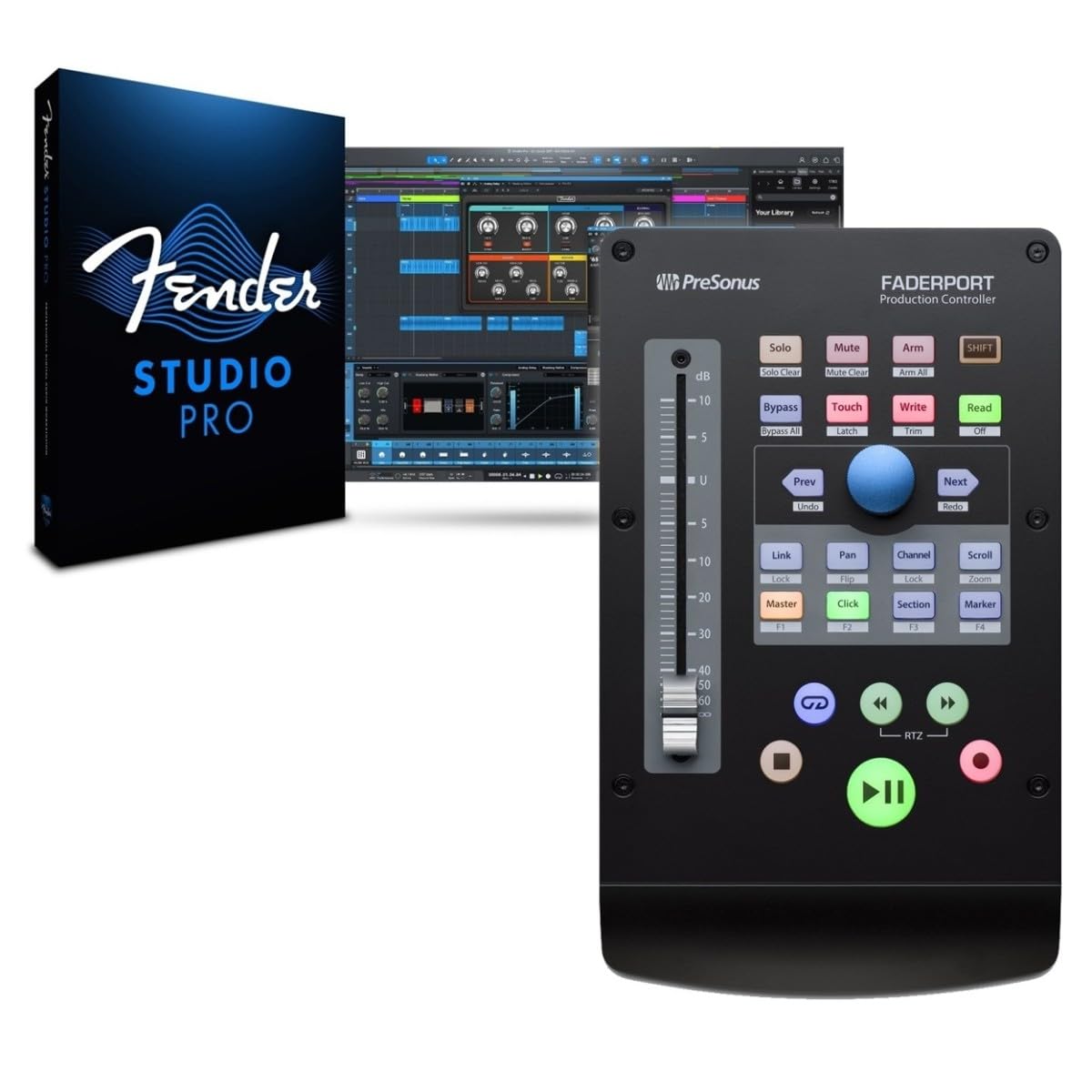
The FaderPort V2 puts a motorized 100 mm fader, 24 buttons, and 40 functions in a package that fits beside a keyboard and mouse. Native Studio One control is the headline, with Mackie Control/HUI emulation for broader DAW coverage.

This is the right control surface for home-studio owners who mix one channel at a time and for Studio One users who want tactile transport, automation, and plug-in control. The single-fader layout means banking through channels rather than touching a full mix at once, and Reaper owners should plan for the known workaround before buying.

Pros

  • Transport, automation, and plug-in controls respond accurately without digging through menus.
  • The 100 mm motorized fader and buttons feel well-made and move smoothly.
  • Real-time fades and editing commands work quickly without taking over the whole desk.

Cons

  • Ableton users may encounter a fader offset that needs endpoint recalibration.
Our verdict

Edit-heavy solo producers get a compact motorized fader that keeps transport, automation, and plug-in tweaks in one hand without giving up desk space to a full-width console.

Check Latest Price
4

Best Budget / Portable

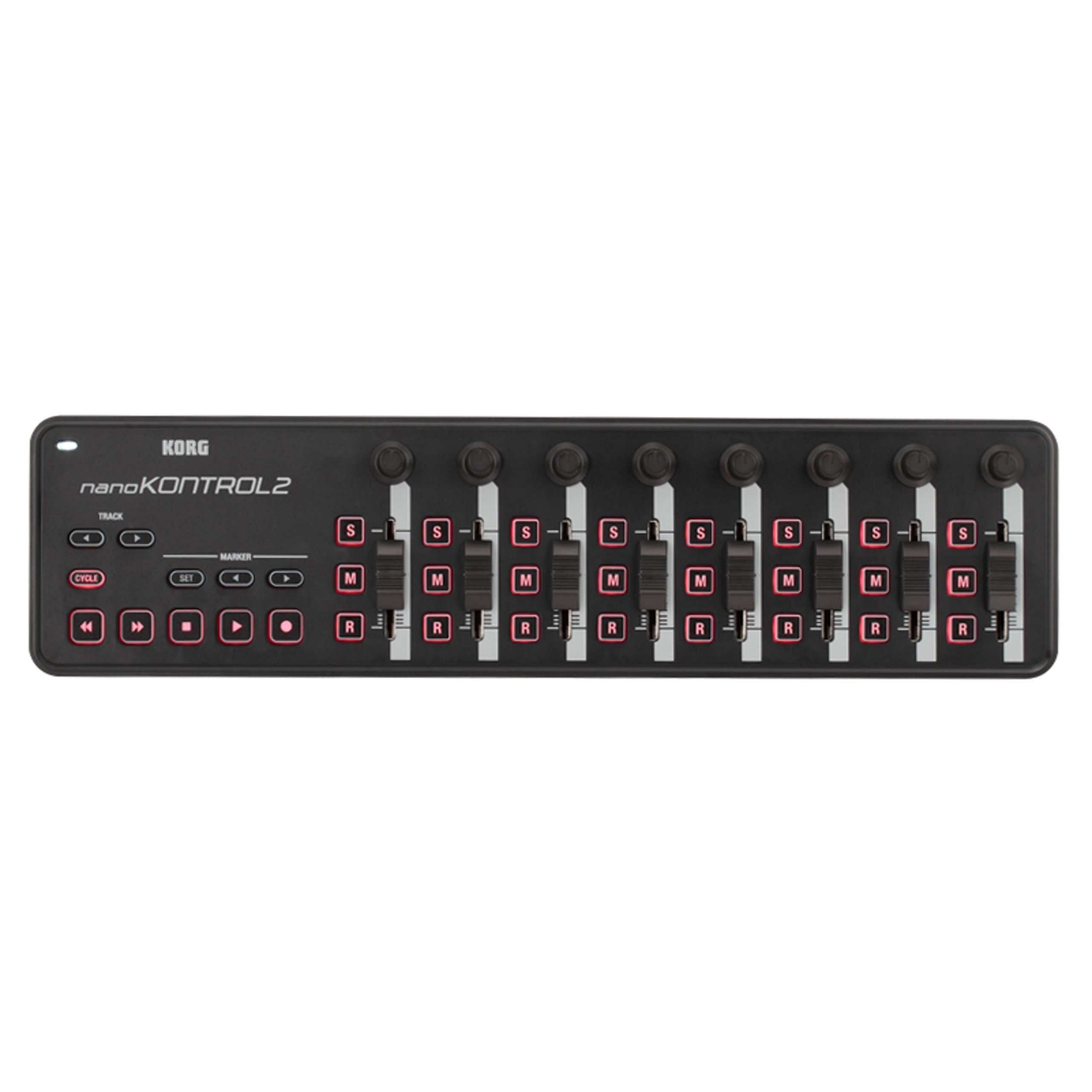
Korg nanoKONTROL2

94 /100
Sound Score Outstanding

Key details

Fader Type
Non-motorized faders
Fader Count
8 faders
DAW Protocol
Class-compliant MIDI
Control Depth
Transport, track select, marker
View on Amazon

The nanoKONTROL2 puts eight faders, transport controls, mute/solo/record buttons, and class-compliant USB operation into a slim, bus-powered shell that fits on a keyboard or in a bag. Core control mapping works cleanly with Logic, Pro Tools, MainStage, and Ableton, with Reason and Live among the easiest out-of-box setups.

Budget studio owners and traveling producers get tactile faders and transport without buying a heavy console. Fair warning: the faders are non-motorized, so automation playback won't move them, and the plastic body is light by design rather than desk-anchored. This is a portable control surface, not a replacement for a motorized mixing desk.

💡 Start with a template from your DAW's controller list before a session to confirm which controls respond.

Pros

  • Puts eight faders, knobs, mute/solo/record switches, and transport control in a portable, bus-powered package.
  • Core DAW control works across Logic, Pro Tools, MainStage, and Ableton; Reason and Live mapping is close out of the box.
  • Programmable buttons support latch or momentary behavior, making mute/solo workflow flexible.

Cons

  • Less common software can require manual MIDI mapping before all controls respond.
Our verdict

For a first control surface, it gets you beyond mouse-based mixing while keeping the rig travel-ready.

Check Latest Price
5

Best Ultra-Compact Utility Surface

Behringer X-Touch Mini

89 /100
Sound Score Excellent

Key details

Fader Type
Non-motorized fader
Fader Count
1 master fader
DAW Protocol
Mackie Control emulation
Control Depth
Dual-layer controls
View on Amazon

The X-Touch Mini is the compact control strip of this lineup: eight dual-layer encoder/buttons and a master fader in a pocket-sized shell, using Mackie Control emulation to reach DAWs, plugin chains, and even photo editors. It is not a full channel mixer — the single fader and lack of motorized feedback mean banking through channels rather than grabbing a handful at once.

That formula suits producers, Lightroom or video editors, and live performers who want tactile control without desktop bulk. Advanced customization requires Windows software; Mac users get the factory templates but not the full X-Touch Editor. The pre-configured templates cover common DAW, plugin, and lighting setups.

Pros

  • Broad DAW and software compatibility lets one unit control plugin chains, lighting apps, or a photo editor.
  • Very low price for the control density makes it an easy first control surface.
  • Dual-layer and programmable controls let one small unit handle two sets of mappings.

Cons

  • In DAWs with weak MIDI implementation, mapping can be finicky, so host support is worth checking before purchase.
Our verdict

For plugin and FX tweaking on a small desk, the X-Touch Mini packs a dense dual-layer control set into a footprint that fits a laptop bag.

Check Latest Price
6

Ableton Live Producers

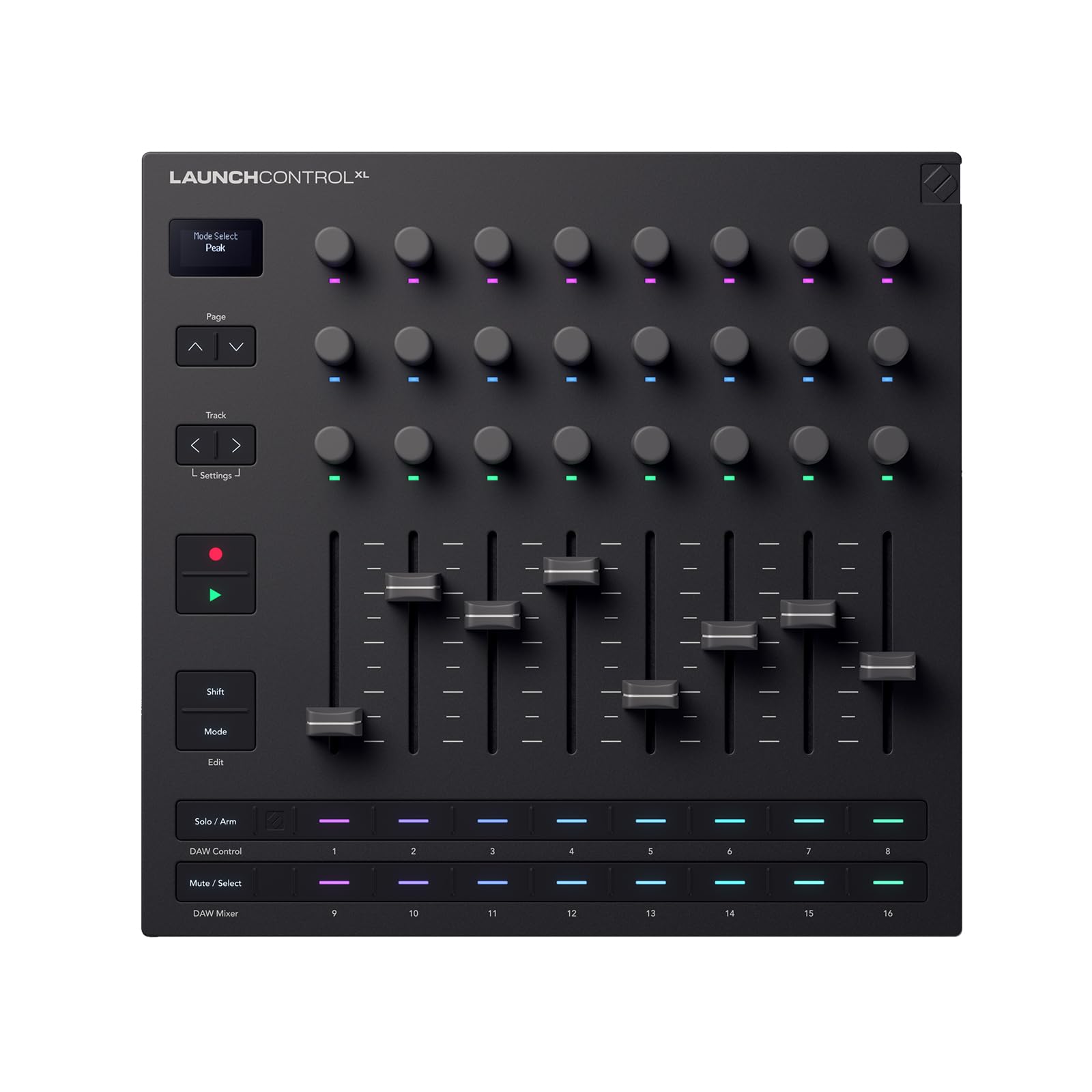
Novation Launch Control XL 3

77 /100
Sound Score Very Good

Key details

Fader Type
Non-motorized faders
Fader Count
8 faders
DAW Protocol
Ableton Live, MIDI
Control Depth
15 custom modes
View on Amazon

The Launch Control XL 3 combines 24 endless encoders, an OLED display, and 15 custom modes in a compact Ableton Live-focused layout. Five-pin MIDI I/O adds a connection point for hybrid hardware setups. The non-motorized faders cannot show automated positions, making this a boundary for traditional mix automation; buyers wanting a broad multi-DAW console should look at competing motorized surfaces.

Pros

  • 24 endless encoders and OLED feedback keep device macros visible during live-session tweaks.
  • 5-pin MIDI I/O connects external hardware without USB-only constraints for hybrid Ableton setups.

Cons

  • Non-motorized faders cannot reflect saved automation positions, limiting traditional mix-down feedback.
Our verdict

For Ableton Live producers whose workflow centers on encoder-heavy session control and hybrid MIDI hardware, this is a focused fit; manual fader automation requires a motorized console.

Check Latest Price
7

Ableton Budget Users

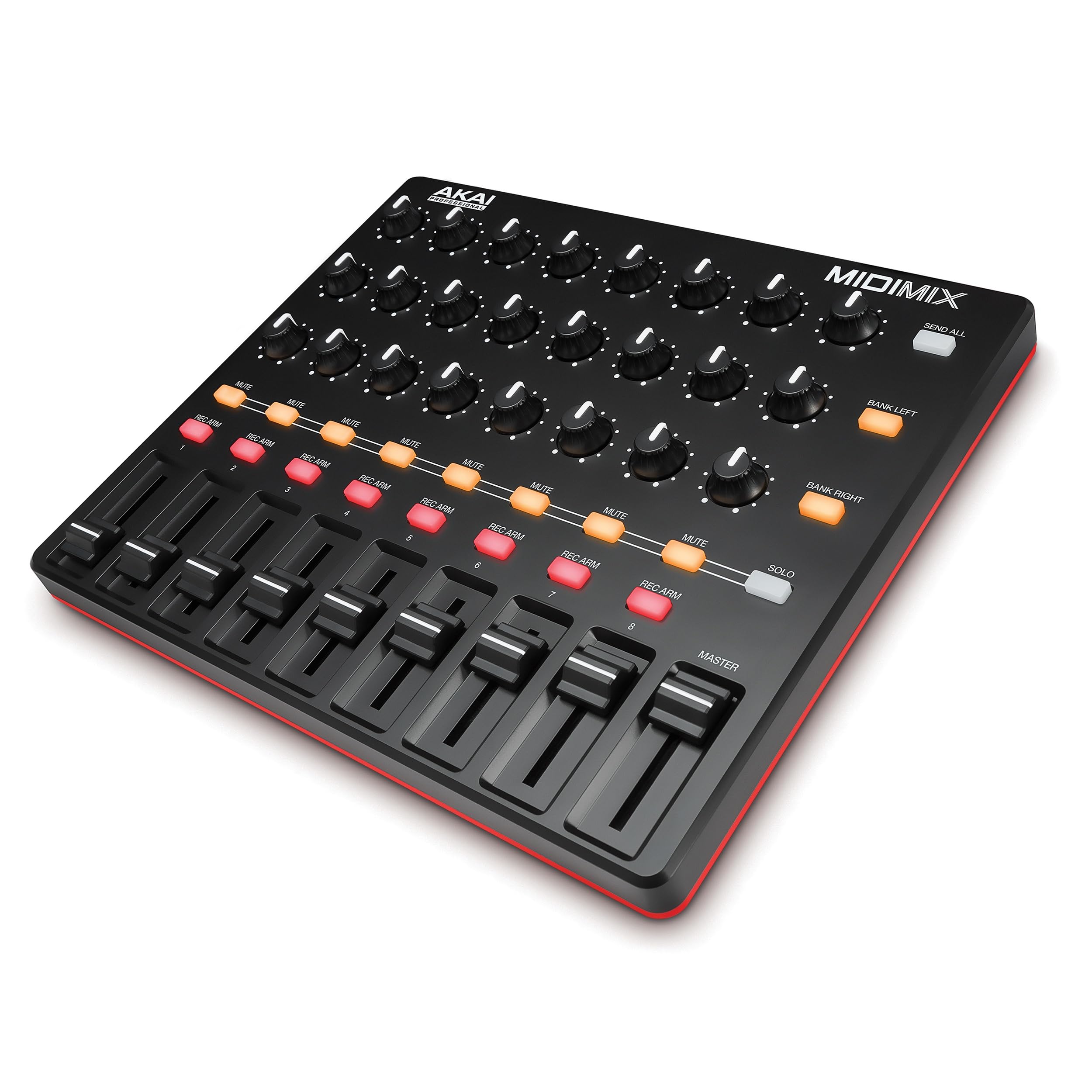
Akai Professional MIDImix

86 /100
Sound Score Excellent

Key details

Fader Type
Non-motorized faders
Fader Count
8 plus master
DAW Protocol
Ableton Live mapping
Control Depth
16 mute/solo/record buttons
View on Amazon

Eight faders, 24 knobs, and 16 mute/solo/record buttons give Ableton users a dense mixing surface with one-to-one mapping. The small tapered knobs are the main ergonomic compromise, and it lacks transport controls. This is a portable, budget-friendly option for tactile mixing without a motorized-fader console.

Pros

  • Dense bank of faders, knobs, and mute/solo/record buttons delivers high control density at a budget price.
  • Ableton Live maps one-to-one, so the surface works for session mixing without extra setup.

Cons

  • Pro Tools and Reaper sessions require manual mapping before the MIDImix controls those DAWs.
Our verdict

Ableton producers who want a compact fader bank and don't need a universal DAW surface get a practical mixer at a budget price.

Check Latest Price
8

Mobile/iPad Rigs

Korg nanoKONTROL Studio

79 /100
Sound Score Very Good

Key details

Fader Type
Non-motorized faders
Fader Count
8 faders
DAW Protocol
Generic MIDI
Control Depth
Transport, knobs, jog wheel
View on Amazon

This compact Bluetooth/USB surface brings eight faders and five programmable banks to an iPad or laptop without cables, and its per-DAW mapping depth suits tinkerers. Pro Tools and certain macOS versions can have connection issues, and the fader assembly feels lighter than a wired desktop console. Those boundaries make it a portable companion rather than a studio mainstay.

Pros

  • Bluetooth mode allows cable-free DAW control from a compact unit.
  • Five banks support custom mapping across multiple software brands from one portable surface.

Cons

  • Pro Tools and some macOS versions can have connection issues; fader feel is light for long desktop sessions.
Our verdict

Best for iPad and laptop producers who want cable-free control and don't depend on Pro Tools compatibility.

Check Latest Price

How to Choose

Motorized vs. Non-Motorized Faders

Motorized faders move during playback, showing automation passes and letting you grab the correct value. They are essential for automating levels or recalling mixes. The trade-off is mechanical noise, more moving parts, and a higher price.

Non-motorized faders stay where your hand leaves them. They are lighter, cheaper, and quieter, but they will not show where a previously automated fader should be during playback. For static balances and plugin tweaks, that limitation is usually acceptable.

Fader Count and Bank Switching

More faders mean fewer bank switches. An 8-fader surface shows a full drum group at once; a single-fader unit steps through channels one at a time. Each unseen fader bank adds a moment of context loss during a mix.

Bank switching is the hidden workaround on compact controllers. A well-placed bank button makes 8 faders behave like 32, but an awkward one interrupts your flow. Choose between fader quantity and portability based on how often you mix full arrangements versus edit one channel deeply.

DAW Protocol Support

'Universal' support usually means Mackie Control or HUI emulation, which maps transport and faders but may skip deeper DAW functions. Native integration exposes channel strips and plug-in parameters with less mapping.

Check how your DAW handles HUI/Mackie before buying. Reaper and Pro Tools often need workarounds; Studio One and Ableton favor native hardware. Multi-DAW owners should prioritize protocol flexibility over ecosystem-specific shortcuts.

Transport and Editing Depth

Transport controls are the minimum: play, stop, record, rewind, fast-forward. Editing depth adds dedicated buttons for cycle, automation mode, punch points, and modifiers. More editing functions under your fingers means fewer trips to the mouse.

A single-fader controller with 40 functions can be more efficient for editing than a large surface with only channel faders. Count buttons, not just faders. Heavy comping and automation work favors a dense small surface over eight bare faders.

Visual Feedback

Scribble strips and OLED displays show track names, parameter values, and bank positions on the unit. Without them, you glance at the monitor to confirm what your hand is touching, which breaks the tactile loop.

LED rings and backlit buttons give cheaper feedback, enough for plugin tweaks but not for moving between many labeled tracks. Dense sessions justify the added cost of display feedback.

Frequently Asked Questions