11 Best Gooseneck Microphone of 2026: Pick the Right USB or XLR

Choose a gooseneck microphone by connection, polar pattern, and mute control so voice calls, dictation, and podium speech sound clear.

Most gooseneck microphones marketed as noise-cancelling still pick up room sound. The real difference is polar pattern: omnidirectional models hear everything, cardioid models reject the sides. That distinction, more than any sticker claim, decides whether keyboard clicks and AC hum end up on the call.

The second fork is connection. USB goosenecks plug straight into a computer and work in seconds, but most are meant for close desktop use. XLR goosenecks require a mixer or interface, and many need phantom power - which makes them better for podiums and installed setups than for a casual home office.

The right gooseneck, then, is not the one with the longest feature list. It is the one whose pickup pattern, connection, and controls match where you sit or stand. Mute buttons help in meetings; volume knobs help when input levels are low; positioning flexibility matters more for shared desks than for solo heads-down calls.

About the Sound Score: This comparative score is calculated from a product's published customer rating and review volume. It is not a laboratory measurement or a hands-on test result.

1

Best Overall

JOUNIVO USB Gooseneck Mic

89 /100
Sound Score Excellent

Key details

Power
USB bus power
Gooseneck
Connection
USB
Mute Control
Mute button + LED
View on Amazon

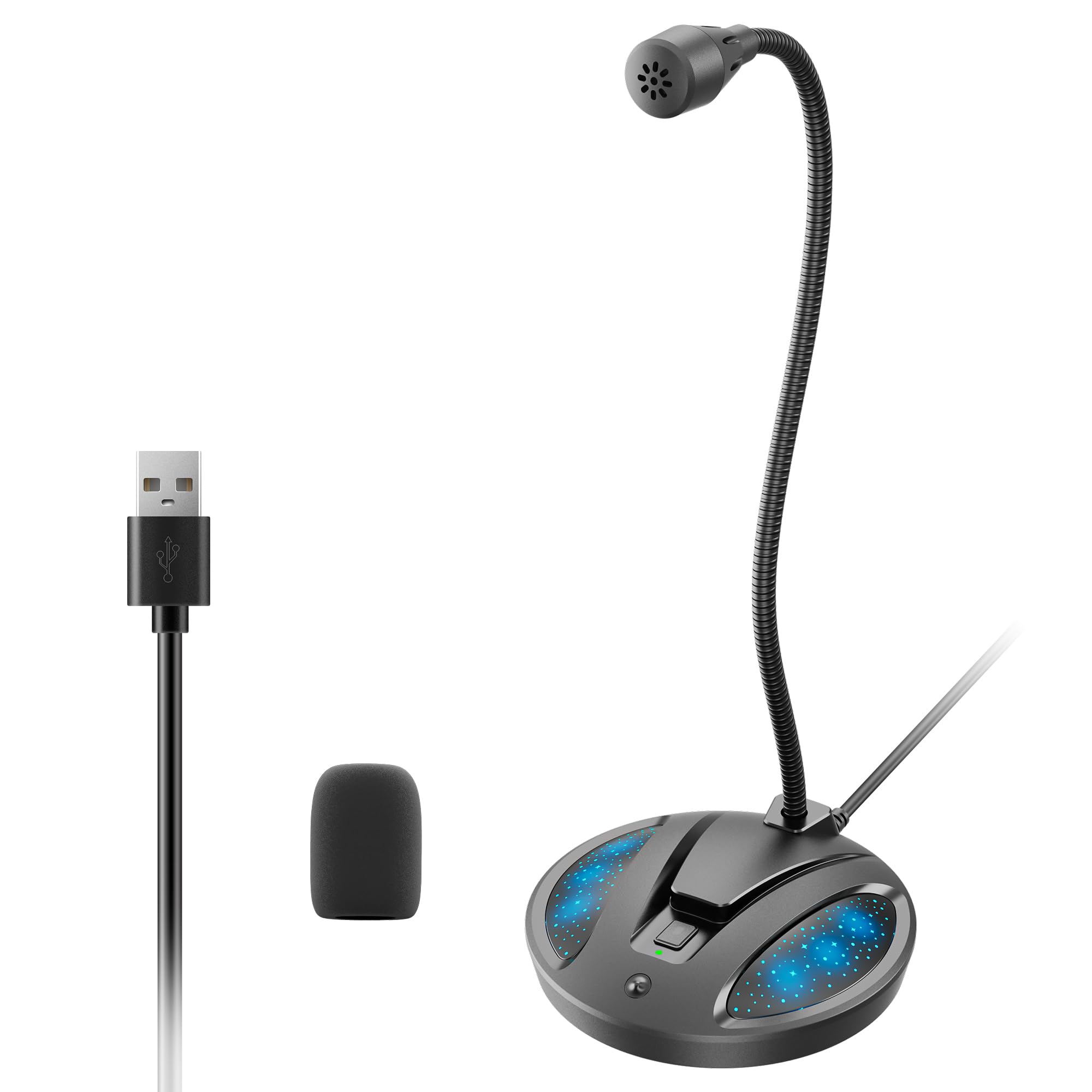
Clear voice pickup covers the daily needs of remote meetings, dictation, and online classes. USB setup is immediate — no drivers or software to configure — and the six-foot cable reaches across a desk without strain. The mute button with LED status is faster to hit than a software mute, and the flexible metal gooseneck holds its angle well enough to point the capsule toward your mouth. The weighted base keeps the mic planted during normal adjustments, and the build feels sturdier than the budget price suggests. Overall output is clear enough to keep a meeting moving without the other side asking you to repeat yourself. Sound quality is balanced for speech, not music.

This is the budget-friendly gooseneck for remote workers, students, and online-class participants who want voice input without a setup ritual. It is not for critical recording; an XLR condenser with phantom power belongs in permanent podium installs. Long-term durability can vary between units, so treat it as an affordable everyday mic rather than a permanent conference fixture. The gooseneck can be bent into a position that stays put for long sessions. For students, the simple USB connection works well with dictation software that needs a consistent voice channel.

💡 Place the microphone a few inches from your mouth for the strongest level; it is not meant for voice pickup from across a desk.

Pros

  • Plug-and-play USB setup means no drivers or software to configure before a call.
  • Clear voice pickup for meetings, dictation, and online classes with minimal background noise in typical rooms.
  • Mute button with visible LED status is faster to use than software mute.

Cons

  • No hardware volume/gain knob; level changes happen in the computer's audio settings.
  • Omnidirectional pickup captures room tone from all directions, so loud typing or side conversation can show up in the feed.
Our verdict

For daily meetings, dictation, and online classes, this is the go-to affordable USB gooseneck for a simple desk setup.

Check Latest Price
3

Best Compact Budget USB

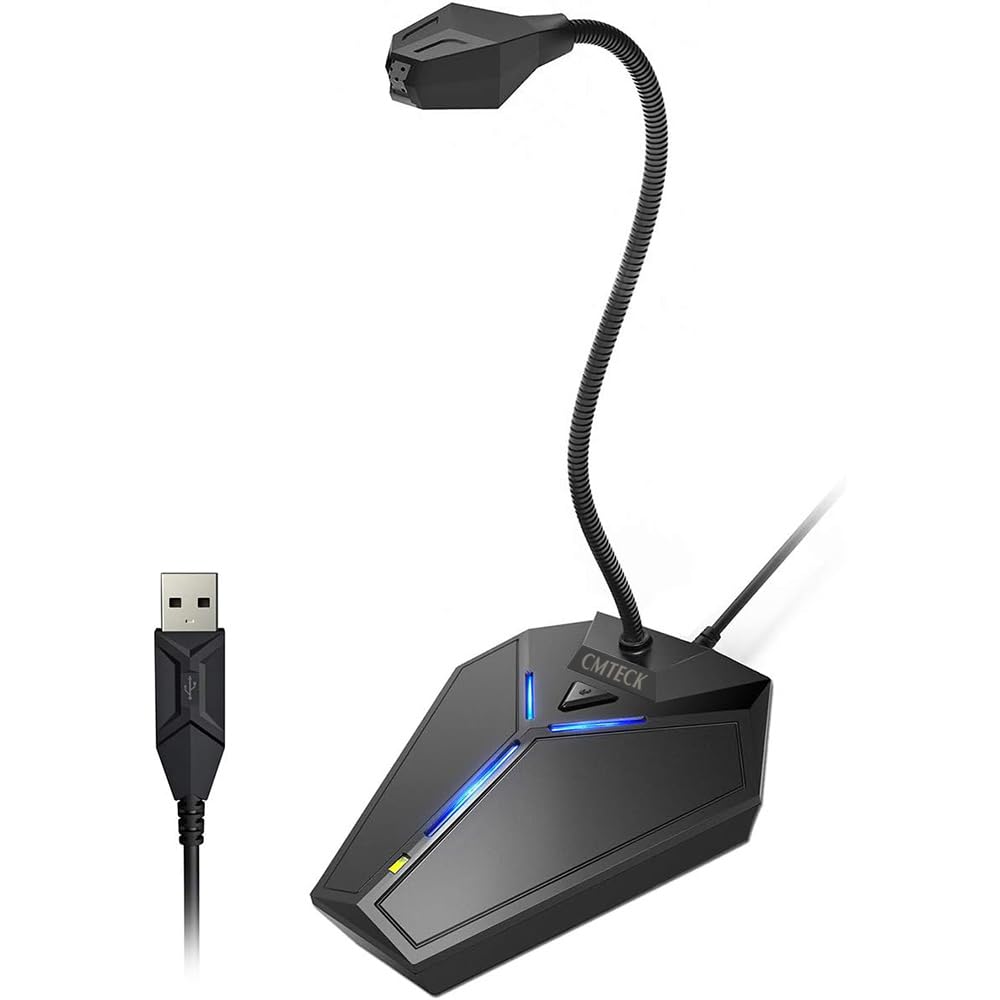
CMTECK G009 Compact USB Mic

90 /100
Sound Score Outstanding

Key details

Power
USB bus power
Gooseneck
Connection
USB
Mute Control
Mute button + LED
View on Amazon

The G009 is the compact cardioid USB option in the budget gooseneck set: it rejects more room noise than the tall omnidirectional workhorses while taking up less desk space. Setup is genuinely plug-and-play, and the built-in mute button and pop filter cover the basics for calls and entry-level podcasting.

This is a close-range solo mic. Move back from the capsule and output can get quiet, so it suits minimal desks and one-person conference calls better than group desks or podium paging. Noise-cancelling can be inconsistent, so it is not a noise-cancelling barrier in a loud room.

Pros

  • Plug-and-play USB setup gets you into calls without installing drivers.
  • Compact base leaves room for a keyboard while holding the mic steady.
  • Clear voice capture for lectures, calls, and starter podcasting.

Cons

  • Room chatter or static can still sneak through in noisier environments.
  • Output level can run low when you sit farther from the capsule.
Our verdict

For one voice at a small desk, the G009 gives you cardioid capture without the footprint of a larger gooseneck.

Check Latest Price
4

Best XLR Desktop Paging Mic

Monoprice Paging Mic

85 /100
Sound Score Excellent

Key details

Power
AAA or phantom
Gooseneck
Connection
XLR
Mute Control
On/off switch
View on Amazon

The Monoprice paging mic arrives desktop-ready: cardioid pickup, on/off switch on the base, and a 25-foot XLR cable in the box. Unlike a permanent flange-mount install mic, this one sits on a podium and arrives ready to run. The base button lights red when the mic is live, and the weighted base stays planted. That bundled cable makes it a quick fit for paging or announcement setups, while the cardioid pattern keeps room noise from dominating. This is an XLR mic, so a mixer or interface with +48V phantom is part of the setup. Direct-to-computer use isn't on the table without an audio interface; anyone with a paging system or church mixer will be at home here.

Pros

  • Clear vocal pickup for paging and announcements at a comfortable working distance.
  • Weighted base keeps the mic planted on a podium or desk during use.
  • Cost-effective XLR desk option with the 25-ft cable included, undercutting pricier alternatives.

Cons

  • Without +48V phantom power, AAA batteries may drain quickly enough to be a hassle.
Our verdict

For installed XLR paging, the practical pick when you want the desk base and bundled cable in one box and have +48V phantom available.

Check Latest Price
5

Best Podium/Church Install

Samson CM20P Podium Mic

88 /100
Sound Score Excellent

Key details

Power
9-52V phantom
Gooseneck
20 in
Connection
XLR
Mute Control
None
View on Amazon

The 20-inch gooseneck, cardioid condenser, and flange mount make this a permanent-install speech mic rather than a desktop accessory. Voices stay clear across a church auditorium or lecture hall, and the gooseneck holds its position after the head is aimed. The cardioid pattern also keeps room noise secondary to the speaker.

Target buyers are churches, schools, or lecture halls mounting into a podium where the sound system already supplies phantom power and an XLR input. Without that infrastructure, this is an installed system component, not a standalone microphone; the USB desktop options in this set are the better match for a computer desk.

💡 Mount the flange over a prepared hole and route the cable before final tightening.

Pros

  • Clear speech articulation for sermons and presentations in larger rooms.
  • Simple install and adjustment once mounted on a fixed flange surface.
  • Build quality feels substantial for a permanent install.

Cons

  • No desktop base or extension cable is included; the flange mount needs a fixed surface.
Our verdict

Best for permanent podium installations where the audio infrastructure is already in place.

Check Latest Price
6

Budget Workhorse

CMTECK USB Gooseneck Mic

89 /100
Sound Score Excellent

Key details

Power
USB bus power
Gooseneck
Connection
USB
Mute Control
Mute button + LED
View on Amazon

A tall flexible neck and instant USB setup make this the low-cost gooseneck for casual meetings, class calls, and desktop voice work. The omnidirectional capsule delivers clear pickup at a normal sitting distance, and the hardware mute with LED gives you a visible way to cut audio without opening software. The neck holds its position, the base feels stable for the price, and it works on Windows, macOS, and PS4 without extra software.

This fits budget-first meeting users and students who want a no-driver mic for daily voice work, but it is not for anyone relying on guaranteed long-term consistency; individual units can need a reconnect after a few months of use.

💡 Position the mic close to your speaking position for the clearest calls.

Pros

  • Plug-and-play USB setup works immediately on Windows, macOS, and PS4 without drivers.
  • Clear voice pickup for calls, meetings, and gaming at a budget-friendly price.
  • Physical mute button with LED gives quick, visible control during calls.

Cons

  • The noise-cancelling claim overstates what an omnidirectional capsule can do; room sounds can still be picked up.
Our verdict

For budget-first meeting rooms and students, this low-cost gooseneck delivers clear pickup and a hardware mute without driver hassle.

Check Latest Price
7

Dictation and Travel

FIFINE K050 Mini USB Mic

87 /100
Sound Score Excellent

Key details

Power
USB bus power
Gooseneck
5.7 in
Connection
USB
Mute Control
None
View on Amazon

A compact 5.7-inch gooseneck and 80 dB signal-to-noise ratio make the K050 a strong dictation mic for Dragon users with limited desk space. Room noise can bleed through the unidirectional capsule, and the short neck limits positioning compared with taller goosenecks. It's a focused option rather than a group-capture desk mic.

Pros

  • Voice clarity for a mini mic is crisp and better than typical headset mics.
  • Dictation comes through clearly, with effective speech-recognition performance.

Cons

  • No hardware mute; meeting users must mute inside software.
Our verdict

Keep the K050 for solo dictation in a compact desk or travel bag.

Check Latest Price
8

Casual Gaming Calls

CMOCIIY USB Gooseneck Mic

86 /100
Sound Score Excellent

Key details

Power
USB bus power
Gooseneck
5.7 in
Connection
USB
Mute Control
Mute button + LED
View on Amazon

Plug-and-play USB setup and LED mute make this a low-friction desk mic for calls and gaming. The 93 dB signal-to-noise spec and clear voice pickup deliver solid everyday clarity for the price. The omnidirectional capsule is best close-miked; in a noisy room it will pick up more ambience than a cardioid alternative.

Pros

  • Plug-and-play USB operation works immediately for meetings or gaming on Windows 11.
  • Clear caller-audible voice pickup for everyday calls and gaming without a complicated setup.

Cons

  • Omnidirectional capsule can pick up room ambience in shared or loud spaces
Our verdict

A cost-effective secondary desk mic for close-miked calls and casual gaming, provided the room stays reasonably quiet.

Check Latest Price
9

Travel Voice Tasks

MillSO Mini USB Gooseneck

85 /100
Sound Score Excellent

Key details

Power
USB bus power
Gooseneck
Metal carbon steel
Connection
USB
Mute Control
None
View on Amazon

At 28 g with a metal carbon-steel gooseneck, this direct-plug USB mic is one of the lightest options in this roundup and works without drivers. Voice pickup is crisp enough for close-range calls and dictation. The foam windscreen can slip off, which is why it sits below the more finished USB desktop mics.

Pros

  • Plug-and-play USB connection works without drivers, so first-time setup is a matter of plugging in.
  • Crisp voice pickup for a tiny omnidirectional mic, useful for calls and dictation.

Cons

  • Audio consistency can vary between units, so a replacement may be needed for uneven pickup.
Our verdict

If you need an ultra-light backup for hotel-room calls and dictation, this tiny USB mic fits.

Check Latest Price
10

Travel Online Classes

C G CHANGEEK Mini USB Mic

86 /100
Sound Score Excellent

Key details

Power
USB bus power
Gooseneck
360° adjustable
Connection
USB
Mute Control
None
View on Amazon

A 43-gram direct-plug USB mic with a built-in sound card fits in a laptop bag and is recognized on PC or Mac immediately. For close-range voice, it handles travel and online-class use well, but sound consistency can vary between units and the gooseneck may not hold position on every unit.

Pros

  • Plug-and-play USB with built-in sound card: recognized by PC and Mac without drivers.
  • Compact 43-gram body is easy to carry for travel or stowing in a laptop bag.

Cons

  • The USB connector may feel wiggly in some units.
Our verdict

Use it as the packable spare for close-range voice when a full-size desk mic is overkill.

Check Latest Price
11

Casual XLR Use

Pyle PDMIKC5 Gooseneck Mic

83 /100
Sound Score Excellent

Key details

Power
9V battery
Gooseneck
Connection
XLR / 1/4 inch
Mute Control
Mute/talkback switch
View on Amazon

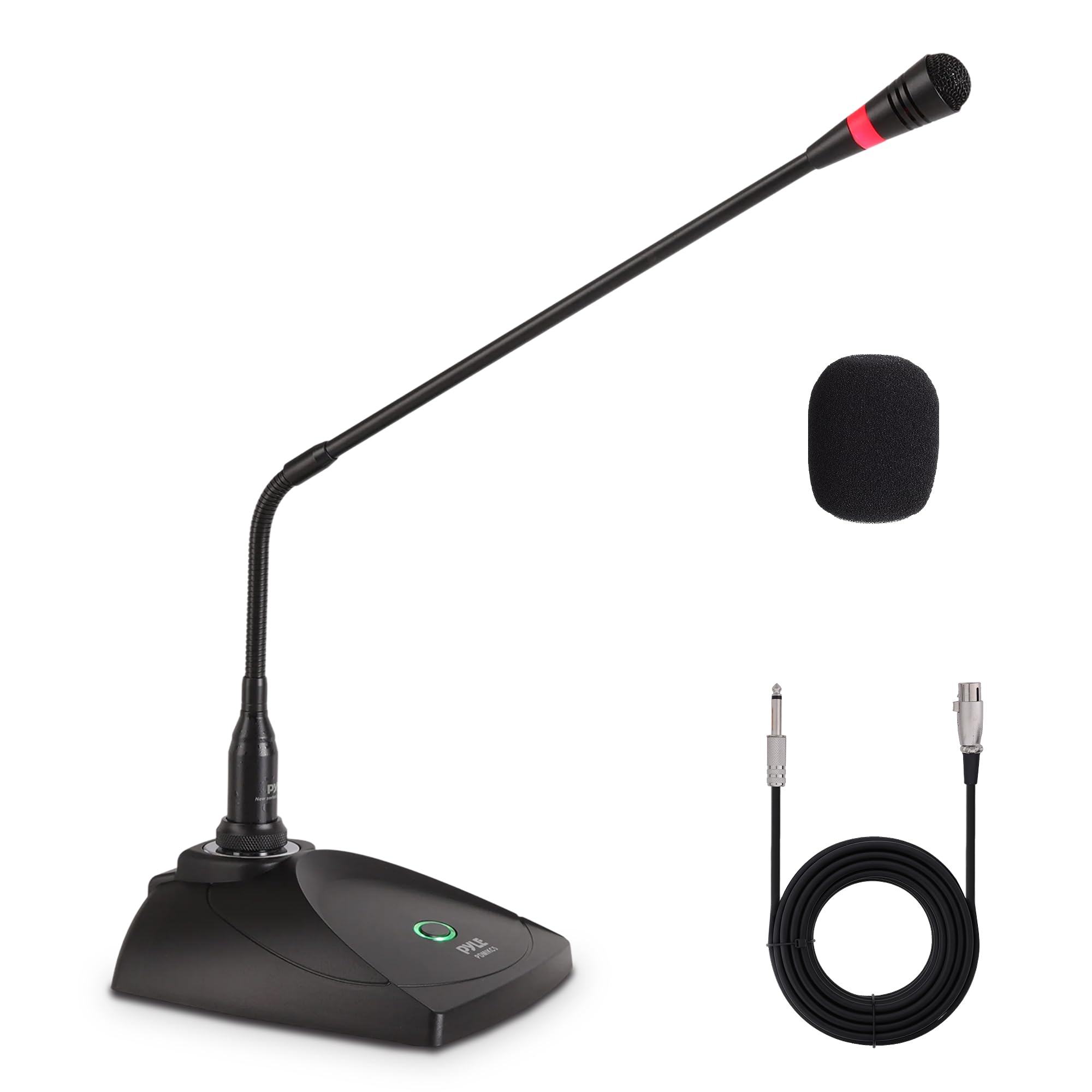
The bundled 26-foot XLR cable, pop filter, and cardioid condenser deliver clear speech and karaoke vocals for casual desktop or podium setups. The 9V battery drains quickly, so easy battery access is a practical requirement. The mute/talkback switch can stick or wear out, which makes this a budget casual-use bundle rather than a dependable installed mic.

Pros

  • Clear speech and karaoke vocals from a cardioid condenser in a ready-to-run XLR bundle.
  • Metal construction and a stable base keep the gooseneck where you put it during desktop use.

Cons

  • Battery life is short; long meetings may require a fresh 9V.
Our verdict

This suits casual karaoke and short podium talks; permanent installed setups are better handled by a phantom-powered XLR gooseneck.

Check Latest Price
12

Phantom-Free Podiums

MRSDY 23-inch Gooseneck Mic

84 /100
Sound Score Excellent

Key details

Power
No phantom needed
Gooseneck
23 in
Connection
XLR
Mute Control
None
View on Amazon

The MRSDY brings a dynamic cardioid capsule to XLR mixers without needing phantom power, making it a low-cost fit for church pulpits, school rooms, and DJ talkback. Its strengths are best used in set-and-forget podium locations, and there is no USB output for direct computer use.

Pros

  • Works cleanly on XLR mixers without phantom power, so simple church and DJ setups can use it as-is.
  • Budget pricing that fits low-cost podium installations and talkback stations.

Cons

  • For installers who need to reposition the full arm, neck flex is limited to the end sections.
Our verdict

For a fixed church or school podium with a basic XLR mixer and no phantom power, this is a cost-effective fit.

Check Latest Price

How to Choose

Polar Pattern and Background Noise

Omnidirectional capsules capture sound from all directions. That is why 'noise-cancelling' USB mics still pass keyboard clicks and HVAC rumble into a call.

Cardioid capsules reject sound from the sides and rear, so they suit desk users in noisy rooms. The trade-off is placement: cardioid mics need the front of the capsule pointed at your mouth, which the gooseneck's bend makes easy.

Mute Button and LED

A hardware mute cuts audio at the mic instead of relying on the meeting app. The visible LED tells you at a glance whether you are live.

If you record, test the switch before trusting it. Some budget mics transfer a mechanical click into the track, which defeats the point of muting.

Gooseneck Length and Stiffness

Short necks around 5-6 inches keep a mic close to the mouth on a crowded desk. Longer necks stretch toward a speaker or podium position, but they need a heavier base or mount to stay put.

Stiffness matters as much as length: a neck that sags slowly forces you to nudge it back before every call. A neck that is too rigid makes fine adjustments frustrating.

USB vs. XLR Connection

USB mics are self-contained: they handle conversion internally and work straight from a laptop or desktop. They are the default for home offices and travel because nothing else is required.

XLR mics send an analog signal to a mixer, interface, or PA system. That adds cost and setup, but it also makes them appropriate for installed podiums, paging stations, and church sound systems where USB is not part of the chain.

Power Requirements

USB mics draw power from the port, so there is no battery to manage. XLR condenser mics need 48V phantom power from a mixer or interface; if that is missing, they will stay silent.

Some XLR goosenecks run on batteries instead. They are easier to install in a basic mixer, but the batteries drain quickly in daily use, so choose phantom power when the system allows.

Frequently Asked Questions