8 Best HyperX Microphone of 2026: Match the Mic to Your Setup

Find the HyperX microphone that matches your room, budget, and workflow — USB vs XLR, condenser vs dynamic, and which model fits how you create.

HyperX markets its mics as broadcast-ready, but the real dividing line is your room and workflow. Condensers capture voice along with keyboard clatter, room reverb, and desk thumps; dynamic capsules reject more of that but need the right gain path. The practical question is which capsule and polar pattern fits the space you record in, not which looks best on camera.

The trade-off is features versus simplicity. Multi-pattern USB mics with shock mounts and pop filters offer the most flexibility in one package; cardioid-only models cost less but demand closer placement and often benefit from software filters. RGB models add visual presence, but their software and firmware behavior can vary.

This guide sorts the lineup around polar patterns, connectivity, mounting, and controls, so you can match a HyperX mic to the room and workflow you already have. When features conflict, it tells you which sacrifice matters and which one you can live with.

About the Sound Score: This comparative score is calculated from a product's published customer rating and review volume. It is not a laboratory measurement or a hands-on test result.

1

Best Overall

HyperX QuadCast

96 /100
Sound Score Outstanding

Key details

Connectivity
USB
Polar Patterns
Cardioid, omnidirectional, stereo, bidirectional
Software / RGB
Red LED, no RGB
On-Board Controls
Tap-to-mute, gain, pattern knob
View on Amazon

The original QuadCast delivers four selectable polar patterns, a built-in anti-vibration shock mount, and an internal pop filter in one USB package, and that combination is still unusual at this price tier. Voices come through clean and natural, with enough presence that you can skip an external audio interface. For game chat and Discord, the voice lands cleanly above the mix without an artificial treble lift. The casing is dense, the switches click cleanly, and the red LED ring reads as deliberate rather than distracting. For a single streamer or podcaster, the cardioid setting handles the core job well; swap to bidirectional for a two-person show or omnidirectional for room capture without changing mics.

Plugging the QuadCast into a PC, Mac, PS4, or PS5 takes under a minute, and the controls live on the body, so you do not need HyperX software to adjust gain, mute, or pattern. The top mute button is easy to hit mid-stream, and the headphone jack on the bottom provides direct monitoring with no audible latency. Gain adjustment happens on a ring around the capsule, which keeps the mic visually clean while still being easy to reach. The gain ring has no numeric marker, so a quick test recording helps whenever you change distance or move the mic to a new desk.

The mechanical design holds up in long-term use. The stand's weight keeps the mic planted, the grille resists scuffs, and the swivel mount holds its angle without sagging after months of repositioning. The shock mount absorbs desk thumps from normal typing, and the internal pop filter tames plosives well enough for voice work without a separate wind screen. A boom arm is a sensible upgrade if you want to free up desk space, but the stock configuration is not a compromise. The included USB cable is long enough for standard desk routing, and the stand folds into a stable footprint for tight setups.

This is the HyperX USB mic to recommend for gamers, streamers, and podcasters who want one dependable unit for voice chat, podcasting, and content creation without an XLR interface. It covers solo streams, two-person interviews, and multi-pattern recording from a single capsule, and it stays within the mid-range price band. Condenser pickup still catches room noise if placed too far or the gain is high, so this best suits people with a reasonably quiet space or who can run OBS filters; creators in noisy rooms who cannot add software processing will be better served by a dynamic mic.

💡 Check the USB cable seating if you hear intermittent cut-outs; a firm reseat resolves them in some cases.

Pros

  • Four polar patterns cover solo streaming, two-person interviews, and room capture without extra gear.
  • Clear, natural voice capture that is a substantial step up from headset mics.
  • Dense construction with a stable stand, swivel mount, and shock mount that holds desk vibration at bay.
  • Plug-and-play setup on PC, PS4, PS5, and Mac, with mute, gain, and pattern controls on the mic body.
  • Red LED ring reads well on camera and matches a gaming or streaming setup.

Cons

  • Some units have shown intermittent cut-outs over extended use, so long-term performance can vary between samples.
  • In untreated rooms, the cardioid pattern still lets room tone through; OBS filters or a boom arm may be needed.
Our verdict

The QuadCast is the default HyperX USB mic for streamers and podcasters who want multi-pattern flexibility, a solid shock mount, and a pop filter without leaving the brand's mid-range price tier.


Check Latest Price
2

Best RGB Streaming Mic

HyperX QuadCast 2 S

90 /100
Sound Score Outstanding

Key details

Connectivity
USB-C
Polar Patterns
Cardioid, omnidirectional, stereo, bidirectional
Software / RGB
NGENUITY RGB, 100+ LEDs
On-Board Controls
Multifunction knob, tap-to-mute, LED meter
View on Amazon

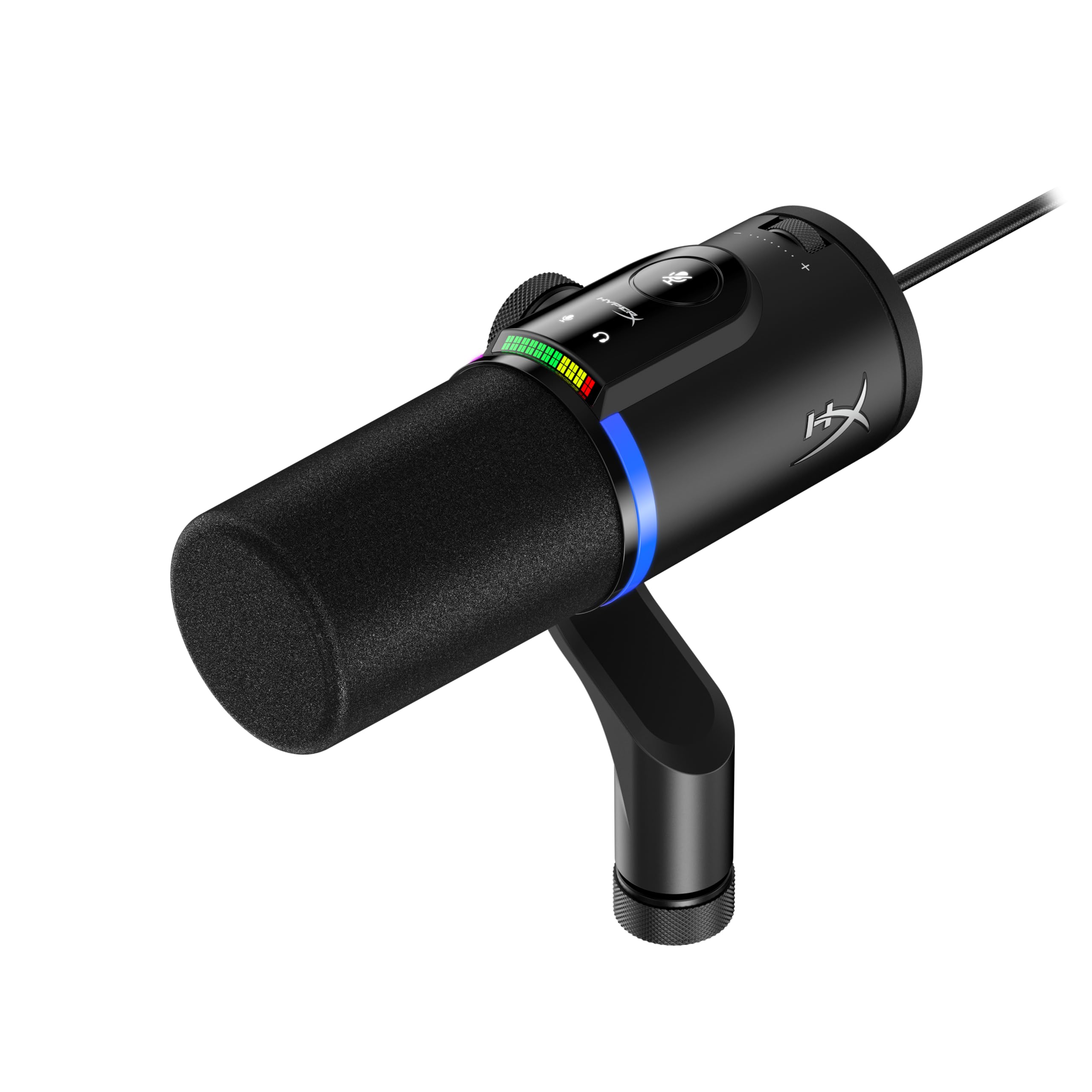
The QuadCast 2 S is the RGB flagship of HyperX's USB line, using 100-plus individually addressable LEDs and a visible VU meter to make the microphone part of the scene. The multifunction knob controls gain, headphone volume, and mute, while USB-C keeps the connection modern, and the detachable shock mount and four polar patterns cover solo or duo recording.

Audio quality carries the streaming side as well: the capsule produces clean, natural voice tone with strong plosive control, and the shock mount keeps desk thumps out of the recording. Setup is plug-and-play through the USB-C port, so the time between opening the box and going live is short.

This is the version for Twitch and YouTube streamers who want the microphone to be a visual centerpiece and can work around NGENUITY-based controls. The pattern switch covers solo, duo, and surrounding room capture; occasional NGENUITY and firmware quirks are part of the trade-off, but the visual impact makes them easier to accept.

Pros

  • Build quality and voice capture hold up for streaming and podcasting without extra processing.
  • Natural voice tone with clean transients and solid plosive control for close-up work.
  • USB-C plug-and-play setup gets it running in seconds on a PC or Mac.
  • Addressable RGB lighting and a live VU meter give streamers a visible presence.

Cons

  • NGENUITY's menu layout can be confusing, and LED presets may not persist after a reboot.
  • Some units can drop USB audio mid-stream or require a reset after a disconnect.
Our verdict

For streamers whose on-screen brand includes a glowing microphone, the QuadCast 2 S is the HyperX model to run.

Check Latest Price
3

Best Budget USB Mic

HyperX SoloCast 2

90 /100
Sound Score Outstanding

Key details

Connectivity
USB-C to USB-A
Polar Patterns
Cardioid
Software / RGB
No RGB, no software
On-Board Controls
Tap-to-mute
View on Amazon

The SoloCast 2 is the only budget HyperX condenser that ships with a built-in pop filter and shock mount, so there are no add-on purchases before it sounds clean. Its 24-bit/96kHz USB-C capture and tap-to-mute put it a step above the original SoloCast, while setup stays limited to a single cable. This is the entry-level HyperX mic for someone who wants a complete desktop package without assembling an arm, wind screen, and shock mount separately.

Tap-to-mute sits right on top, so cutting audio mid-sentence is a one-touch move during a stream or call. The built-in shock mount also absorbs desk bumps that a bare USB mic would transmit. Voice quality is clean and natural at a normal desk distance, the pickup stays focused on the person in front of it, and the controls are simple enough to set once and ignore.

Budget gamers moving off headset mics, WFH voice-chat users, and streamers on a tight setup budget are the right crowd. This is a solo-desk tool that rewards close-up placement; it is not a room mic or a multi-person recorder. If you need to run through an XLR interface, another HyperX model fits better.

💡 Lower the gain when room ambience is loud; the cardioid pattern keeps the voice forward without extra processing.

Pros

  • Ships with a built-in pop filter and shock mount, so a desk setup needs no extra gear.
  • Plug-and-play USB operation works right out of the box, without drivers or software.
  • Tap-to-mute on top makes quick muting easy during calls, streams, or voice chat.
  • Sturdy build and clean voice capture make it a cost-effective step up from headset mics.

Cons

  • If a recording session calls for omni or stereo capture, the fixed cardioid pattern won't follow.
Our verdict

Budget solo streamers and remote workers get a complete USB mic package without buying extra accessories.

Check Latest Price
4

Best Dynamic USB/XLR Hybrid

HyperX FlipCast

87 /100
Sound Score Excellent

Key details

Connectivity
USB-C + XLR
Polar Patterns
Unidirectional dynamic
Software / RGB
No RGB
On-Board Controls
Multifunction wheel, tap-to-mute, LED meter
View on Amazon

The only current HyperX microphone with USB-C and XLR on the same body. That hybrid layout pairs a unidirectional dynamic capsule with a high-pass filter and presence boost, so it works as a USB mic immediately while keeping an XLR path open for a later mixer or interface.

The multifunction wheel adjusts gain, tap-to-mute covers sudden interruptions, and the LED meter shows level at a glance. The 5/8-inch mount with a 3/8-inch adapter fits standard boom arms, which makes the FlipCast a clean desk replacement for a headset mic without extra mounting hardware.

This is the HyperX pick for streamers, podcasters, and gamers in untreated rooms: the dynamic capsule rejects background noise more effectively than HyperX's open-condenser USB models, and the high-pass filter cuts low-end rumble before it hits the stream. The filter stack gets the voice in the right range before any software EQ is added. The tradeoff is a dynamic signature with less of the airy top end found on a large-diaphragm condenser, and the XLR output only becomes active when a mixer or interface is connected. Users who want a wide, open room sound should look at a condenser instead.

💡 Engage the high-pass filter when the desk fan or keyboard noise is part of the room; leave the presence boost off until the voice needs extra cut.

Pros

  • USB-C and XLR on the same mic create a clear path from plug-and-play gaming to a studio interface.
  • Unidirectional dynamic capsule keeps room chatter and keyboard clatter out of the voice track.
  • High-pass filter and presence boost shape the sound without opening a software EQ.
  • Multifunction wheel, tap-to-mute, and LED meter keep live controls reachable during a stream.

Cons

  • The unidirectional pattern is a one-voice design, so a co-host or roundtable needs extra microphones.
  • Set up away from the mic and the dynamic capsule loses presence; close-mic speaking is where it sounds strongest.
Our verdict

The FlipCast is the HyperX mic for streamers who want noise rejection now and an XLR future without replacing the microphone.

Check Latest Price
5

Best Modern All-Rounder for PC

HyperX QuadCast 2

90 /100
Sound Score Outstanding

Key details

Connectivity
USB-C
Polar Patterns
Cardioid, omnidirectional, stereo, bidirectional
Software / RGB
No RGB
On-Board Controls
Gain, pattern switch, tap-to-mute
View on Amazon

The QuadCast 2 keeps the familiar four-pattern broadcast shape but reworks the parts you touch: a gain dial, a polar-pattern switch, and tap-to-mute sit on the front face, while USB-C replaces the older micro-USB connection and the shock mount detaches for quick boom-arm mounting. The control layout keeps adjustments within reach during a stream, and the LED ring reads as a clean status light rather than an addressable RGB show.

Voice capture comes through crisp and clear in gaming chat, streaming, and podcasting sessions, with low background noise at normal desk distance. The polar patterns move from solo cardioid capture to a two-person interview to room recording without swapping or reinstalling hardware. Setup is a single USB-C connection, and the mic is ready to record in about the time it takes to plug it in.

The strongest match is a PC gamer or streamer who wants the current QuadCast layout in a visually quiet desk setup. PS5 and PS4 owners get the same USB audio path, while Mac users should verify NGENUITY support if they depend on system-level adjustments; basic plug-and-play audio may be all a Mac setup delivers.

💡 Tap-to-mute works as a hardware mute, so it stays useful when a game or app has keyboard focus.

Pros

  • Well-built body gives a studio-grade feel for a mid-range USB mic.
  • Voice capture is crisp and clear with minimal background noise at normal desk distance.
  • Front-mounted controls handle gain, polar pattern, and mute without opening software.
  • Four selectable polar patterns cover solo, dual-person, and room recording in one desktop mic.

Cons

  • On a crowded desk, the bundled stand can shift if bumped, so a boom arm is the steadier mount.
  • The USB connection can drop until the cable is reseated, which can interrupt a live stream or recording session.
Our verdict

For PC-focused streamers and gamers who want hardware controls, USB-C, and a detachable shock mount in the current QuadCast body, this is the version to pick.

Check Latest Price
6

Budget First-Timers

HyperX SoloCast

93 /100
Sound Score Outstanding

Key details

Connectivity
USB-C
Polar Patterns
Cardioid
Software / RGB
No RGB, no software
On-Board Controls
Tap-to-mute
View on Amazon

The SoloCast is a compact cardioid USB mic that gets clear vocal capture right at a budget price, with plug-and-play USB-C and a tap-to-mute button that fits Discord, gaming, and first-time streaming. It is sensitive to background noise and USB connection quirks, so close placement, modest gain, and software filters are the practical workaround. The newer SoloCast 2 bundles an internal pop filter and shock mount, which is the main reason the original remains a value pick rather than the top budget choice.

Pros

  • Clear vocal capture for the price; a big step up from laptop and headset mics.
  • Plug-and-play USB-C setup needs no custom software.
  • Tap-to-mute gives a quick physical off switch for Discord and streams.

Cons

  • Single cardioid pickup covers one voice; it will not handle a room or a two-person conversation.
  • USB-only output leaves no XLR path for creators who plan to move to an interface.
Our verdict

The SoloCast fits a fixed desktop setup close to the mouth, where its simple USB setup and tap-to-mute carry day-to-day gaming and chat duties.

Check Latest Price
7

RGB Streamers

HyperX QuadCast S

95 /100
Sound Score Outstanding

Key details

Connectivity
USB-C to USB-A
Polar Patterns
Cardioid, omnidirectional, stereo, bidirectional
Software / RGB
NGENUITY RGB, dynamic effects
On-Board Controls
Tap-to-mute, gain, pattern knob
View on Amazon

The QuadCast S pairs four polar patterns, a built-in shock mount, and NGENUITY RGB with a solid frame and noticeably polished voice capture. Gamers and streamers who want a broadcast-style USB mic that looks good on camera get the full package in one stand without extra hardware.

The capsule has no active noise cancellation, so placement and room treatment matter. The shock mount and four-pattern flexibility still make it a capable streaming mic, but the premium price and the chance of unit-to-unit variance keep it below the newer QuadCast 2 S when RGB is not the priority.

Pros

  • Solid build suits a gaming or streaming setup and looks convincing on a boom arm.
  • Voice capture sounds more polished than headset mics, with cleaner highs for chat and recording.
  • Dynamic RGB lighting is customizable through NGENUITY and makes the mic stand out on camera.

Cons

  • Static or buzzing can appear when gain is high or the USB port delivers marginal power.
  • A given unit can randomly disconnect or power-cycle in the first months, which is disruptive for live streaming.
Our verdict

This fits when dynamic RGB and four polar patterns justify the premium; without that visual priority, the newer QuadCast 2 S is the stronger HyperX USB pick.

Check Latest Price
8

Studio Vocalists

HyperX ProCast

82 /100
Sound Score Excellent

Key details

Connectivity
XLR
Polar Patterns
Cardioid
Software / RGB
No RGB
On-Board Controls
View on Amazon

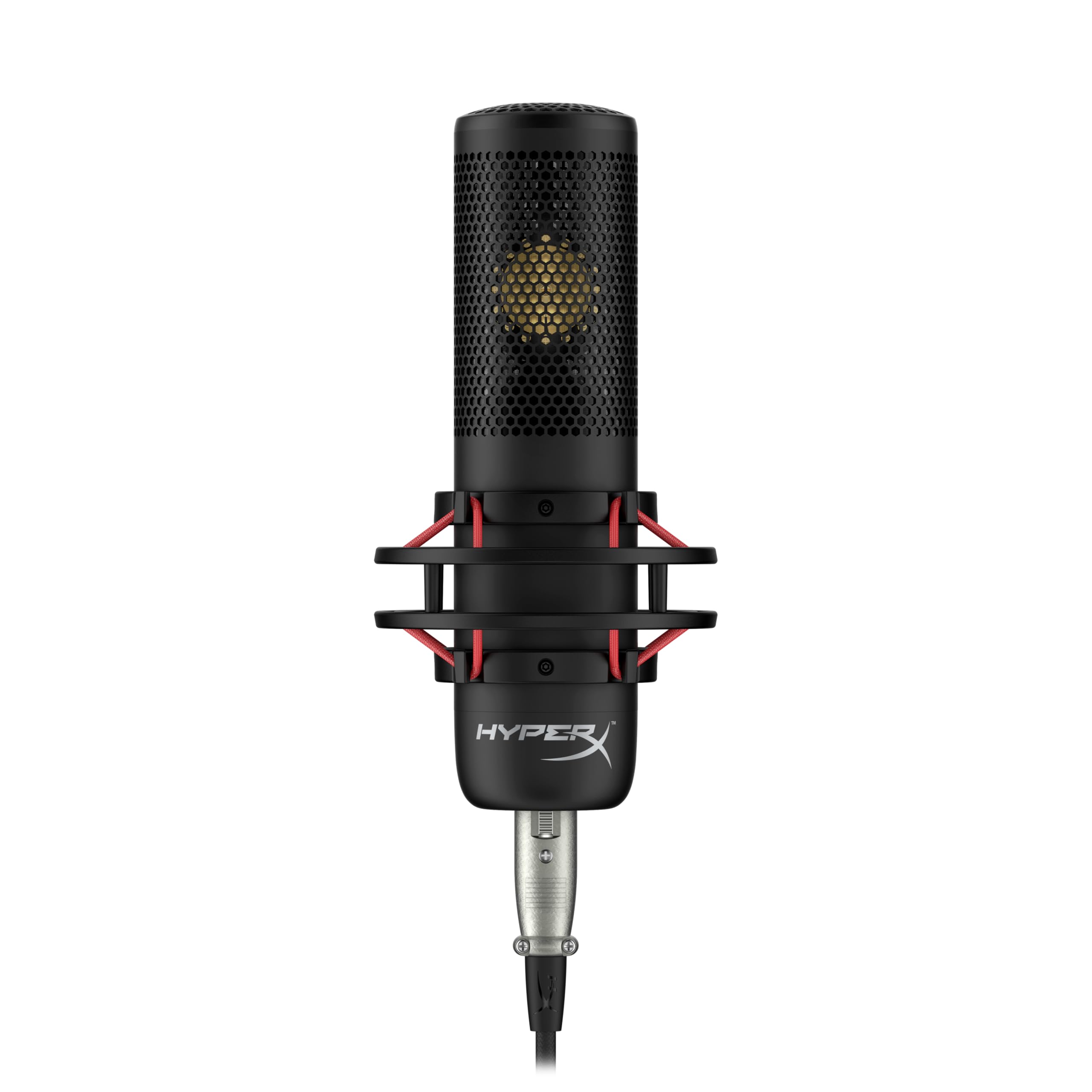
The ProCast combines a gold-sputtered large-diaphragm capsule with a detachable metal pop filter, delivering a focused and open voice capture for treated rooms. Single-voice sources sit clearly in the mix, which suits podcasting and studio vocal sessions. Creators recording in a controlled space get the tonal weight of a true condenser without adding extra studio accessories. The large diaphragm favors close placement, so a quiet room and a stable stand matter more than software tweaks. In the HyperX lineup, that places it as a niche studio option rather than an everyday gaming or streaming microphone.

Pros

  • Gold-sputtered large-diaphragm capsule gives a clear open tone for voice and instruments.
  • Detachable metal pop filter is included, so one accessory is already handled.

Cons

  • Single cardioid pattern leaves no omni or bidirectional option for group or interview recording.
  • XLR-only output leaves USB plug-and-play users without sound until an interface or mixer is added.
Our verdict

Choose the ProCast only when the rest of a studio chain is already in place and the recording room is controlled; for the everyday gaming and streaming setup, the USB HyperX mics are the more practical fit.

Check Latest Price

How to Choose

Polar Pattern Flexibility

Cardioid captures mostly from the front, which is why it is the default for solo voice work, but it also catches whatever sits in that front lobe: keyboard clatter, room reverb, or a humming PC. Multi-pattern mics add omni, bidirectional, and stereo modes; each one trades isolation for coverage. If you only record your own voice, cardioid is enough and the extra patterns add cost without changing your sound.

Shock Mount / Pop Filter

A shock mount decouples the capsule from desk vibration, so typing thuds and mouse clicks do not travel up the stand into the recording. A pop filter stops the air burst from p and b sounds before it hits the diaphragm. Built-in versions save desk space and remove two accessory purchases, but they are fixed in place; a boom arm gives you more positioning freedom if you need it.

USB vs XLR

USB mics have their own preamp and converter, so the cable carries finished digital audio into your computer or console. XLR mics send a raw analog signal to an external interface, which supplies gain and phantom power. USB is plug-and-play; XLR adds cost and desk space but creates an upgrade path. A USB/XLR hybrid lets you start without an interface and move the same mic to XLR later.

On-Board Controls

Tap-to-mute is the most useful control because it cuts the feed instantly without touching software. A gain knob or multifunction wheel lets you adjust levels while wearing headphones, and a physical pattern switch avoids opening an app. Fewer controls means more time in software, so the on-board layout is a bigger quality-of-life difference than the microphone capsule itself.

Software & RGB

Software controls advanced lighting on RGB models, but it is not required for basic audio. A fixed red LED or no LED means zero software dependency, which is the most stable setup for plug-and-play users. RGB adds visual presence on camera, but every lighting feature is another setting that can reset after an update. If you do not want to manage that, skip the RGB version.

Frequently Asked Questions